
Web Alert (Pro) is a powerful productivity tool designed for professionals in web development and automation. This premium version offers advanced features to monitor web pages for changes and notify users when specific conditions are met. With capabilities such as parallel checks, custom frequency settings, and text filtering, it provides detailed control over web monitoring.
The app excels in precision monitoring, allowing users to track specific numbers, keywords, or text segments. It also supports regular expressions (RegEx), CSS, and jQuery selectors, making it ideal for technical professionals. Whether you need to monitor price changes in online stores or detect website downtime, Web Alert (Pro) ensures timely alerts tailored to your needs.
Its integration with Tasker and other automation tools enhances programmability without requiring deep programming knowledge. Suitable for both casual users and professionals, this app transforms how you interact with dynamic web content, ensuring you never miss critical updates.
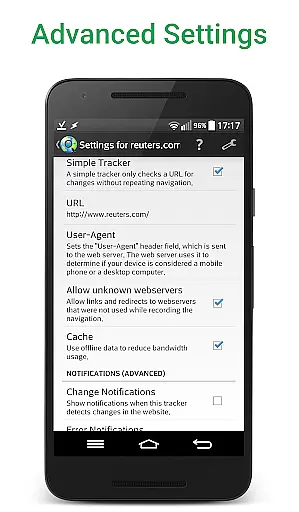
Web Alert (Pro) stands out with its extensive feature set tailored for precise web monitoring. Users can set custom check frequencies, ranging from every few seconds to specific time intervals, ensuring real-time updates. The app's ability to perform parallel checks allows simultaneous monitoring of multiple web pages, significantly improving efficiency.
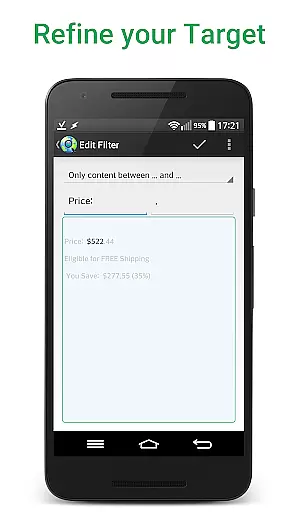
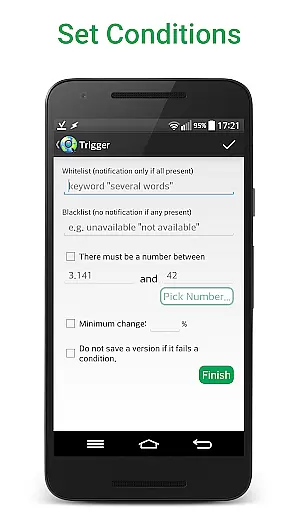
Advanced filtering options enable users to focus on specific text segments, numbers, or keywords. For instance, you can configure the app to notify you only when a product's price drops below a certain value. Additionally, support for regular expressions (RegEx), CSS, and jQuery selectors makes it a versatile tool for developers and automation experts.
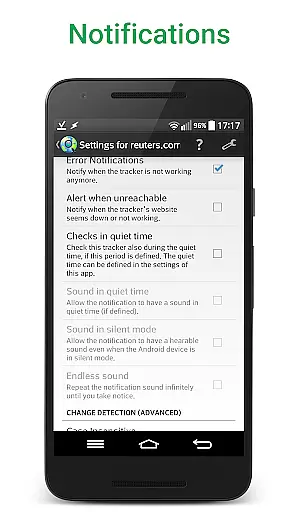
Other notable features include SSL certificate problem handling, change notifications based on percentage thresholds, and exporting website versions as zip archives. These functionalities ensure that Web Alert (Pro) caters to both general users and professionals seeking granular control over their web monitoring tasks.
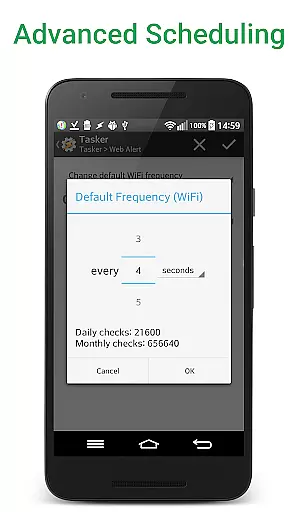
Web Alert (Pro) excels in core task management by providing users with advanced monitoring capabilities for web pages. This includes setting custom frequencies for checks, allowing precise control over how often the app monitors changes.
The app supports parallel checks, meaning multiple web pages can be monitored simultaneously without delays. This ensures that professionals in web development or automation can efficiently manage various tasks without missing any critical updates.
Additionally, Web Alert (Pro) offers features like filtering text and monitoring specific numbers for changes, such as product prices. These tools allow users to focus on relevant information and receive notifications only when necessary, streamlining their workflow significantly.
Cross-device synchronization is a crucial feature of Web Alert (Pro), ensuring that all alerts and settings are reliably synced across different devices. This means users can access their monitoring tasks from multiple locations without losing any data.
The app provides extensive export and import functionalities for alerts, making it easy to transfer configurations between devices. Users can also restore accidentally deleted alerts, adding an extra layer of security to their data management.
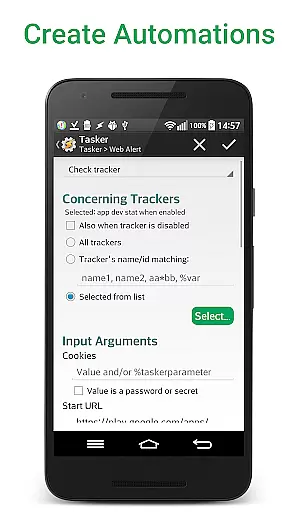
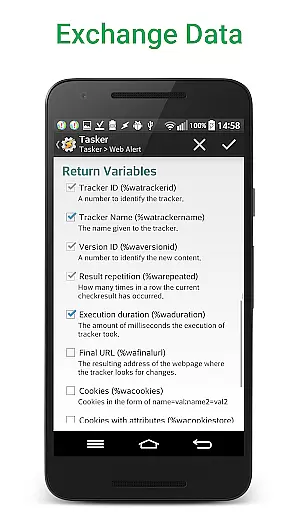
Moreover, Web Alert (Pro) integrates seamlessly with Tasker, Automate, and Automagic through a dedicated plugin. This integration enhances programmability and allows users to automate complex workflows without needing deep programming knowledge, thus maintaining consistency across all synchronized devices.
Highly customizable
Real-time notifications
Advanced filtering
Developer-friendly tools
Tasker integration
Premium cost
Complex for beginners
Requires free app
Limited UI polish
No iOS version

When you Focus, so will your Bean in this cozy focus timer
 4.30
4.30
The long-awaited modern gallery app for your Nextcloud server
4.70
Native client for Forgejo and Gitea
5.00
A lightweight JSON & XML files creator, editor and viewer (Premium Version)
4.40
Mind Map and brainstorm, note taking and idea collection
4.80
IP Camera Viewer - Android TV : RTSP Surveillance camera viewer for Android TV
4.3
App lock - lock apps with fingerprint, password, pin or pattern, protect privacy
4.70
Secure, open-source, SPICE and SSH Remote Desktop for QEMU KVM virtual machines
4.00
Code on-the-go with VScode for Android. Edit,debug and collaborate from mobile!!
3.10
Great calculator for Android named one of USA TODAY's "25 Essential Apps".
4.90
Understand anything with a personalized AI research assistant
4.80
A beautiful digital clock with autostart and many other functions
4.70
Quickly and easily keep track of your work shifts
4.70
App Lock with fingerprint, password: Lock apps & hide photos with lock screens
4.60
The AI assistant that thinks with you - write, code, and solve complex tasks
4.60
Send files, sync SMS, notifications & clipboard across devices via local network
4.40
All in One PDF Reader: Manage, Read and Edit your Documents
4.20
Create and edit presentations with Google Slides, part of Google Workspace.
4.00
A Revolutionary All-in-One Artificial Intelligence Tools
3.80


User Reviews