
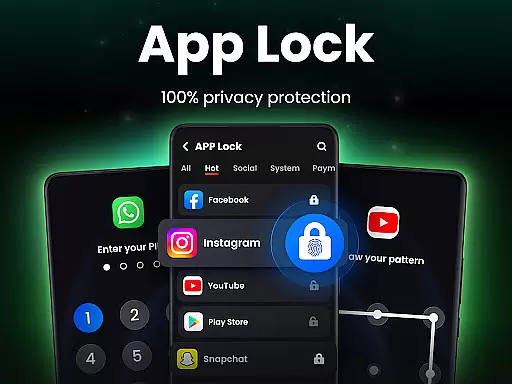
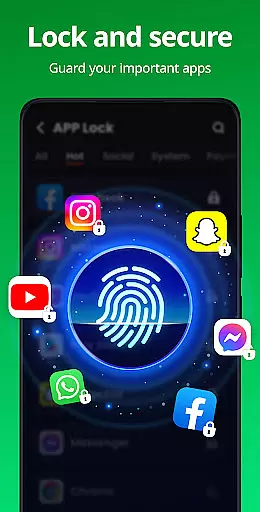
App Lock is a powerful productivity tool designed to protect your personal data with advanced security features. The app allows users to lock specific applications using PIN, pattern, or fingerprint authentication, ensuring complete privacy and control over sensitive information. With its user-friendly interface, App Lock makes it simple to secure social media apps like WhatsApp and Instagram, as well as essential phone features such as Gallery, Contacts, and Messages.
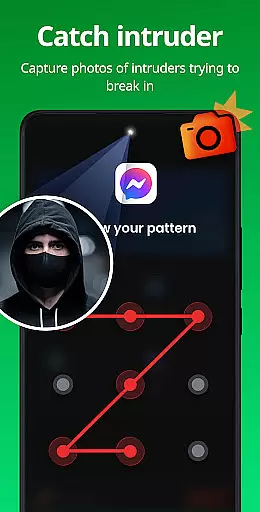
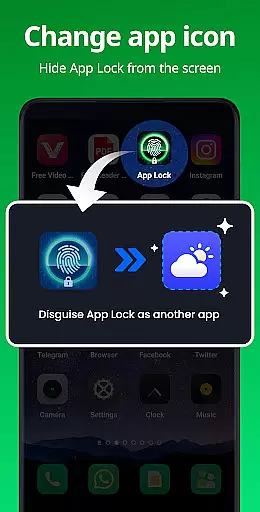
Beyond basic locking capabilities, the app offers additional layers of protection through features like Safe Vault for hiding private photos and videos, Intruder Selfie to capture unauthorized access attempts, and Disguise App functionality to mask the app's presence on your device. Whether you're looking to prevent accidental in-app purchases or safeguard against prying eyes, App Lock provides comprehensive solutions tailored to various security needs.
This app is particularly useful for individuals who share their devices with family members or colleagues and want to maintain strict boundaries around their digital privacy. By combining robust security measures with customizable options, App Lock empowers users to take full control of their mobile experience while offering peace of mind that their private data remains protected at all times.
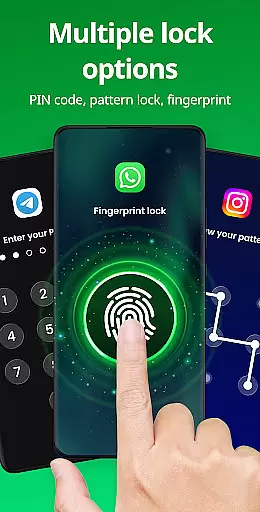
App Lock stands out in the productivity category due to its extensive range of features designed to maximize security and customization. One of the key highlights is the ability to lock apps using multiple methods including PIN, pattern, or fingerprint recognition. This versatility ensures that users can choose the most convenient and secure method for their needs, whether they prefer quick access via fingerprint or more traditional password-based entry.
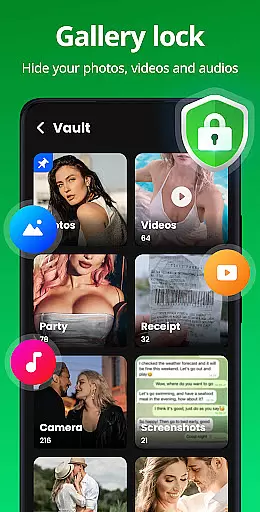
In addition to locking apps, App Lock includes several innovative features that enhance overall device security. For instance, the Safe Vault function allows users to hide private photos and videos from the main gallery, making them accessible only through the app itself. Another standout feature is Intruder Selfie, which automatically takes a picture of anyone attempting to gain unauthorized access, providing an extra layer of accountability and deterrence against potential intruders.
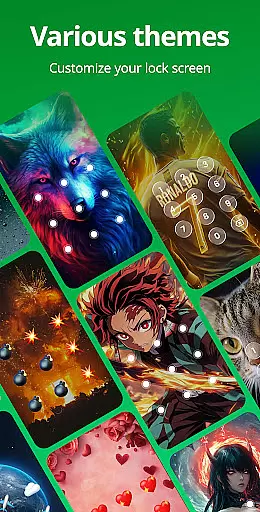
Customization is another area where App Lock excels. Users can personalize their experience by selecting from various lock screen themes, enabling options like Hide Pattern Draw Path and Random Keyboard to further obscure their security inputs. Advanced settings such as Relock Time and automatic detection of newly installed apps ensure continuous protection without manual intervention. These thoughtful additions make App Lock not just a security tool but also a highly adaptable productivity companion for managing digital privacy effectively.
At the heart of App Lock's functionality is its robust core task management system, designed to streamline the way users secure their applications and data. This feature allows for seamless locking and unlocking of apps through various methods including PIN, pattern, or fingerprint authentication.
The app provides an intuitive interface where users can easily toggle protection for social media platforms like WhatsApp and Instagram, ensuring that private conversations and posts remain confidential. With just a single click, users can activate security measures across multiple apps, safeguarding sensitive information such as photos, videos, and messages from unauthorized access.
Additionally, App Lock goes beyond basic application security by offering advanced features like payment protection in financial apps, preventing accidental transactions or unauthorized purchases. This comprehensive approach to task management empowers users with both convenience and peace of mind, knowing their digital life is under control.
While App Lock primarily focuses on securing individual devices, it also offers reliable cross-device synchronization capabilities that enhance user experience when managing privacy settings across different platforms. By setting up a recovery email within the app, individuals are able to reset passwords and maintain consistent security protocols regardless of which device they use.
This ensures continuity in privacy protection whether you're accessing your phone at home or using another Android device temporarily. The ability to customize lock screen themes further personalizes this synchronized environment, allowing users to enjoy a uniform look and feel while maintaining top-notch security standards everywhere they go.
Moreover, upcoming features such as cloud backup will reinforce these benefits by enabling automatic updates of locked apps and hidden files onto remote serversu2014providing an extra layer of redundancy against data loss due to unforeseen circumstances like device damage or theft. Such innovations underscore App Locku2019s commitment to delivering dependable solutions tailored for today's interconnected world.
Easy-to-use interface
Multiple locking methods
Comprehensive privacy protection
Customizable security options
Regular feature updates
Requires multiple permissions
May drain battery faster
Limited free theme options
Occasional ads in free version
Fingerprint sensor dependency

Seamlessly integrate data and reports to build your presentation to impress
 4.80
4.80
Total remote control for your Android device, PC and cloud services (IFTTT)!
4.20
Planet Free VPN - The best Fast Unlimited and Secure VPN Without Logs
4.50
We're working to become the best machining app on the market! www.cncdirt.com
4.80
Stay on top of your to-dos with Google Tasks, part of Google Workspace.
4.60
Activate Two Factor Authentication (2FA or Multi OTP), Password manager and more
4.10
A beautiful digital clock with autostart and many other functions
4.70
Access your phone's notifications, calls, apps, photos & texts on your PC
3.90
Understand anything with a personalized AI research assistant
4.80
Protect and view your important info on your phone and tablet with eWallet®
4.80
Simple notepad & memo. Take notes, to-do list, shopping list with reminders.
4.80
Quickly and easily keep track of your work shifts
4.70
Scan paperwork into PDF/JPG, generate your own e-signature and send fax or email
4.70
Secure, fast, open-source, Remote Desktop Client for Windows and Linux with SSH
4.60
Send files, sync SMS, notifications & clipboard across devices via local network
4.40
A customizable calendar for your Wear OS watch
4.20
Create and edit presentations with Google Slides, part of Google Workspace.
4.00
* block pre-roll ads, pop-up and forced redirect ads * Samsung certification app
4.00
IP Camera Viewer - Android TV : RTSP Surveillance camera viewer for Android TV
4.1


User Reviews