

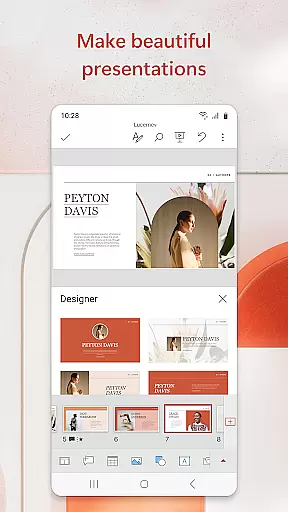

Microsoft PowerPoint is the quintessential presentation app that empowers users to create, edit, and view slideshows on the go. With its mobile platform support, you can carry your presentations wherever you are, ensuring seamless synchronization across devices. This eliminates the hassle of managing multiple file versions and allows for real-time collaboration.
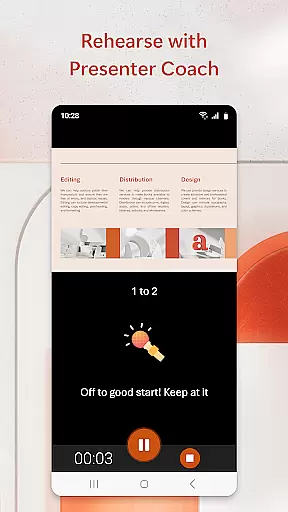
The app includes Presenter Coach, an AI-driven tool designed to refine public speaking skills by providing real-time feedback and suggestions. Whether crafting a quarterly report or delivering a yearly summary, PowerPoint's customizable templates and multimedia integration capabilities ensure your presentations stand out. The app also supports photo slideshows and video embedding, making it versatile for various presentation needs.
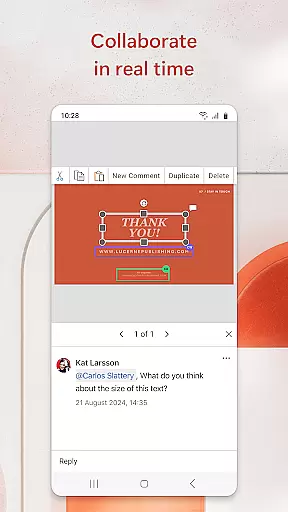
PowerPoint's collaboration features enable teams to work together efficiently, with integrated commenting and permission settings that keep everyone aligned. Suitable for both individual and team use, this productivity app helps users deliver impactful presentations confidently and professionally.
Microsoft PowerPoint offers a comprehensive suite of features tailored for creating dynamic and engaging presentations. Its hallmark is the Presenter Coach, which provides AI-powered assistance to improve public speaking. This feature gives real-time suggestions on pacing, language usage, and delivery, helping users present with confidence.
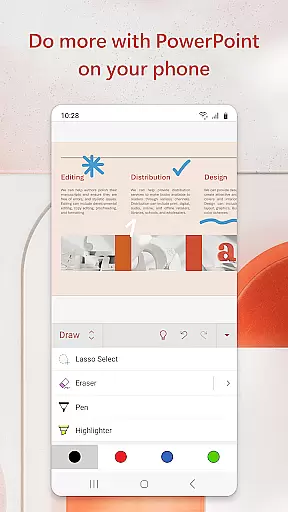
The app boasts robust customization options, allowing users to craft presentations from scratch or utilize pre-designed templates. Multimedia integration is seamless, supporting photos, videos, charts, and graphics. Users can insert media directly from their device or capture new content within the app. The presentation timer ensures concise delivery, while the presentation view optimizes readability on any device.
Collaboration is streamlined through shared access and integrated commenting. Teams can simultaneously edit presentations, review changes, and provide feedback. Permissions management keeps track of who is working on what, ensuring organized teamwork. These features make PowerPoint an indispensable tool for anyone looking to create compelling presentations.
Microsoft PowerPoint offers robust core task management features that streamline the process of creating, editing, and presenting slideshows. This productivity app allows users to efficiently organize their presentation tasks, ensuring that each slide is crafted and refined with precision.
The app's intuitive interface enables seamless navigation through various tasks such as inserting multimedia elements, applying design templates, and utilizing Presenter Coach for practice sessions. These capabilities ensure users can focus on content delivery rather than getting bogged down by complex operations.
With real-time collaboration tools, teams can work together on presentations regardless of location. Integrated commenting and permission settings facilitate clear communication among team members, enhancing productivity and coherence in group projects.
Ultimately, PowerPoint's task management system empowers users to create impactful presentations confidently. Whether preparing quarterly reports or annual reviews, professionals can rely on this tool to manage their workflow effectively while producing high-quality outputs.
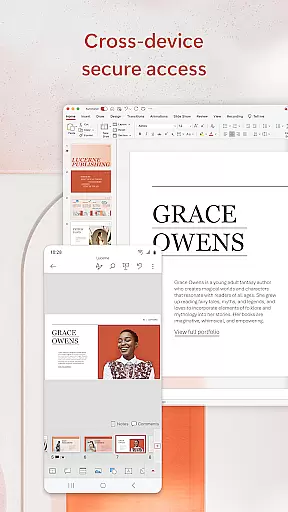
Cross-device synchronization is a cornerstone of Microsoft PowerPointu2019s reliability, allowing users to transition smoothly between different devices without losing progress or formatting consistency. This feature ensures that whether you're working on a phone, tablet, or PC, your presentation remains uniform and up-to-date.
PowerPoint achieves synchronization excellence by automatically saving changes to the cloud. This means any edits made on one device are instantly accessible on another, eliminating concerns about version control and multiple file versions. Users can start a presentation on their mobile device during a commute and continue refining it on a desktop at the office.
This reliable sync capability extends to collaborative environments where team members may be using diverse devices. Everyone involved in the project has access to the latest updates, fostering efficient teamwork and reducing the risk of miscommunication due to outdated files.
In summary, PowerPoint's cross-device synchronization not only enhances user convenience but also boosts overall productivity. By providing a dependable platform for creating and sharing presentations across various devices, it supports modern work habits and ensures consistent quality in every slideshow delivered.
User-friendly interface
Real-time collaboration
AI-powered Presenter Coach
Seamless cross-device sync
Rich multimedia support
Subscription required
Limited free features
Occasional sync issues
High system requirements
Complex for beginners

Client for Nextcloud Deck
 4.60
4.60
Experience Reading - Night Mode for Documents
4.40
The long-awaited modern gallery app for your Nextcloud server
4.70
Automates browsing any website and notifies you of important changes or events
4.30
Pwnagotchi companion app
4.20
Functional QR scanner and barcode reader that requires little storage space.
4.60
Subscribe to Webcal & .ics calendars and keep them up-to-date!
4.50
Share files & memories safely. Keep your photos and videos secure.
4.40
Intelligent AI Assistant
4.10
Scientific calculator for Android - looks and operates like the real thing!
4.90
Understand anything with a personalized AI research assistant
4.80
A beautiful digital clock with autostart and many other functions
4.70
App Lock with fingerprint, password: Lock apps & hide photos with lock screens
4.60
Device's storage information in a simple and clear graphical form (infographics)
4.10
Activate Two Factor Authentication (2FA or Multi OTP), Password manager and more
4.10
Create and edit presentations with Google Slides, part of Google Workspace.
4.00
Simple and reliable communication between inmates, friends and family
3.20
Code on-the-go with VScode for Android. Edit,debug and collaborate from mobile!!
3.10
Create study competitions, track your hours, and stay consistent with friends
4.4


User Reviews