
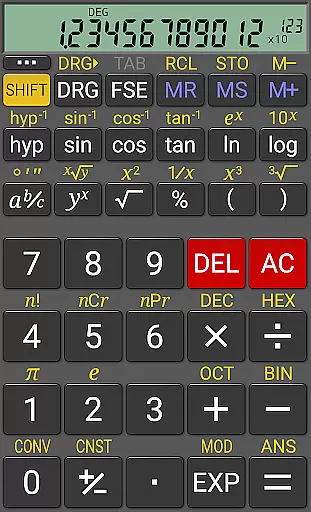
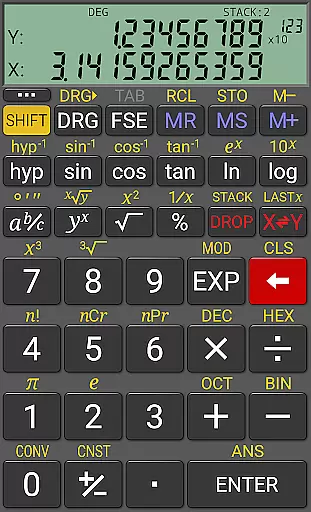
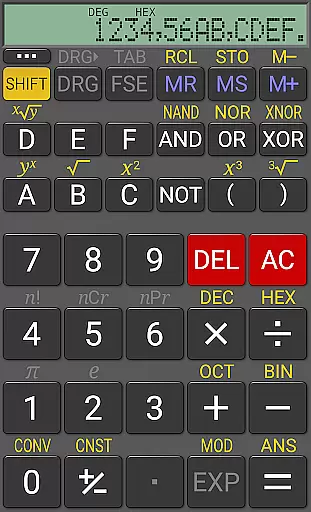
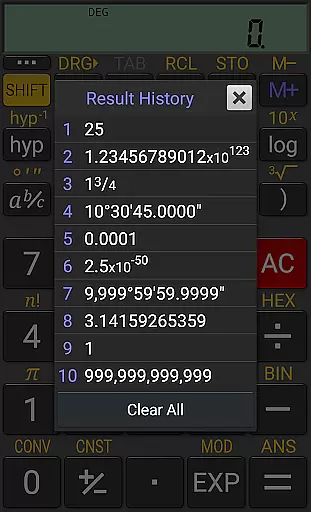
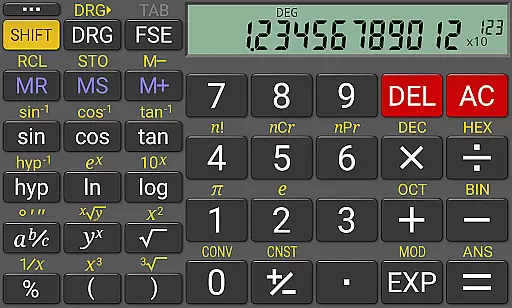
RealCalc Plus stands as the advanced version of RealCalc, celebrated as one of Android's premier scientific calculators. It mirrors the functionality and interface of a genuine hand-held calculator, offering users an intuitive experience with its comprehensive suite of standard scientific functions.
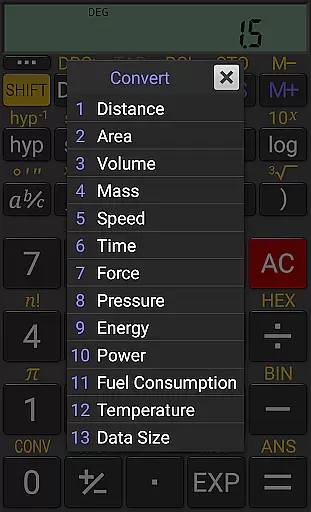
Beyond basic calculations, it extends to fractions, degrees/minutes/seconds conversions, history tracking, multiple memories, customizable unit conversions, and constants. The calculator supports binary, octal, hexadecimal computations, and optionally operates in RPN mode, making it versatile for various technical calculations.
Designed for both ease of use and customization, RealCalc Plus suits students, engineers, and professionals who require precision and adaptability in their calculations, enhancing productivity across different fields.
RealCalc Plus distinguishes itself through a rich array of features tailored for diverse computational needs. Users can choose between traditional algebraic or RPN operations, facilitating a personalized calculation approach that aligns with individual preferences or professional requirements.
The calculator excels in precision and format versatility, boasting a 12-digit display, extended internal precision (32-digit), and support for scientific, engineering, and fixed-point display modes. Customization options extend to digit grouping, decimal point configuration, and three distinct RPN styles, accommodating classic RealCalc enthusiasts and newcomers alike.
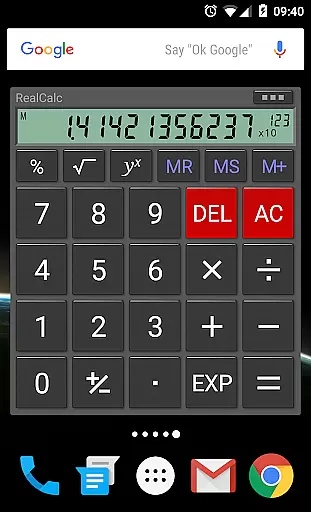
Additional highlights include multi-window support with drag & drop, external keyboard compatibility, and a homescreen widget now supporting RPN, ensuring seamless integration into users' digital environments and workflows.
For a productivity app like RealCalc Plus, core task management refers to how effectively it handles essential calculator operations and scientific functions. This app excels in providing users with an extensive set of features that go beyond basic calculations.
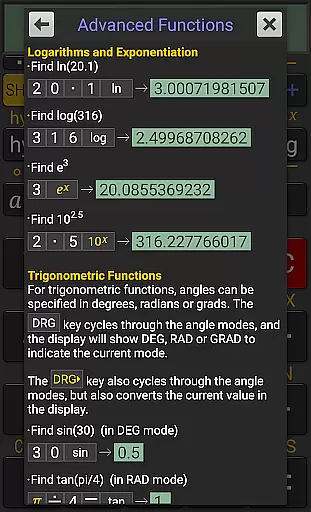
RealCalc Plus supports traditional algebraic or RPN operation, fraction calculations, degrees/minutes/seconds, trigonometric functions, and more. With its 12-digit display and extended internal precision of up to 32 digits, users can trust the accuracy of their computations. The inclusion of user-customizable unit conversions and constants adds another layer of versatility.
Users benefit from having all standard scientific functions at their fingertips, along with advanced options such as binary, octal, and hexadecimal calculations. The optional RPN mode caters to those who prefer Reverse Polish Notation for their calculations, making this app adaptable to different working styles.
The true value lies in its ability to cater to both novice and experienced users alike by offering full help within the app while maintaining ease-of-use. Whether you're calculating simple sums or complex equations, RealCalc Plus ensures efficiency and precision in every task.
Cross-device synchronization is crucial for users who rely on consistent access to their data across multiple devices. While RealCalc Plus does not market itself as a cloud-syncing tool, it offers reliable ways to maintain continuity in your work through other means.
One key feature that aids in this area is the result history function which allows users to review past calculations without needing them synced across devices. Additionally, the ten memories available can store values locally so that they are always accessible when using the same device.
RealCalc Plus also includes multi-window support with drag & drop capabilities and external keyboard supportu2014features that enhance productivity on single devices but indirectly aid cross-device workflows by streamlining processes where switching between apps or hardware might be necessary.
Although direct synchronization isn't highlighted, these robust local storage solutions ensure that whether you're at home or on-the-go, your important data remains secure and retrievable within each individual installation of RealCalc Plus.
User-friendly interface
Highly customizable settings
Supports RPN mode
Extended precision calculations
Versatile display modes
No graphing capabilities
Limited to Android platform
Paid version required for full features
Complex for beginners
Interface may feel dated

AI Video AI Image Private LLM AI Browser Llama Gemma Ollama Connect LLM Studio
 4.4
4.4
Direct Chat without saving contacts & Dual WA Account on Single Device
4.70
Easiest event planning, volunteer signups & parent teacher conference scheduling
2.20
Simple and reliable communication between inmates, friends and family
3.20
Multilingual translator for text, voice, and image translation!
4.90
Translate text/voice/photos in 150+ languages. Offline & fast translator app.
4.50
Understand anything with a personalized AI research assistant
4.80
Simple notepad & memo. Take notes, to-do list, shopping list with reminders.
4.80
AI Chatbot and AI writing assistant powered by ChatGPT.
4.60
aCalendar+ makes your day, week and month
4.70
Quickly and easily keep track of your work shifts
4.70
App Lock with fingerprint, password: Lock apps & hide photos with lock screens
4.60
Functional QR scanner and barcode reader that requires little storage space.
4.60
Send files, sync SMS, notifications & clipboard across devices via local network
4.40
Share files & memories safely. Keep your photos and videos secure.
4.40
Access, manage and transfer files on Android, PC, Mac, NAS and cloud storages.
4.30
Total remote control for your Android device, PC and cloud services (IFTTT)!
4.20
Access your phone's notifications, calls, apps, photos & texts on your PC
3.90
A comprehensive suite of tools designed specifically for Lactation Consultants
4.3


User Reviews