
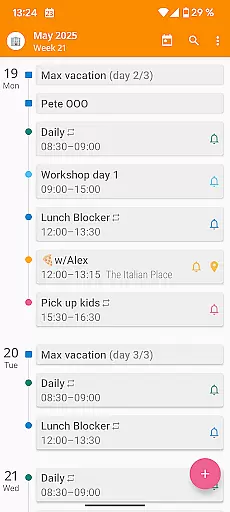

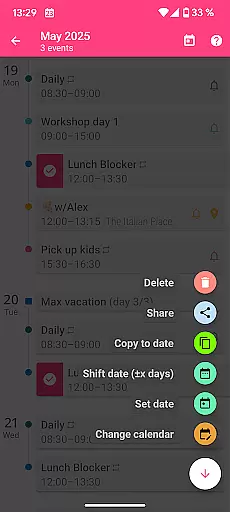
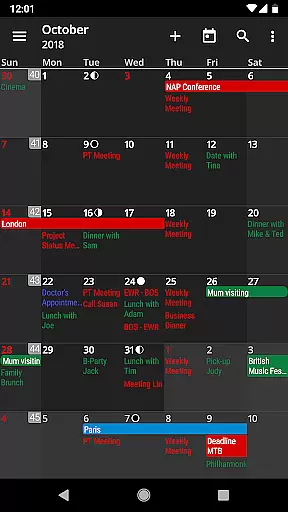
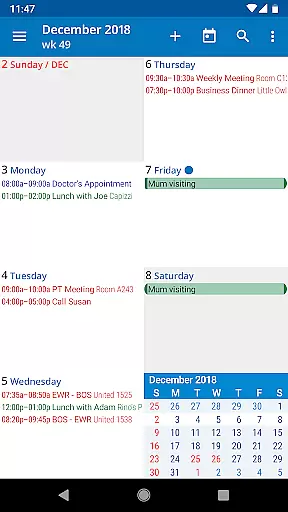
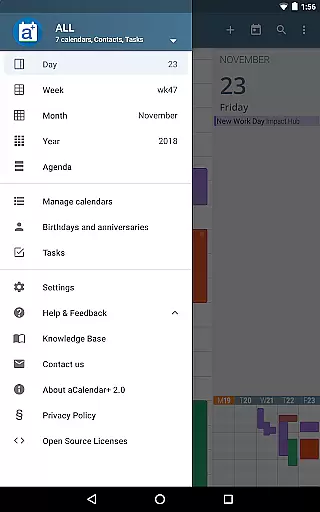
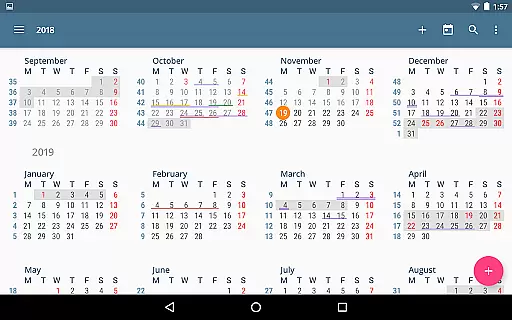
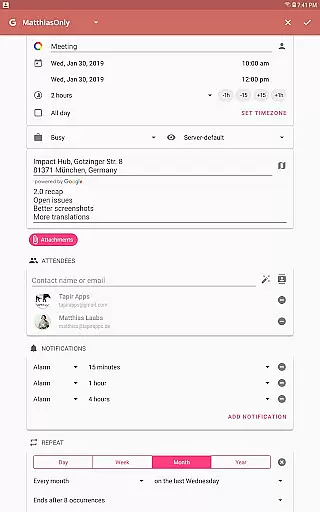
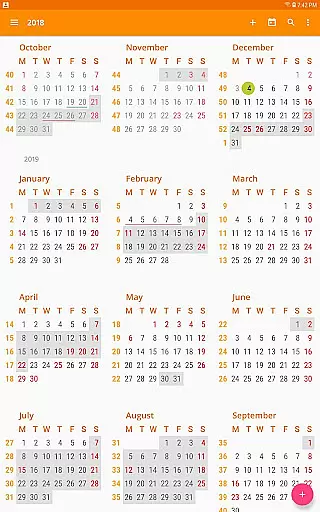
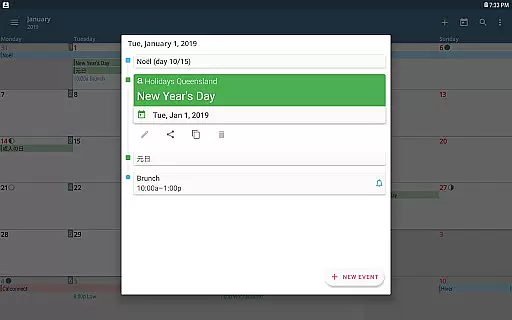
aCalendar+ is a premium productivity application designed to enhance your time management with its comprehensive calendar and task features. The app offers an intuitive navigation system with smooth transitions between day, week, month, and year views, ensuring you stay organized effortlessly.
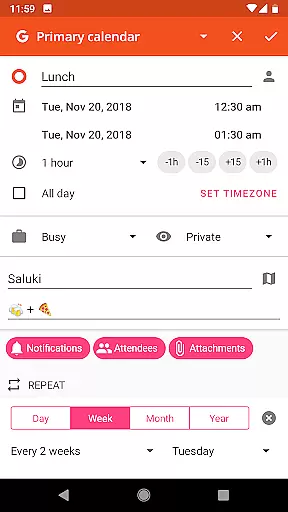
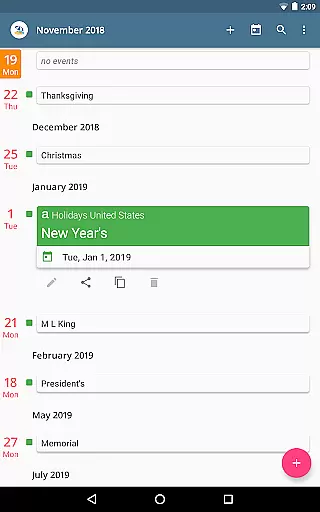
One of the standout features of aCalendar+ is its ability to manage public holidays, business appointments, and tasks from various sources like Google Tasks or CalDAV/OpenTasks. With over 100 color options for customization, users can tailor their calendar to fit personal preferences while enjoying advanced functionalities such as flexible recurrence settings and per-event colors.
This app is particularly beneficial for professionals who require detailed scheduling capabilities without compromising on aesthetics or usability. By supporting rainforest conservation through revenue donations, users also contribute positively to environmental causes while optimizing their productivity.
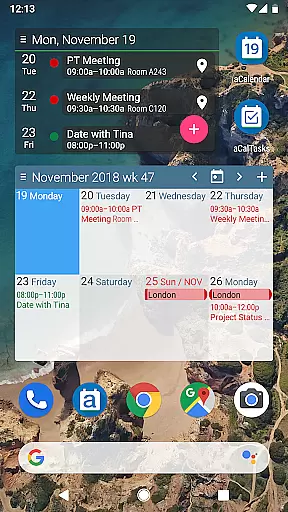
aCalendar+ distinguishes itself with a robust set of features that cater to both personal and professional needs. The app provides extensive calendar functionalities including fullscreen widgets, configurable actions via gestures, and integration with Android's native calendar backend for seamless synchronization.
Additional premium features include managing public holidays, more color options for themes and events, business-oriented functions like inviting attendees and sharing as ICS files, and task management capabilities. These features ensure users have all the tools necessary to maintain an efficient workflow.
The app respects user privacy by not sending private data unless configured by the user. With support for over 30 languages, aCalendar+ is accessible globally, making it an ideal choice for individuals seeking a versatile and secure productivity tool.
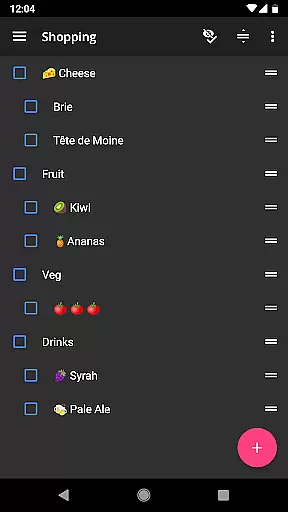
Efficient task management is essential for productivity apps, and aCalendar+ excels in this area. The app provides comprehensive tools for managing tasks from various sources, including Google Tasks and CalDAV/OpenTasks.
Users can create, edit, and organize tasks with ease, thanks to the intuitive interface and smooth navigation. The ability to set flexible recurrences allows for customized scheduling, accommodating both routine and unique task requirements.
The app's integration with Android's native calendar backend ensures seamless synchronization across devices. This feature enables users to maintain consistency and reliability in their schedules, enhancing overall productivity.
With over 100 color options for calendar events, users can visually categorize and prioritize tasks effectively. This visual management aids in quick identification and better time management.
Cross-device synchronization is crucial for maintaining an up-to-date and consistent schedule. aCalendar+ leverages Android's native calendar backend to ensure reliable and real-time updates across all connected devices.
This synchronization capability extends to various calendar views, including day, week, month, and year views. Users can seamlessly transition between these views on any device, accessing the most current information without delay.
The app's fullscreen widgets further enhance accessibility, providing at-a-glance information on multiple devices. These widgets are customizable, allowing users to tailor the display to their specific needs and preferences.
aCalendar+ also respects user privacy, ensuring that private data remains secure during synchronization. This commitment to privacy builds trust and confidence among users who rely on cross-device functionality for their daily planning.
User-friendly interface
Extensive customization options
Advanced task management
Privacy-focused design
Supports multiple languages
Premium version costs
Occasional sync issues
Limited free features
Ads in free version
Complex settings for beginners

Experience real multitasking on your Android!
 4.00
4.00
Create study competitions, track your hours, and stay consistent with friends
4.2
Ads Free App! Editor, Hide File, Copy, Move, Delete and Rename.. all facility av
1.70
Fill, sign & send docs, forms, agreements & contracts via electronic signature.
4.50
Subscribe to Webcal & .ics calendars and keep them up-to-date!
4.50
Secure, open-source, SPICE and SSH Remote Desktop for QEMU KVM virtual machines
4.00
Quickly and easily keep track of your work shifts
4.70
Ultimate Virtual AI Character for immersive Roleplay Chat. Perfect Companion
3.90
Browse and view your photos and videos from the phone with photo & video hide.
4.10
8 custom complications. Custom Time Fonts. Beautiful color schemes. A++ Design.
5.00
Mind Map and brainstorm, note taking and idea collection
4.80
Simple notepad & memo. Take notes, to-do list, shopping list with reminders.
4.80
A beautiful digital clock with autostart and many other functions
4.70
Send files, sync SMS, notifications & clipboard across devices via local network
4.40
Secure your apps with lock screens, use custom themes and different features.
4.40
Take control of your clipboard with Clipper!
3.90
Find and delete junk files & block unwanted notifications & manage files
3.70
Experience and share your SolidWorks designs on your Android® phone and tablet.
2.50
A comprehensive suite of tools designed specifically for Lactation Consultants
4.1


User Reviews