
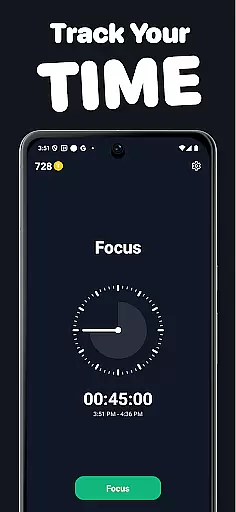
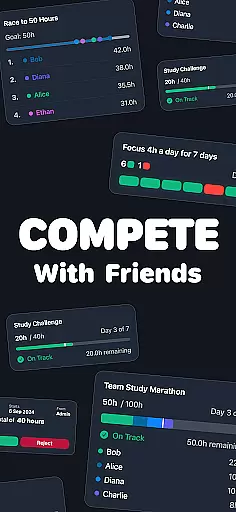
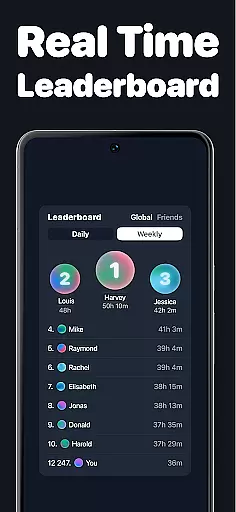
Timero is a productivity app designed to help users build better habits and boost their efficiency through friendly competition. The app allows you to track your focus time, join various challenges, and maintain consistency with friends. Whether you're studying, working, or training, Timero provides the tools to stay accountable and motivated.
With features like real-time time logging, progress visualization, and different challenge types such as solo goals, races, team goals, and streaks, Timero ensures that you can clearly see your progress and stay engaged. By integrating social accountability, Timero helps you compete healthily and achieve more.
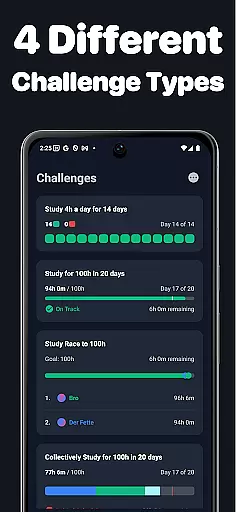
Timero offers a variety of features aimed at enhancing productivity and accountability. Users can choose from several challenge types including personal targets, competitive races, collaborative team goals, and maintaining streaks. Each challenge type is crafted to keep users motivated and consistent in their activities.
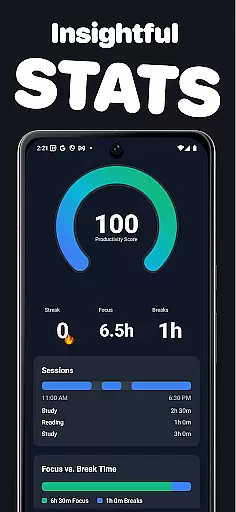
The app also includes robust tracking capabilities, allowing users to log their time in real-time and visualize their weekly stats and streaks. This clear view of progress helps users understand how they spend their time and how consistent they are. Additionally, Timero's social features enable users to create or join challenges with friends, view live progress updates, and draw motivation from peers.
Task management is at the heart of productivity applications, and Timero excels in this area by offering a variety of challenge types to suit different user needs. With options for solo goals, races, team goals, and streaks, users can tailor their experience to match their personal or group objectives.
The app allows users to log time in real-time, providing immediate feedback on their progress. This instant tracking helps maintain focus and motivation, ensuring that users stay on top of their tasks without the need for manual entries or corrections.
Timero's strength lies in its ability to visualize weekly stats and streaks, giving users a clear picture of their consistency and areas for improvement. By seeing exactly where their time goes, users can make informed decisions about how to adjust their habits for better productivity.
In today's interconnected world, reliable cross-device synchronization is crucial for maintaining workflow continuity. Timero ensures that whether you're switching from your phone to a tablet or sharing progress with friends, all data remains up-to-date across devices.
The app supports creating or joining challenges with friends, allowing everyone to view each other's progress live. This feature not only fosters a sense of community but also enhances accountability as users can see who is 'locked in' and contributing to team goals.
By focusing on clean time tracking and eliminating distractions, Timero provides a seamless experience that keeps users engaged. The absence of gimmicks means that synchronization is straightforward and reliable, ensuring that motivation comes from genuine interactions rather than artificial elements.
User-friendly interface
Real-time progress tracking
Variety of challenge types
Strong social integration
Clear visualization tools
Limited customization options
Premium features require subscription
Occasional syncing issues
Notifications can be intrusive
Steep learning curve for new users

A Revolutionary All-in-One Artificial Intelligence Tools
 3.80
3.80
Client for Nextcloud Deck
4.60
Native client for Forgejo and Gitea
5.00
Protect and view your important info on your phone and tablet with eWallet®
4.80
Customizable calendar widget for seamless event sync, planning & scheduling.
4.00
Make apps & sites with natural language prompts
4.10
Tally and goal counter for Wear OS & mobile
4.50
Intelligent AI Assistant
4.10
Use powerful, industry-leading AI tools to generate visual charts from any data
4.80
App lock - lock apps with fingerprint, password, pin or pattern, protect privacy
4.70
A beautiful digital clock with autostart and many other functions
4.70
Absolutely the best CNC machinist speed and feed calculator around. fswizard.com
4.60
A simple Whisper AI keyboard for reliable speech transcription and rewording
4.60
Fill, sign & send docs, forms, agreements & contracts via electronic signature.
4.50
CalenGoo is a very flexible and feature-rich calendar app
4.40
Share files & memories safely. Keep your photos and videos secure.
4.40
Todo reminder
4.10
Take control of your clipboard with Clipper!
3.90
Easiest event planning, volunteer signups & parent teacher conference scheduling
2.20


User Reviews