
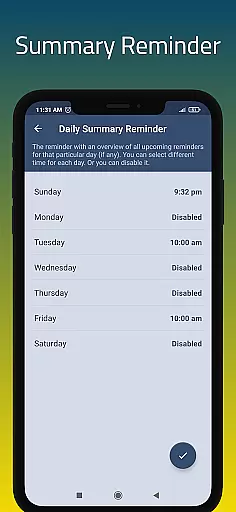
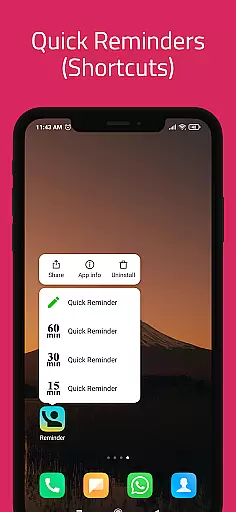
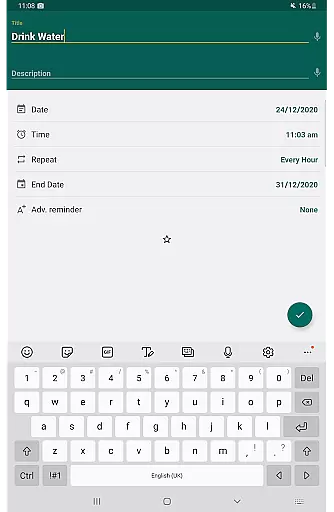
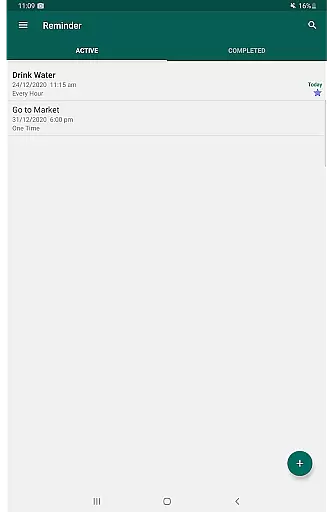
Reminder Pro is a versatile productivity tool designed to help users organize their daily lives through customizable reminders. The app allows you to create both one-time and recurring notifications for various tasks, ensuring you never miss an important deadline or event. With its user-friendly interface, Reminder Pro makes setting reminders quick and efficient, whether you need alerts for meetings, medication schedules, or personal errands.
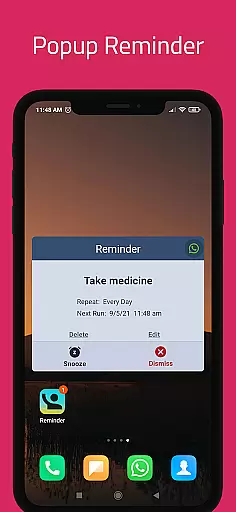
This productivity app stands out with its simplicity and practicality. It offers essential features like pop-up notifications, snooze options, and quiet hours settings without overwhelming users with unnecessary complexities. Whether you're managing work deadlines, planning events, or remembering birthdays, Reminder Pro provides a reliable solution to keep track of all your commitments. Its comprehensive functionality helps users maintain better time management and reduces the stress of forgetting crucial tasks.
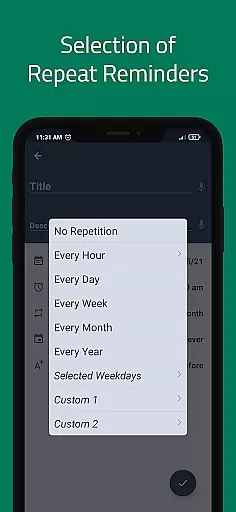
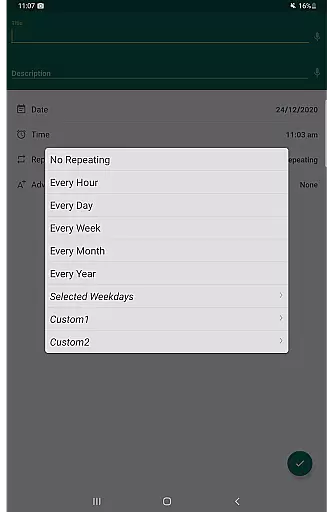
Reminder Pro boasts an impressive array of features that cater to diverse organizational needs. One of its standout capabilities is the custom recurring reminder function, which allows users to set regular notifications for routine tasks such as taking medication or paying bills. The app's advanced scheduling system supports multiple reminder types, including hourly, daily, weekly, and monthly notifications, giving users complete control over their time management.
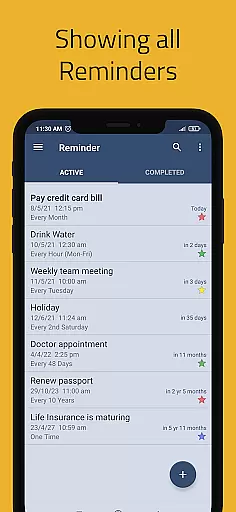
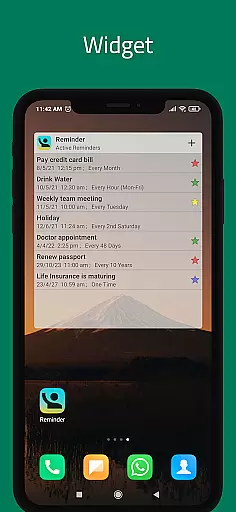
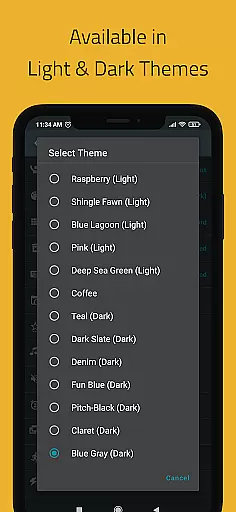
The application also includes practical tools like widget support for quick access, multiple theme options for personalized aesthetics, and various view modes for organizing reminders. Users can choose between standard, compact, and monthly grouping views to best suit their preferences. Additionally, Reminder Pro offers automatic and manual backup options to ensure data security, while its search functionality and category-based organization system make finding specific reminders effortless. These comprehensive features make Reminder Pro an indispensable tool for anyone seeking to enhance their productivity.
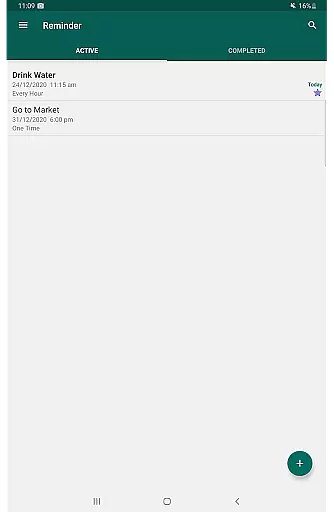
Effective task management is essential for maintaining productivity and ensuring important deadlines are met. Reminder Pro excels in this area by providing users with a comprehensive suite of tools designed to streamline the process of managing tasks both big and small.
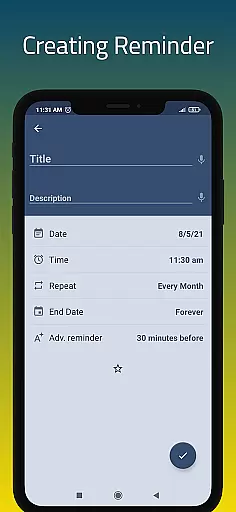
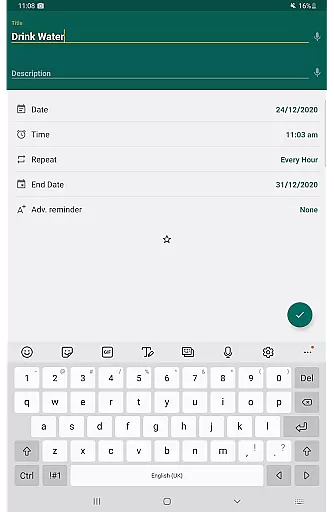
The app allows users to create detailed reminders for one-time and recurring tasks, complete with customizable notifications that ensure nothing slips through the cracks. Whether it's a work deadline, a personal appointment, or a daily medication routine, Reminder Pro makes it easy to set up precise alerts tailored to individual needs.
Users benefit from features such as custom recurring reminders, quiet hours settings, and advance notifications, which collectively contribute to a personalized and stress-free task management experience. The ability to categorize tasks with different colors and settings further enhances organization, allowing for quick identification and prioritization of various responsibilities.
In today's interconnected world, having reliable cross-device synchronization is crucial for seamless task management. Reminder Pro addresses this need by offering robust syncing capabilities that ensure all reminders and notifications are consistently updated across multiple devices.
This means that whether you're at home, in the office, or on the go, your reminders will always be accessible and up-to-date. The app supports auto backup and manual backup options, safeguarding your data against loss and providing peace of mind that your information is secure.
With Reminder Pro, users can enjoy uninterrupted access to their reminders, regardless of where they are or what device they're using. This level of reliability not only boosts productivity but also provides a safety net that encourages users to rely on the app for all their task management needs.
User-friendly interface
Customizable reminders
Comprehensive scheduling
Reliable notifications
Excellent organization tools
Limited free features
No cross-platform sync
Occasional bugs
Premium subscription required
Basic widget design

Seamlessly integrate data and reports to build your presentation to impress
 4.80
4.80
Wake up & get tasks done! Add alarms & reminders on the Clock Launcher.
4.00
8 custom complications. Custom Time Fonts. Beautiful color schemes. A++ Design.
5.00
Fill, sign & send docs, forms, agreements & contracts via electronic signature.
4.50
Translate text/voice/photos in 150+ languages. Offline & fast translator app.
4.50
Calendar 2023 widget for Android. Appointment scheduler, planner, and reminder
4.60
Quickly and easily keep track of your work shifts
4.70
AI Chatbot and AI writing assistant powered by ChatGPT.
4.60
QuickEdit is a fast, stable and full featured text and code editor.
4.20
Understand anything with a personalized AI research assistant
4.80
We're working to become the best machining app on the market! www.cncdirt.com
4.80
Secure, fast, open-source, VNC and SSH Remote Desktop for Windows, Linux and Mac
4.70
The long-awaited modern gallery app for your Nextcloud server
4.70
Scan paperwork into PDF/JPG, generate your own e-signature and send fax or email
4.70
PDF scanner & converter for files, photos, lottery, QR codes. One swipe away!
4.50 4.20
4.20
Smart PDF reader & editor to view, organize and manage PDF documents easily.
3.70
Make your handwriting beautiful, even more than pen on paper.
3.60
The upgraded version of Name Wheel with AI and the power to add your own wheels.
4.3


User Reviews