

Clock Launcher is a productivity-focused app that combines an alarm clock with a launcher interface, providing users with instant access to essential time management tools. The app's core functionality revolves around helping users manage their daily schedules efficiently through alarms, reminders, timers, and world clocks.
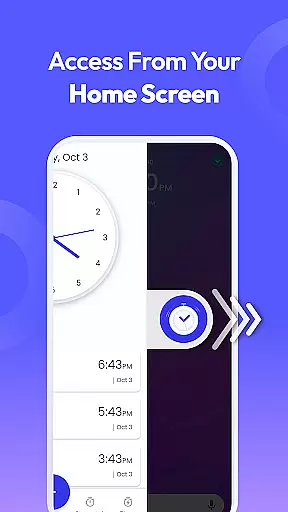
One of the standout features is its one-swipe access system, which allows users to set alarms and reminders directly from the home screen. Additionally, the app offers a customizable home screen widget displaying time and weather, personalized wallpapers, and multi-touchpoint search capabilities powered by Yahoo. These features make it especially useful for busy professionals and frequent travelers who need quick access to time-related functions.
The app's practical layout changes ensure all essential tools are within easy reach, while still maintaining access to other installed apps. This makes Clock Launcher not just a time management tool, but also a complete home screen solution that enhances overall smartphone productivity.
Clock Launcher stands out in the productivity category due to its comprehensive feature set tailored for efficient time management. The app provides multiple specialized tools including a customizable alarm clock, world clock, timer, stopwatch, and reminder system, each designed to streamline daily tasks.
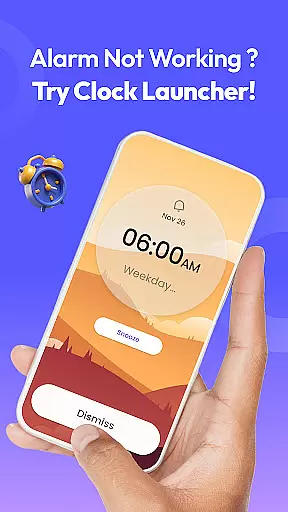
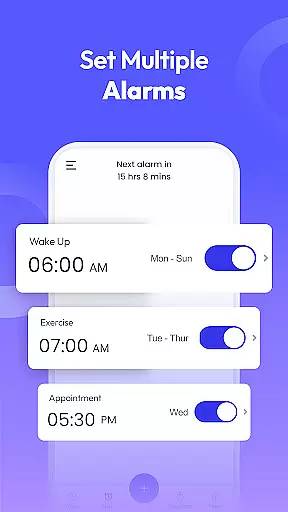
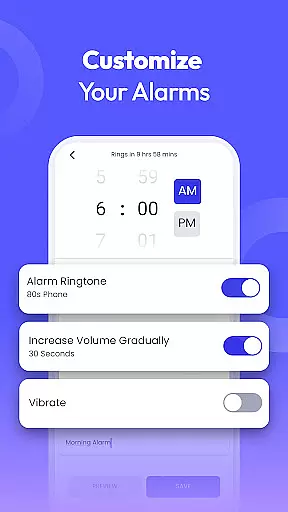
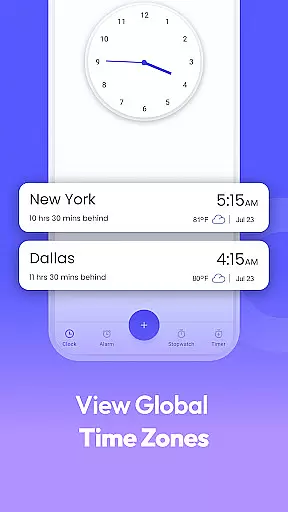
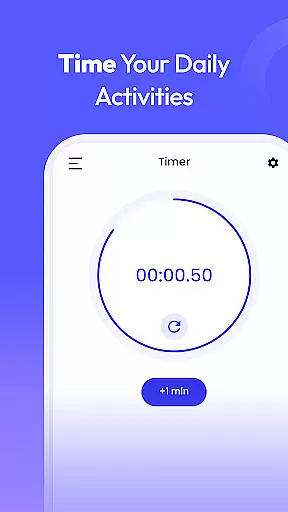
The alarm clock feature allows users to personalize their wake-up routines with options like setting recurring alarms, choosing from various tones, and adjusting snooze durations. The world clock function is particularly beneficial for international travelers or those managing global teams, as it enables tracking of time across different cities. Meanwhile, the timer and stopwatch features cater to specific use cases such as cooking, workouts, or monitoring task durations.
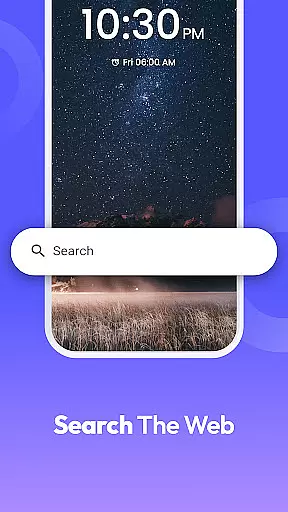
Additional functionalities include a multi-touchpoint search bar for finding apps or performing web searches, and customizable home screen widgets that display real-time information like weather and time. These features collectively create a versatile productivity tool that helps users stay organized and efficient throughout their day.
At the heart of Clock Launcher lies its robust core task management system, designed to streamline your daily routine. This feature allows users to effortlessly set alarms, reminders, and timers, ensuring they stay on track throughout their day. The intuitive interface makes it simple to organize tasks and manage time effectively.
The app's alarm functionality is highly customizable, catering to individual preferences. Users can set daily or weekly alarms with unique tones and snooze durations, perfect for establishing a consistent wake-up routine. For those who struggle to get out of bed, the option to choose louder alarm sounds ensures you won't oversleep.
Beyond basic alarms, Clock Launcher offers specialized reminder features that enhance productivity. Whether it's remembering to take breaks during work or tracking important appointments, this app has got you covered. Its versatility extends to international travelers and professionals managing global teams, thanks to the built-in world clock function.
Task management is further enhanced by additional tools like stopwatch and timer functions. These features are invaluable for timing workouts, cooking sessions, or any activity where precise time measurement matters. With all these capabilities integrated into one platform, Clock Launcher becomes an indispensable companion for efficient time management.
Clock Launcher excels in providing reliable cross-device synchronization, ensuring your time management data remains consistent across multiple devices. This feature is particularly beneficial for users who switch between smartphones, tablets, or other Android devices throughout their day. The seamless sync process guarantees that all your alarms, reminders, and timers are always up-to-date.
The synchronization mechanism operates in real-time, meaning any changes made on one device instantly reflect on others linked to the same account. This capability eliminates the hassle of manually updating settings when transitioning between devices. Whether you're at home, in the office, or traveling, your time management tools remain perfectly aligned.
Security and privacy are paramount during the synchronization process. Clock Launcher employs industry-standard encryption protocols to protect your personal data while it's being transferred between devices. This ensures that sensitive information, such as meeting times or personal reminders, stays confidential and secure from unauthorized access.
Moreover, the app's synchronization reliability extends beyond just basic timekeeping functions. It encompasses all aspects of your time management setup, including customized alarm tones, preferred cities for world clock display, and even personalized wallpaper choices. This comprehensive approach to cross-device consistency makes Clock Launcher a powerful tool for maintaining productivity regardless of which device you're using.
User-friendly interface
Comprehensive time tools
Customizable widgets
Quick-access launcher
Multi-city time tracking
Home screen reorganization
Limited design flexibility
Yahoo-powered search only
No advanced analytics
Basic wallpaper options

 4.20
4.20
A customizable calendar for your Wear OS watch
4.20
When you Focus, so will your Bean in this cozy focus timer
4.30
Secure, fast, open-source, Remote Desktop Client for Windows and Linux with SSH
4.60
⏰ Finally a timer app which can run multiple timers simultaneously on your watch
3.90
All in One PDF Reader: Manage, Read and Edit your Documents
4.20
All document reader, all in one file viewer read PDF, DOCX, XLS, PPT, TXT files.
4.60
Docker, Kubernetes management over Portainer Mobile
4.40
A simple Whisper AI keyboard for reliable speech transcription and rewording
4.60
Mind Map and brainstorm, note taking and idea collection
4.80
The long-awaited modern gallery app for your Nextcloud server
4.70
Absolutely the best CNC machinist speed and feed calculator around. fswizard.com
4.60
Fill, sign & send docs, forms, agreements & contracts via electronic signature.
4.50
Access, manage and transfer files on Android, PC, Mac, NAS and cloud storages.
4.30
Device's storage information in a simple and clear graphical form (infographics)
4.10
Customizable calendar widget for seamless event sync, planning & scheduling.
4.00
Make your handwriting beautiful, even more than pen on paper.
3.60
Auto-shutoff Alarm with Sunrise, Sunset & Fixed Options.
3.50
Ads Free App! Editor, Hide File, Copy, Move, Delete and Rename.. all facility av
1.70


User Reviews