
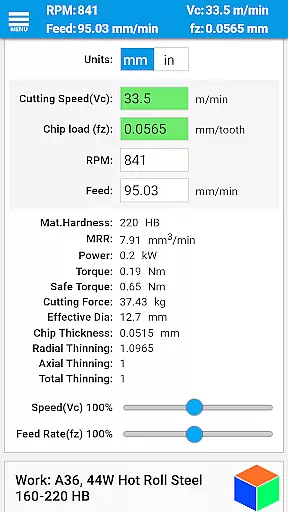
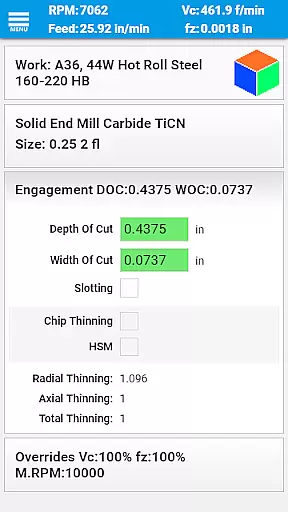
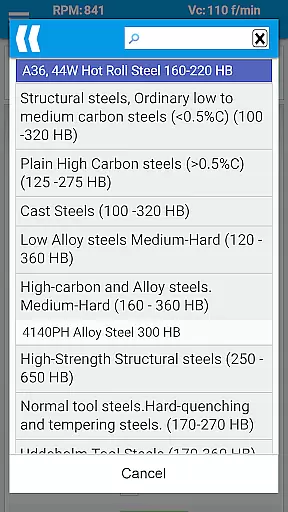
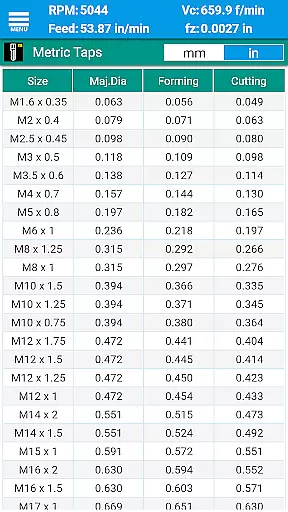
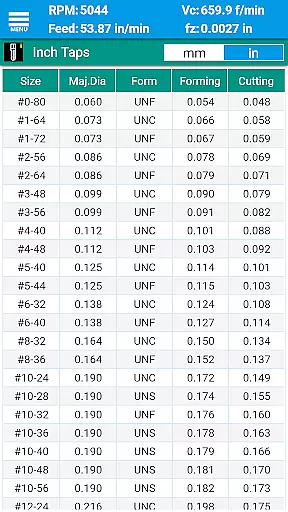
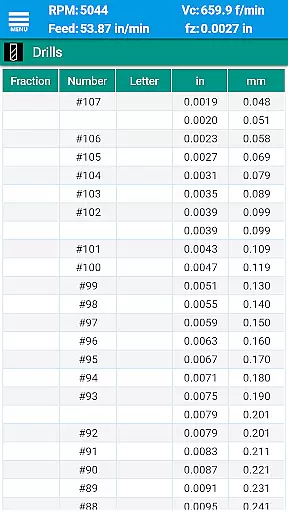
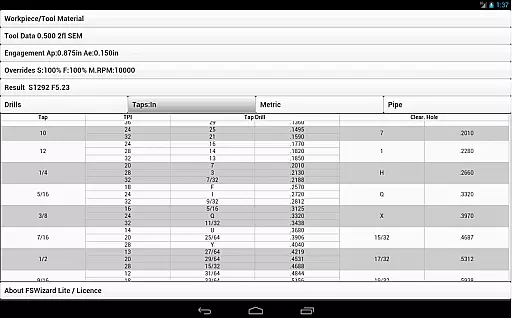
FSWizard Pro Machinist Calc is a premier CNC milling and turning speed and feed calculator designed for machinists by a machinist. This app simplifies the process of calculating speeds and feeds by allowing users to select their work and tool material without needing to know specific numbers. It automatically applies recommended cutting speeds and chip loads for various tools, including indexed and solid endmills, drills, and taps.
Beyond its core functionality, FSWizard offers advanced features such as chip thinning calculations, high-speed machining optimization, and determining optimal depth and width of cuts. The app also includes comprehensive reference materials like drill charts, tap drill charts, and GD&T references, making it an all-in-one solution for CNC machinists looking to improve productivity and extend tool life.
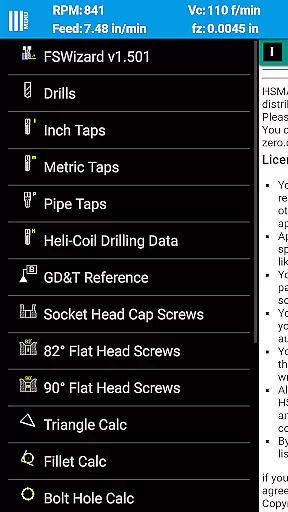
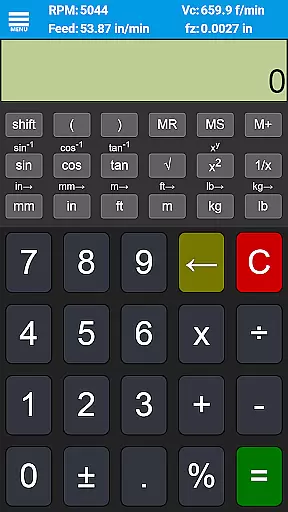
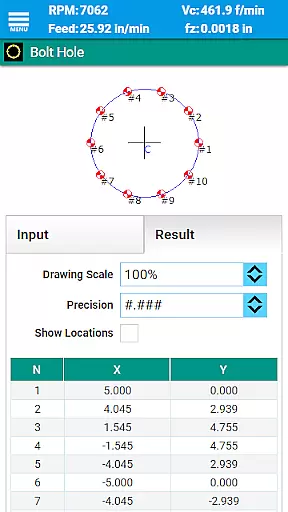
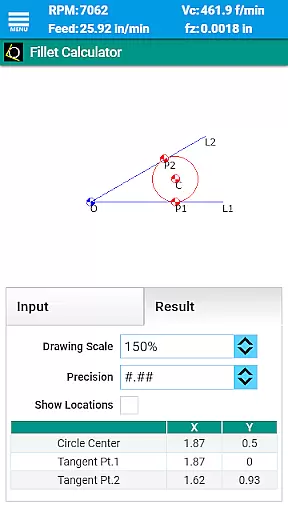
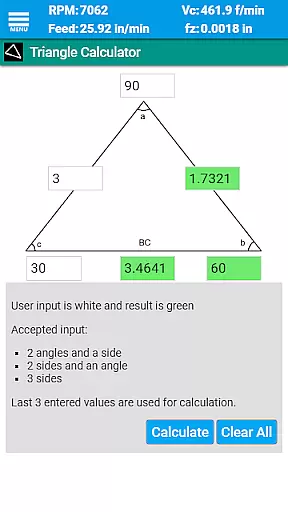
FSWizard Pro Machinist Calc boasts an array of features tailored to enhance CNC machining efficiency. It provides detailed calculations for milling, drilling, and tapping operations, including support for HSM (High-Speed Machining) and chip thinning. Users can access specialized calculators for oblique triangles, fillets, bolt circles, countersinks, and true position, alongside a scientific calculator with trigonometric functions.
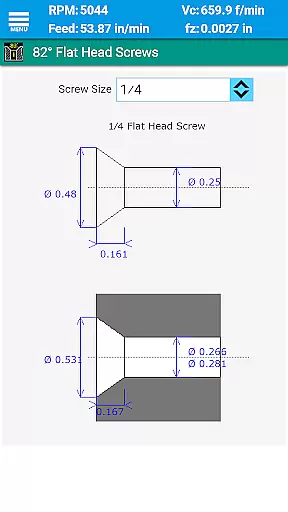
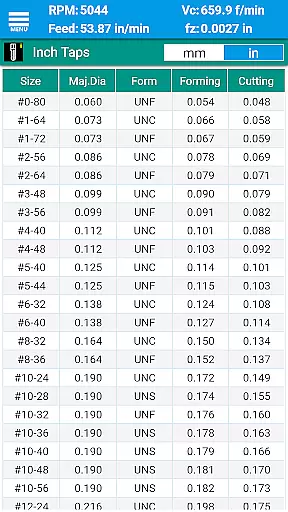
The app supports both imperial and metric units, catering to a global audience. It includes extensive tooling options such as solid endmills, indexed endmills, facemills, jobber drills, parabolic drills, spade drills, reamers, and turning tools. Additionally, FSWizard offers interactive reference materials covering drill charts, tap drill charts for BSP and NPT threads, helicoil threaded inserts, flat head screws, socket head cap screws, and GD&T definitions.
FSWizard Pro Machinist Calc excels in core task management by offering a comprehensive suite of calculators tailored for CNC machinists. The app simplifies the process of calculating speeds and feeds, which are crucial parameters in machining operations.
Users can effortlessly choose their workpiece and tool materials, eliminating the need to memorize specific numbers. This feature streamlines the decision-making process, allowing machinists to focus on optimizing productivity and extending cutter life.
The app's ability to automatically recommend cutting speeds and chip loads for various tools, including endmills, drills, and taps, ensures that users can quickly adapt to different machining scenarios. This functionality is vital for maintaining efficiency and precision in CNC operations.
While FSWizard Pro Machinist Calc does not explicitly advertise cross-device synchronization, its robust design ensures reliable performance across different devices. This reliability is essential for machinists who rely on consistent data access.
The app supports both metric and imperial units, providing flexibility and consistency regardless of the user's location or preference. This dual compatibility enhances the reliability of information exchange between professionals using different measurement systems.
Furthermore, the inclusion of extensive material lists and tooling options ensures that users have access to the same comprehensive data set, whether they are working on a mobile device or a desktop computer. This consistency reinforces the app's role as a dependable tool in any machining environment.
User-friendly interface
Comprehensive tool library
Advanced calculation capabilities
Extensive reference materials
Supports both metric and imperial units
Premium version required for full features
Steep learning curve for beginners
Limited free content
No offline mode
Occasional updates needed

Experience real multitasking on your Android!
 4.00
4.00
Auto-shutoff Alarm with Sunrise, Sunset & Fixed Options.
3.50
Send files, sync SMS, notifications & clipboard across devices via local network
4.40
CalenGoo is a very flexible and feature-rich calendar app
4.40
ID.me Authenticator is a simple and free Two Factor Authentication solution
3.50
Code on-the-go with VScode for Android. Edit,debug and collaborate from mobile!!
3.10
A simple Whisper AI keyboard for reliable speech transcription and rewording
4.60
Scan paperwork into PDF/JPG, generate your own e-signature and send fax or email
4.70
Okta MFA
4.70
Native client for Forgejo and Gitea
5.00
Android Wallet Password Manager
4.80
A beautiful digital clock with autostart and many other functions
4.70
Lightweight PDF, Word, Excel reader.
4.60
PDF scanner & converter for files, photos, lottery, QR codes. One swipe away!
4.50
Easily read and manage all your PDF files
4.10
Cloud storage, automatic phone backup, and more.
4.10
The ultimate file manager for rooted devices. The original and still the best.
4.00
Ads Free App! Editor, Hide File, Copy, Move, Delete and Rename.. all facility av
1.70
Create study competitions, track your hours, and stay consistent with friends
4.3


User Reviews