
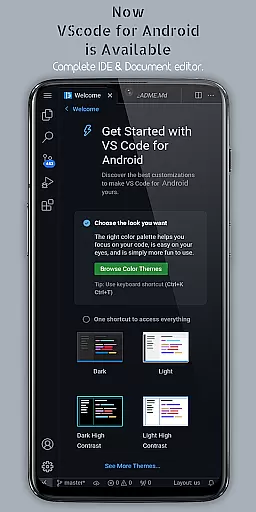
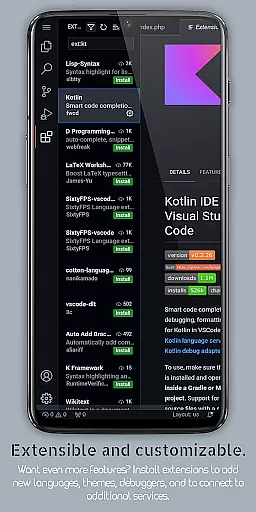
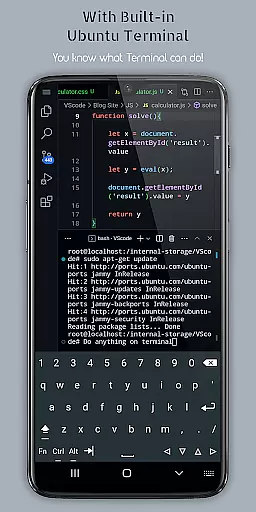
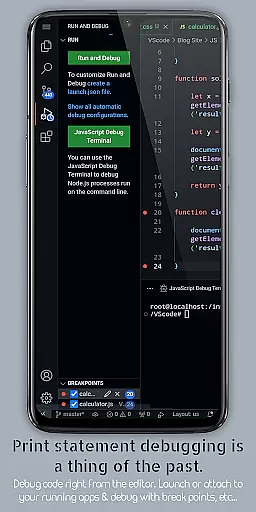
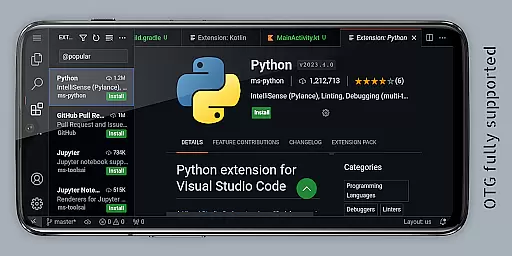
VScode for Android brings the powerful functionality of Visual Studio Code to mobile devices, allowing developers to write, edit, and debug code on-the-go. With support for a wide range of programming languages and file types, this app is designed to provide flexibility and efficiency in coding tasks.
The app features customizable themes, extensions, IntelliSense, debugging tools, and built-in Git support, making it easier than ever to code professionally from anywhere. Its fullscreen mode offers an immersive display experience, while remote access capabilities enable users to connect via a web browser using their phone's IP address and port 8080.
Whether you're working on HTML, Python, Java, or other languages, VScode for Android supports your coding needs with advanced features like multi-cursor editing, split view, and integrated terminal access. This makes it an invaluable tool for developers seeking productivity on mobile platforms.
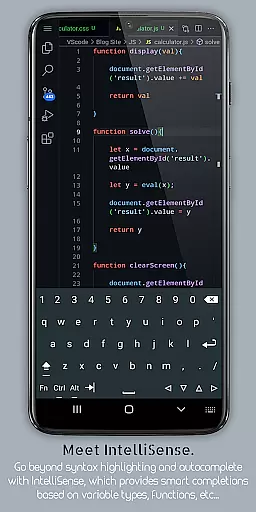
VScode for Android stands out with its comprehensive feature set tailored for developers. The app includes a built-in debugger to find and fix errors efficiently, syntax highlighting for various programming languages, and IntelliSense for intelligent code completion that speeds up coding tasks.
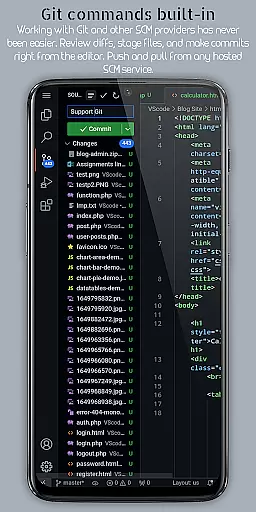
Additional features include support for code snippets, refactoring operations such as renaming variables, and embedded Git for version control directly within the editor. Users can also customize keyboard shortcuts, enjoy an immersive fullscreen mode, and leverage remote access through a web browser.
Advanced functionalities like multi-cursor editing, split view editing, and an integrated task runner enhance productivity. Language-specific settings and workspace management allow developers to optimize workflows for different projects, ensuring a professional coding experience on Android devices.
VScode for Android revolutionizes the way developers handle task management on mobile devices. The app brings essential productivity features typically found in desktop environments to your fingertips.
At its core, the application provides robust support for project organization through its workspace management system. Users can seamlessly switch between different projects and workspaces, maintaining a structured workflow while coding on-the-go.
The integrated task runner automates repetitive tasks, allowing developers to focus on critical coding decisions. This feature significantly enhances efficiency by reducing time spent on routine operations.
Additionally, the built-in terminal and split view editing capabilities enable simultaneous execution of multiple tasks. These functions work together to create a comprehensive task management solution that adapts to various development scenarios.
Cross-device synchronization is where VScode for Android truly shines, offering developers unprecedented flexibility in their workflow. The application enables seamless transition between mobile and other computing environments.
Through its innovative remote access feature, users can connect to their mobile development environment from any web browser using just their phone's IP address and port 8080. This creates a reliable bridge between devices, ensuring consistent development experience.
The app maintains synchronization integrity through its embedded Git support and version control systems. These tools guarantee that code changes are accurately tracked and reflected across all connected devices.
Furthermore, the customizable keyboard shortcuts and language-specific settings remain consistent across sessions, providing familiar working conditions regardless of the device being used at any given moment.
Powerful code editor
Wide language support
Customizable interface
Built-in Git support
Remote access capability
Complex for beginners
Requires learning curve
Limited mobile functionality
Occasional performance lags
Not officially by Microsoft

Total remote control for your Android device, PC and cloud services (IFTTT)!
 4.20
4.20
The upgraded version of Name Wheel with AI and the power to add your own wheels.
4.5
A simple, portable logger for POTA, SOTA, Field Day, and more
4.0
⏰ Finally a timer app which can run multiple timers simultaneously on your watch
3.90
IP Camera Viewer - Android TV : RTSP Surveillance camera viewer for Android TV
4.1
Create and edit presentations with Google Slides, part of Google Workspace.
4.00
Docker, Kubernetes management over Portainer Mobile
4.40
A Pixel Art watchface inspired by other iconic 90s designs for Wear OS devices!
4.40
Use powerful, industry-leading AI tools to generate visual charts from any data
4.80
Scientific calculator for Android - looks and operates like the real thing!
4.90
Android Wallet Password Manager
4.80
Understand anything with a personalized AI research assistant
4.80
App lock - lock apps with fingerprint, password, pin or pattern, protect privacy
4.70
Scan paperwork into PDF/JPG, generate your own e-signature and send fax or email
4.70
Secure, fast, open-source, Remote Desktop Client for Windows and Linux with SSH
4.60
App Lock with fingerprint, password: Lock apps & hide photos with lock screens
4.60
Stay on top of your to-dos with Google Tasks, part of Google Workspace.
4.60
Functional QR scanner and barcode reader that requires little storage space.
4.60
Enjoy classic gameplay with customizable features and retro-style graphics.
4.30


User Reviews