
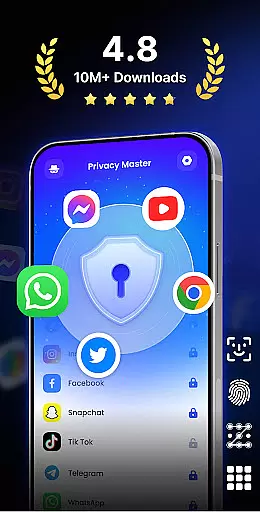
App Lock - Fingerprint Lock is a comprehensive security solution designed to protect your digital privacy. This productivity app allows users to lock specific applications using various methods such as password, pattern, or fingerprint authentication. With over 50 million downloads, it has become a trusted tool for safeguarding personal data on mobile devices.
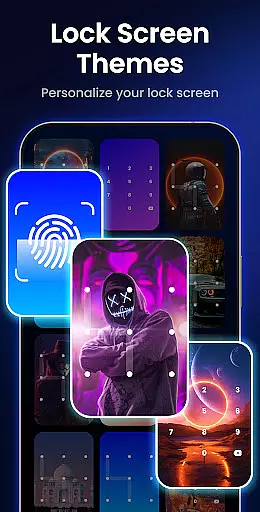
Beyond basic locking features, the app offers advanced functionalities like intruder selfies, icon disguise, and customizable lock themes. These features ensure that users can tailor their security experience while maintaining peace of mind. Whether you're looking to secure sensitive communications in apps like WhatsApp or hide private media files, App Lock provides robust protection against unauthorized access.
The app's ability to remove junk files and manage storage adds an extra layer of utility, making it not just a security tool but also a performance enhancer for your device. Suitable for both personal and professional use, App Lock - Fingerprint Lock delivers complete control over your digital privacy while optimizing device functionality.
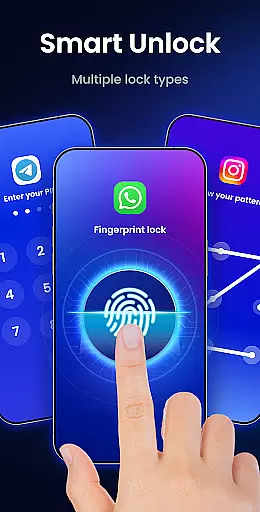
App Lock - Fingerprint Lock stands out with its diverse range of security features. The core functionality allows users to lock any application using multiple authentication methods including PIN, pattern, and fingerprint recognition. This versatility ensures that users can choose the most convenient and secure method for their needs.
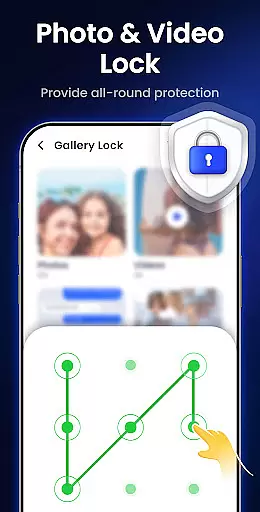
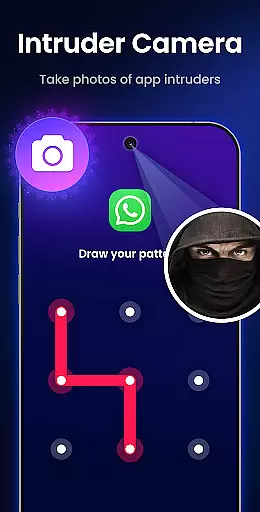
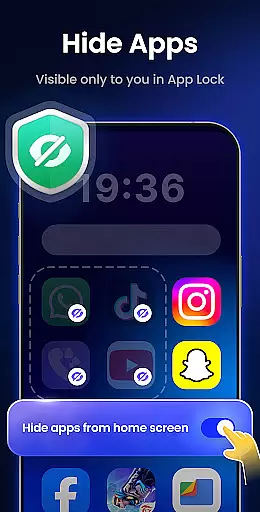
One of the standout features is the intruder selfie function, which captures photos of anyone attempting to access locked apps with incorrect credentials. Additionally, the app offers notification hiding capabilities, allowing users to prevent sensitive information from appearing on their lock screens. The inclusion of a gallery lock feature enables users to store private photos and videos securely, ensuring they remain hidden even if the device is borrowed or stolen.
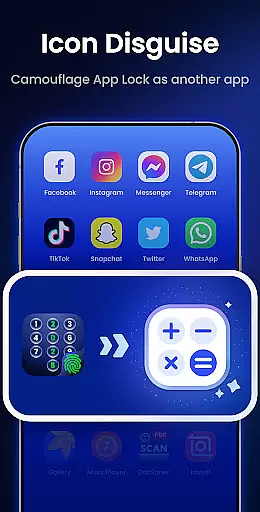
Other notable features include auto re-lock timers, multiple lock types, and icon disguise options that allow users to mask the app behind innocuous icons like a calculator or weather app. Customizable themes provide a personalized touch while features like uninstall protection and random keyboard layouts enhance overall security. With these comprehensive tools, App Lock - Fingerprint Lock delivers both fundamental and advanced privacy protection features.
App Lock - Fingerprint Lock offers robust core task management features that ensure your digital world remains secure. The app allows you to lock all your essential applications such as WhatsApp, Messenger, and Facebook with a password, pattern, or fingerprint. This functionality provides peace of mind by keeping private chats and sensitive data inaccessible to unauthorized users.
The application goes beyond basic locking features by providing smart options like auto re-lock, which lets you set custom timers to automatically secure your apps after a period of inactivity. Additionally, the intruder camera feature takes snapshots of anyone attempting unauthorized access, adding an extra layer of security. These comprehensive task management capabilities make certain that your personal information is safeguarded at all times.
Moreover, App Lock includes practical tools for managing notifications discreetly. You can hide sensitive alerts from appearing on your screen while still being able to view them within the secure environment of the app itself. By combining these powerful features, App Lock delivers an efficient solution for maintaining privacy and control over your digital activities.
While App Lock - Fingerprint Lock primarily focuses on securing individual devices, it also ensures reliable cross-device synchronization through its cloud backup feature (coming soon). This means you will be able to maintain consistent security settings across multiple devices without missing a beat. Whether switching between your phone and tablet or sharing configurations with family members, this reliability guarantees uninterrupted protection.
The app's design emphasizes user convenience alongside stringent security measures. For instance, the icon disguise function allows you to mask the App Lock interface behind innocuous icons like Calculator or Weather. This clever camouflage not only protects your privacy but also synchronizes seamlessly across linked devices, ensuring uniformity in both appearance and functionality.
In addition to visual customization, App Lock supports various lock types including PINs, patterns, and biometric verification methods. These versatile options are synchronized reliably across devices, allowing users to choose their preferred method of authentication while enjoying consistent performance. With regular updates and dedicated support channels available via email, App Lock remains committed to delivering dependable cross-device security solutions tailored to modern needs.
Highly secure
User-friendly interface
Customizable lock options
Intruder detection
Storage optimization
May slow down older devices
Some features require premium
Occasional false positives
Limited cloud backup
Notification management

Seamlessly integrate data and reports to build your presentation to impress
 4.80
4.80
When you Focus, so will your Bean in this cozy focus timer
4.30
Direct Chat without saving contacts & Dual WA Account on Single Device
4.70
CalenGoo is a very flexible and feature-rich calendar app
4.40
All in One PDF Reader: Manage, Read and Edit your Documents
4.20
Tally and goal counter for Wear OS & mobile
4.50
A simple Whisper AI keyboard for reliable speech transcription and rewording
4.60
Access your phone's notifications, calls, apps, photos & texts on your PC
3.90
Browse and view your photos and videos from the phone with photo & video hide.
4.10
Secure, fast, open-source, VNC and SSH Remote Desktop for Windows, Linux and Mac
4.70
Functional QR scanner and barcode reader that requires little storage space.
4.60
Calendar 2023 widget for Android. Appointment scheduler, planner, and reminder
4.60
Subscribe to Webcal & .ics calendars and keep them up-to-date!
4.50
This small app MUST BE INSTALLED after purchase, else license won't work
4.40
Secure your apps with lock screens, use custom themes and different features.
4.40
Easily read and manage all your PDF files
4.10
Find and delete junk files & block unwanted notifications & manage files
3.70
Code on-the-go with VScode for Android. Edit,debug and collaborate from mobile!!
3.10
Easiest event planning, volunteer signups & parent teacher conference scheduling
2.20


User Reviews