
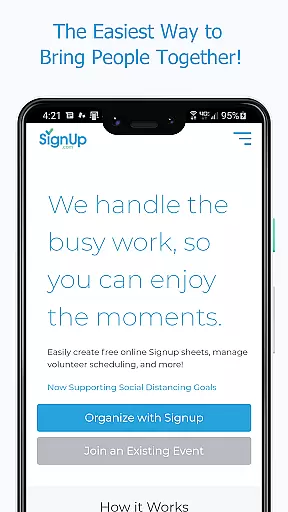
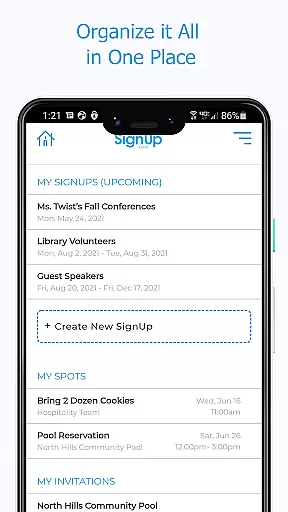
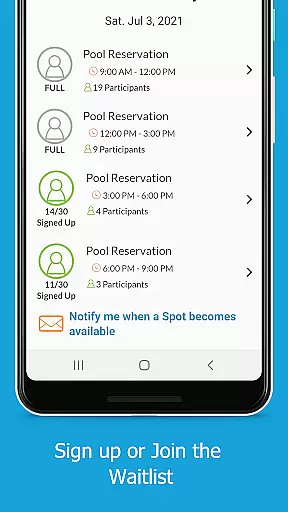
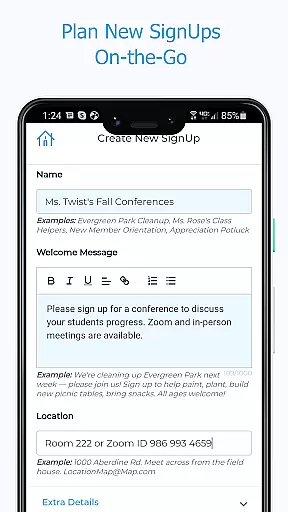
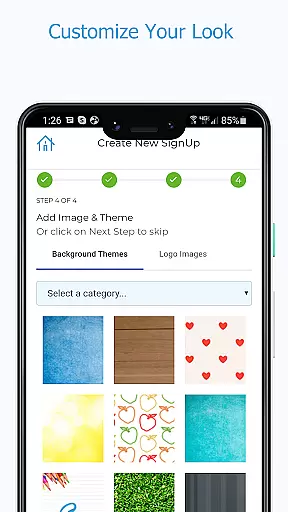
Sign Up by SignUp.com is a powerful productivity app designed to simplify event planning and coordination. This ad-free platform serves as an essential companion for organizing group activities, conferences, and various community events. With over 22 million users relying on SignUp.com, the app provides a seamless experience for scheduling and managing volunteers, parent-teacher conferences, event registrations, and more.
The app's core functionality lies in its ability to help organizers manage people and resources effectively. Whether it's coordinating volunteer calendars, office hours, or community festivals, Sign Up streamlines the entire process. Participants can easily sign up, pay fees, track volunteer hours, and sync their schedules to personal calendars. The app has proven especially valuable during the pandemic, supporting safe occupancy management and contact tracing efforts.
This productivity tool delivers real value to both organizers and participants, making it an indispensable solution for schools, businesses, nonprofits, and community groups seeking efficient event management solutions.
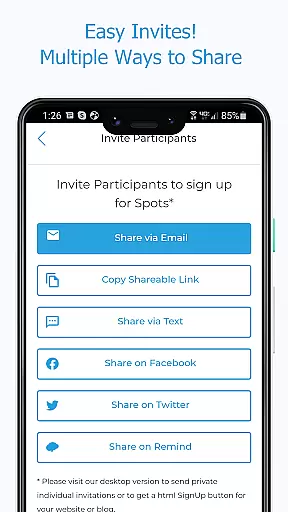
Sign Up by SignUp.com offers an impressive array of features that cater to both organizers and participants. For organizers, the app provides real-time management capabilities, allowing them to create and modify SignUps on-the-go, set up appointment series, and invite participants through multiple channels including text, email, and social media platforms.
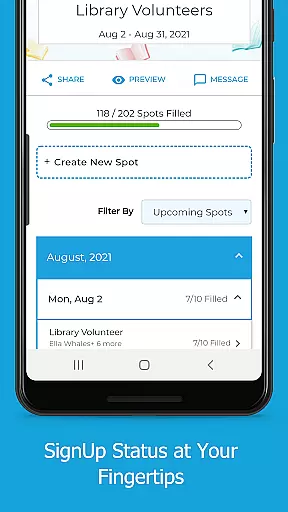
The app's comprehensive management tools enable organizers to view all SignUps in one place, track participant assignments, make new assignments, and communicate directly with participants. Premium features include participant check-in at events and detailed reporting capabilities. For participants, the app offers convenient features such as quick sign-ups, assignment tracking, payment processing, and automated reminders.
Additional notable features include calendar synchronization, location tracking for activities, and organizer-enabled options like waitlist management and family member sign-ups. These robust features collectively enhance productivity and streamline event coordination processes.
Effective task management is essential for organizing and executing group activities efficiently. Sign Up by SignUp.com excels in this area by providing organizers with tools to manage volunteers and events in real-time. The app allows the creation of a series of shifts or conference appointments, ensuring that every task is accounted for and scheduled appropriately.
The application simplifies the process of inviting participants to sign up through various channels such as text, email, and social media platforms. This ensures maximum outreach and participation. Organizers can easily view all their SignUps in one place, check the status of openings, search for participant assignments, and make necessary adjustments on-the-go.
Moreover, the app offers features to edit spot details, participant contact information, and even message participants directly. These capabilities ensure that communication remains open and tasks are completed smoothly. With premium features like checking in participants at events, Sign Up by SignUp.com provides an all-encompassing solution for core task management.
Cross-device synchronization is crucial for maintaining consistency and reliability across different platforms. Sign Up by SignUp.com guarantees reliable synchronization, allowing users to access their data seamlessly from any device. Whether you're using a smartphone, tablet, or computer, the app ensures that your SignUps, participant lists, and event details are always up-to-date.
Participants benefit from this synchronization as well. They can quickly sign up, track volunteer hours, and sync their assignments to their phone calendars without missing a beat. Automated reminders further enhance the experience by keeping everyone informed and engaged, regardless of the device they use.
This level of synchronization extends to payment processing and contributions, making it easy for participants to make payments or contributions directly through the app. By offering consistent and reliable access across devices, Sign Up by SignUp.com enhances user engagement and satisfaction, ensuring that every event or activity runs smoothly and efficiently.
User-friendly interface
Comprehensive management tools
Real-time updates
Multiple communication channels
Premium organizational features
Basic features may feel limited
Premium features require subscription
Some functions need organizer activation
Occasional syncing issues reported
Learning curve for advanced features

Experience real multitasking on your Android!
 4.00
4.00
Auto-shutoff Alarm with Sunrise, Sunset & Fixed Options.
3.50
Mind Map and brainstorm, note taking and idea collection
4.80
We're working to become the best machining app on the market! www.cncdirt.com
4.80
Multilingual translator for text, voice, and image translation!
4.90
A comprehensive suite of tools designed specifically for Lactation Consultants
4.3
A beautiful digital clock with autostart and many other functions
4.70
Simple notepad & memo. Take notes, to-do list, shopping list with reminders.
4.80
AT&T Internet customers can use this app to personalize their Wi-Fi network.
4.40
Stay on top of your to-dos with Google Tasks, part of Google Workspace.
4.60
Client for Nextcloud Deck
4.60
Fill, sign & send docs, forms, agreements & contracts via electronic signature.
4.50
A customizable calendar for your Wear OS watch
4.20
Professional calendar app for Google Calendar, MS Outlook & Exchange
4.20
Make apps & sites with natural language prompts
4.10
Customizable calendar widget for seamless event sync, planning & scheduling.
4.00
Secure, open-source, SPICE and SSH Remote Desktop for QEMU KVM virtual machines
4.00
Remotely view listen control and record cameras.
3.70
Create study competitions, track your hours, and stay consistent with friends
4.1


User Reviews