
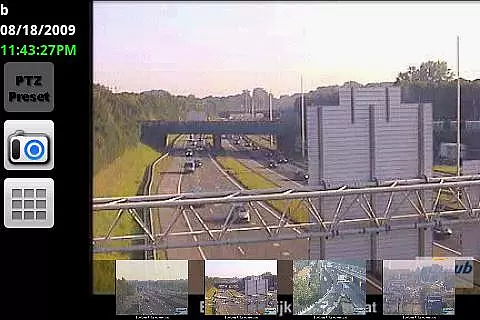

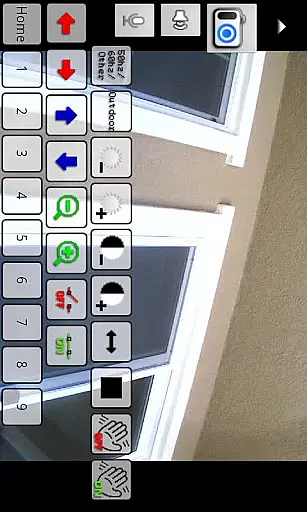
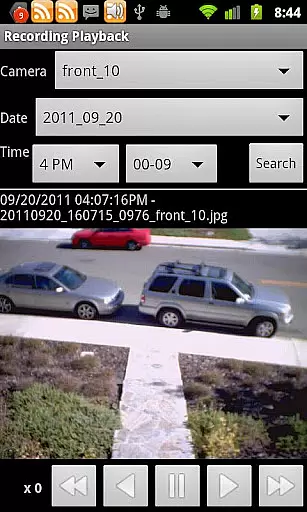
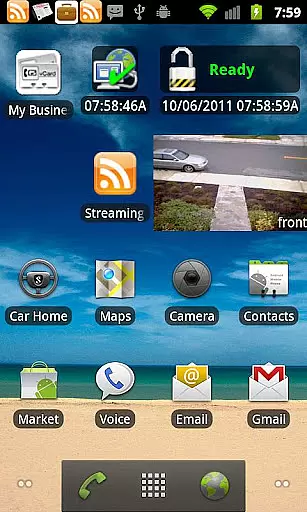
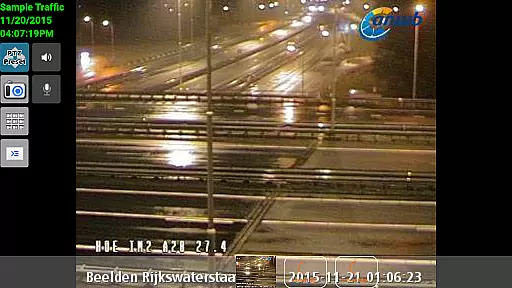
IP Cam Viewer Pro is a powerful productivity tool that allows users to remotely access and manage their video cameras, digital video recorders, network recorders, and webcams. With support for over 1600 devices, this app offers unparalleled compatibility and functionality.
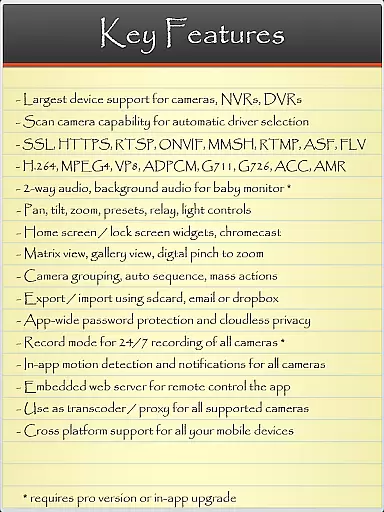
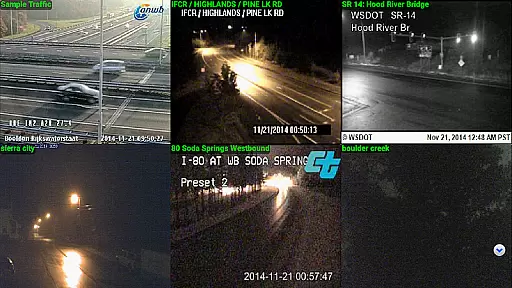
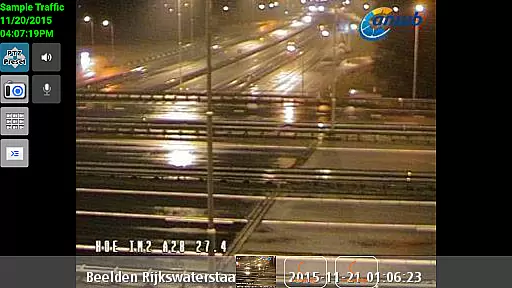
The app supports a wide range of protocols and video formats including HTTPS, RTSP, and ONVIF. Key features include matrix view, pan-tilt-zoom control, home/lock screen widgets, grouping options, encryption, and in-app motion detection. Whether you need to monitor your home or office, IP Cam Viewer Pro provides a comprehensive solution.
This app is particularly useful for security professionals and tech-savvy homeowners who require advanced monitoring capabilities. By offering features like 2-way audio support, background audio, and recording modes with remote control, it ensures users can maintain surveillance and control from anywhere.
IP Cam Viewer Pro stands out with its extensive feature set tailored for productivity. One of the main highlights is its broad protocol support, which includes HTTPS, RTSP, and ONVIF, ensuring secure and versatile connections to various devices.
Users benefit from advanced functionalities such as matrix view for multiple camera monitoring, pan-tilt-zoom controls for detailed inspection, and customizable home/lock screen widgets for quick access. The app also supports grouping of devices, making large-scale monitoring more manageable.
Additional notable features include robust encryption for data security, in-app motion detection to alert users of any movement, and support for 2-way audio and background audio. These features collectively enhance the user's ability to effectively monitor and manage their surveillance systems.
IP Cam Viewer Pro excels in core task management by offering a comprehensive suite of tools for video surveillance. The app supports over 1600 devices, ensuring compatibility with a wide range of cameras and recorders.
With features like matrix view and pan-tilt-zoom functionality, users can efficiently monitor multiple camera feeds simultaneously. This allows for seamless navigation and control, making it easier to manage various surveillance tasks from a single interface.
The inclusion of home and lock screen widgets further enhances productivity by providing quick access to frequently used functions. Users can easily check camera views or control settings without having to open the full application.
Additionally, advanced features such as grouping options and encryption ensure that users can organize their surveillance setup securely and efficiently. These capabilities make IP Cam Viewer Pro an indispensable tool for managing complex security systems.
Cross-device synchronization is a critical feature of IP Cam Viewer Pro, enabling reliable access to surveillance feeds across multiple devices. The app supports HTTPS and RTSP protocols, ensuring secure and stable connections regardless of the device being used.
One of the standout aspects is its support for ONVIF, which allows for standardized communication between different types of networked devices. This ensures that users can synchronize their surveillance setup across various platforms without compatibility issues.
Furthermore, the app offers background audio support and remote control recording, allowing users to stay informed about their security status even when they are not actively using the app. This continuous synchronization provides peace of mind and ensures no critical moments are missed.
Overall, IP Cam Viewer Pro's robust cross-device synchronization makes it an excellent choice for users who need consistent and reliable access to their surveillance systems from anywhere at any time.
User-friendly interface
Wide device compatibility
Advanced security features
Comprehensive protocol support
Efficient motion detection
Occasional connectivity issues
Complex setup for beginners
Higher cost compared to basic apps
Limited customer support
Heavy on system resources

Seamlessly integrate data and reports to build your presentation to impress
 4.80
4.80
Wake up & get tasks done! Add alarms & reminders on the Clock Launcher.
4.00
Planet Free VPN - The best Fast Unlimited and Secure VPN Without Logs
4.50
Pwnagotchi companion app
4.20
ID.me Authenticator is a simple and free Two Factor Authentication solution
3.50
Secure, open-source, SPICE and SSH Remote Desktop for QEMU KVM virtual machines
4.00
Share files & memories safely. Keep your photos and videos secure.
4.40
Intelligent AI Assistant
4.10
Understand anything with a personalized AI research assistant
4.80
Great calculator for Android named one of USA TODAY's "25 Essential Apps".
4.90
We're working to become the best machining app on the market! www.cncdirt.com
4.80
Client for Nextcloud Deck
4.60
When you Focus, so will your Bean in this cozy focus timer
4.30
Activate Two Factor Authentication (2FA or Multi OTP), Password manager and more
4.10
Create and edit presentations with Google Slides, part of Google Workspace.
4.00
⏰ Finally a timer app which can run multiple timers simultaneously on your watch
3.90
Auto-shutoff Alarm with Sunrise, Sunset & Fixed Options.
3.50
Experience and share your SolidWorks designs on your Android® phone and tablet.
2.50
Ads Free App! Editor, Hide File, Copy, Move, Delete and Rename.. all facility av
1.70


User Reviews