
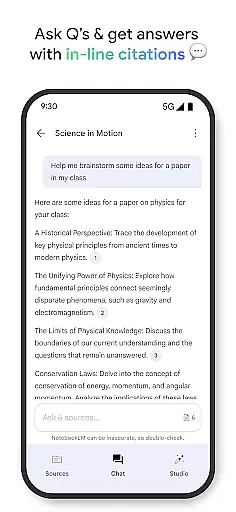
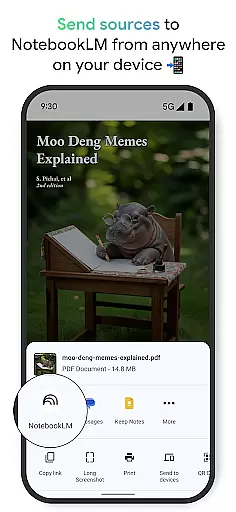
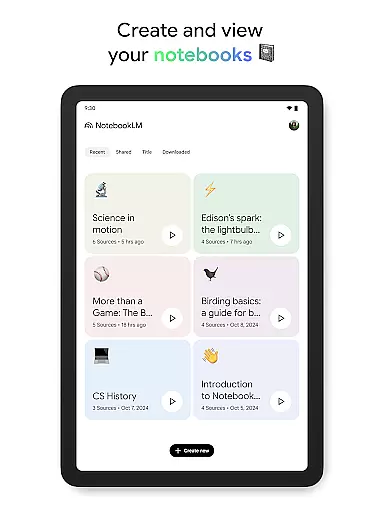
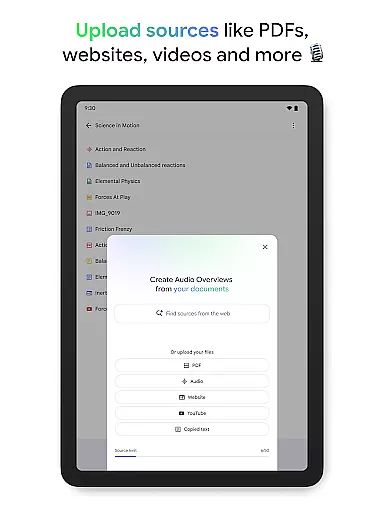
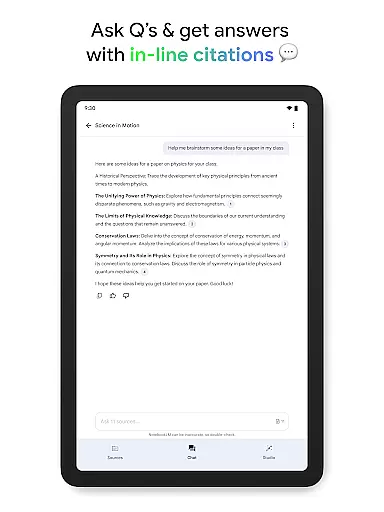
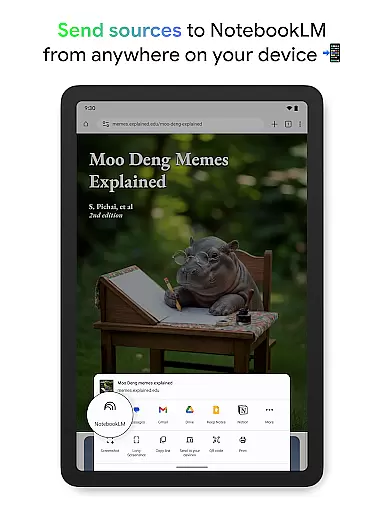
NotebookLM is a productivity powerhouse designed to simplify complex information management. This AI-driven app allows users to upload various sources such as PDFs, websites, and videos, transforming them into easily digestible formats. The application's core strength lies in its ability to create expert summaries and meaningful connections between uploaded materials while maintaining source citations.
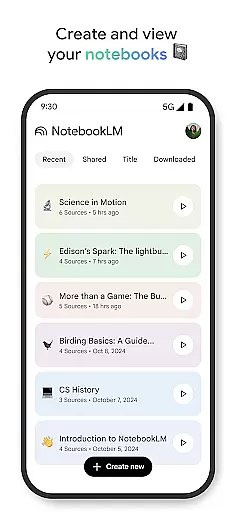
The app particularly shines for professionals and students who need to process large volumes of information efficiently. Users can access their notebooks anytime, ask contextual questions about their content, and even generate podcast-style audio overviews for on-the-go learning. This functionality proves invaluable for researchers needing quick references or creators developing new content based on existing materials.
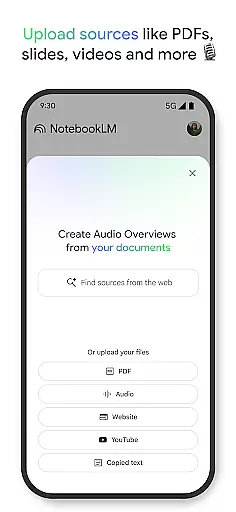
NotebookLM distinguishes itself through several innovative features that enhance productivity. The app's source processing capability stands out, allowing users to upload multiple file types including PDF documents, web pages, and YouTube videos. Once uploaded, the AI analyzes these materials to generate comprehensive summaries and identify relevant connections between different sources.
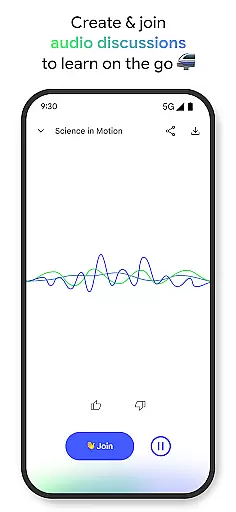
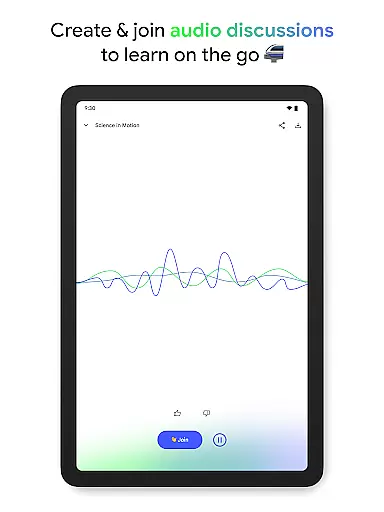
A key advantage is the app's ability to transform traditional text-based learning into alternative formats. Users can convert their research materials into engaging audio discussions hosted by two AI personalities. This feature not only caters to different learning styles but also enables multitasking through background playback support. Additionally, the offline functionality ensures users can access their content without internet connectivity, making it particularly useful for travelers or those in areas with limited network access.
Effective task management is crucial for productivity applications, serving as the backbone for organizing and prioritizing work. NotebookLM excels in this area by transforming complex information into manageable insights.
The app allows users to upload various sources such as PDFs, websites, and videos, turning them into structured notebooks. This feature simplifies the task management process by breaking down large tasks into smaller, more digestible pieces of information.
Users benefit from a system that not only organizes their content but also enhances their understanding through summaries and connections made by the app. This leads to increased efficiency and better time management.
By trusting the insights provided, users can focus on their core activities without getting bogged down by the details, making NotebookLM an invaluable tool for anyone looking to streamline their workflow.
In today's interconnected world, reliable cross-device synchronization is essential for maintaining workflow continuity. NotebookLM addresses this need by ensuring that all user content is consistently updated across devices.
Whether you're accessing your notebooks from a smartphone or a desktop, the app provides seamless integration and real-time updates. This means you can start a task on one device and continue it on another without missing a beat.
The added convenience of offline support and background playback ensures that users have access to their content whenever they need it, regardless of internet connectivity. This flexibility supports a modern, mobile lifestyle.
With NotebookLM, users can trust that their work is always up-to-date and accessible, allowing them to be productive anytime, anywhere, which is a significant advantage in the fast-paced digital age.
Powerful AI analysis
Multiple format support
Offline functionality
Source citation tracking
Engaging audio options
Limited free tier
Occasional AI errors
Storage limitations
Premium subscription cost
Learning curve present

Experience real multitasking on your Android!
 4.00
4.00
Create study competitions, track your hours, and stay consistent with friends
4.0
IP Camera Viewer - Android TV : RTSP Surveillance camera viewer for Android TV
4.4
CalenGoo is a very flexible and feature-rich calendar app
4.40
App lock - lock apps with fingerprint, password, pin or pattern, protect privacy
4.70
PDF scanner & converter for files, photos, lottery, QR codes. One swipe away!
4.50
Great calculator for Android named one of USA TODAY's "25 Essential Apps".
4.90
A comprehensive suite of tools designed specifically for Lactation Consultants
4.4
Put a lock on your cloud: Take the security of your data into your own hands
3.70
Android Wallet Password Manager
4.80
Simple notepad & memo. Take notes, to-do list, shopping list with reminders.
4.80
Direct Chat without saving contacts & Dual WA Account on Single Device
4.70
A simple Whisper AI keyboard for reliable speech transcription and rewording
4.60
Tally and goal counter for Wear OS & mobile
4.50
This small app MUST BE INSTALLED after purchase, else license won't work
4.40
Todo reminder
4.10
Make apps & sites with natural language prompts
4.10
The ultimate file manager for rooted devices. The original and still the best.
4.00
Ads Free App! Editor, Hide File, Copy, Move, Delete and Rename.. all facility av
1.70


User Reviews