
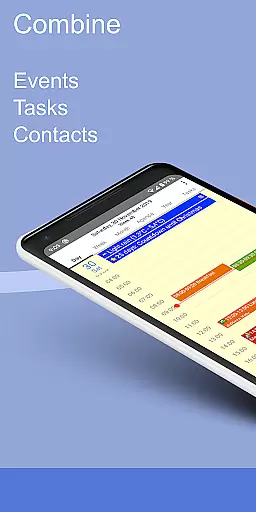
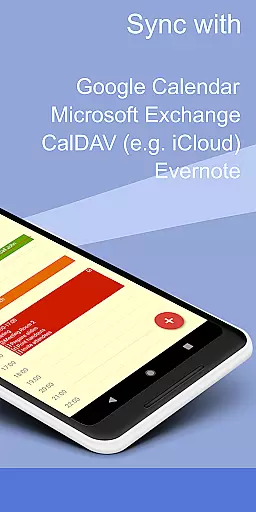
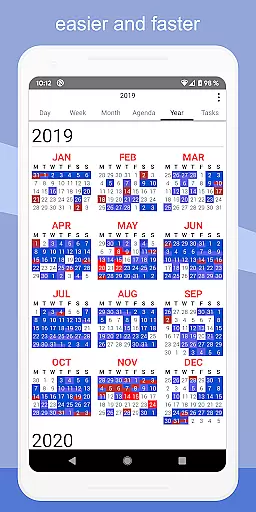
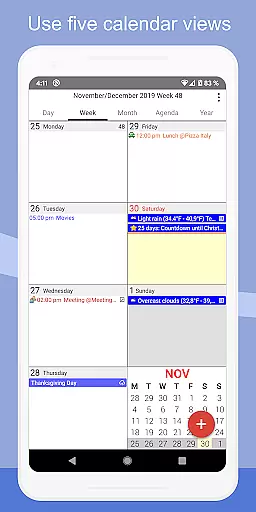
CalenGoo is a comprehensive productivity app designed to help users efficiently manage their events and tasks. With seamless integration capabilities, it syncs with multiple calendar services including Google Calendar, Exchange, CalDAV, and iCloud, either directly or via the Android calendar. This ensures that all your past and future events are accessible in one place.
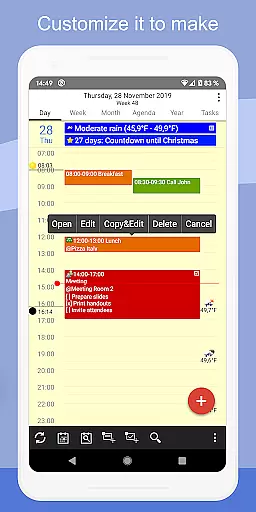
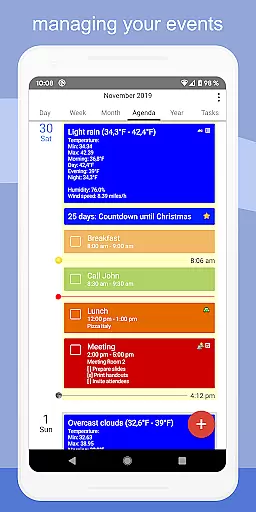
The app offers extensive customization options, allowing users to tailor both the appearance and functionality to suit their preferences. It features five types of calendar views (day, week, month, agenda, and year), four styles of agenda views, and supports widgets for home screen access. Additionally, CalenGoo provides practical features such as attaching photos, files, and Evernote notes to events, weather forecasts, and various reminder functions, making it an indispensable tool for organizing personal and professional schedules.
CalenGoo stands out with its rich feature set tailored to enhance productivity. One of its key strengths is the ability to sync calendars and tasks with major services like Google Calendar, Exchange, CalDAV, and iCloud. This ensures that users have up-to-date information across all devices. The app also allows for attaching photos, files, and Evernote notes directly to events, providing a centralized location for all related materials.
Another notable feature is the extensive customization options available. Users can choose from five different calendar views and four agenda view styles, add icons to Google events, and use keywords to change event colors or icons. The inclusion of widgets for the home screen means quick access to daily, weekly, monthly, agenda, year, and task views. Furthermore, advanced functionalities such as drag-and-drop for moving or copying events, support for Exchange categories, and various reminder methods (notifications, pop-up windows, spoken reminders) make CalenGoo a versatile tool for managing complex schedules effectively.
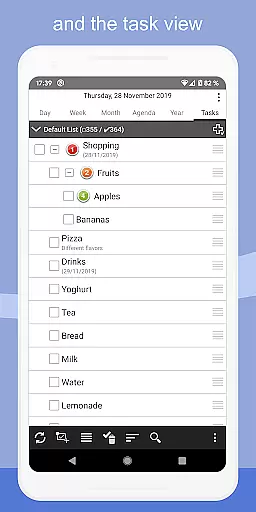
CalenGoo offers robust core task management features that cater to both personal and professional needs. The app allows users to sync tasks with multiple services including Google Calendar, Exchange, CalDAV, and iCloud, ensuring seamless integration across platforms.
One of the standout features is the ability to attach photos, files, and even Evernote notes to events, enhancing the depth of task information. This makes it easier for users to keep all relevant materials in one place, streamlining their workflow and boosting productivity.
The app also supports various reminder functions such as notifications, pop-up windows, spoken reminders, and different sounds. These options ensure that users never miss an important deadline or meeting, providing timely alerts tailored to individual preferences.
Additionally, CalenGoo includes templates for events, floating events, and completable events, allowing users to customize their task management experience. With extensive configuration options available under 'Settings', users can tweak the app to perfectly match their unique working style and requirements.
Cross-device synchronization is a critical feature for any productivity app, and CalenGoo excels in this area. By supporting direct sync with Google Calendar, Exchange, CalDAV, and iCloud, the app ensures that your data remains consistent and up-to-date across all your devices.
This reliable synchronization extends beyond just calendar events; it also includes tasks, making CalenGoo a comprehensive solution for managing your schedule and to-do lists. Whether you're switching from your phone to a tablet or a computer, you can trust that your information will be accurately reflected everywhere.
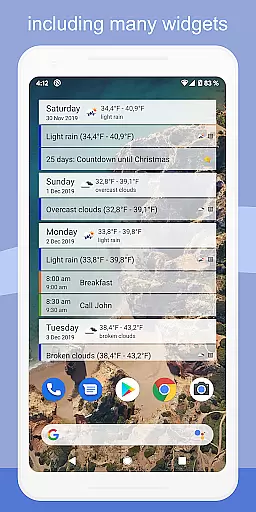
Moreover, CalenGoo provides widgets for day, week, month, agenda, year, and task views, enabling quick access to your events right from your home screen. This instant visibility enhances the user experience by keeping essential information always at hand, regardless of the device being used.
For those who require additional functionality, CalenGoo offers advanced features like sharing calendars with others via Google Calendar and using drag-and-drop to move or copy events. These capabilities further reinforce the app's commitment to delivering a dependable and versatile cross-device experience.
User-friendly interface
Extensive customization
Multi-platform sync
Rich feature set
Efficient task management
Complex setup process
Paid application
Occasional sync issues
Steep learning curve
Limited free trial

QuickBooks Workforce lets teams view pay info and track time in one place.
 4.70
4.70
Experience Reading - Night Mode for Documents
4.40
A lightweight JSON & XML files creator, editor and viewer (Premium Version)
4.40
A simple Whisper AI keyboard for reliable speech transcription and rewording
4.60
A Pixel Art watchface inspired by other iconic 90s designs for Wear OS devices!
4.40
Scientific calculator for Android - looks and operates like the real thing!
4.90
Okta MFA
4.70
AI Chatbot and AI writing assistant powered by ChatGPT.
4.60
AT&T Internet customers can use this app to personalize their Wi-Fi network.
4.40
Seamlessly integrate data and reports to build your presentation to impress
4.80
Client for Nextcloud Deck
4.60
Functional QR scanner and barcode reader that requires little storage space.
4.60
A customizable calendar for your Wear OS watch
4.20
Customizable calendar widget for seamless event sync, planning & scheduling.
4.00
Secure, open-source, SPICE and SSH Remote Desktop for QEMU KVM virtual machines
4.00
⏰ Finally a timer app which can run multiple timers simultaneously on your watch
3.90
A Revolutionary All-in-One Artificial Intelligence Tools
3.80
Easiest event planning, volunteer signups & parent teacher conference scheduling
2.20
Create study competitions, track your hours, and stay consistent with friends
4.2


User Reviews