
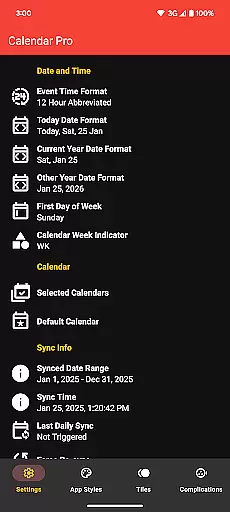
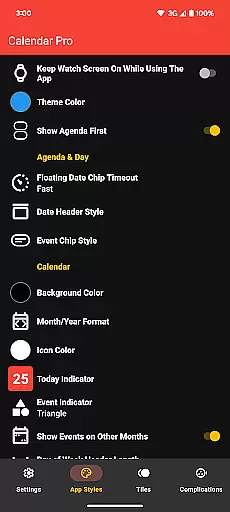
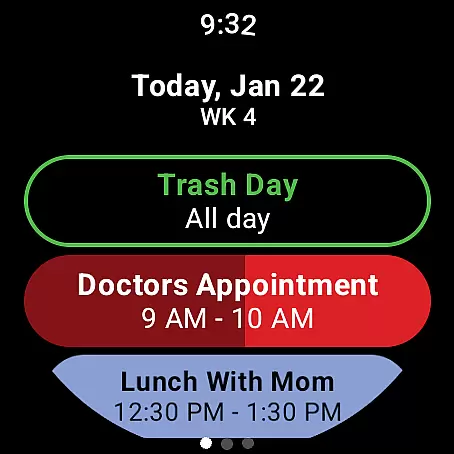
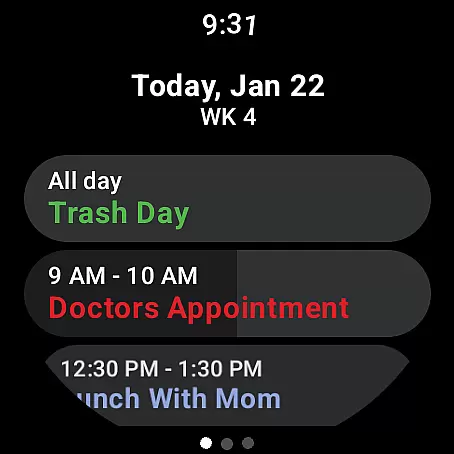
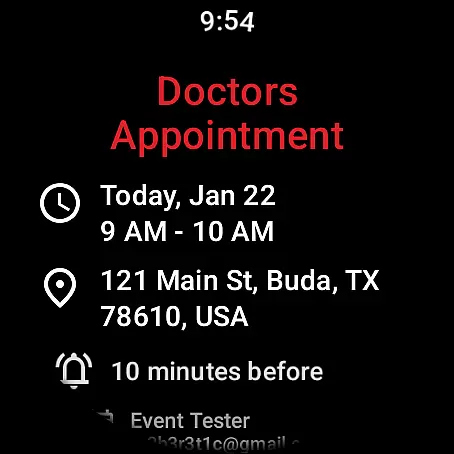
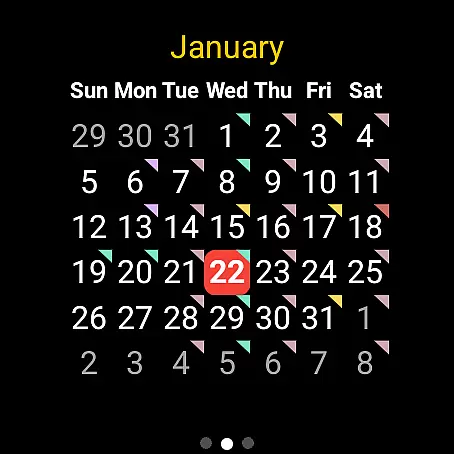
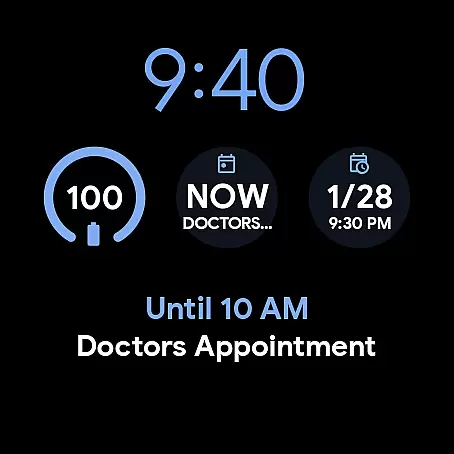
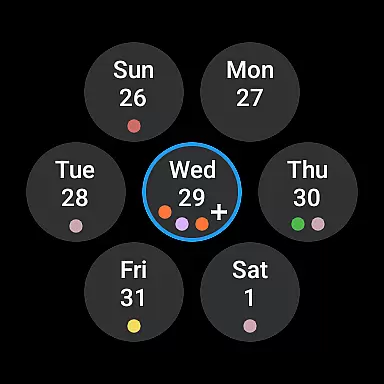
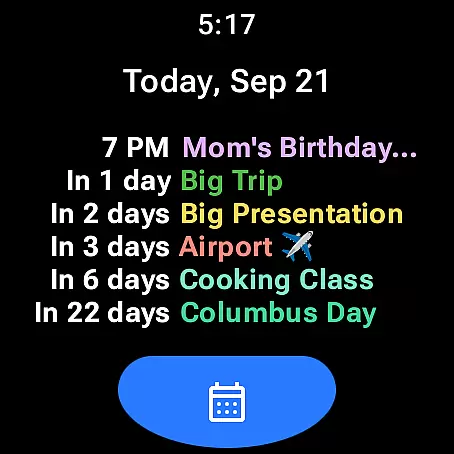
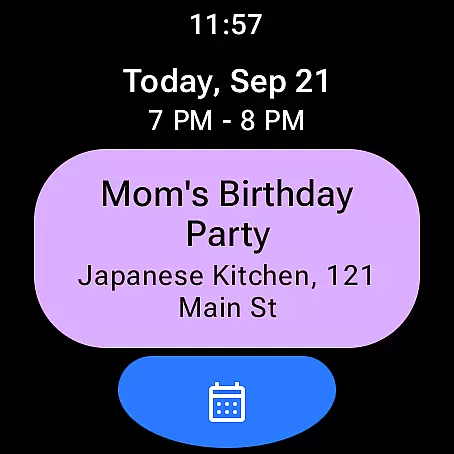
Calendar Pro for Wear OS is a comprehensive calendar solution that seamlessly syncs all your phone calendars to your Wear OS smartwatch. This productivity app allows users to manage their schedules directly from their wrist, offering features like adding, editing, and deleting events right on the watch interface.
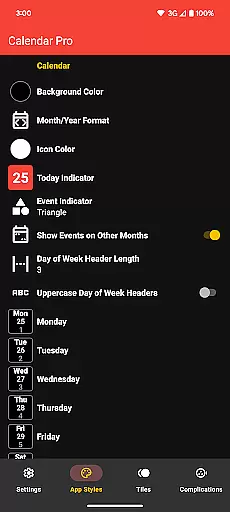
The app stands out with its extensive customization options for both month calendar and agenda views. Users can personalize everything from background colors to event indicator shapes. With support for major calendar services including Google Calendar, Outlook, and Samsung Calendar, this one-time purchase unlocks all features without any subscription fees.
Whether you're managing work appointments or personal commitments, Calendar Pro ensures you stay organized on-the-go. The app's intuitive design and robust feature set make it an essential tool for professionals who need instant access to their schedule while maintaining an active lifestyle.
Calendar Pro offers an impressive array of features designed to enhance productivity. The app syncs up to 12 months of events and provides multiple viewing options including month, agenda, week, and next event tiles. Each view can be customized extensively - from theme colors to text styles and event indicators.
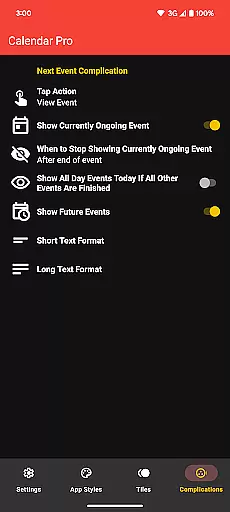
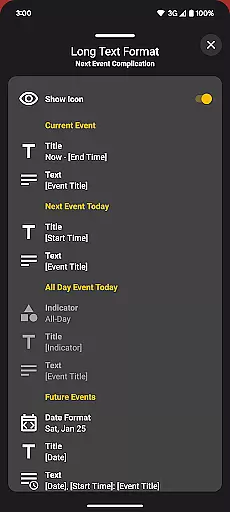
One of the standout capabilities is the ability to manage events directly from the watch interface. Users can create new appointments, modify existing ones, and view detailed information about each event. The app also supports various calendar complications and tiles for quick access to upcoming events.
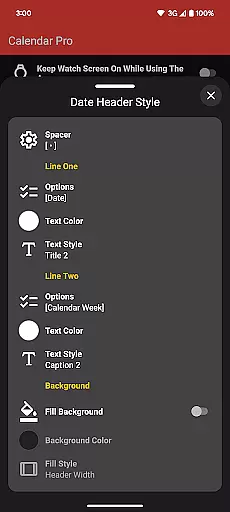
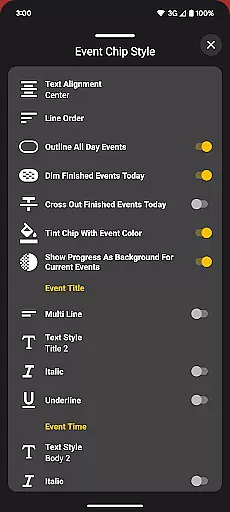
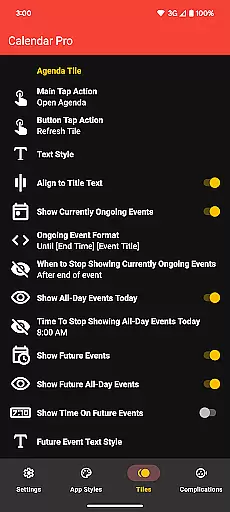
Advanced customization options allow users to tailor the appearance and functionality to their preferences. From adjusting date header styles to configuring how finished events are displayed, Calendar Pro gives complete control over how information is presented. These features ensure maximum efficiency when managing time-sensitive tasks throughout the day.
Calendar Pro for Wear OS excels in core task management by providing users with a comprehensive suite of tools to manage their schedules directly from their smartwatch. The app syncs the next 12 months of events, ensuring that all important dates are readily accessible.
With the ability to add, edit, and delete events using the watch interface, users can effortlessly maintain an up-to-date calendar without needing to reach for their phone. This hands-free approach to event management is crucial for productivity on the go.
The customizable Agenda feature allows for personalized views tailored to individual preferences, enhancing the user's capacity to prioritize tasks effectively. Options such as dimming finished events and showing progress for ongoing ones ensure that users focus on what's currently relevant.
By integrating seamlessly with Google Calendar, Outlook, and other providers, Calendar Pro consolidates task management into a single, convenient location, empowering users to take control of their time with precision and ease.
Cross-device synchronization is a cornerstone of Calendar Pro for Wear OS, ensuring that every update made on one device is reliably reflected across all others. This synchronization extends to various calendar services, including Google Calendar and Outlook, offering a unified view regardless of the source.
The app requires installation on both the smartphone and Wear OS watch, creating a robust ecosystem where changes are instantly updated. Whether you're adding a new meeting or editing an existing appointment, these updates appear in real-time on your watch face.
Customizable tiles like the Month Calendar Tile and Next Event Tile provide at-a-glance information, which is always current thanks to the app's dependable syncing capabilities. Users can trust that they are viewing the latest data, whether checking their agenda on the go or planning ahead at their desk.
This reliable cross-device experience ensures that no matter where you are or what device you're using, your schedule remains consistent and accurate, reinforcing Calendar Pro's commitment to keeping you informed and prepared at all times.
User-friendly interface
Extensive customization
Multi-calendar support
No subscription required
Offline functionality
Requires phone app
Limited free version
Complex setup process
Battery consumption
Learning curve

 4.20
4.20
Client for Nextcloud Deck
4.60
Native client for Forgejo and Gitea
5.00
CalenGoo is a very flexible and feature-rich calendar app
4.40
Create and edit presentations with Google Slides, part of Google Workspace.
4.00
Subscribe to Webcal & .ics calendars and keep them up-to-date!
4.50
Great calculator for Android named one of USA TODAY's "25 Essential Apps".
4.90
Secure your apps with lock screens, use custom themes and different features.
4.40
Put a lock on your cloud: Take the security of your data into your own hands
3.70
Simple notepad & memo. Take notes, to-do list, shopping list with reminders.
4.80
Quickly and easily keep track of your work shifts
4.70
The Pro Version of Android's tiniest Notepad app. Just 0.3MB but feature-packed!
4.60
Functional QR scanner and barcode reader that requires little storage space.
4.60
Professional calendar app for Google Calendar, MS Outlook & Exchange
4.20
Intelligent AI Assistant
4.10
Take control of your clipboard with Clipper!
3.90
Ultimate Virtual AI Character for immersive Roleplay Chat. Perfect Companion
3.90
Auto-shutoff Alarm with Sunrise, Sunset & Fixed Options.
3.50
ID.me Authenticator is a simple and free Two Factor Authentication solution
3.50


User Reviews