
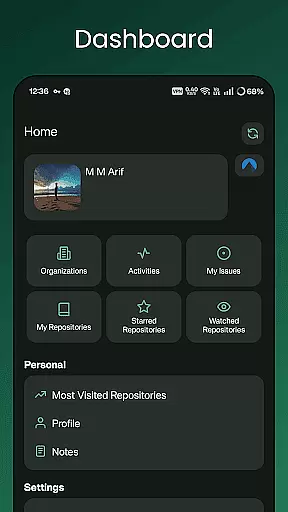
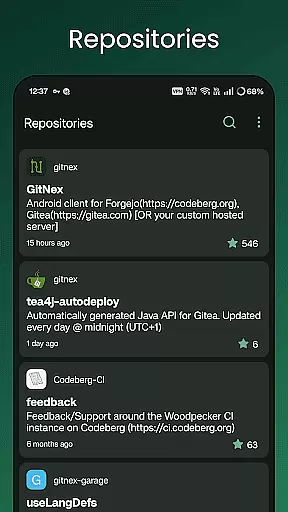
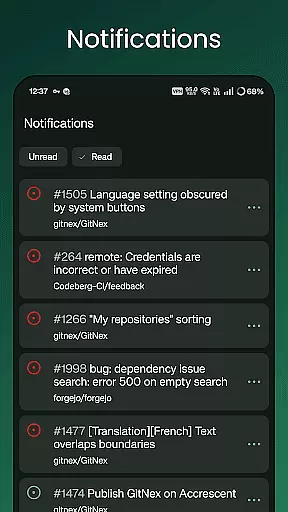
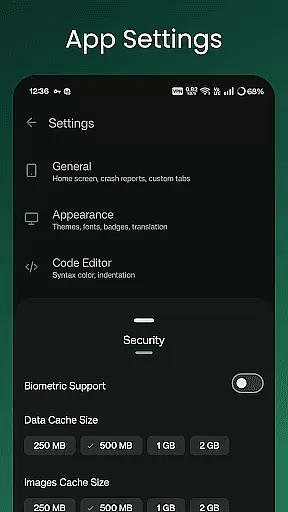
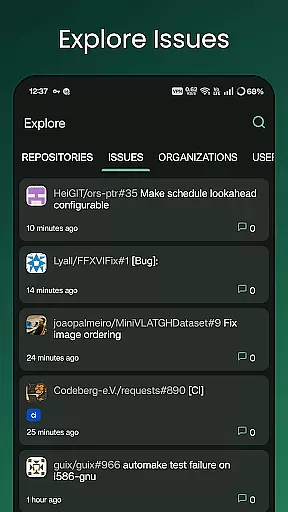
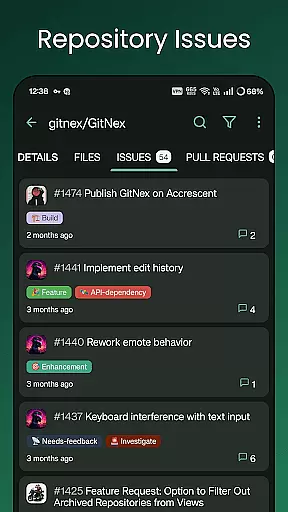
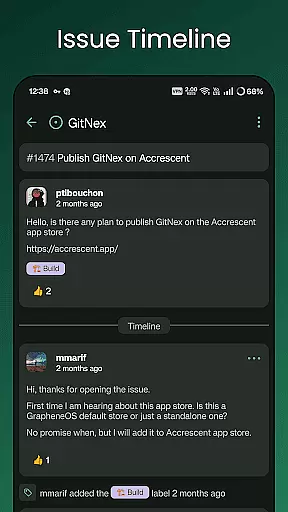
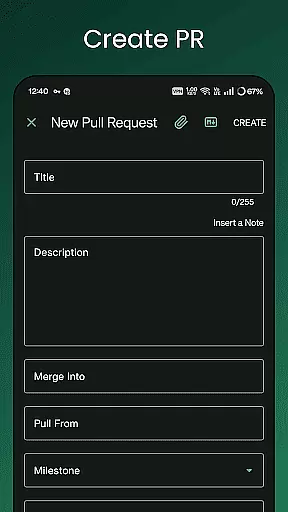
GitNex is a powerful open-source Android client designed for managing Git repositories on Forgejo and Gitea platforms. This productivity-focused app allows developers to efficiently handle multiple accounts, browse files and directories, and create various repository elements such as issues, pull requests, wikis, and more.
The app's comprehensive feature set includes markdown and emoji support, self-signed certificate handling, and an extensive settings panel for customization. Whether you're exploring repositories or managing notifications, GitNex provides a complete mobile solution for Git repository management, making it an essential tool for developers on the go.
GitNex offers an impressive array of features that cater to both basic and advanced Git repository management needs. The app supports multiple account management, allowing users to switch between different profiles seamlessly. Its built-in file and directory browser enables easy navigation through repository structures, while the markdown viewer helps preview formatted content directly on mobile devices.
One of GitNex's standout capabilities is its comprehensive creation tools, which let users generate new files, issues, pull requests, wiki pages, milestones, releases, and labels directly from their Android device. The app also provides detailed views for commits, notifications, and profile information, along with theme customization options and self-signed certificate support, making it a versatile tool for any development workflow.
GitNex for Forgejo and Gitea excels in core task management by offering a comprehensive suite of features tailored to developers' needs. The app supports multiple accounts, allowing users to manage repositories across different profiles seamlessly.
With an intuitive file and directory browser, users can navigate through their codebase with ease. The ability to create files, issues, pull requests, wiki pages, milestones, releases, and labels directly from the mobile interface enhances productivity on the go.
The application provides extensive lists for pull requests, repositories, organizations, issues, labels, milestones, and releases, ensuring that all essential project management elements are accessible from your mobile device.
This robust feature set enables developers to maintain workflow continuity outside their desktop environment, making GitNex an invaluable tool for managing Git projects efficiently.
Cross-device synchronization is where GitNex truly shines, providing reliable access to all your Git repository data regardless of which device you're using. The app maintains consistent state across sessions, ensuring that your work-in-progress is always up-to-date.
Notifications keep you informed about important repository events, while the self-signed certificate support guarantees secure connections to your private servers. This level of security ensures that your cross-device communication remains protected.
With support for themes and markdown, your development environment stays personalized and professional-looking, even when switching between devices. The app's responsive design adapts well to different screen sizes, maintaining usability without compromising functionality.
This synchronization capability, combined with features like repository commits tracking and extensive settings options, makes GitNex a reliable companion for managing your Git projects across multiple devices.
User-friendly interface
Multiple account support
Comprehensive feature set
Open-source development
Regular updates
Steep learning curve
Complex setup process
Limited iOS availability
Occasional bugs
No desktop version

Take control of your clipboard with Clipper!
 3.90
3.90
Remotely view listen control and record cameras.
3.70
App Lock with fingerprint, password: Lock apps & hide photos with lock screens
4.60
Stay on top of your to-dos with Google Tasks, part of Google Workspace.
4.60
The AI assistant that thinks with you - write, code, and solve complex tasks
4.60
Translate text/voice/photos in 150+ languages. Offline & fast translator app.
4.50
Code on-the-go with VScode for Android. Edit,debug and collaborate from mobile!!
3.10
A beautiful digital clock with autostart and many other functions
4.70
Secure your apps with lock screens, use custom themes and different features.
4.40
Seamlessly integrate data and reports to build your presentation to impress
4.80
Protect and view your important info on your phone and tablet with eWallet®
4.80
Secure, fast, open-source, Remote Desktop Client for Windows and Linux with SSH
4.60
Access, manage and transfer files on Android, PC, Mac, NAS and cloud storages.
4.30
Make apps & sites with natural language prompts
4.10
The ultimate file manager for rooted devices. The original and still the best.
4.00
Mega cloud explorer plugin for Solid Explorer
3.80
Find and delete junk files & block unwanted notifications & manage files
3.70
Experience and share your SolidWorks designs on your Android® phone and tablet.
2.50
Easiest event planning, volunteer signups & parent teacher conference scheduling
2.20


User Reviews