

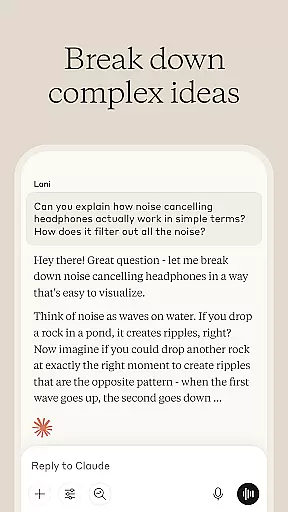
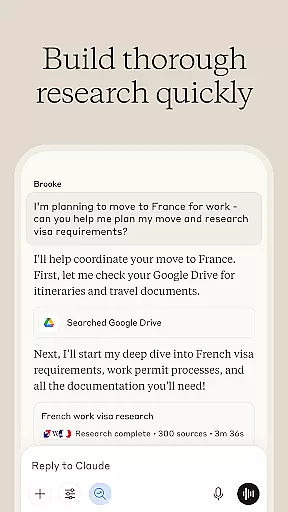
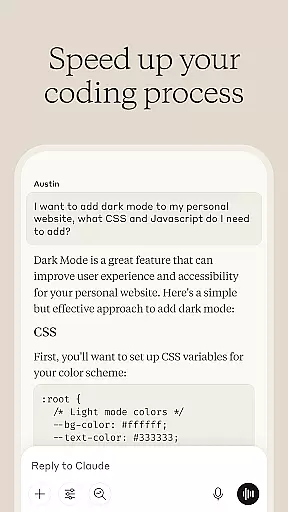
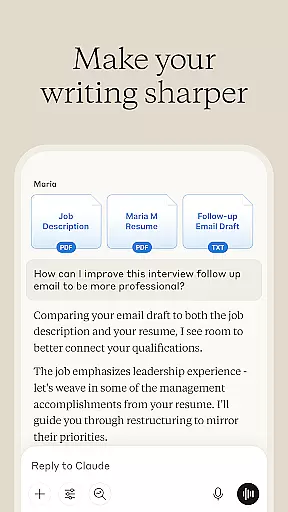
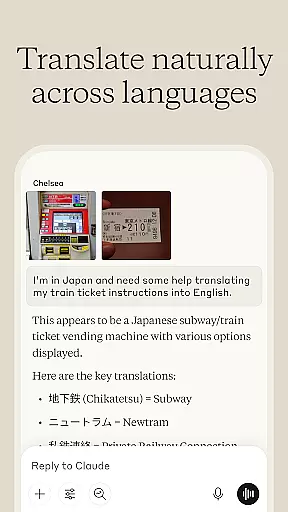

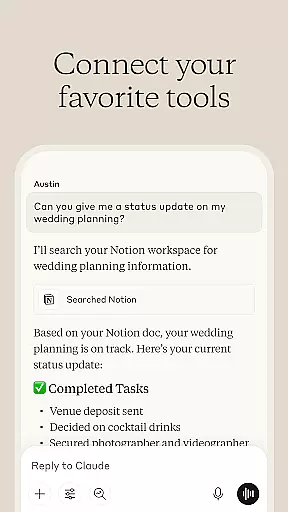
Claude by Anthropic represents a new generation of AI-powered productivity tools designed to enhance your problem-solving capabilities. This versatile application serves as both an AI writing assistant and a collaborative thinking partner, helping users tackle complex challenges across various domains. The app's core functionality lies in its ability to assist with writing refinement, research analysis, coding support, and visual content evaluation.
What sets Claude apart is its ability to work iteratively with users, providing depth and precision in every interaction. Whether you're developing professional content, analyzing data, debugging code, or exploring visual materials, the application adapts to your needs. Its integration with multiple platforms including Google Drive and Gmail makes it particularly valuable for business professionals and researchers who require seamless access to their digital resources.
The application finds particular value in professional settings where complex problem-solving and detailed analysis are required. For instance, marketing teams can utilize Claude to develop polished social media content while engineering teams can collaborate on debugging sessions. This versatility makes it an indispensable tool for organizations seeking to boost their overall productivity through AI augmentation.
Claude distinguishes itself through several key features that cater to diverse productivity needs. First and foremost is its advanced AI writing assistant capability, which helps users transform rough ideas into refined content. The application doesn't just generate text; it collaborates with users to explore tone, structure, and clarity, ensuring the final output aligns perfectly with the intended message and audience.
Another significant feature is its comprehensive research and data analysis functionality. Claude can search across multiple platforms, compile findings, and analyze data while maintaining accurate citations. This capability extends to its AI coding assistance, where the application provides step-by-step guidance through complex programming challenges in various languages including Python and JavaScript. The application's visual analysis tools further expand its utility, allowing users to upload and analyze images, PDFs, and technical diagrams.
Perhaps most innovative is Claude's voice dictation feature, enabling hands-free collaboration and brainstorming. This feature, combined with its multilingual support and ability to handle mathematical problems, makes it uniquely positioned to serve international teams and complex projects. The application's foundation on Anthropic's advanced AI models ensures reliable performance across all these features, making it a trustworthy companion for serious professional work.
At the heart of productivity lies effective task management, and Claude excels in this area. The AI assistant helps users organize their workflow by breaking down complex projects into manageable tasks. This structured approach ensures that nothing falls through the cracks and all deadlines are met with precision.
Claude's task management capabilities extend beyond simple to-do lists. It collaborates with users to plan projects, develop flowcharts, and structure ideas. This partnership enables a deeper level of engagement with work, allowing for more creative and efficient problem-solving.
The true value of Claude's task management feature is in its adaptability. Whether you're working on coding, writing, or research, Claude adjusts to your specific needs. By providing iterative feedback and helping to refine processes, it empowers users to tackle challenges both inside and outside their comfort zones.
In today's fast-paced world, having reliable cross-device synchronization is crucial for maintaining productivity. Claude ensures that your work is seamlessly synced across all devices, allowing you to pick up right where you left off, whether you're on your phone, tablet, or computer.
This synchronization goes beyond mere convenience; it's about reliability and real-time updates. Claude's advanced system guarantees that every change you make is instantly reflected across all platforms. This means your meeting notes, reports, and coding projects are always up-to-date, no matter which device you choose to use.
Moreover, Claude's synchronization feature enhances collaboration. By ensuring that all team members have access to the latest information, regardless of their device, it fosters a more cohesive and efficient working environment. This reliability builds trust among collaborators, knowing they are all working with the most current data available.
Advanced AI capabilities
Multifunctional productivity tool
Seamless platform integration
Reliable performance metrics
Comprehensive language support
Steep learning curve
Resource intensive operation
Limited offline functionality
Premium feature pricing
Occasional processing delays

AI Video AI Image Private LLM AI Browser Llama Gemma Ollama Connect LLM Studio
 4.1
4.1
Experience real multitasking on your Android!
4.00
Automates browsing any website and notifies you of important changes or events
4.30
Smart PDF reader & editor to view, organize and manage PDF documents easily.
3.70
Remotely view listen control and record cameras.
3.70
Subscribe to Webcal & .ics calendars and keep them up-to-date!
4.50
Tally and goal counter for Wear OS & mobile
4.50
A comprehensive suite of tools designed specifically for Lactation Consultants
4.1
Put a lock on your cloud: Take the security of your data into your own hands
3.70
A beautiful digital clock with autostart and many other functions
4.70
A simple Whisper AI keyboard for reliable speech transcription and rewording
4.60
All in One PDF Reader: Manage, Read and Edit your Documents
4.20
Device's storage information in a simple and clear graphical form (infographics)
4.10
Todo reminder
4.10
Cloud storage, automatic phone backup, and more.
4.10
Create and edit presentations with Google Slides, part of Google Workspace.
4.00
Take control of your clipboard with Clipper!
3.90
Mega cloud explorer plugin for Solid Explorer
3.80
A simple, portable logger for POTA, SOTA, Field Day, and more
4.3


User Reviews