
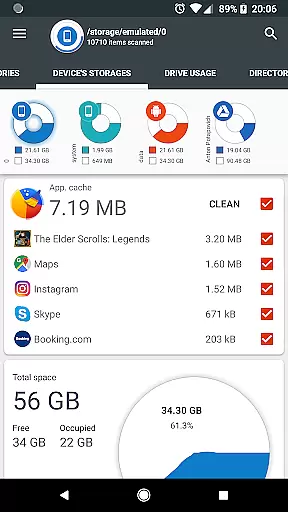
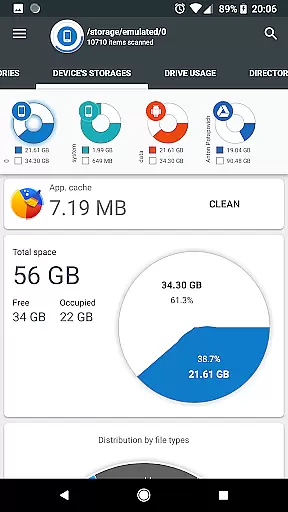
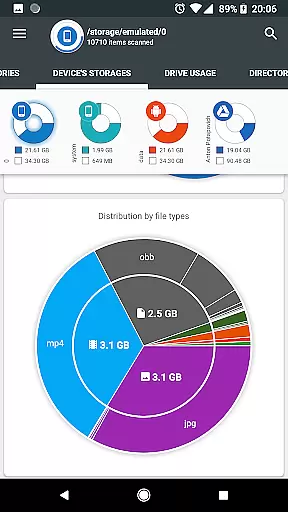
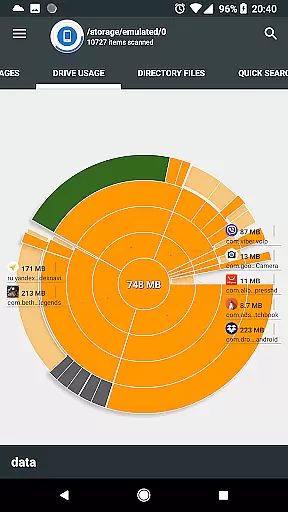
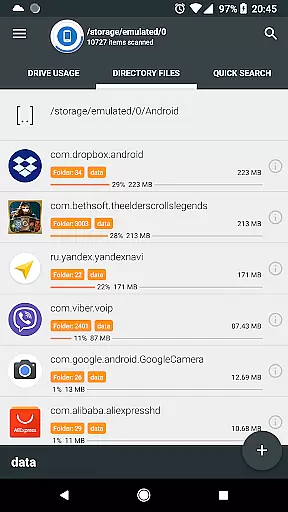
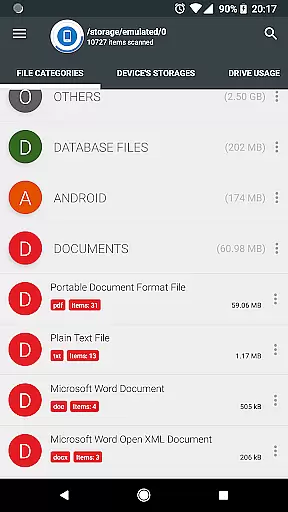
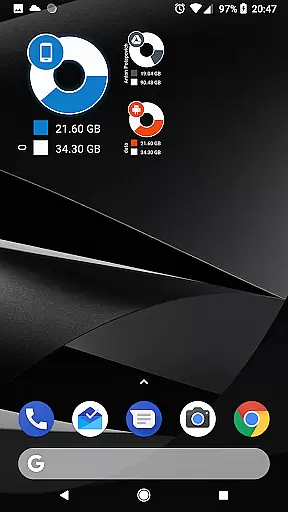
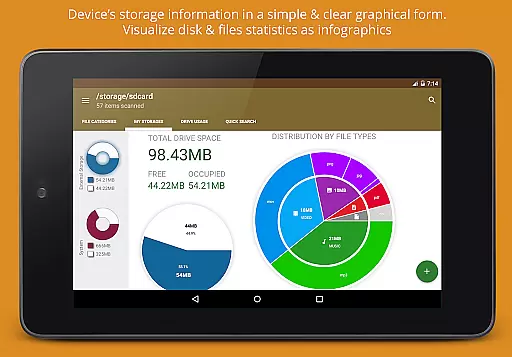
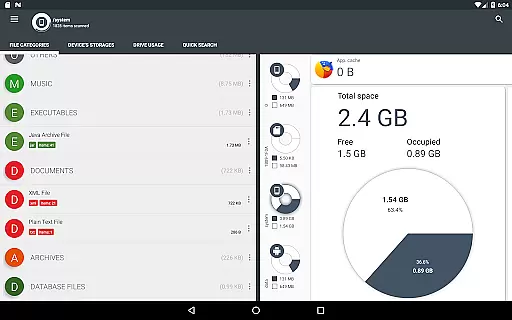
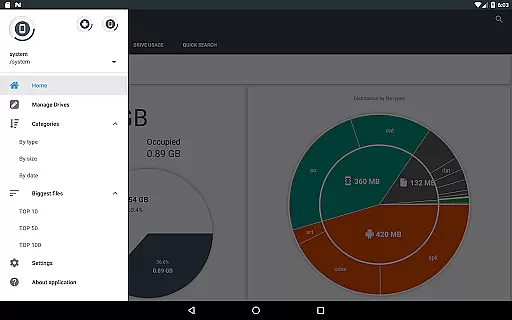
Disk & Storage Analyzer [PRO] is a comprehensive productivity tool designed to help users understand and manage their device's storage efficiently. The app provides detailed insights into internal storage, SD cards, and USB devices through intuitive infographics like pie charts and sunburst diagrams. It also supports cloud storage services such as Google Drive, Dropbox, and Yandex.Disk, allowing users to analyze file usage across multiple platforms.
One of the standout features is its ability to display installed applications sorted by size and cache, with options to clean cache or delete apps directly from the interface. This functionality makes it an essential tool for anyone looking to optimize their device's performance. Whether you're managing local files or cloud storage, this app offers a clear visualization of your data, helping you make informed decisions about storage management.
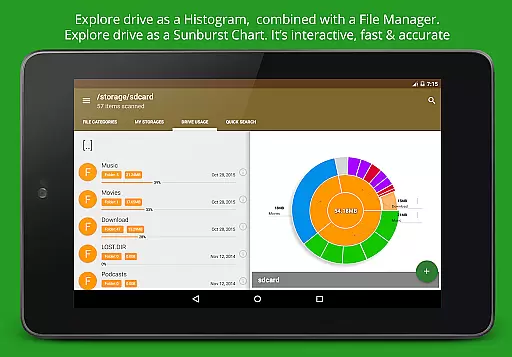
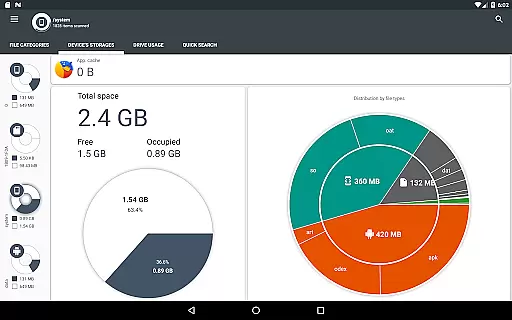
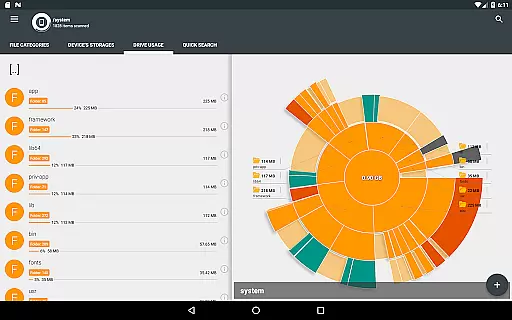
The app boasts an array of powerful features tailored for efficient storage analysis. Its graphical representation of storage usage includes pie charts and sunburst diagrams that break down file categories and sizes in an easily digestible format. Users can drill down into specific directories by interacting with the chart sectors, providing a seamless navigation experience.
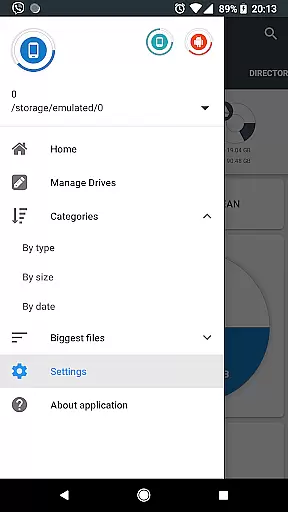
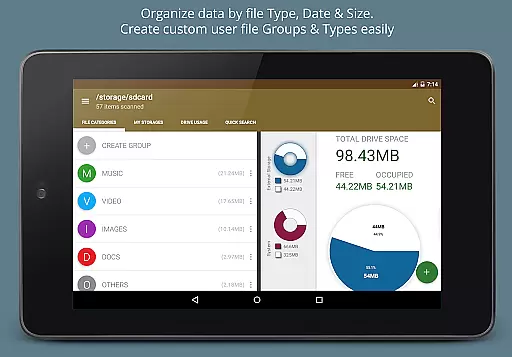
Another notable feature is the global search capability, which indexes files on both local and cloud storage at startup. This allows for quick retrieval of files based on search queries. Additionally, the app categorizes files by type, size, and date, offering multiple ways to organize and locate content. With permissions to manage external storage and clear app caches, Disk & Storage Analyzer [PRO] empowers users to take full control of their device’s storage landscape.
Disk & Storage Analyzer [PRO] excels in core task management by offering users a comprehensive suite of tools to monitor and manage their device's storage efficiently. The application provides detailed insights into file usage, categorizing data across internal and external storage, USB devices, and even cloud drives like Google Drive and Dropbox.
One of the standout features is its ability to present complex storage statistics through intuitive graphical representations such as pie charts and sunburst diagrams. This visualization helps users quickly identify which files or folders are consuming the most space, enabling them to make informed decisions about data management.
In addition to storage analysis, the app allows users to take direct action on their findings. It offers functionalities such as cache cleaning and the removal of unnecessary applications, directly contributing to more effective storage management. These capabilities ensure that users can reclaim valuable space without needing to navigate away from the app.
By integrating these robust task management features, Disk & Storage Analyzer [PRO] empowers users to maintain optimal device performance through efficient storage oversight, making it an essential tool for anyone looking to manage their digital footprint effectively.
Cross-device synchronization is a critical feature for users managing data across multiple platforms, and Disk & Storage Analyzer [PRO] addresses this need with reliable functionality. The application supports connections to various cloud storage services including Google Drive, Dropbox, and Yandex.Disk, ensuring seamless access to files regardless of the user's location or device.
When users connect their cloud drives, the app meticulously reads file-specific data such as names, paths, sizes, and last modified dates. This information is then used to build detailed statistics and visual reports, providing a unified view of storage usage across all connected devices. Such consistency ensures that users have an accurate understanding of their data landscape.
Moreover, the app indexes files at startup, facilitating quick searches and easy navigation through content. Whether users are accessing documents, videos, or music, they can swiftly locate and manage their files thanks to the appu2019s efficient indexing system. This feature significantly enhances productivity by reducing the time spent searching for specific items.
With its focus on synchronization reliability, Disk & Storage Analyzer [PRO] not only simplifies cross-device file management but also boosts overall efficiency. Users benefit from having a cohesive and up-to-date overview of their storage, empowering them to handle their digital assets with confidence and ease.
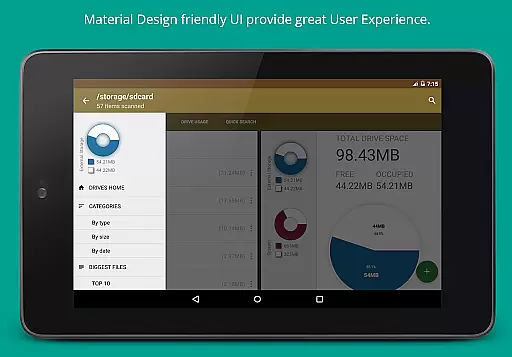
User-friendly interface
Comprehensive storage analysis
Cloud storage integration
Cache cleaning functionality
Graphical data representation
No automatic backup option
Limited real-time sync
Premium version only
Occasional force closes
Requires many permissions

 4.20
4.20
Planet Free VPN - The best Fast Unlimited and Secure VPN Without Logs
4.50
The Pro Version of Android's tiniest Notepad app. Just 0.3MB but feature-packed!
4.60
Absolutely the best CNC machinist speed and feed calculator around. fswizard.com
4.60
Remotely view listen control and record cameras.
3.70
Easiest event planning, volunteer signups & parent teacher conference scheduling
2.20
Fill, sign & send docs, forms, agreements & contracts via electronic signature.
4.50
Access your phone's notifications, calls, apps, photos & texts on your PC
3.90
Simple notepad & memo. Take notes, to-do list, shopping list with reminders.
4.80
aCalendar+ makes your day, week and month
4.70
Scan paperwork into PDF/JPG, generate your own e-signature and send fax or email
4.70
Send files, sync SMS, notifications & clipboard across devices via local network
4.40
Easily read and manage all your PDF files
4.10
Cloud storage, automatic phone backup, and more.
4.10
Experience real multitasking on your Android!
4.00
* block pre-roll ads, pop-up and forced redirect ads * Samsung certification app
4.00
⏰ Finally a timer app which can run multiple timers simultaneously on your watch
3.90
Code on-the-go with VScode for Android. Edit,debug and collaborate from mobile!!
3.10
Ads Free App! Editor, Hide File, Copy, Move, Delete and Rename.. all facility av
1.70


User Reviews