
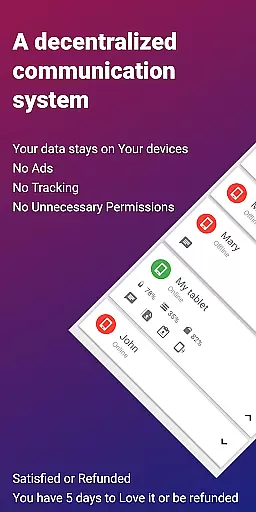
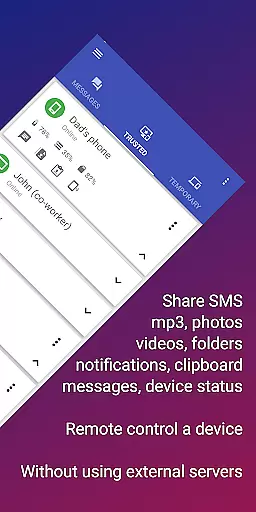
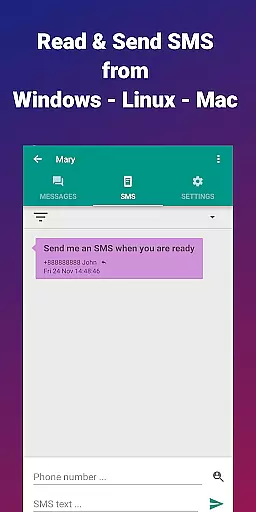
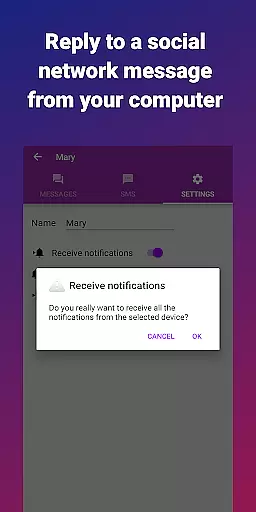


EasyJoin is a productivity-focused application designed to seamlessly connect your devices and transfer files instantly without relying on cloud services, advertisements, or tracking mechanisms. The app enables users to send files, sync clipboards, manage SMS, read notifications, and control devices using only their local network. With end-to-end encryption, all data remains private and secure on your devices, ensuring complete privacy.
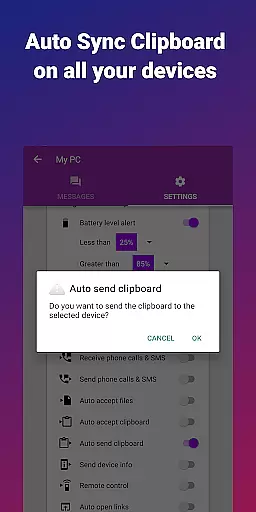
One of the standout features of EasyJoin is its ability to facilitate fast file transfers between various devices such as phones, PCs, and tablets. Whether you're sending photos, videos, documents, or entire folders, everything happens instantly without the need for an internet connection, cloud storage, or external servers. Additionally, the clipboard sync functionality allows users to copy content on one device and paste it on another, supporting cross-platform use across Android, Windows, macOS, iPhone, iPad, and Linux.
EasyJoin is perfect for individuals looking to enhance their productivity by reading and sending SMS from their computer, transferring files between phone and computer, or copying-pasting text across devices. Its offline capabilities make it ideal for private LAN file sharing among teams, offering a secure alternative to cloud-based solutions.
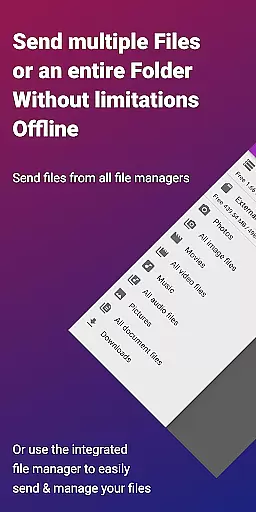
EasyJoin boasts a variety of powerful features that cater to both individual and team productivity needs. One of its core functionalities is the fast file transfer capability, which allows users to send files between different devices like phones, PCs, and tablets without requiring an internet connection. This feature supports multiple file types including photos, videos, documents, and folders, making it versatile for various use cases.
Another significant feature is the clipboard sync, enabling users to copy content on one device and paste it on another seamlessly. This works across multiple platforms, including Android, Windows, macOS, iPhone, iPad, and Linux, enhancing cross-device productivity. Additionally, EasyJoin offers peer-to-peer encrypted sharing, ensuring that all data stays within the local network with end-to-end encryption, thus maintaining user privacy and security.
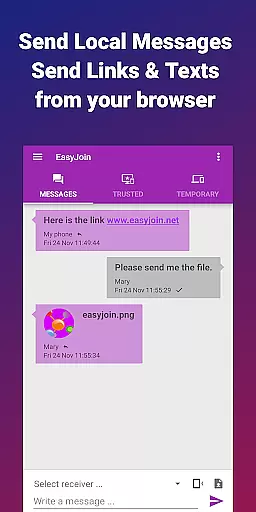
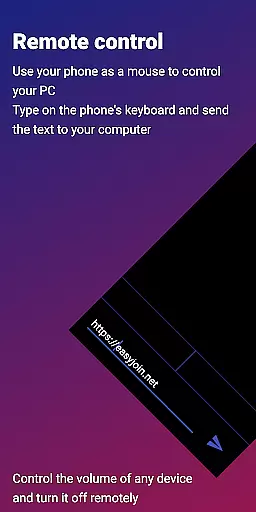
Remote notifications and SMS management allow users to read and respond to phone messages or notifications directly from their computer. Coupled with remote control functionalities, users can utilize their phone as a keyboard or mouse for their PC or even control their phone from their computer. These features are complemented by local network messaging, which lets users chat securely between linked devices without any external services, and cross-platform support with desktop apps available for Windows, macOS, Linux, plus browser extensions.
Efficient task management is essential for productivity applications, and EasyJoin excels in this area by offering a suite of features that streamline device connectivity and file sharing.
The app enables instant file transfers between various devices without relying on cloud services or external servers, ensuring that your workflow remains uninterrupted. With support for multiple file types and clipboard synchronization, users can easily manage their tasks across different platforms.
EasyJoin's peer-to-peer encrypted sharing maintains privacy while allowing users to read notifications, send SMS messages, and even control devices remotely. This comprehensive approach to task management ensures that all activities are secure and efficient.
By integrating remote control functionalities and local network messaging, EasyJoin provides an all-in-one solution for managing daily tasks, making it an invaluable tool for both personal and professional use.
Cross-device synchronization is a critical feature for modern productivity tools, and EasyJoin delivers reliable performance by leveraging local network capabilities.
The application facilitates seamless clipboard sync and file transfers between devices such as phones, PCs, and tablets, all without the need for internet connectivity. This ensures that data remains current and accessible across all linked devices.
With end-to-end encryption, EasyJoin guarantees that all synchronized information is protected from unauthorized access, providing peace of mind for users who prioritize security.
Moreover, the ability to read and respond to phone notifications from a computer enhances the synchronization experience, allowing users to stay connected and productive regardless of the device they are using.
Fast file transfer
Clipboard sync
End-to-end encryption
Cross-platform support
No subscriptions
Limited to local network
Requires Wi-Fi
No cloud backup
Paid app
Complex setup

A Revolutionary All-in-One Artificial Intelligence Tools
 3.80
3.80
Device's storage information in a simple and clear graphical form (infographics)
4.10
We're working to become the best machining app on the market! www.cncdirt.com
4.80
⏰ Finally a timer app which can run multiple timers simultaneously on your watch
3.90
Make apps & sites with natural language prompts
4.10
Calendar 2023 widget for Android. Appointment scheduler, planner, and reminder
4.60
The ultimate file manager for rooted devices. The original and still the best.
4.00
AI Chatbot and AI writing assistant powered by ChatGPT.
4.60
QuickEdit is a fast, stable and full featured text and code editor.
4.20
8 custom complications. Custom Time Fonts. Beautiful color schemes. A++ Design.
5.00
QuickBooks Workforce lets teams view pay info and track time in one place.
4.70
The long-awaited modern gallery app for your Nextcloud server
4.70
A beautiful digital clock with autostart and many other functions
4.70
Functional QR scanner and barcode reader that requires little storage space.
4.60
Translate text/voice/photos in 150+ languages. Offline & fast translator app.
4.50
A customizable calendar for your Wear OS watch
4.20
Ads Free App! Editor, Hide File, Copy, Move, Delete and Rename.. all facility av
1.70
The upgraded version of Name Wheel with AI and the power to add your own wheels.
4.4
A comprehensive suite of tools designed specifically for Lactation Consultants
4.0


User Reviews