
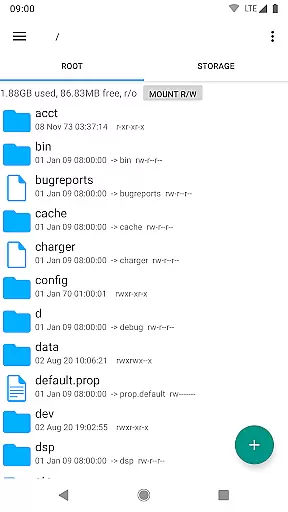
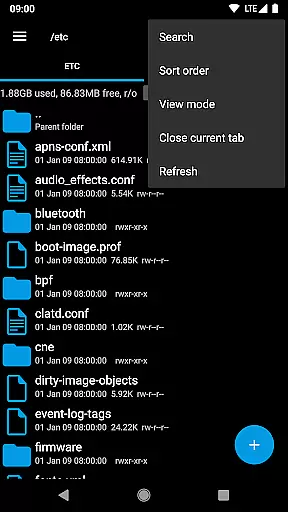
Root Explorer stands as a premier file management solution tailored for root users, providing unparalleled access across Android's entire file system. Notably, it grants entry to the typically restricted data folder, empowering advanced users with comprehensive control over their device's content.
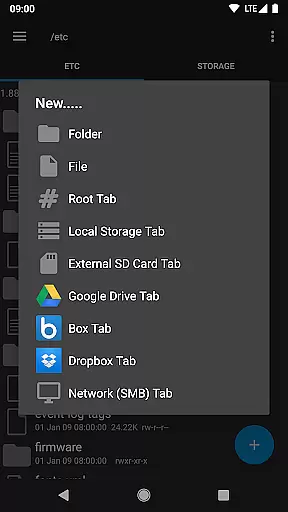
The app is laden with productivity-enhancing features such as multiple tabs, cloud storage support including Google Drive and Dropbox, and network (SMB) integration. It also offers tools like SQLite database viewer, a Text Editor, and the ability to create and extract various file formats. With options for executing scripts, changing permissions, and even creating symbolic links, Root Explorer equips users with professional-grade capabilities right at their fingertips.
Ideal for developers and power users, this application facilitates efficient file handling and system management, making daily tasks more streamlined and effective. Its robust functionality ensures that managing files on an Android device is both powerful and intuitive.
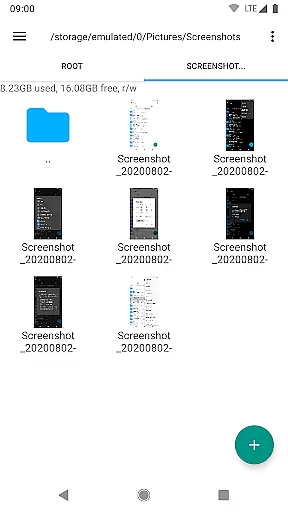
Root Explorer distinguishes itself through a rich array of sophisticated features designed to enhance file management efficiency. The hallmark of this app is its multi-tab interface, allowing users to navigate different parts of the file system simultaneously, thus significantly boosting productivity.
Further enriching its utility, the app provides seamless integration with cloud services such as Google Drive, Box, and Dropbox, alongside network (SMB) support for effortless file sharing and access. Unique tools like the SQLite database viewer, APK binary XML viewer, and an advanced text editor cater to specialized needs, while support for zip, tar/gzip, and rar files simplifies archive management.
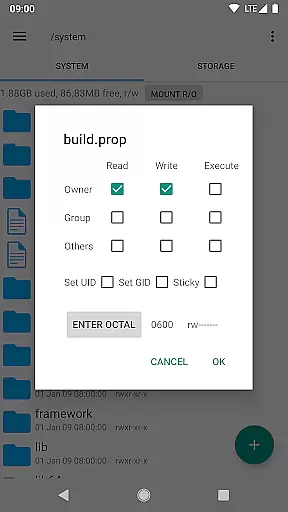
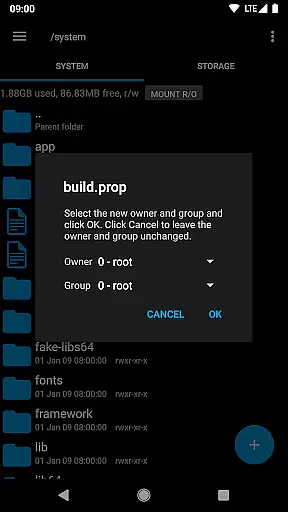
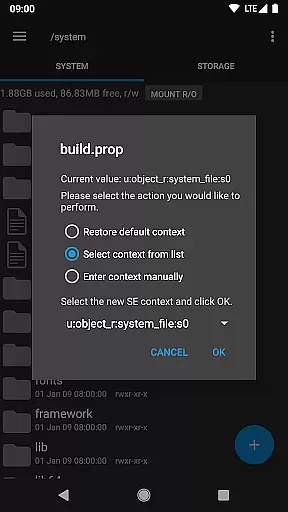
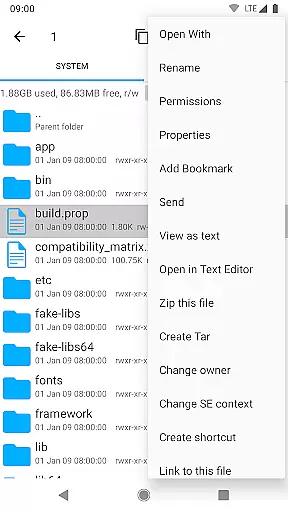
Each feature within Root Explorer is crafted to offer tangible value, from executing scripts and remounting partitions to modifying file permissions and ownership. These capabilities ensure that users can perform complex operations with ease, affirming the app's position as an indispensable tool for advanced Android users.
Root Explorer offers a comprehensive suite of tools for managing tasks on your Android device. This includes multi-tab browsing, support for cloud services like Google Drive and Dropbox, and network (SMB) access.
The app allows users to execute scripts, search files, remount partitions, and change file permissions, making it an indispensable tool for power users who need full control over their system.
With features such as SQLite database viewer, APK binary XML viewer, and the ability to create and extract various archive formats, Root Explorer ensures that users can handle any file management task with ease and efficiency.
These capabilities provide a seamless experience for users who require advanced functionality beyond what standard file managers offer, significantly enhancing productivity for technical users.
Cross-device synchronization is a critical feature for users who work across multiple devices. Root Explorer supports this by offering reliable integration with cloud storage solutions including Google Drive, Box, and Dropbox.
This ensures that files and data are consistently accessible no matter which device you're using. The synchronization process is smooth and maintains data integrity, providing peace of mind that your files are always up-to-date.
In addition to cloud support, Root Explorer also facilitates sending files via email or Bluetooth, further enhancing its versatility in managing files across different platforms and devices.
By ensuring that all your devices are in sync, Root Explorer helps maintain a cohesive and efficient workflow, allowing you to focus on your tasks without worrying about data consistency.
Unrestricted file access
Multi-tab navigation
Cloud service integration
Advanced editing tools
Comprehensive file operations
Complex for beginners
Requires root access
Premium cost involved
No iOS compatibility
Occasional stability issues

Seamlessly integrate data and reports to build your presentation to impress
 4.80
4.80
Ads Free App! Editor, Hide File, Copy, Move, Delete and Rename.. all facility av
1.70
CalenGoo is a very flexible and feature-rich calendar app
4.40
App lock - lock apps with fingerprint, password, pin or pattern, protect privacy
4.70
Translate text/voice/photos in 150+ languages. Offline & fast translator app.
4.50
Create and edit presentations with Google Slides, part of Google Workspace.
4.00
Best Tool for the professionals Electrician, Electrical contractors, etc.
4.90
Access your phone's notifications, calls, apps, photos & texts on your PC
3.90
Ultimate Virtual AI Character for immersive Roleplay Chat. Perfect Companion
3.90
8 custom complications. Custom Time Fonts. Beautiful color schemes. A++ Design.
5.00
Multilingual translator for text, voice, and image translation!
4.90
Quickly and easily keep track of your work shifts
4.70
Stay on top of your to-dos with Google Tasks, part of Google Workspace.
4.60
Calendar 2023 widget for Android. Appointment scheduler, planner, and reminder
4.60
Experience Reading - Night Mode for Documents
4.40
Docker, Kubernetes management over Portainer Mobile
4.40
Todo reminder
4.10
Customizable calendar widget for seamless event sync, planning & scheduling.
4.00
Remotely view listen control and record cameras.
3.70


User Reviews