

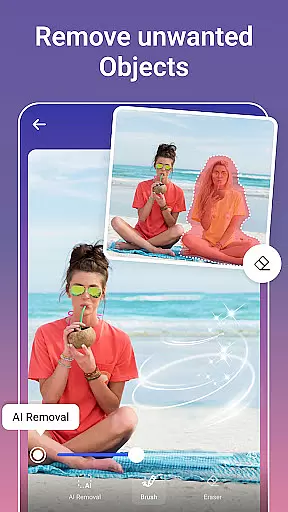
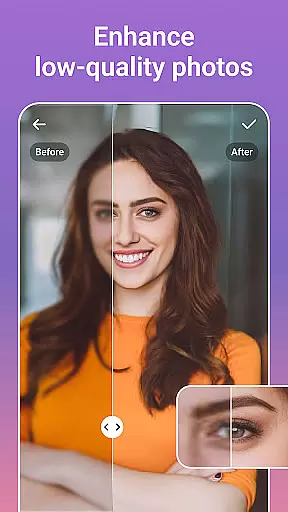



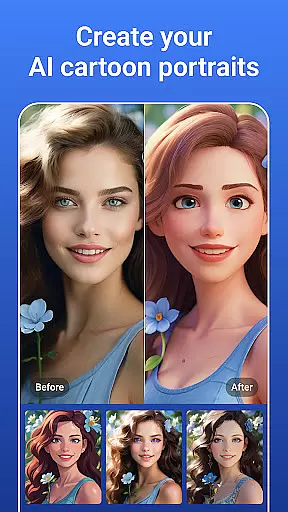

PicsLeap is an advanced AI-powered photo editing application that offers a comprehensive suite of tools for enhancing, retouching, and transforming images. With features like One-Tap Enhance, Magic Eraser, AI Face Swap, and AI Cartoon Filters, it caters to both amateur photographers looking to improve their snapshots and professionals seeking efficient editing solutions.
The app stands out with its user-friendly interface and powerful capabilities such as removing unwanted objects, changing backgrounds, and creating collages. PicsLeap also provides artistic filters and effects, enabling users to express their creativity and produce high-quality, watermark-free content ready for sharing on social media platforms like Instagram and Facebook.
PicsLeap distinguishes itself through a rich array of innovative features tailored to meet diverse photo editing needs. The AI-driven tools allow for effortless enhancement of image quality, restoration of old photos, and removal of unwanted elements from pictures. Users can experiment with over 100 filters and effects, including textures, light effects, and double exposure, to craft their unique style.
For those interested in creative compositions, PicsLeap offers robust collage-making functionalities. You can select from various customizable layouts, add borders and backgrounds, and blend images seamlessly. Additionally, the app's AI Cartoon Filters and body effects provide playful ways to alter appearances or create whimsical representations of your photos, making PicsLeap not just a tool but a playground for visual storytelling.
Real-time capture and preview functionality is essential for ensuring that every photo taken meets the user's expectations without delay. PicsLeap offers an intuitive real-time preview feature, allowing users to see adjustments and effects applied instantly before capturing the shot.
This immediate feedback loop empowers users to make necessary changes on the fly, whether it's tweaking lighting conditions or experimenting with different filters and effects. The appu2019s sophisticated AI algorithms ensure that these previews are not only fast but also highly accurate representations of the final image.
By providing this seamless experience, PicsLeap enhances the overall photography process, making it more efficient and enjoyable. Users can confidently take photos knowing exactly how they will turn out, thus saving time on post-processing and increasing satisfaction with their photographic results.
AI beauty and enhancement features have become a staple in modern photo editing, offering tools that improve images while maintaining natural aesthetics. PicsLeap excels in this area by providing advanced AI-driven enhancements such as One-Tap Enhance, Magic Eraser, and AI Face Swap, which work harmoniously to elevate photo quality without compromising authenticity.
The appu2019s AI technology intelligently identifies facial features and environmental elements, applying enhancements that look genuine and unforced. For instance, skin smoothing and blemish removal are executed with precision, ensuring that the subject's natural texture and character remain intact.
Furthermore, PicsLeap offers a variety of customizable options, enabling users to fine-tune the level of enhancement according to their preferences. This flexibility ensures that each edited photo retains its unique charm and originality, delivering professional-grade results that resonate with both casual photographers and seasoned professionals alike.
User-friendly interface
Extensive filter library
Powerful AI tools
Free to download
Social media integration
Limited advanced controls
Occasional processing delays
In-app purchases required
Ads may interrupt workflow
Steep learning curve for beginners

Search, tag and rate your way to an organized image gallery
 4.40
4.40
Easily stitch panoramas from multiple photos or video.
4.40
How old age camera Gender Swap App Face Shape Hairstyle App Hair Styler App fun!
4.00
Natural Beauty, Selfie Retouch
4.30
Photo Exif Editor allows to view, add and modify EXIF data of multiple photos
4.50
Automatically backup your photos and videos to computer, NAS and Cloud services
4.60
Astrophotography with your smartphone, photo live stacking and much more!
3.90
Snap photos remotely using your Garmin watch as the camera trigger
4.0
Edit photos with the picture generator: PS2 & AI Clay filters, cartoon effects.
4.50
Create funny photos and videos with the popular Time Warp Scan filter.
4.90
A collection of tools and reference tables for DPs, ACs, DITs and Operators.
4.70
Your personal guide to the sun and moon. Plan ahead, visualize and predict!
4.70
Light-weight Media Gallery app for Android made with Jetpack Compose
4.60
A must-have app for landscape photographers
4.60
AI photo editor with hair editor, retouch tools, hair color changer & filters!
4.50
Trendy TikTok time warp scan funny filter app brings you unique photos & videos.
4.40
Professional photography on your mobile phone
4.20
USB Storage Access for Photos, Videos, Music and Documents
3.80
Application for remote controlling DSLR
3.00


User Reviews