
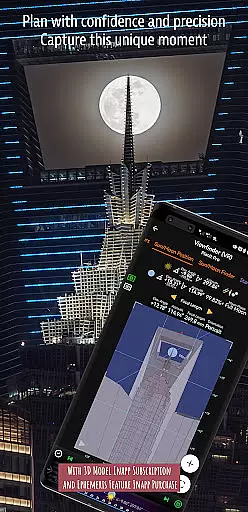
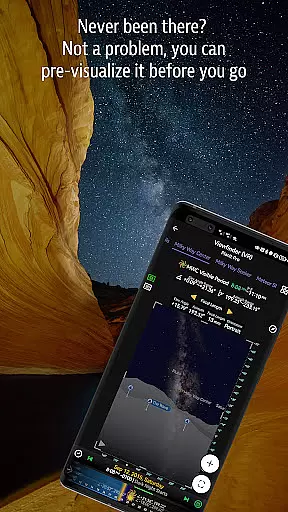
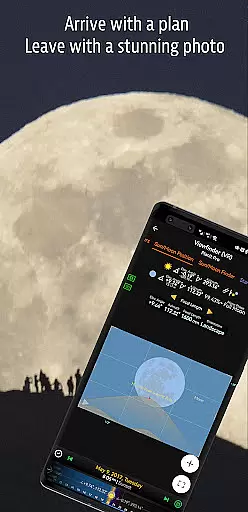
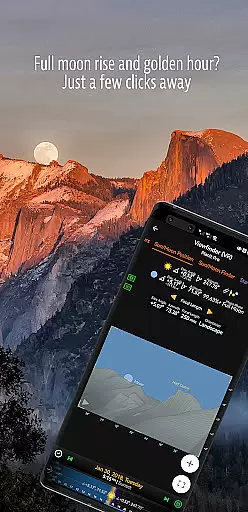
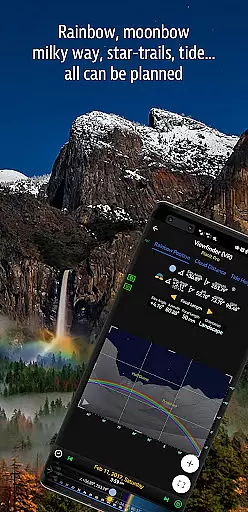

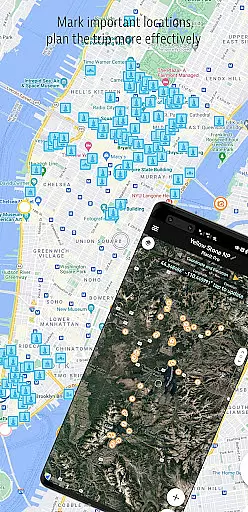
Planit Pro is an advanced photography planning tool designed specifically for landscape, travel, and nature photographers. This comprehensive app combines mapping technology with a simulated viewfinder to help users pre-visualize their shots. Photographers can plan their ideal scenes by integrating ground subjects with celestial objects like the Sun, Moon, stars, and Milky Way.
The application offers extensive features including GPS coordinates, elevation data, distance measurements, and clear view analysis. It also provides detailed information about sunrise, sunset, moonrise, and moonset times along with their directions. Additionally, it includes specialized tools for depth of field calculations, hyperfocal distance, panorama planning, star trail simulations, and even light meter functions. Whether you're capturing cityscapes or astrophotography, Planit Pro has the tools to enhance your photographic experience.
One notable feature is its offline capability, allowing full functionality without network connections when elevation files and maps are preloaded. This makes it particularly useful for outdoor adventures where connectivity might be limited. With its robust set of features, Planit Pro aims to save photographers time and effort while improving their overall photography experience.
Planit Pro stands out with its wide array of sophisticated features tailored for professional photographers. The app's location scouting tools provide essential data such as GPS coordinates, elevations, distances, and clear views. These features enable photographers to accurately plan their shoots down to the smallest detail, ensuring they capture the perfect shot every time.
In addition to terrestrial data, Planit Pro offers extensive celestial information. Users can access precise timings and directions for sunrise, sunset, moonrise, and moonset. The app also includes tools for tracking major stars, constellations, nebulae, and calculating azimuth and elevation angles. Star trail planning, time-lapse simulations, and sequence calculations further enhance its utility for night sky photography.
Another remarkable aspect is the exposure/ND filter calculator and built-in light meter, which assist in achieving optimal exposure settings. The app predicts natural phenomena like rainbows and tracks tide heights, adding another layer of versatility. By representing all this information visually on maps or through simulated viewfinders, Planit Pro ensures that photographers have a realistic preview of their intended shots, making it an indispensable tool for both amateur and professional photographers alike.
Real-time capture and preview functionality is essential for photographers who need to visualize their shots before taking them. Planit Pro offers this by integrating advanced map and simulated viewfinder technologies.
The app provides photographers with the tools to pre-visualize scenes, combining ground subjects with celestial objects like the Sun, Moon, stars, and Milky Way. This feature allows users to plan their shots meticulously, ensuring they are well-prepared when they arrive at the location.
Planit Pro includes functionalities such as GPS coordinates, elevation data, distance measurement, and clear view analysis. These features enable photographers to scout locations effectively and understand the geographical context of their shots in real time.
By leveraging real-time capture and preview, users can simulate various photography scenarios, including different times of day and weather conditions, thus increasing their chances of capturing the perfect shot while enjoying landscape photography even more.
While primarily focused on landscape and astro-photography, Planit Pro also incorporates elements of AI beauty and enhancement that ensure natural and realistic photo improvements. The app's sophisticated algorithms assist in elevating image quality without compromising the authenticity of the captured scene.
One of the key aspects of the app is its ability to calculate exposure and ND filter settings, which helps in achieving balanced and naturally enhanced photographs. By providing accurate light meter readings and exposure calculations, Planit Pro ensures that images retain their natural look.
Additionally, the app predicts phenomena such as rainbows and calculates tide heights, adding another layer of natural enhancement to photos. These features allow photographers to anticipate unique natural events and capture them with precision.
Overall, Planit Prou2019s AI beauty and enhancement capabilities focus on maintaining the natural essence of photographs, empowering photographers to produce stunning yet authentic imagery that stands out in the field of nature and landscape photography.
User-friendly interface
Comprehensive feature set
Offline functionality
Accurate celestial data
Excellent customer support
Steep learning curve
High cost for casual users
Occasional bugs reported
Complex UI for beginners
Limited free version

Photo Album Watch Face shows your favorite pictures as a Watchface.
 1.90
1.90
Easily stitch panoramas from multiple photos or video.
4.40
HD Photo gallery and photo manager to edit, hide private photos, videos & albums
4.4
Virtual makeup, hair filters & body tuner—edit from face to full body!
4.20
Superimpose one photo on top of another using the original Superimpose app!
3.20
HD Camera Pro with HD Video shooting, Panorama, Photo editor , Beauty Camera.
4.50
Movie camera, supports pro recording settings for filming. Try it and be amazed!
4.50
Create AI photos & videos with Enhancer; restore, fix, beautify, enhance photos
4.50
Photo & Video Gallery app to manage albums and save WA Status easily.
4.70
Find time and duration of different sunlight phases at any location
4.90
AI Photo Editor with 100+ Filters, Effects! Remove BG, Retouch & Photo Enhancer.
4.80
Amazing Photo Effects - The most fun you can have with your photos!
4.70
AI photo editor with hair editor, retouch tools, hair color changer & filters!
4.50
Photo Exif Editor allows to view, add and modify EXIF data of multiple photos
4.50
Use AI Video Generator to turn your words to ai generated videos.
4.50
AI portrait generator and polaroid AI selfie, fun AI generated AI photo creator!
4.30
Photo editor: face & body editor, beauty cam, filters and quality enhancer.
4.00
How old age camera Gender Swap App Face Shape Hairstyle App Hair Styler App fun!
4.00
Gallery Slideshow is slideshow maker app for slideshow from your gallery photos.
3.90


User Reviews