
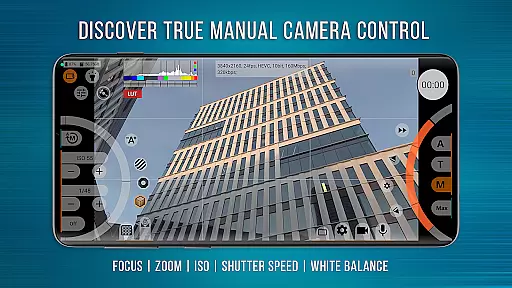
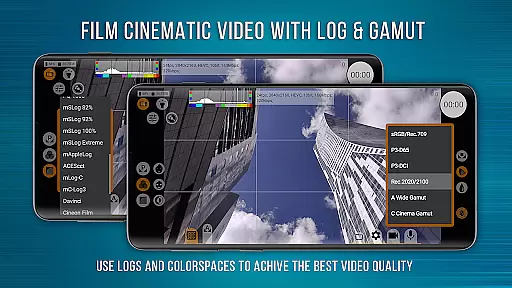
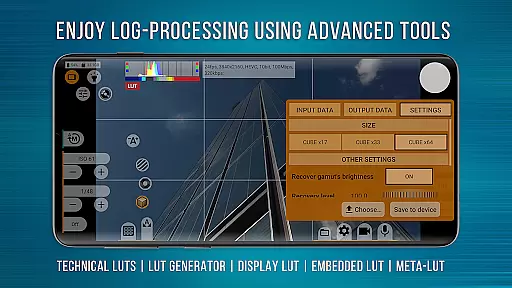
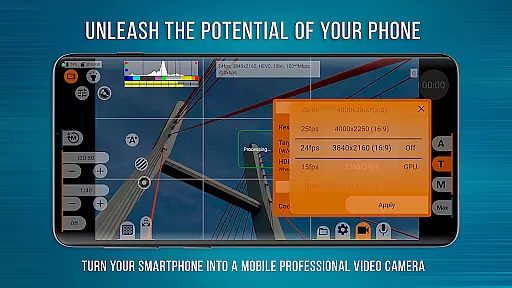
mcpro24fps Manual Video Camera represents the pinnacle of professional mobile videography on Android devices. Designed for advanced users, this app transforms your smartphone into a powerful cinema-grade camera system. With support for 10-bit shooting, Log profiles, and HDR video capabilities, it delivers exceptional image quality previously exclusive to high-end camcorders.
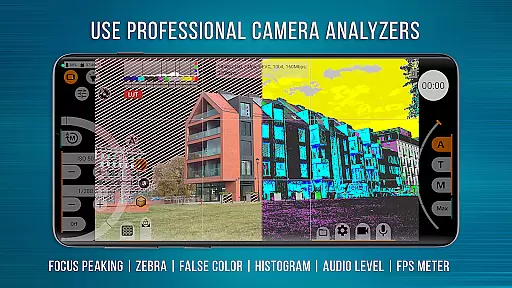
The app offers an extensive suite of professional tools including Focus Peaking, Zebra exposure controls, programmable zoom, and spectral analysis. Videographers can seamlessly integrate technical LUTs for post-production or apply them live during shoots. Its compatibility with external lenses and advanced GPU resource management ensures maximum creative flexibility. Whether you're filming music videos, commercials, or festival films, mcpro24fps provides the control and precision needed for cinematic excellence.
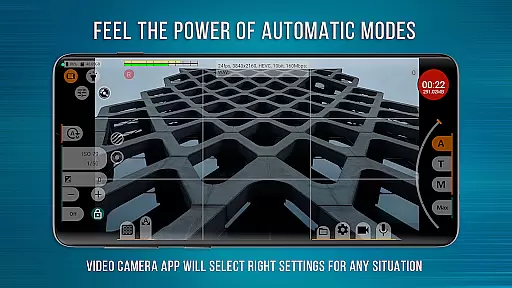
While the app's full functionality depends on device specifications and Camera2 API support, its responsive interface and reliable automatic modes make it accessible for both professionals and enthusiasts. By bridging the gap between mobile and professional filmmaking, mcpro24fps empowers creators to capture their boldest ideas with remarkable clarity and detail.
mcpro24fps distinguishes itself through an array of sophisticated features tailored for professional videography. The app supports multiple cameras and saves individual settings for each lens, ensuring optimal configuration across different shooting scenarios. Advanced video options include recording in 24 fps up to 60 fps, two codec choices (AVC h264 and HEVC h265), and bitrates reaching up to 500 Mb/s, depending on device capabilities.
For precise image control, mcpro24fps offers Log profile adjustments via tone curves, GPU-powered filters, and hardware-level corrections for noise reduction, sharpness, and hot pixels. The app also includes three focus modes, programmable zoom functions, and various stabilization options. Audio performance is equally impressive, with support for AAC (up to 510 kb/s) and WAV formats, along with the ability to embed WAV files into MP4 containers.
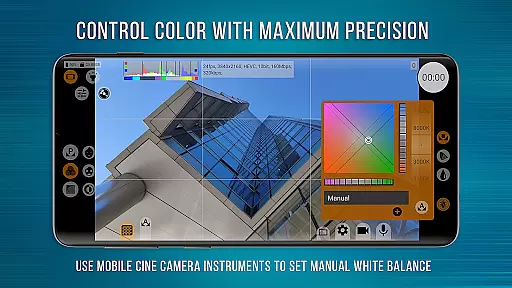
Additional innovations include white balance calibration in Kelvins, metadata management, distortion correction, and experimental constant bitrate modes. These features collectively enable filmmakers to execute complex projects with enhanced creative control while maintaining professional standards in every frame captured.
Real-time capture and preview functionality is essential for any professional-grade camera application. mcpro24fps offers a responsive interface that ensures videographers can accurately frame their shots with minimal lag.
The app supports multiple cameras, preserving individual settings for each, thus streamlining the workflow for complex shoots. With options for optical and digital video stabilization, creators can achieve smooth footage even in challenging conditions.
Moreover, the ability to shoot in 10-bit and record video in Log without GPU involvement allows users to produce cinema-quality visuals directly from their smartphones. This feature opens up possibilities previously exclusive to high-end camcorders.
By providing advanced controls such as Focus Peaking, Expo Peaking, Spectral, and Zebra, videographers gain precise command over their compositions, ensuring optimal exposure and focus every time.
While primarily a tool for professional videography, mcpro24fps also incorporates features that enhance video quality through AI-powered enhancements. These tools ensure that beauty and enhancement effects appear natural and unobtrusive.
The app's use of technical LUTs for post-production interpretation of Log footage allows videographers to maintain authenticity while improving visual appeal. This seamless integration of AI assistance aids in achieving the director's intended aesthetic without compromising the original shot's integrity.
Additionally, mcpro24fps provides manual settings for white balance in Kelvins, noise reduction, and sharpness, which contribute to the overall natural look of the footage. The inclusion of these granular controls empowers users to fine-tune their videos to match their creative vision.
With support for different sound sources and sampling rates, including AAC and WAV formats, audio quality matches the enhanced video, resulting in a polished final product that reflects the creator's artistic intent.
Advanced Log profiles
Professional audio options
GPU-powered effects
Multi-camera support
Precise manual controls
Complex for beginners
Device-dependent features
No free version
High system requirements
Limited manufacturer support

Edit like a pro with Hypic. Apply filters, AI effects, & magic touch.
 4.40
4.40
Android Native system HD camera app. Never been so simple and faster.
4.70
Photo Exif Editor allows to view, add and modify EXIF data of multiple photos
4.50
HD Camera Pro with HD Video shooting, Panorama, Photo editor , Beauty Camera.
4.50
Transform Photos: Edit, Beautify and Craft Memories & Make Collages!
4.10
Turn photos into cartoons & avatars! - Photo Editor, Cartoon Face!
3.90
Astrophotography with your smartphone, photo live stacking and much more!
3.90
A light meter for true photographers.
4.20
Discover & download millions of art for The Frame TV or Hisense CanvasTV
4.60
Photo editor: AI filters, photo enhancer, pic collage maker, AI art generator.
4.80
See your baby AI baby face generator AI baby maker Face generator babymaker fun!
4.70
Your personal guide to the sun and moon. Plan ahead, visualize and predict!
4.70
Enhance, upscale, and transform your images — on your device, without limits
4.70
Safe & smart flight with Go Fly drone controller for 40+ drone camera, zone map
4.50
Create collages easily! Nice pic collage maker & background eraser for Instagram
4.50
Catch sunlight, sunrise sunset times and sun phases with the AR sun tracker.
4.10
Pet Camera
3.70
Raw Image Viewer. Gallery with support of raw images (.cr3, .cr2, .nef, .raf).
2.00
Remote control the phone camera shutter from your smartwatch and take a picture
1.60


User Reviews