
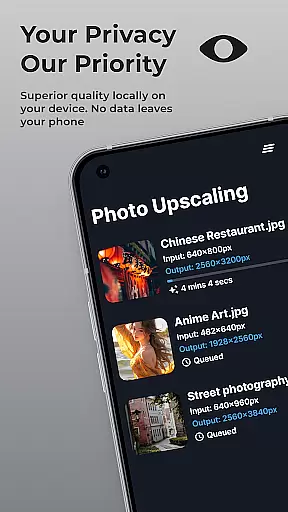
SuperImage Pro is an advanced AI-powered photo editing application designed for photography enthusiasts and professionals alike. This all-in-one photo toolbox offers a comprehensive suite of features that run entirely on your device, ensuring maximum privacy and security. The app's core functionality revolves around image enhancement, background removal, and resolution upscaling, making it an indispensable tool for anyone looking to elevate their photography game.
What sets SuperImage Pro apart is its commitment to on-device processing. Using optimized AI models, the application can perform complex image manipulations without requiring an internet connection. From portrait refinement to creating transparent cutouts, users can transform their images while maintaining complete control over their data. Whether you're a professional photographer or simply someone who values high-quality images, SuperImage Pro provides the tools to create stunning visuals right from your mobile device.
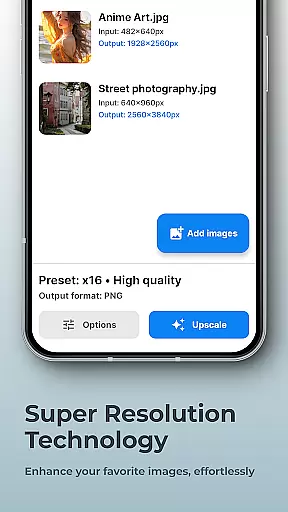
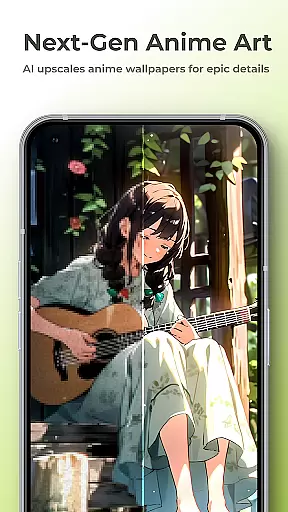
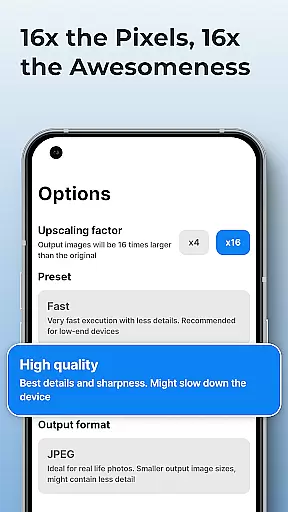
SuperImage Pro boasts an impressive array of features that cater to various photo editing needs. The application's most notable capability is its AI-powered image enhancement engine, which can upscale photos up to 16x their original resolution while maintaining exceptional clarity. This feature proves particularly valuable when working with low-resolution images or when preparing photos for large-format printing.
Beyond basic enhancement, the app offers sophisticated tools for creative professionals. Users can remove backgrounds, isolate subjects, and create precise cutouts with just a few taps. The portrait enhancement feature utilizes advanced algorithms to refine facial features and improve overall image quality. Additionally, the app supports custom model integration, allowing power users to import their preferred AI models in multiple formats including PyTorch, ONNX, and MNN. This flexibility ensures that the application can adapt to evolving user requirements and technological advancements.
Real-time capture and preview functionality is essential for photography applications as it allows users to see exactly what the camera is capturing before taking a shot. SuperImage Pro excels in this area by providing an intuitive interface that displays accurate colors, lighting, and details directly on your device's screen.
The app leverages advanced AI models optimized for modern hardware to ensure that the preview is smooth and responsive. This means you can adjust settings like exposure, focus, and white balance in real time, giving you greater control over the final image quality.
Users benefit from this feature by being able to make precise adjustments before capturing an image, which leads to higher-quality photos without the need for post-processing. The ability to preview changes instantly also enhances the creative process, allowing photographers to experiment with different settings confidently.
Ultimately, SuperImage Pro's real-time capture and preview capabilities empower users to take better photos efficiently and privately, all while staying within the confines of their device. This ensures that every snapshot is both a reflection of their artistic vision and a testament to the power of on-device AI processing.
AI beauty and enhancement features are increasingly popular in photography apps, offering tools to refine facial features, enhance background clarity, and improve overall image quality. SuperImage Pro stands out by using sophisticated AI algorithms to ensure these enhancements look natural and preserve the authenticity of the original photo.
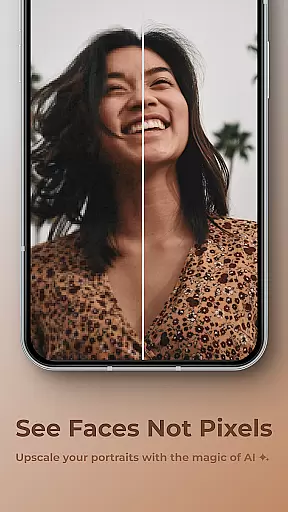
The app provides various options for enhancing portraits, such as sharpening details, refining facial features, and improving low-resolution images. These tools work seamlessly on-device, ensuring privacy and eliminating the need for an internet connection. Users can transform their portraits into sharper, more detailed works of art with just a few taps.
One significant advantage of SuperImage Pro's AI enhancements is the balance it strikes between improvement and realism. Unlike other apps that may produce overly processed or artificial-looking results, SuperImage focuses on subtle yet effective enhancements that maintain the integrity of the subject's appearance.
By prioritizing naturalness in its AI-driven enhancements, SuperImage Pro delivers professional-grade photo editing capabilities directly to users' devices. This approach not only boosts user confidence in their photographic skills but also ensures that every edited image remains true to life, enhancing personal memories without compromising their genuine essence.
Advanced AI processing
Complete privacy protection
Multiple enhancement options
Custom model support
Offline functionality
Steep learning curve
High system requirements
Limited free features
Occasional processing delays
Large app size

Shooting photos and records video easily and efficient with professional Camera
 4.30
4.30
Photobooth mini FULL app will allow you to add more fun to your parties
4.00
How old age camera Gender Swap App Face Shape Hairstyle App Hair Styler App fun!
4.00
All-in-One Editor & AI Photo Enhancer, Collage, Cartoonify, Funny Stickers & BGS
4.10
Pet Camera
3.70
Transform photos into videos! Create realistic or anime-style images easily!
4.50
The #1 app for B&W film developing featuring an advanced darkroom timer.
4.10
Gallery Slideshow is slideshow maker app for slideshow from your gallery photos.
3.90
Astrophotography with your smartphone, photo live stacking and much more!
3.90
Your personal guide to the sun and moon. Plan ahead, visualize and predict!
4.70
Cartoon and artistic effects for your photos and videos
4.70
Easily create custom gifts, cards, photo books & more on the Shutterfly app!
4.60
Unblur, enhance & restore photos with powerful AI photo enhancer tools.
4.60
HD Camera Pro with HD Video shooting, Panorama, Photo editor , Beauty Camera.
4.50
Fit multiple photos on one post. Create carousels & scroll layouts for Instagram
4.50
AI portrait generator and polaroid AI selfie, fun AI generated AI photo creator!
4.30
Transform Photos: Edit, Beautify and Craft Memories & Make Collages!
4.10
Raw Image Viewer. Gallery with support of raw images (.cr3, .cr2, .nef, .raf).
2.00
Remote control the phone camera shutter from your smartwatch and take a picture
1.60


User Reviews