
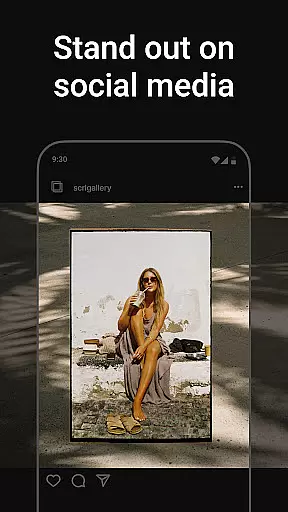
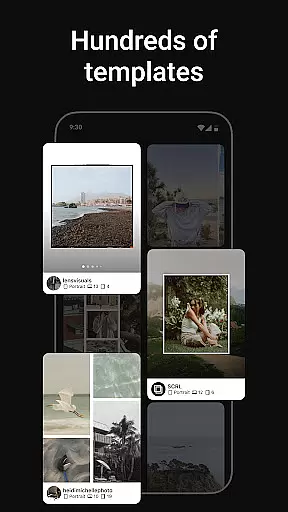
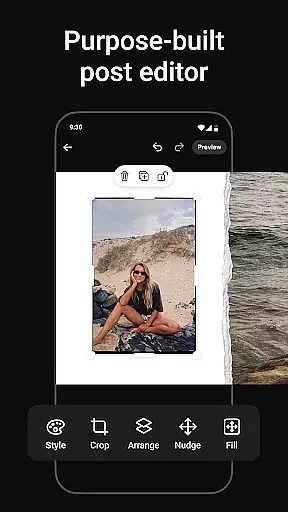
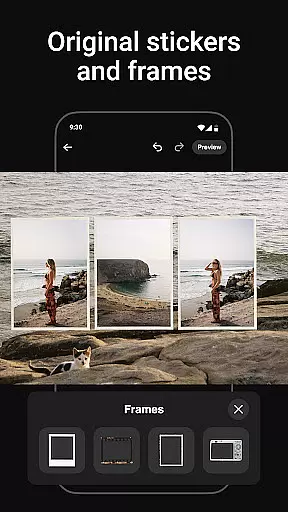
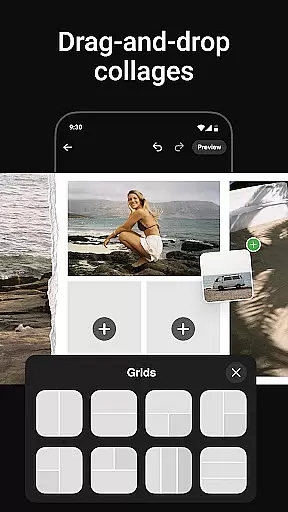
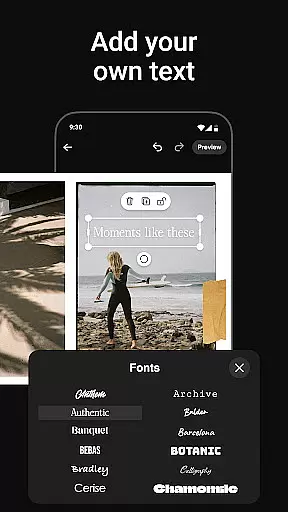
Photo Collage Maker by SCRL is the leading app for creating visually stunning photo collages and Instagram carousel posts. Designed for influencers, artists, and photography enthusiasts, this app offers a complete suite of tools to enhance your social media presence. With hundreds of hand-picked templates, a freeform canvas, and advanced design features, users can create personalized collages that stand out.
The app supports seamless swipe-through carousels, allowing you to merge multiple photos into captivating layouts. You can also add more than 10 photos in a single post, breaking traditional Instagram limitations. SCRL's intuitive interface ensures effortless creativity, while its premium subscription unlocks additional professional-grade tools like gradient backgrounds and video integration.
Trusted by Grammy Award-winning artists and industry leaders, Photo Collage Maker is perfect for anyone looking to elevate their storytelling through innovative photo designs.
Photo Collage Maker stands out with its robust set of features tailored for creative professionals. The app provides an extensive library of hand-picked collage templates, ensuring high-quality designs for every occasion. These templates are regularly updated, offering fresh options for users who want variety in their creations.
One of the app's key highlights is its freeform canvas, which allows users to zoom in and out for precise editing. This feature enables ultimate customization, letting you combine images, stickers, overlays, and text in unique ways. Additionally, the app includes hundreds of stickers and overlays to enhance your designs further, making them polished and professional.
For Instagram users, the app simplifies workflows with instant posting capabilities. Once your collage or carousel is ready, you can share it directly to Instagram without any intermediate steps. SCRL Premium subscribers gain access to exclusive features like gradient backgrounds and video grids, empowering users to craft standout visuals effortlessly.
Real-time capture and preview functionality is essential for ensuring that every photo collage or carousel post created with Photo Collage Maker meets your expectations before sharing. This feature allows users to see exactly how their designs will look when posted on platforms like Instagram.
The app provides an intuitive interface where creators can instantly view changes as they add or modify elements in their collages. Whether adjusting templates, adding stickers, or overlaying text, the real-time preview updates immediately, giving a precise representation of the final output.
This capability not only saves time but also enhances creativity by allowing users to experiment with different styles and layouts without committing to a final version prematurely. With this tool, influencers and artists can fine-tune their work until it perfectly aligns with their vision.
Ultimately, real-time capture and preview empower users to produce high-quality content confidently, knowing that what they design within the app will translate seamlessly onto social media feeds, maintaining the intended impact and aesthetic appeal.
AI beauty and enhancement features in Photo Collage Maker offer a natural touch to every image, ensuring that edits enhance rather than overshadow the original photos. These tools leverage advanced algorithms to intelligently adjust elements such as brightness, contrast, and color balance while preserving authenticity.
Users have access to various AI-driven enhancements that subtly refine images without making them appear overly processed. From smoothing skin tones to enhancing landscape details, these adjustments are designed to complement the subject matter naturally. The app's intelligent system learns from user preferences over time, delivering personalized enhancement suggestions tailored to individual tastes.
This approach ensures that whether you're creating a professional portfolio or simply sharing personal moments, each collage retains its genuine essence while benefiting from polished aesthetics. By prioritizing natural-looking results, Photo Collage Maker helps maintain viewer engagement through authentic visual storytelling.
In summary, AI beauty and enhancement functionalities provide users with powerful yet subtle editing capabilities, enabling them to craft visually appealing collages that resonate with audiences on social platforms like Instagram.
User-friendly interface
Extensive template library
Freeform canvas for creativity
Instant Instagram posting
Premium features for pros
Premium subscription required
Advanced tools may overwhelm
Limited offline functionality
Heavy on system resources
Occasional bugs reported

Photo editor: face & body editor, beauty cam, filters and quality enhancer.
 4.00
4.00
Shooting photos and records video easily and efficient with professional Camera
4.30
Safe & smart flight with Go Fly drone controller for 40+ drone camera, zone map
4.50
1M influencer's special filter
4.60
Photo editor: AI filters, photo enhancer, pic collage maker, AI art generator.
4.80
Be your best in every shot! Fix, edit and retouch your face in selfies & photos.
3.70
Create AI photos & videos with Enhancer; restore, fix, beautify, enhance photos
4.50
Your Family Calendar + Photos. Manage your Skylight Calendar and Skylight Frame.
4.40
Try an anime version, cartoon yourself, and generate AI hug or aging videos!
3.70
Perfect body tune & face app - photo retouch, makeup, slim body & beautify face.
4.80
Cartoon and artistic effects for your photos and videos
4.70
Discover & download millions of art for The Frame TV or Hisense CanvasTV
4.60
Use AI Video Generator to turn your words to ai generated videos.
4.50
Effortlessly organize, view and share your photos & videos with Gallery app!
4.40
Turn your phone into a professional camera - full DSLR manual photography
4.30
Luminar: Photo Editor - easy picture editing with AI
4.20
An interval timer to automate photo taking process for timelapse
2.90
HD Photo gallery and photo manager to edit, hide private photos, videos & albums
4.0
Add a dreamy vibe to your selfies and videos with soft style filters
4.0


User Reviews