
Luminar: Photo Editor is a comprehensive mobile photo editing application designed for both Android and ChromeOS users. This app combines powerful AI-driven tools with an intuitive, interactive interface that responds to touch gestures, providing users with a seamless editing experience. The streamlined design ensures unparalleled control without complicated functions, allowing users to focus on their creativity.
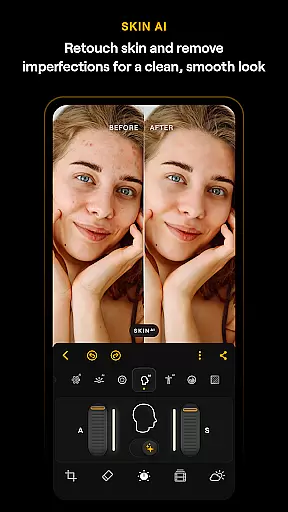
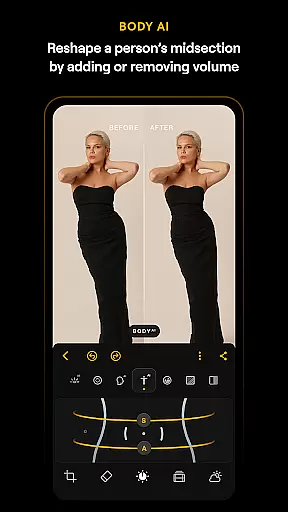
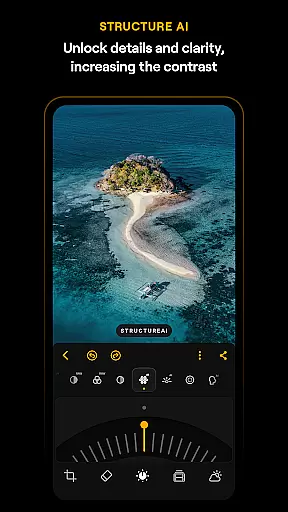
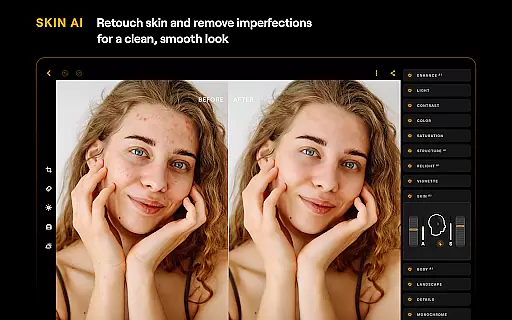
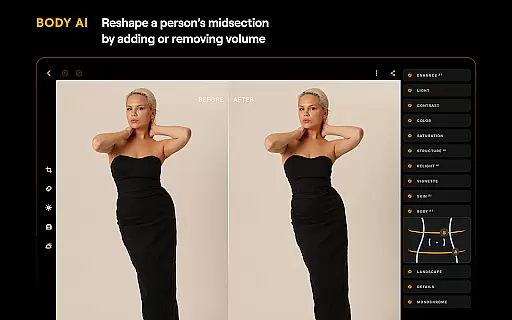
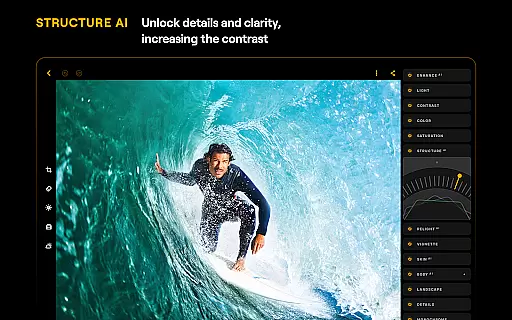
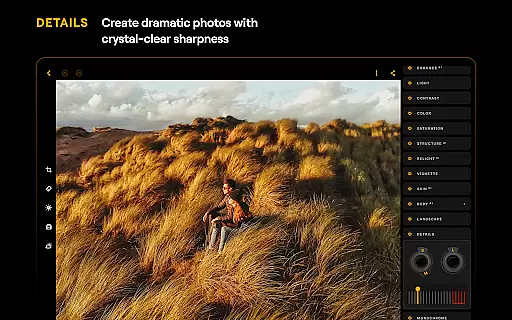
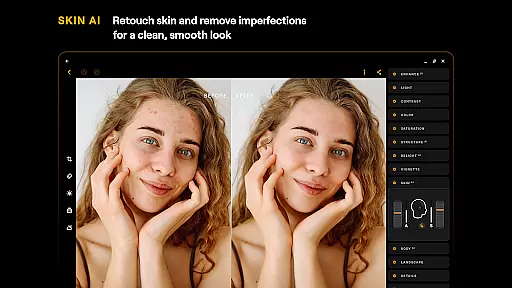
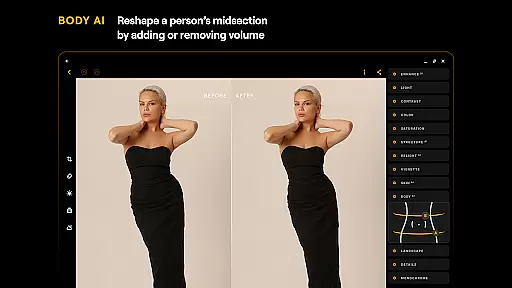
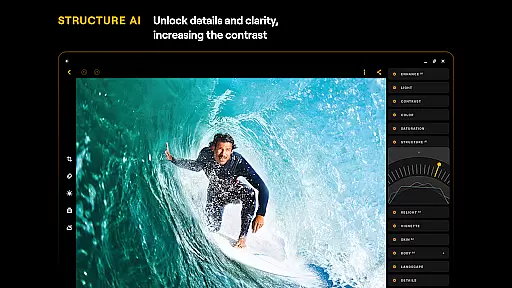
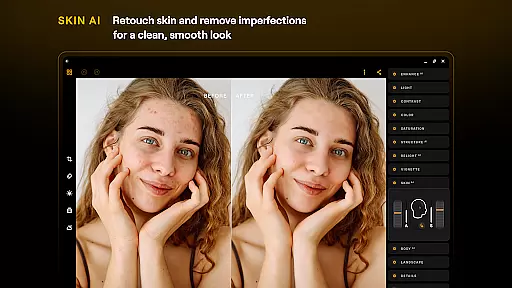
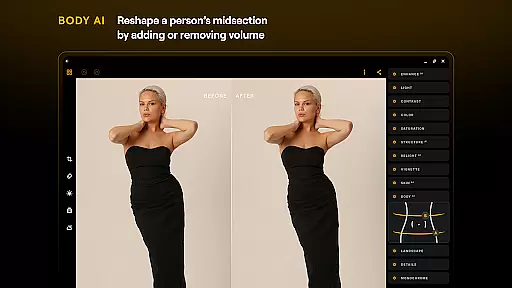
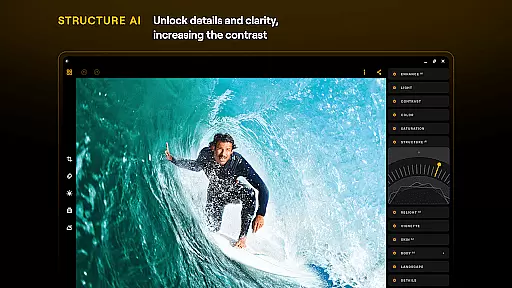
Key features include various smart AI enhancements such as SkyAI, EnhanceAI, StructureAI, RelightAI, SkinAI, and BodyAI. These tools enable users to replace skies, enhance photo quality, unlock hidden details, adjust lighting, retouch skin, and shape subjects' midsections realistically. Additionally, the app offers advanced editing options like Curves, Details, Crop, Landscape, Monochrome, Erase, and Photo Filters, along with RAW file support for maximum image quality.
Whether you're a beginner or a professional photographer, Luminar: Photo Editor provides all the necessary tools for next-level photo editing. Its compatibility with Android 11 or later and ChromeOS devices makes it a versatile choice for on-the-go creativity.
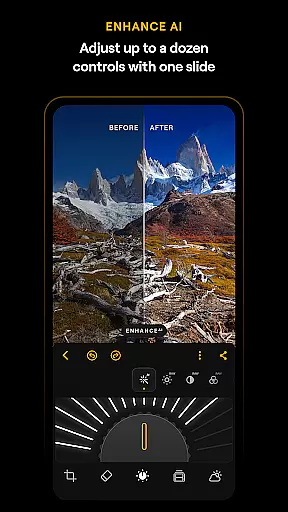
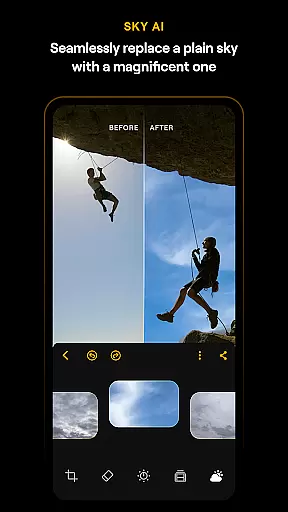
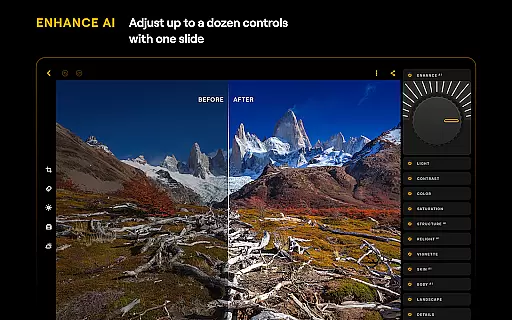
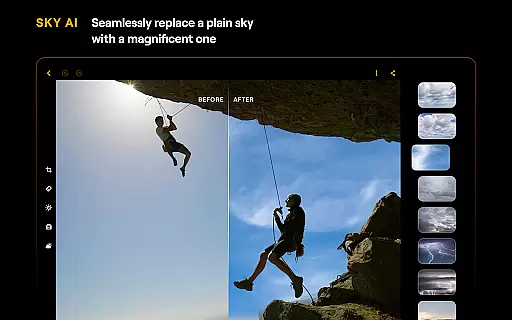
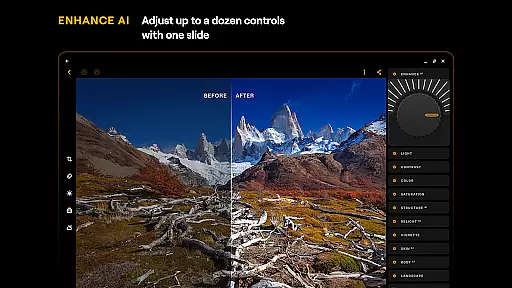
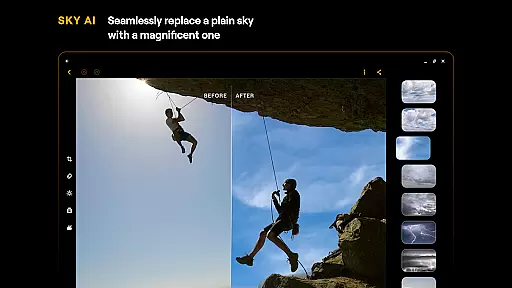
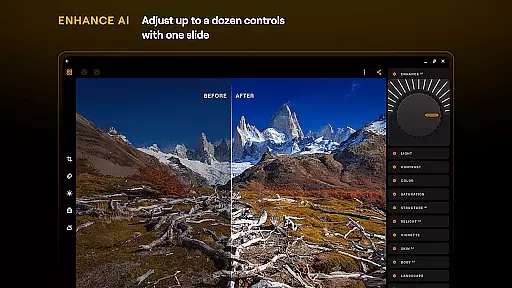
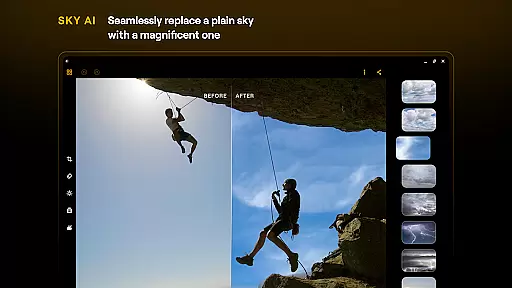
Luminar: Photo Editor stands out with its array of innovative features tailored to meet diverse photo editing needs. One of the most notable aspects is its suite of AI-powered tools. SkyAI allows users to replace dull skies with vibrant alternatives, creating stunning backdrops effortlessly. EnhanceAI simplifies the enhancement process by adjusting color, tone, and clarity with a single slide, delivering professional results in seconds.
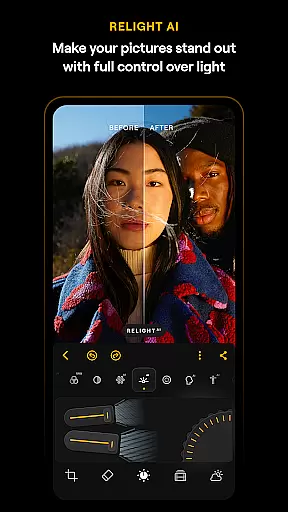
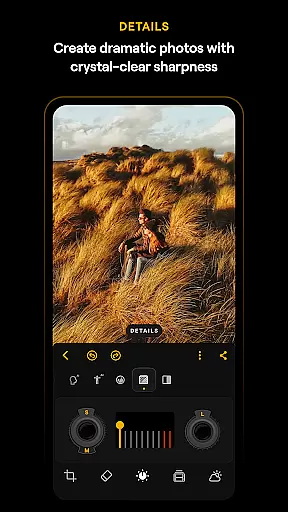
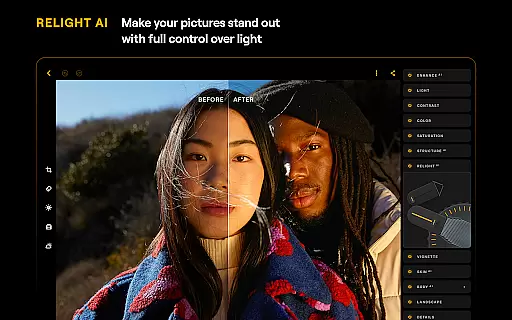
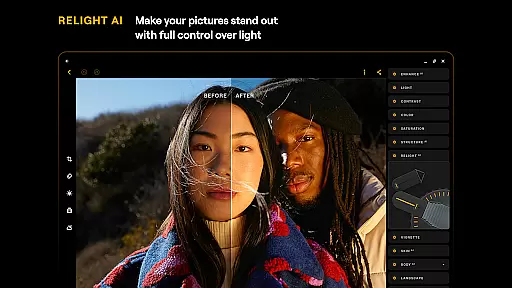
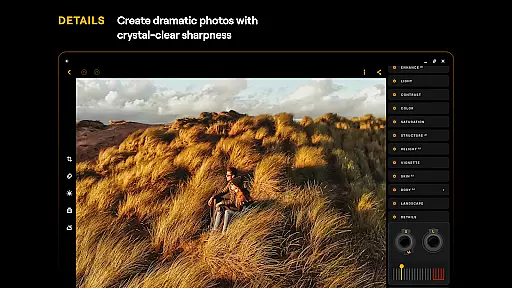
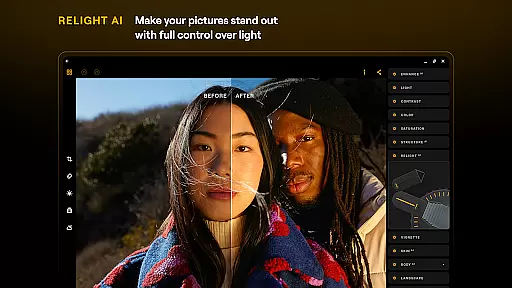
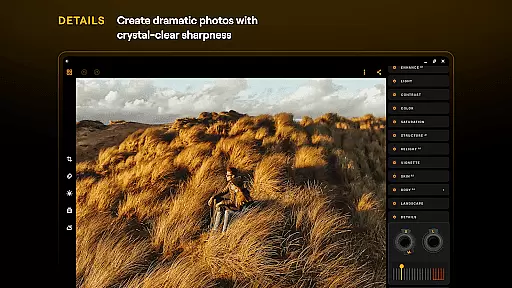
StructureAI and RelightAI further elevate image quality by enhancing contrast, texture, and controlling exposure dynamically. For portrait photography, SkinAI and BodyAI offer automatic retouching and realistic body shaping capabilities. Beyond AI features, the app includes traditional yet powerful editing tools such as Curves for precise color adjustments, Details for clarity enhancement, and Crop for perfect compositions.
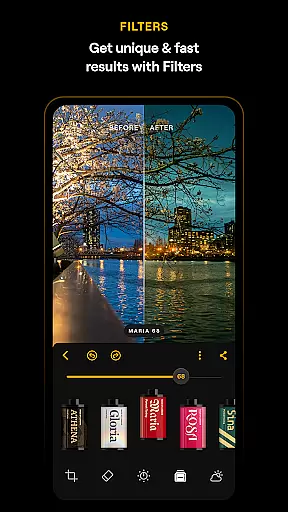
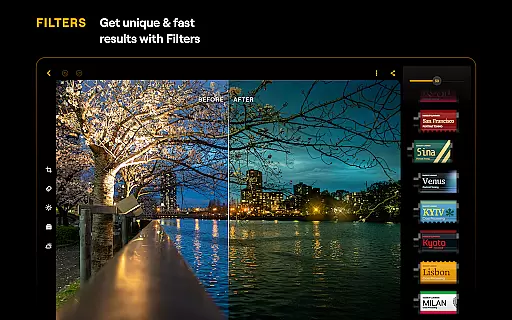
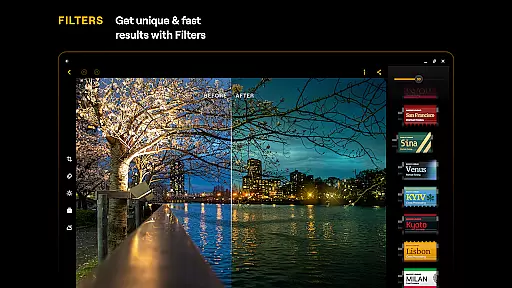
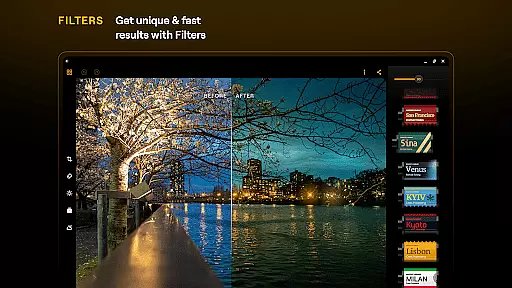
Additional functionalities like Landscape, Monochrome, Erase, and Photo Filters provide creative flexibility, while RAW File Support ensures high-quality post-processing. Designed specifically for Android and ChromeOS, this app delivers a smooth, responsive interface that enhances the overall editing workflow, making it ideal for both casual and professional use.
Real-time capture and preview functionality is essential for ensuring that every photo taken meets the user's expectations without delay. Luminar: Photo Editor offers a seamless experience where users can instantly see the results of their shots, allowing them to make immediate adjustments.
The application leverages advanced processing capabilities to provide a live view that accurately reflects the scene being captured. This includes real-time exposure adjustments, color balance, and focus settings, which collectively ensure that what you see on the screen is what you get in your final image.
For photographers, this means greater control over their creative process. They can experiment with different settings and compositions, seeing the effects unfold instantly. This not only saves time during post-processing but also enhances the overall quality of the photographs by enabling precise adjustments on the fly.
Ultimately, Luminar's real-time capture and preview feature empowers users to take better photos with confidence, knowing they have all the tools needed at their fingertips to produce stunning images directly from their mobile devices.
AI beauty and enhancement features are becoming increasingly popular among mobile photography enthusiasts. Luminar: Photo Editor stands out by offering natural-looking enhancements that preserve the authenticity of the original image while elevating its aesthetic appeal.
The app employs sophisticated algorithms to analyze facial features and skin tones, applying subtle adjustments that enhance beauty without appearing artificial. Users can utilize tools like SkinAI to automatically retouch skin, removing imperfections while maintaining a realistic texture.
In addition to skin retouching, Luminar provides options for enhancing overall image quality. Features such as EnhanceAI allow users to adjust color, tone, and clarity with a single slide, resulting in professional-grade edits within seconds. These enhancements are carefully balanced to ensure they complement the subject rather than overpower it.
By focusing on naturalness, Luminar ensures that edited photos retain their genuine feel, making them suitable for both personal memories and professional portfolios. This approach not only satisfies casual users looking for quick touch-ups but also meets the demands of serious photographers seeking high-quality results.
User-friendly interface
Powerful AI tools
Wide range of editing options
Supports RAW files
Compatible with ChromeOS
Paid subscription required
Auto-renewal by default
Limited free features
Advanced tools may overwhelm beginners
Compatibility limited to newer OS versions

[3DSteroid Pro] is a stereoscopic application for Android.
 4.30
4.30
Trendy TikTok time warp scan funny filter app brings you unique photos & videos.
4.40
Create funny photos and videos with the popular Time Warp Scan filter.
4.90
Take videos and pictures with the popular TikTok TIME WARP SCAN filter.
4.60
A reflected light meter with spot metering and incident light metering.
4.40
AI photo enhancer with Sora 2! Enhance, descratch, and colorize your old photos.
4.50
Unblur, enhance & restore photos with powerful AI photo enhancer tools.
4.60
Discover & download millions of art for The Frame TV or Hisense CanvasTV
4.60
Edit photos with the picture generator: PS2 & AI Clay filters, cartoon effects.
4.50
Gallery show photo, video, slideshow, is perfect 3D effect private photo albums.
4.80
Enhance, retouch & create your story - Share the moment with Photoshop Express.
4.60
Safe & smart flight with Go Fly drone controller for 40+ drone camera, zone map
4.50
Easily stitch panoramas from multiple photos or video.
4.40
Edit like a pro with Hypic. Apply filters, AI effects, & magic touch.
4.40
RAW video capture with advanced controls
4.40
Create AI Photos, Improve and restore quality of blurry, old or damaged pics.
4.20
Hair color changer, AI haircut app, fun hair editor and buzz cut filter for all!
3.80
An interval timer to automate photo taking process for timelapse
2.90
Remote control the phone camera shutter from your smartwatch and take a picture
1.60


User Reviews