
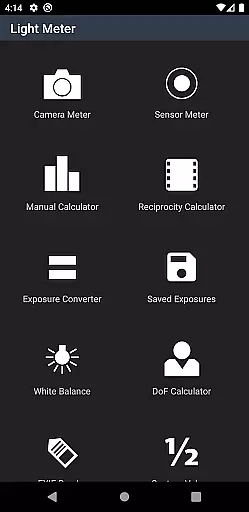
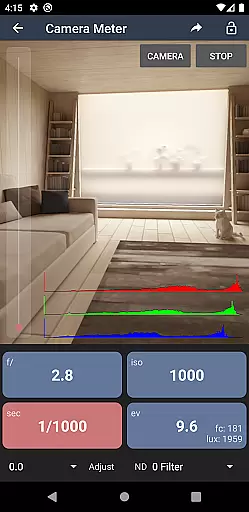
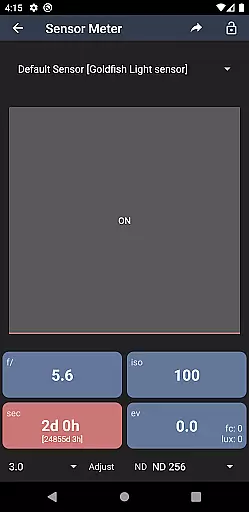
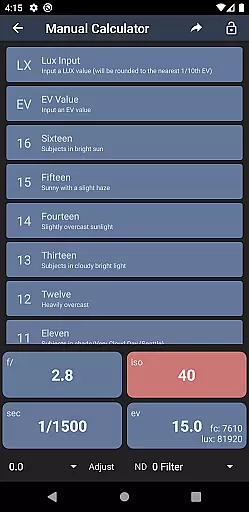
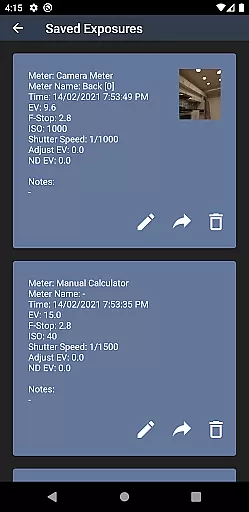
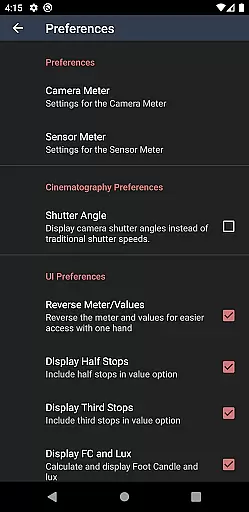
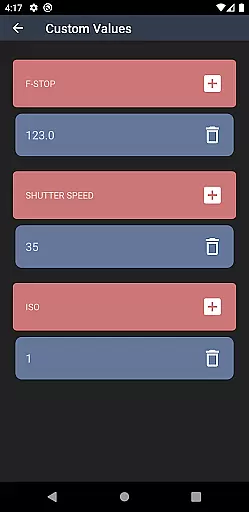
Light Meter is a comprehensive photography tool that combines multiple essential functions into one app. It features both reflected light metering using the device's camera and incident light metering through the built-in light sensor, ensuring accuracy comparable to professional Gossen and Sekonic meters on most devices.
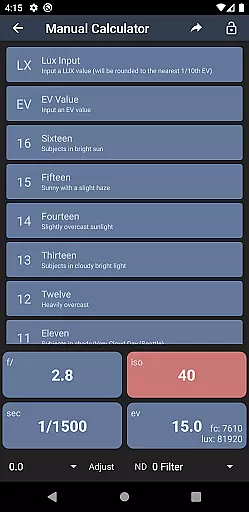
In addition to its core light metering capabilities, the app offers photographers a suite of advanced tools including a Color Temperature meter for white balance adjustments, a Reciprocity Calculator, an Exposure Convert, a Manual (Sunny Sixteen) calculator, a Depth of Field calculator, and an EXIF Reader. These features make it suitable for various types of cameras, from film SLRs to pinhole cameras and even cinematographic equipment.
Whether you're a professional photographer or an amateur enthusiast, Light Meter provides the necessary tools to achieve precise exposure settings and enhance your photography workflow.
Light Meter stands out with its dual light metering system, offering both spot metering via the device's camera and incident light measurement using the light sensor. This dual approach ensures accurate readings across different lighting conditions and scenarios.
Beyond its primary function, the app includes several specialized tools designed to assist photographers. The Color Temperature meter helps in adjusting white balance settings, while the Reciprocity Calculator aids in long-exposure photography. Additionally, the app features an Exposure Convert, a Manual (Sunny Sixteen) calculator, a Depth of Field calculator, and an EXIF Reader, all of which contribute to a more informed and efficient photography process.
The combination of these features makes Light Meter an indispensable tool for photographers who require precision and versatility in their work, whether shooting with traditional film cameras or modern digital equipment.
Real-time capture and preview functionality is essential for photographers who need accurate exposure readings. Light Meter provides instant feedback through the device's camera, allowing users to measure reflected light with precision.
The app ensures reliable metering by calibrating with professional-grade tools like Gossen and Sekonic meters. This guarantees that the readings you see on your device closely match real-world lighting conditions during capture.
With this feature, photographers can confidently adjust their settings knowing they have an accurate representation of the scene's lighting. The ability to preview these adjustments in real time streamlines the photography process.
Whether shooting with a film SLR or working on cinematographic projects, having dependable real-time data enables creators to produce perfectly exposed images without guesswork.
While primarily a tool for measuring light, Light Meter also includes features that enhance post-processing capabilities. Although it doesn't directly apply AI beauty enhancements, its Color Temperature meter and other calculators help achieve natural-looking results.
The Reciprocity Calculator and Exposure Convert assist in adjusting settings for long exposures or when switching between different types of cameras. These tools ensure that any enhancements made during post-production maintain the original image's integrity and natural appearance.
Additionally, the Depth of Field calculator helps photographers plan their shots to naturally draw focus to their subject. By understanding how different settings affect the final image, users can create more compelling compositions without relying on artificial enhancements.
The EXIF Reader allows users to review detailed information about their photos, ensuring complete control over the enhancement process. This comprehensive suite of tools supports creating naturally beautiful images while maintaining technical accuracy.
User-friendly interface
Accurate light readings
Comprehensive toolset
Wide device compatibility
Professional-grade features
Premium version required
Limited free features
Occasional sensor inaccuracies
Complex for beginners
High battery consumption

How would you look like with a differently shaped nose, chin or lips?
 3.90
3.90
Cut and paste photo editor & eraser to customize photos easy and swap faces fun
4.50
GCamera allows all GCam features on all phone models! Better photos with GCamera
3.30
Smart, light, and fast photo and video gallery
4.30
AI-powered video creator by MiniMax - Where ideas meet cinema
4.20
live datamoshing
4.00
PhotoSync Bundle Add-On License. Enables all features and services in PhotoSync.
4.60
Solocator stamps photos you take with GPS location, Compass Direction, Date/Time
3.80
Your Family Calendar + Photos. Manage your Skylight Calendar and Skylight Frame.
4.40
Perfect body tune & face app - photo retouch, makeup, slim body & beautify face.
4.80
Your personal guide to the sun and moon. Plan ahead, visualize and predict!
4.70
A must-have app for landscape photographers
4.60
Add Watermark - Sign your pictures with a text or logo. Effective, quick, easy!
4.50
Search, tag and rate your way to an organized image gallery
4.40
Shooting photos and records video easily and efficient with professional Camera
4.30
Catch sunlight, sunrise sunset times and sun phases with the AR sun tracker.
4.10
Photo editor: face & body editor, beauty cam, filters and quality enhancer.
4.00
Astrophotography with your smartphone, photo live stacking and much more!
3.90
Long exposure camera with computational photography
2.60


User Reviews