
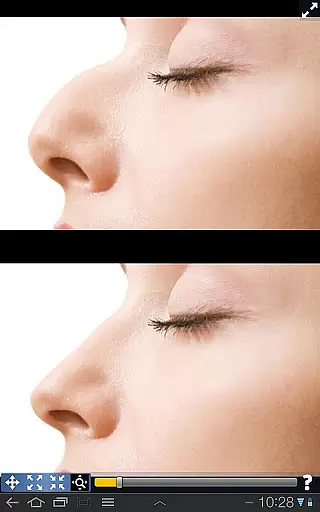
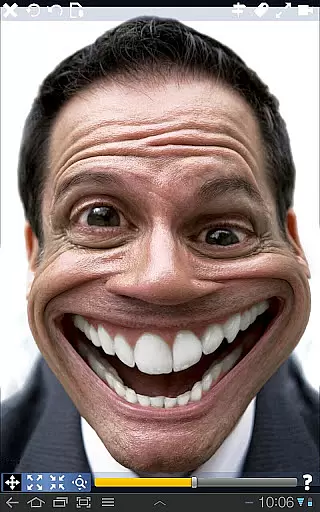
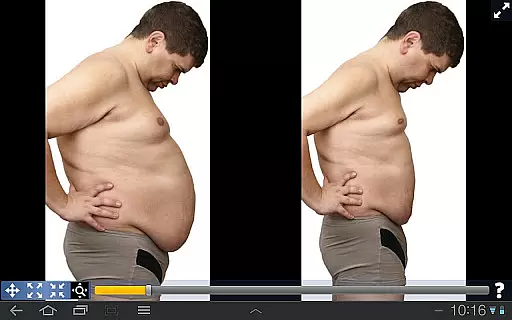
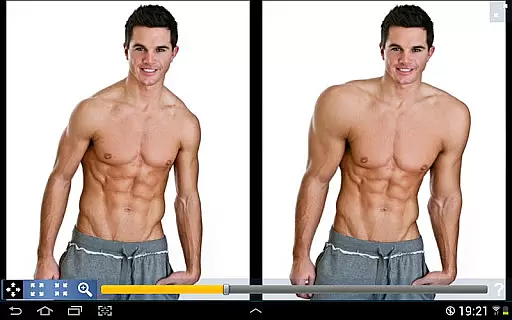
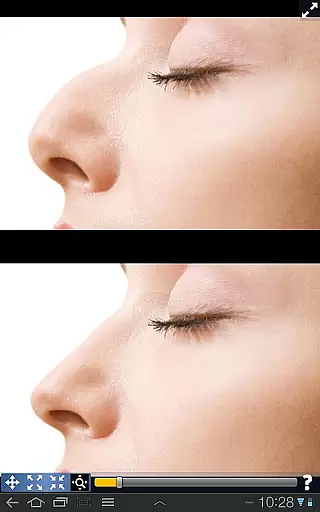
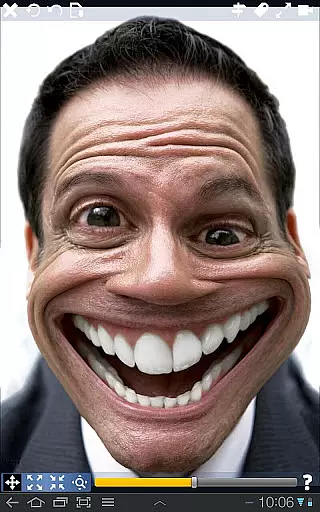
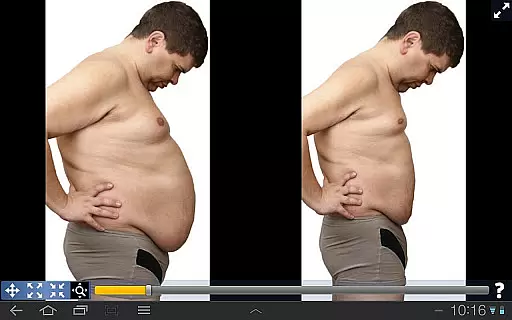
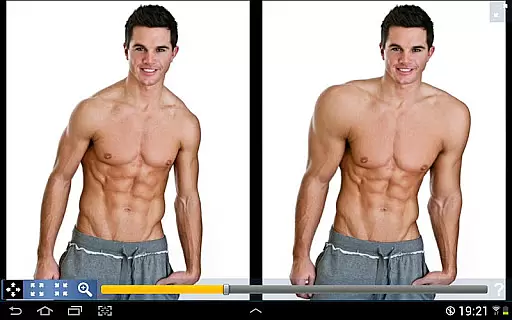
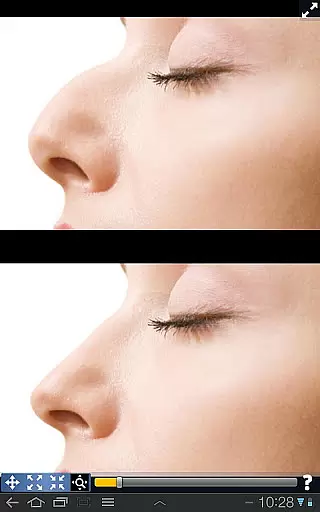
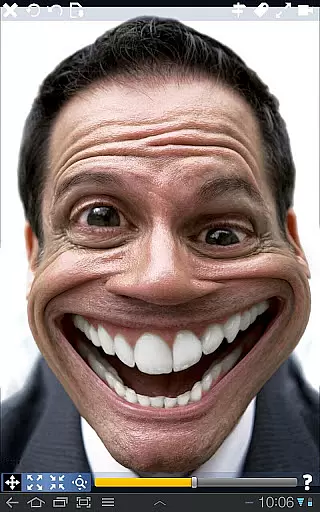
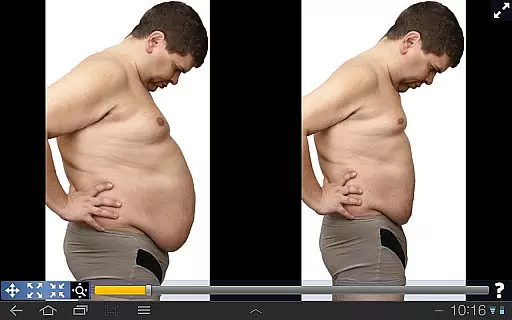
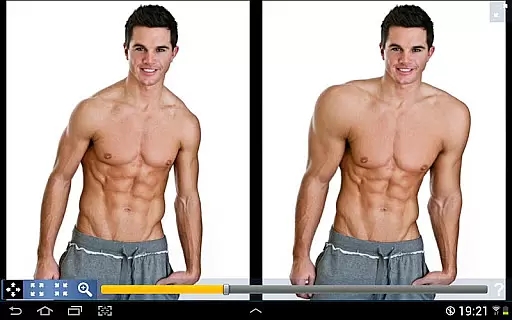
Plastic Surgery Simulator is a creative photography app that allows users to simulate body transformations through photo distortion. With this tool, you can reshape facial features like the nose, chin, and lips, or modify body parts by growing or shrinking them. The app's powerful algorithm ensures smooth and realistic transformations, making it ideal for social media enhancement or just casual fun.
A standout feature of Plastic Surgery Simulator is its dual display mode. When you rotate your device, the image is cloned onto the other half of the screen, allowing you to work without your finger obstructing the view. This makes it especially useful on smaller touch devices like smartphones, where precision is key.
Whether you're curious about how you'd look with certain features altered or simply want to explore creative photo editing, Plastic Surgery Simulator offers an engaging and innovative experience. Its combination of advanced technology and user-friendly design provides both entertainment and practical value for photography enthusiasts.
Plastic Surgery Simulator boasts several distinctive features that set it apart in the photography category. First and foremost is its advanced photo distortion algorithm, which enables users to achieve smooth and natural-looking transformations. Unlike basic distortion tools, this app ensures that reshaped areas blend seamlessly with the rest of the image, enhancing realism.
Another notable feature is the dual display mode, activated when you rotate your device. This splits the screen into two identical images, allowing you to edit one side while viewing the changes on the other. This functionality eliminates the frustration of fingers blocking your view during precise edits, offering a more intuitive editing process.
Additionally, the app supports a wide range of customizable options, from facial features to body modifications. Users can experiment with different looks by dragging, growing, or shrinking specific areas. Whether for professional use or personal amusement, these capabilities make Plastic Surgery Simulator a versatile and entertaining tool for anyone interested in creative photo manipulation.
Real-time capture and preview functionality is essential for any photography app as it allows users to see the effects of their edits instantly. This immediate feedback enhances the creative process, enabling users to make precise adjustments on the fly.
Plastic Surgery Simulator excels in this area with its powerful photo distortion algorithm that ensures smooth and realistic transformations. As users manipulate different facial features, they can observe the changes in real time, providing an interactive and engaging experience.
The dual display mode further enhances this experience by cloning the image when the device is rotated. This innovative feature allows users to modify their images without their fingers obstructing the view, making the editing process more intuitive and efficient.
AI beauty and enhancement features are becoming increasingly important in photography apps, offering users the ability to enhance their images naturally. The key is to maintain the authenticity of the original photo while improving certain aspects.
In Plastic Surgery Simulator, the AI-driven enhancements focus on producing realistic results. Whether users are adjusting facial features or body parts, the transformations appear lifelike, preserving the natural look of the subject.
This balance between enhancement and realism is achieved through sophisticated algorithms that understand human anatomy. By ensuring that modifications are subtle yet effective, the app helps users create stunning yet believable images, boosting their confidence in sharing their edited photos on social networks.
User-friendly interface
Realistic transformation effects
Innovative dual display mode
Ideal for social media sharing
Wide range of customization options
Limited advanced editing tools
Occasional lag on older devices
No undo option for multiple steps
Ads may disrupt user experience
Requires careful handling for precision

Search, tag and rate your way to an organized image gallery
 4.40
4.40
Perfect photos with body shaping, BG changer and object remover.
3.70
Viewfinder, Light meter, Reciprocity failure time, DOF & Bellows Extension
4.60
What celebrity do you look like? Celebs will find your celebrity match!
4.10
Automatically backup your photos and videos to computer, NAS and Cloud services
4.60
GCamera allows all GCam features on all phone models! Better photos with GCamera
3.30
Hair color changer, AI haircut app, fun hair editor and buzz cut filter for all!
3.80
Snap photos remotely using your Garmin watch as the camera trigger
4.2
Enhance, upscale, and transform your images — on your device, without limits
4.70
Pro version: AR sun/moon tracker for any date. Tool for photographers & planners
4.90
Create funny photos and videos with the popular Time Warp Scan filter.
4.90
A must-have app for landscape photographers
4.60
Discover & download millions of art for The Frame TV or Hisense CanvasTV
4.60
Add Watermark - Sign your pictures with a text or logo. Effective, quick, easy!
4.50
Luminar: Photo Editor - easy picture editing with AI
4.20
The #1 app for B&W film developing featuring an advanced darkroom timer.
4.10
Photo editor: face & body editor, beauty cam, filters and quality enhancer.
4.00
Professional quality photo edits with the new Snapseed.
4.00
HD Photo gallery and photo manager to edit, hide private photos, videos & albums
4.2


User Reviews