
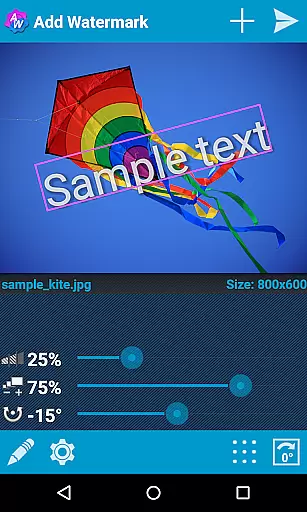
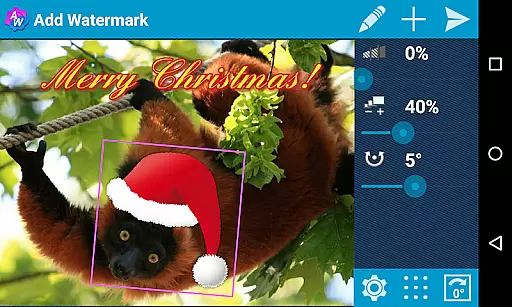
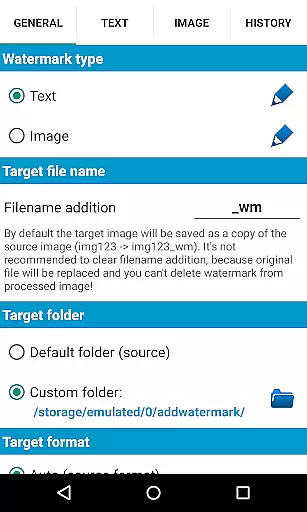
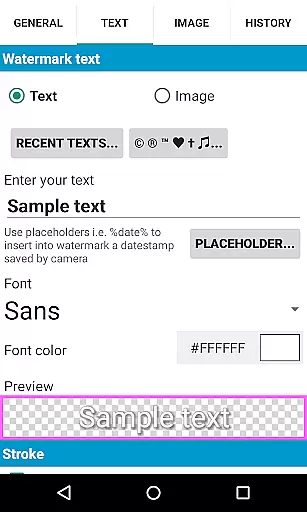
Add Watermark is a powerful photography tool that allows users to protect their digital images by adding customizable watermarks. The app supports both text and logo watermarks, providing extensive customization options such as size adjustment, transparency control, rotation, and alignment settings.
Designed for professional photographers and bloggers, the app offers advanced features like batch processing, auto-processing through sharing from other apps, and support for transparent PNG images. With 72 built-in fonts and the ability to import up to 20 custom fonts, users can create unique watermark designs. The app also enables timestamping, filename embedding, and GPS tagging, making it an essential tool for copyright protection and image management.
The app's feature set is designed to provide maximum flexibility and efficiency in watermarking. The batch mode allows processing multiple images simultaneously, while the auto-processing function enables seamless integration with other apps through the share feature. Users can choose from various fonts, colors, and effects for text-based watermarks.
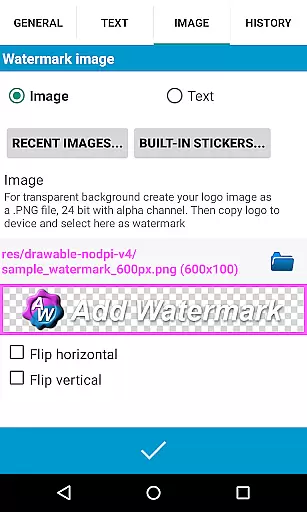
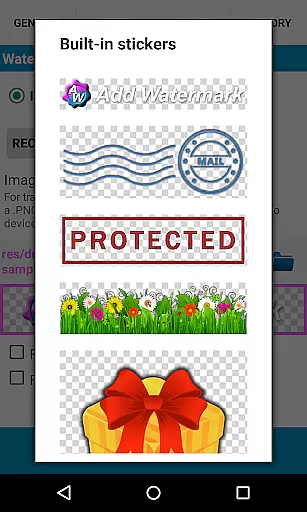
For more creative freedom, Add Watermark includes a built-in sticker collection and supports transparent PNG images as watermarks. The app maintains EXIF and XMP metadata integrity and supports 360° panoramas. Additional features include cloud backup of settings, quick selection of recently used watermarks, and the ability to rename and resize images upon saving.
Professional users will appreciate the full support for EXIF/XMP metadata and the option to save in both JPG and PNG formats. The app also provides comprehensive sharing options to platforms like Instagram, Facebook, and Flickr, streamlining the workflow for content creators who need to protect and distribute their work efficiently.
Real-time capture and preview functionality is essential for ensuring that the watermark you add to your images appears exactly where you want it. Add Watermark provides a seamless experience by allowing users to see changes instantly as they adjust the watermark's size, transparency, rotation, and alignment.
This app offers photographers and bloggers the ability to fine-tune their watermarks with precision. The real-time preview updates as you modify various settings, such as font choice, color effects, and sticker placement, ensuring that the final image meets your expectations before saving or sharing it.
With support for transparent PNG images as watermarks and built-in sticker collections, users can create professional-looking watermarks that blend seamlessly into their photos. This feature not only saves time but also enhances creativity by providing immediate feedback on design choices.
While primarily focused on adding watermarks, Add Watermark also includes features that enhance the natural beauty of your images. Although it doesn't use traditional AI beauty enhancements, the application supports EXIF and XMP metadata, which helps preserve the original quality and properties of your photos during processing.
The app allows for adjustments in size, transparency, and alignment, giving users control over how subtle or pronounced their watermark appears. By maintaining high-quality output options like saving in .jpg or .png formats, Add Watermark ensures that enhancements do not detract from the authenticity of the original image.
Additionally, the ability to add timestamps, GPS tags, and other properties as text watermarks adds an extra layer of personalization and context to each photo. These features collectively contribute to a more engaging and informative visual experience without compromising the natural essence of the captured moment.
User-friendly interface
Extensive customization options
Batch processing capability
Auto-processing through sharing
Supports transparent PNGs
Free version has limitations
Custom fonts require setup
Logo watermark disabled in free version
Downsized images in free version
No auto mode in free version

Remote control of the phone camera from your Wear OS smartwatch
 3.70
3.70
All-in-One Editor & AI Photo Enhancer, Collage, Cartoonify, Funny Stickers & BGS
4.10
Be your best in every shot! Fix, edit and retouch your face in selfies & photos.
3.70
Photo editor & gallery. Crop pictures & edit photos offline, no wifi!
4.50
Create AI photos & videos with Enhancer; restore, fix, beautify, enhance photos
4.50
AI Photo Editor with 100+ Filters, Effects! Remove BG, Retouch & Photo Enhancer.
4.80
AI photo enhancer with Sora 2! Enhance, descratch, and colorize your old photos.
4.50
AI-powered video creator by MiniMax - Where ideas meet cinema
4.20
Welcome to ProShot, the most powerful camera app on Android.
4.20
Gallery show photo, video, slideshow, is perfect 3D effect private photo albums.
4.80
Photo editor: AI filters, photo enhancer, pic collage maker, AI art generator.
4.80
Amazing Photo Effects - The most fun you can have with your photos!
4.70
Easily view, share, delete photos with Gallery.
4.70
Enhance, retouch & create your story - Share the moment with Photoshop Express.
4.60
AI portrait generator and polaroid AI selfie, fun AI generated AI photo creator!
4.30
All-in-One Editor & AI Photo Enhancer, Beautify & Retouch, Collage, Cartoonify
4.20
Professional photography on your mobile phone
4.20
A light meter for true photographers.
4.20
USB Storage Access for Photos, Videos, Music and Documents
3.80


User Reviews