
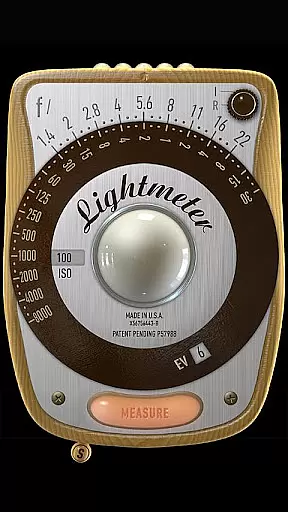
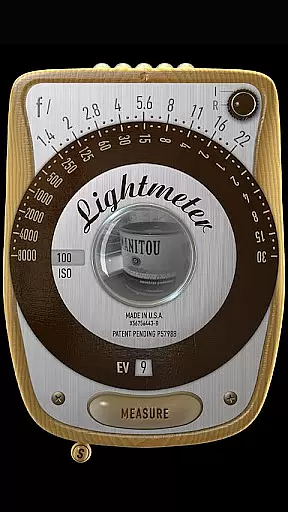
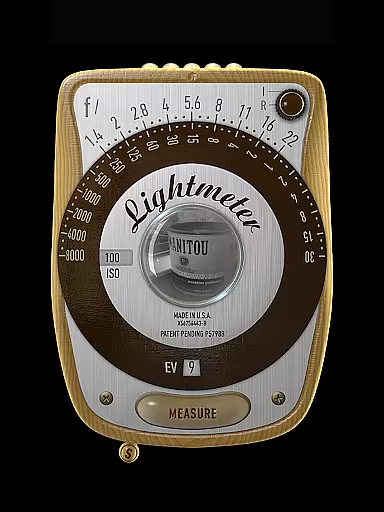
LightMeter is a specialized photography app designed for analog photographers who appreciate the art of old-school photography. This app transforms your mobile device into a reflective and incident light meter, aiding in achieving optimal exposure settings. Compatible with devices that support saving exposure data to EXIF, it offers features like ISO range adjustment from 3 to 6400, low light alerts, and calibration options.
The app's unique selling point is its ability to provide accurate reflected light readings, which can be exceptionally precise depending on your device's capabilities. It also supports various functionalities such as vibration feedback upon measurement, state and ISO recall, and spot measurement for devices with zoom functionality. LightMeter is ideal for both amateur and advanced photographers looking to refine their analog photography skills while supporting the development of innovative tools.
LightMeter stands out with its comprehensive set of features tailored for analog photography enthusiasts. The app includes an ISO range from 3 to 6400, catering to diverse lighting conditions and photographic styles. Its incident light metering requires a light sensor, while the reflected light metering works best with compatible cameras, offering users flexibility based on their equipment.
Additional features enhance user experience, such as low light alerts, optional muting of the camera (where supported), and display of Exif and sensor information on-screen. Calibration options ensure precision, while vibration feedback on measure/hold provides tactile confirmation. Incident light readings can be held, and alternative ISO selectors offer customization. These features collectively empower photographers to capture images with greater control and accuracy.
LightMeter offers a unique real-time capture and preview feature that caters to the needs of analog photographers. This functionality allows users to accurately measure light conditions through their device's camera, ensuring optimal exposure settings before capturing an image on film.
The reflected light metering option works exceptionally well with compatible devices, providing reliable readings directly from the scene being photographed. By utilizing the device's camera capabilities, this app delivers precise exposure measurements that can significantly enhance the quality of analog photographs.
For incident light metering, the application leverages the device's light sensor to provide accurate readings of ambient light conditions. The combination of these two metering methods gives photographers comprehensive control over their exposure settings, enabling them to achieve desired photographic effects consistently.
While LightMeter doesn't incorporate artificial intelligence for beautification, it focuses on delivering natural and authentic light measurement capabilities. The app's calibration feature ensures that all readings are as accurate as possible, maintaining the integrity of traditional photography techniques.
The application provides essential tools such as ISO range selection from 3 to 6400, low light alerts, and vibration feedback upon measurement. These features work together to create a seamless experience that feels natural to professional photographers who value precision and authenticity in their craft.
LightMeter maintains the purity of traditional photography by avoiding digital enhancements or modifications. Instead, it offers practical features like spot measurement for cameras with zoom and state recall on resume, ensuring that each photograph's lighting conditions are captured exactly as they appear in reality.
User-friendly interface
Wide ISO range
Precise light readings
Vibration feedback
Customizable settings
Limited device compatibility
Incident light needs sensor
Varied precision levels
Camera muting restrictions
High-end features require specific hardware

Long exposure camera with computational photography
 2.60
2.60
Find time and duration of different sunlight phases at any location
4.90
Photo prints, cards, & gifts at Walgreens. Easy ordering & fast local pickup !
4.80
Create AI Photos, Improve and restore quality of blurry, old or damaged pics.
4.20
Gallery Slideshow is slideshow maker app for slideshow from your gallery photos.
3.90
A reflected light meter with spot metering and incident light metering.
4.40
RAW video capture with advanced controls
4.40
The original Rarevision VHS look seen everywhere!
4.70
Unlock the full potential of your DJI drone with Litchi
4.50
AI Photo Editor with 100+ Filters, Effects! Remove BG, Retouch & Photo Enhancer.
4.80
Unblur, enhance & restore photos with powerful AI photo enhancer tools.
4.60
Create collages easily! Nice pic collage maker & background eraser for Instagram
4.50
Transform photos into videos! Create realistic or anime-style images easily!
4.50
Search, tag and rate your way to an organized image gallery
4.40
Shooting photos and records video easily and efficient with professional Camera
4.30
Professional photography on your mobile phone
4.20
Catch sunlight, sunrise sunset times and sun phases with the AR sun tracker.
4.10
Hair color changer, AI haircut app, fun hair editor and buzz cut filter for all!
3.80
GCamera allows all GCam features on all phone models! Better photos with GCamera
3.30


User Reviews