

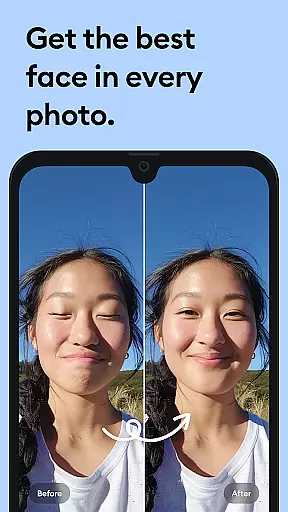
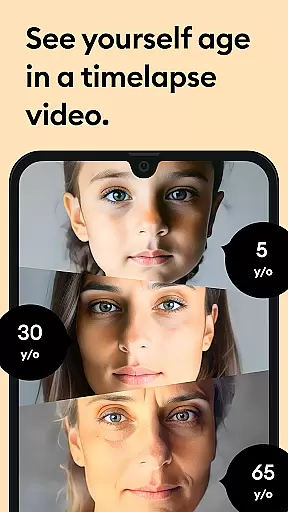



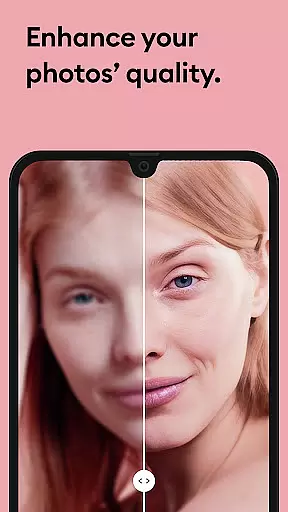


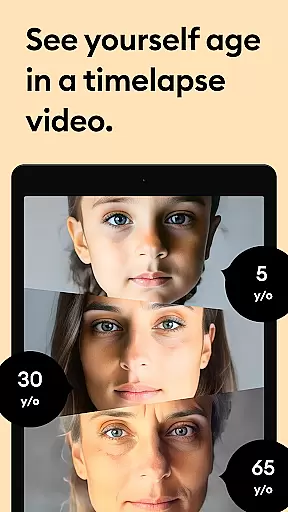



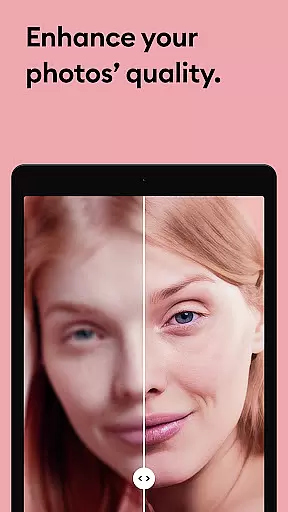


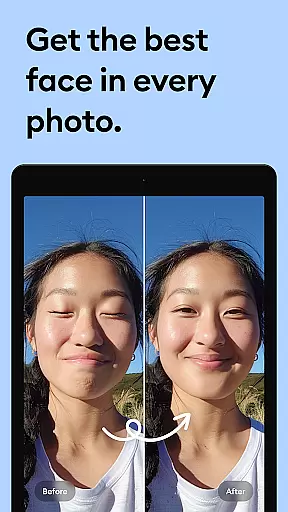



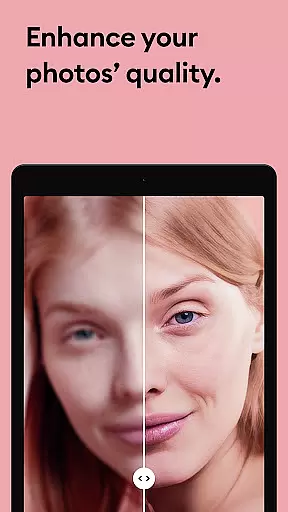

Remini is a powerful photography app that uses advanced Artificial Intelligence to enhance and restore photos. The core functionality allows users to convert old, blurry, or damaged pictures into high-definition images with just one tap. This AI-powered photo enhancer can also generate professional-looking portraits and selfies, making it an ideal tool for revitalizing cherished memories.
The app's standout feature is its ability to unblur and repair old photos while adding stunning clarity and detail. Whether you're looking to restore vintage family photos or enhance modern portraits, Remini delivers crystal-clear results. With support for multiple languages and over 100 million photos already enhanced, this app has become a global favorite among photography enthusiasts.
Remini is particularly useful for restoring old printed photographs that have degraded over time. By digitizing and enhancing these images, users can preserve their family history in HD quality. The app's subscription model offers unlimited access to premium features, making it a valuable tool for both casual users and professionals seeking consistent, high-quality photo enhancement.
Remini stands out through its comprehensive set of photo enhancement features powered by state-of-the-art AI technology. The app's primary capability lies in its ability to automatically detect and enhance facial details in portraits and selfies, creating professional-grade results without manual editing. This feature alone makes it invaluable for users who frequently work with portrait photography.
Beyond basic enhancement, Remini offers specialized tools for repairing various types of photo damage. These include functions for sharpening out-of-focus images, clearing scratches and blemishes from vintage photos, and increasing pixel density in low-quality images. The app's AI model receives constant updates, ensuring that users always have access to the latest enhancement algorithms and techniques.
Additional notable features include multi-language support across nine languages and a subscription-based premium model. The premium version provides unlimited access to all enhancement tools and features regular updates. With applications ranging from personal photo restoration to professional image enhancement, Remini caters to diverse user needs while maintaining an intuitive interface suitable for both beginners and experienced photographers.
Real-time capture and preview functionality is essential for photography apps like Remini. This feature allows users to see exactly what the camera is capturing, ensuring that every photo meets their expectations before it's taken.
Remini leverages advanced AI technology to provide a seamless real-time preview experience. The app processes images instantly, offering users a clear view of the enhancements being made to their photos. This immediate feedback helps in adjusting settings or composition on the fly.
The benefit of this feature is significant for users who want to capture high-quality images without any guesswork. With real-time previews, users can make sure that their old, pixelated, or blurred pictures are transformed into high-definition photos accurately.
Ultimately, the real-time capture and preview feature enhances user satisfaction by providing confidence in the photo-taking process. It ensures that every picture taken with Remini is as vivid and detailed as possible, giving users the ability to preserve their memories in stunning clarity.
AI beauty and enhancement naturalness is a crucial aspect of photo editing applications such as Remini. This feature focuses on improving the visual appeal of photos while maintaining a realistic look, avoiding the over-processed appearance that can detract from an image's authenticity.
Remini employs state-of-the-art artificial intelligence to enhance facial details, repair old and damaged photos, and sharpen blurry images. The AI algorithms are designed to recognize and adjust specific elements of a photo, such as skin tone, lighting, and texture, ensuring that enhancements look natural and lifelike.
Users benefit greatly from this feature as it allows them to transform their old photos into stunning, high-definition images without losing the original essence. Whether it's restoring cherished family portraits or enhancing everyday snapshots, Remini ensures that each photo retains its emotional value.
In summary, the AI beauty and enhancement naturalness feature in Remini provides users with professional-grade photo improvements that are both impressive and believable. By preserving the authenticity of each image, Remini helps users relive their memories in a way that feels true to life.
User-friendly interface
Advanced AI technology
Multi-language support
Regular feature updates
Wide application range
Premium subscription required
Limited free features
Processing time for complex images
Old Android versions unsupported
Internet connection needed

Remote control of the phone camera from your Wear OS smartwatch
 3.70
3.70
Cut and paste photo editor & eraser to customize photos easy and swap faces fun
4.50
Edit like a pro with Hypic. Apply filters, AI effects, & magic touch.
4.40
Photo editor: AI filters, photo enhancer, pic collage maker, AI art generator.
4.80
Photo Exif Editor allows to view, add and modify EXIF data of multiple photos
4.50
Amazing Photo Effects - The most fun you can have with your photos!
4.70
See your baby AI baby face generator AI baby maker Face generator babymaker fun!
4.70
Easily create custom gifts, cards, photo books & more on the Shutterfly app!
4.60
PhotoSync Bundle Add-On License. Enables all features and services in PhotoSync.
4.60
Collage your moments in one tap: 1000+ layouts, filters, stickers, and texts.
4.90
Photo editor & gallery. Crop pictures & edit photos offline, no wifi!
4.50
Fit multiple photos on one post. Create carousels & scroll layouts for Instagram
4.50
Effortlessly organize, view and share your photos & videos with Gallery app!
4.40
Easily stitch panoramas from multiple photos or video.
4.40
AI portrait generator and polaroid AI selfie, fun AI generated AI photo creator!
4.30
Luminar: Photo Editor - easy picture editing with AI
4.20
All-in-One Editor & AI Photo Enhancer, Collage, Cartoonify, Funny Stickers & BGS
4.10
Superimpose one photo on top of another using the original Superimpose app!
3.20
Raw Image Viewer. Gallery with support of raw images (.cr3, .cr2, .nef, .raf).
2.00


User Reviews