
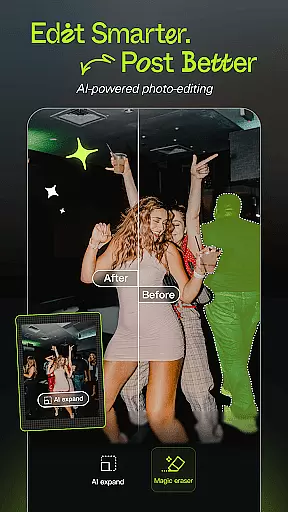
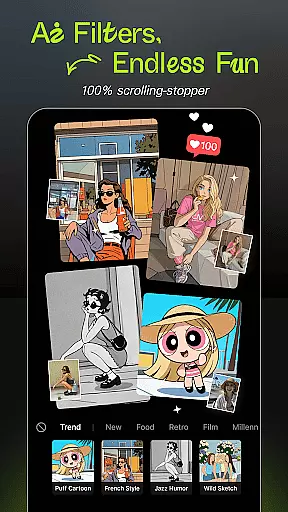
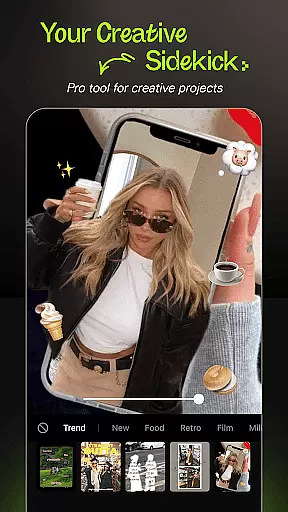
Hypic is an innovative AI-powered photo editing application designed to transform ordinary photos into stunning masterpieces. With its advanced AI capabilities, users can effortlessly remove backgrounds, generate avatars, cartoon themselves, or enhance image quality with just a tap.
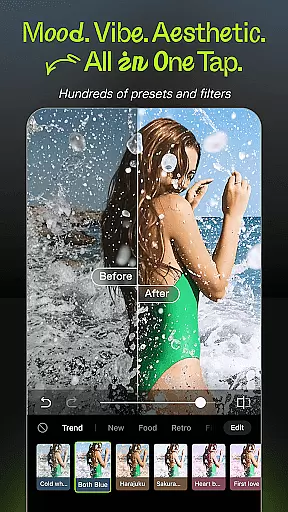
The app offers a rich selection of stylish filters and effects, including retro film presets, clean aesthetics, and soft glow options. Its smart retouching tools allow for natural customization of facial features while aesthetic templates help create visually appealing content for social media platforms like Instagram, TikTok, and Pinterest.
Hypic stands out with its powerful AI-driven features that simplify complex photo editing tasks. The one-tap AI magic allows users to instantly turn their photos into artwork, whether it's through background removal, avatar generation, or image enhancement.
Beyond AI capabilities, Hypic provides a variety of aesthetic filters and professional templates. These tools cater to different styles and moods, ensuring users can match their photo edits to specific aesthetics or social media vibes. Additionally, the smart retouching suite offers precision adjustments for facial reshaping and smoothing, making it easy to achieve polished yet natural results.
Designed for both casual editors and digital creators, Hypic supports batch editing, collage creation, and AI-generated art, all within a single platform. This versatility makes it perfect for enhancing visual content across multiple platforms such as Instagram, TikTok, and Pinterest.
Real-time capture and preview functionality is essential for ensuring that every photo taken meets the user's expectations without delay. Hypic excels in this area by providing instantaneous feedback on images captured through its interface.
The app leverages advanced AI technology to offer live adjustments, allowing users to see effects, filters, and enhancements before they take the shot. This feature empowers users to make informed decisions about their photography, ensuring that the final image aligns perfectly with their creative vision.
With real-time previews, Hypic reduces the need for post-processing, saving time and effort. Users can experiment with different styles and aesthetics, seeing changes applied instantly to their photos. This interactive approach not only enhances the user experience but also encourages creativity and exploration within the app.
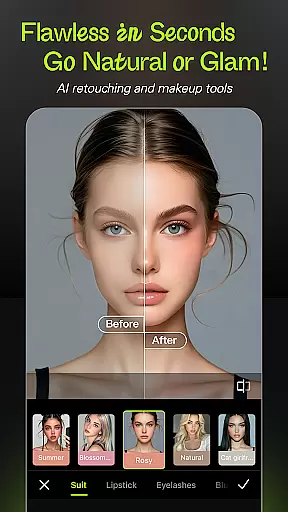
Hypic stands out in the realm of AI beauty and enhancement by prioritizing natural-looking results. The app employs sophisticated algorithms to analyze facial features and apply enhancements that preserve authenticity while elevating overall appearance.
Users have access to precision tools designed for smoothing skin, reshaping facial structures, and enhancing specific attributes like eyes or lips. These modifications are executed with subtlety, ensuring that edited photos retain a realistic quality that doesn't appear overly processed or artificial.
This commitment to natural enhancement is particularly beneficial for social media enthusiasts and digital creators who seek polished yet genuine representations of themselves online. By offering customizable options tailored to individual preferences, Hypic delivers professional-grade edits accessible to everyone, regardless of skill level.
User-friendly interface
Advanced AI features
Variety of aesthetic filters
Professional templates
Smart retouching tools
May require premium subscription
Limited free features
Occasional processing delays
High system requirements
Learning curve for beginners

Effortlessly organize, view and share your photos & videos with Gallery app!
 4.40
4.40
[3DSteroid Pro] is a stereoscopic application for Android.
4.30
1M influencer's special filter
4.60
Perfect body tune & face app - photo retouch, makeup, slim body & beautify face.
4.80
Amazing Photo Effects - The most fun you can have with your photos!
4.70
Professional photography on your mobile phone
4.20
Create AI photos & videos with Enhancer; restore, fix, beautify, enhance photos
4.50
Enhance, retouch & create your story - Share the moment with Photoshop Express.
4.60
The original Rarevision VHS look seen everywhere!
4.70
Gallery show photo, video, slideshow, is perfect 3D effect private photo albums.
4.80
Cartoon and artistic effects for your photos and videos
4.70
Cut and paste photo editor & eraser to customize photos easy and swap faces fun
4.50
Fit multiple photos on one post. Create carousels & scroll layouts for Instagram
4.50
AI portrait generator and polaroid AI selfie, fun AI generated AI photo creator!
4.30
AI-powered video creator by MiniMax - Where ideas meet cinema
4.20
Photo editor: face & body editor, beauty cam, filters and quality enhancer.
4.00
How old age camera Gender Swap App Face Shape Hairstyle App Hair Styler App fun!
4.00
Perfect photos with body shaping, BG changer and object remover.
3.70
An interval timer to automate photo taking process for timelapse
2.90


User Reviews