


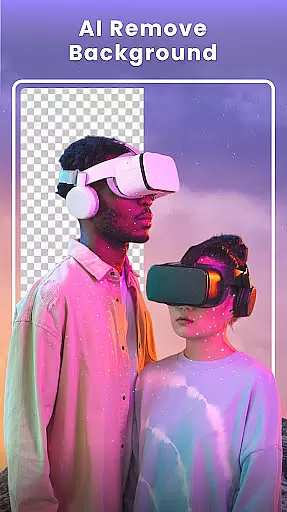



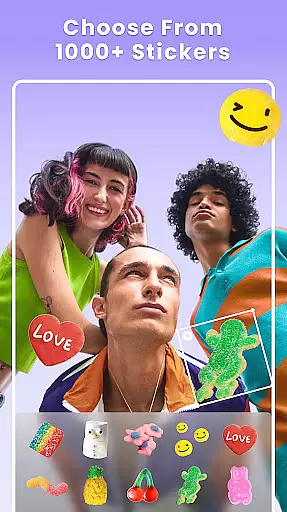

Photo Collage Maker - FunPic is a versatile photography app that allows users to create stunning photo collages and video stories. With over 300 layouts, users can combine photos into grids or special shapes while enjoying creative freedom. The app provides rich editing features including filters, text, stickers, and AI-powered tools for background removal and object erasure.
Designed for social media enthusiasts, this app ensures your Instagram feeds and stories stand out. It offers weekly updates of materials like stickers and templates, making it suitable for various occasions such as birthdays and festivals. Additionally, the app supports video collages with music integration, enhancing storytelling capabilities.
FunPic stands out with its comprehensive set of creative tools tailored for photo enthusiasts. Users can access more than 300 layouts and 1000+ stickers to design personalized collages. The app's AI-powered features include automatic background removal, object cleanup, and avatar creation, ensuring professional-quality edits without complexity.
Beyond static collages, FunPic enables dynamic video collages where users merge videos and photos, add music, and apply decorative elements. Its intuitive interface supports freestyle editing, letting users drag, drop, resize, and rotate images freely. These robust features make it an all-in-one solution for crafting visually appealing content for social platforms.
Real-time capture and preview functionality is essential for any photography app as it allows users to see exactly what the camera sees before taking a shot. This ensures that the framing, lighting, and composition are all perfect before capturing the moment.
Photo Collage Maker - FunPic offers an intuitive real-time preview feature that lets you experiment with different collage layouts and photo arrangements on the fly. With over 300 layouts available, you can instantly see how your photos will look in various configurations, ensuring that your final creation matches your vision.
The app's live editing tools further enhance this experience by allowing you to apply filters, stickers, text, and backgrounds in real time. As you make adjustments, you can immediately see their impact on your collage, enabling precise customization without any guesswork.
This instant feedback loop not only saves time but also enhances creativity, letting users fine-tune every detail until they achieve the perfect result. Whether you're creating a simple photo grid or a complex themed collage, real-time capture and preview ensure that your work is exactly as you imagined.
AI beauty and enhancement features have become increasingly popular in photography apps, offering users the ability to refine and beautify their images with minimal effort. The key to successful AI enhancements lies in maintaining the natural appearance of the original photo while subtly improving its aesthetic qualities.
FunPic incorporates advanced AI algorithms that automatically detect and enhance facial features, skin tones, and overall image quality. These enhancements include smoothing skin textures, brightening eyes, and whitening teeth, all while preserving the unique characteristics of the subject.
In addition to basic beautification, the app provides a range of artistic filters and effects that can be applied to both individual photos and entire collages. These filters are designed to enhance the mood and atmosphere of your images without making them look overly processed or artificial.
Users benefit from these AI-driven enhancements by achieving professional-quality results with just a few taps. Whether you're preparing images for social media or personal albums, FunPic ensures that every photo looks its best while retaining its authentic charm and character.
User-friendly interface
Extensive layout options
AI-powered editing tools
Regular material updates
Versatile collage styles
Premium features locked
Ads may interrupt workflow
Occasional bugs reported
Learning curve for new users
Limited free resources

Search, tag and rate your way to an organized image gallery
 4.40
4.40
Add Watermark - Sign your pictures with a text or logo. Effective, quick, easy!
4.50
[3DSteroid Pro] is a stereoscopic application for Android.
4.30
Be your best in every shot! Fix, edit and retouch your face in selfies & photos.
3.70
HD Camera Pro with HD Video shooting, Panorama, Photo editor , Beauty Camera.
4.50
Raw Image Viewer. Gallery with support of raw images (.cr3, .cr2, .nef, .raf).
2.00
Collage your moments in one tap: 1000+ layouts, filters, stickers, and texts.
4.90
Transform Photos: Edit, Beautify and Craft Memories & Make Collages!
4.10
Turn photos into cartoons & avatars! - Photo Editor, Cartoon Face!
3.90
Create funny photos and videos with the popular Time Warp Scan filter.
4.90
Photo prints, cards, & gifts at Walgreens. Easy ordering & fast local pickup !
4.80
RAW video capture with advanced controls
4.40
All-in-One Editor & AI Photo Enhancer, Beautify & Retouch, Collage, Cartoonify
4.20
Catch sunlight, sunrise sunset times and sun phases with the AR sun tracker.
4.10
How old age camera Gender Swap App Face Shape Hairstyle App Hair Styler App fun!
4.00
Remote control of the phone camera from your Wear OS smartwatch
3.70
Long exposure camera with computational photography
2.60
Over 800 film simulation recipes for Fujifilm. Black Friday Offer!
4.2
Add a dreamy vibe to your selfies and videos with soft style filters
4.4


User Reviews