
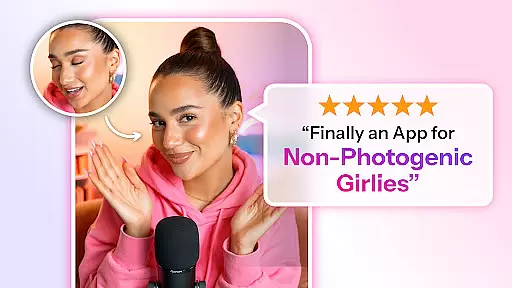
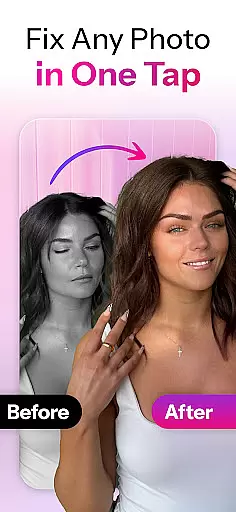

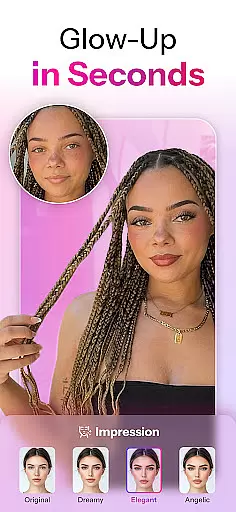

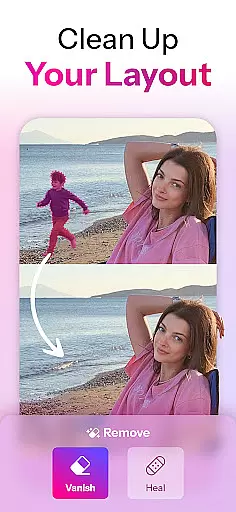
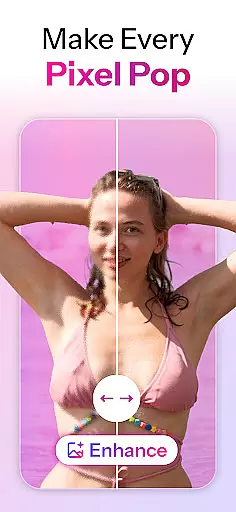
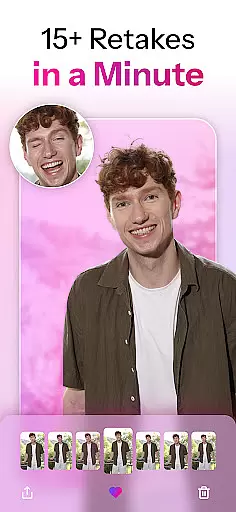
Retake AI is a revolutionary photography app that redefines photo editing by transforming any snap into a cherished memory with a single tap. Unlike typical photo editing apps, Retake uses advanced AI to reimagine and refine images naturally, capturing the true spirit of the moment without artificial filters or excessive enhancements. Whether it's an old photo from years ago or a recent shot, Retake ensures every image looks its best while maintaining authenticity.
The app is designed for users who want effortless yet professional-quality edits. By uploading just 12 favorite pictures, Retake crafts a personalized AI model tailored specifically to the user’s features. This eliminates the need for endless retakes and tedious editing sessions, allowing users to live fully in the moment while trusting Retake to perfect their photos. With its unique capabilities, Retake is ideal for enhancing social media feeds on platforms like Instagram and TikTok, where every post can shine with minimal effort.
Retake AI stands out with its powerful and innovative features that cater to modern photographers seeking perfection without complexity. One of its core functionalities is the AI engine that generates realistic retakes, indistinguishable from actual photographs. This feature doesn’t merely apply filters but reimagines each photo to reflect the subject's natural essence, making every image look genuinely flattering.
Another remarkable feature is the one-tap wizardry that simplifies the entire editing process. Users can upload 12 personal photos to create a customized AI model, which then processes new images with stunning accuracy. The app also offers multiple refined options for each uploaded photo, ensuring users have several choices to select their favorite version. Additionally, Retake supports seamless sharing across social media platforms, boosting users’ online presence with consistently high-quality visuals. These features collectively make Retake an indispensable tool for anyone looking to elevate their photography effortlessly.
Real-time capture and preview functionality is essential for ensuring that every photo taken meets the user's expectations without delay. Retake AI revolutionizes this aspect by providing instantaneous feedback on images captured, allowing users to visualize the final output before committing to the shot.
The app leverages advanced AI algorithms to process images immediately upon capture, presenting a preview that reflects realistic retakes. This means users can see how their photos will look after being enhanced by Retake's powerful editing engine, which focuses on delivering natural results rather than artificial enhancements.
By offering an accurate representation of the final image, Retake empowers photographers to make informed decisions about composition, lighting, and angles in real time. This feature not only saves time but also elevates the photography experience, making it possible to achieve professional-quality shots with minimal effort.
Ultimately, the real-time capture and preview capabilities of Retake ensure that every snapshot has the potential to become a cherished memory, as users can trust that what they see during the shoot is precisely what they'll get in the edited photo, ready for sharing across social platforms.
AI beauty and enhancement features are at the core of Retake's value proposition, setting it apart from conventional photo editing applications. The app employs sophisticated AI models to reimagine and refine images while maintaining a natural appearance, avoiding the pitfalls of overly processed or artificial-looking results.
Unlike typical face editing apps that rely heavily on filters and digital makeup, Retake takes a more nuanced approach. It analyzes each uploaded image to create personalized retakes that highlight the subjectu2019s true essence. By focusing on subtle adjustments that enhance inherent features, the app ensures that every selfie or candid shot looks authentically flattering.
This dedication to preserving natural beauty extends to all aspects of photo enhancement within Retake. Users benefit from an intuitive interface where a single tap initiates complex AI-driven edits tailored specifically for them. These edits encompass everything from skin tone correction to facial structure refinement, all executed with such precision that even experts might struggle to discern the original from the retouched version.
With Retake, users gain confidence knowing their shared photos reflect genuine moments captured beautifully and naturally. Whether posting on Instagram or TikTok, individuals can showcase their best selves without compromising authenticity, thanks to Retake's commitment to enhancing images with unparalleled realism.
User-friendly interface
Advanced AI technology
Customizable photo edits
Seamless social media integration
Natural and authentic results
Limited free features
Requires initial photo upload
Premium subscription cost
Dependent on internet connection
Privacy concerns with photo uploads

Effortlessly organize, view and share your photos & videos with Gallery app!
 4.40
4.40
Professional video recording application with manual controls for filmmakers!
2.80
Virtual makeup, hair filters & body tuner—edit from face to full body!
4.20
Photo editor: AI filters, photo enhancer, pic collage maker, AI art generator.
4.80
A must-have app for landscape photographers
4.60
AI Photo Editor with 100+ Filters, Effects! Remove BG, Retouch & Photo Enhancer.
4.80
AI photo enhancer with Sora 2! Enhance, descratch, and colorize your old photos.
4.50
AI-powered video creator by MiniMax - Where ideas meet cinema
4.20
Welcome to ProShot, the most powerful camera app on Android.
4.20
Create funny photos and videos with the popular Time Warp Scan filter.
4.90
Amazing Photo Effects - The most fun you can have with your photos!
4.70
1M influencer's special filter
4.60
Light-weight Media Gallery app for Android made with Jetpack Compose
4.60
Cut and paste photo editor & eraser to customize photos easy and swap faces fun
4.50
Use AI Video Generator to turn your words to ai generated videos.
4.50
Edit like a pro with Hypic. Apply filters, AI effects, & magic touch.
4.40
A reflected light meter with spot metering and incident light metering.
4.40
All-in-One Editor & AI Photo Enhancer, Collage, Cartoonify, Funny Stickers & BGS
4.10
An interval timer to automate photo taking process for timelapse
2.90


User Reviews