

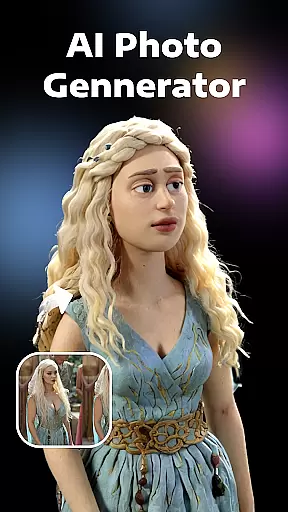


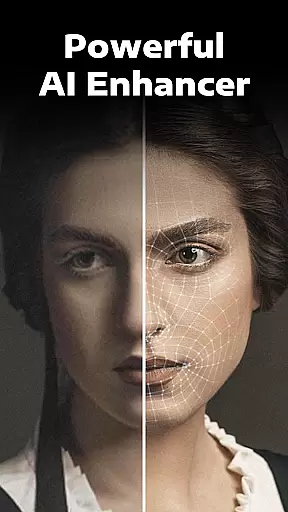
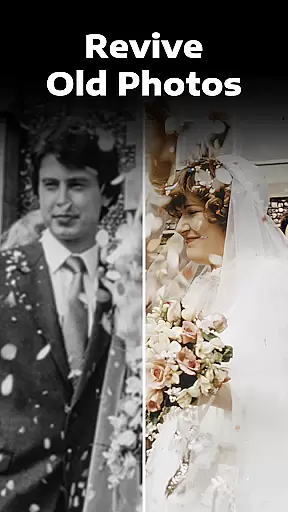

Evoke - AI Photo Enhancer is a cutting-edge photography app designed to breathe new life into your old and damaged photos. Using advanced AI technology, this app can enhance image quality, restore faded details, and even add color to black-and-white pictures. The app's powerful algorithms ensure fast processing while preserving natural details.
Whether you need to fix scratches, improve clarity, or create AI-generated portraits, this app offers versatile tools for all your photo restoration needs. Its user-friendly interface makes it accessible for both casual users and photography enthusiasts, delivering professional-grade results with just a few clicks.
The app boasts an impressive array of features powered by state-of-the-art AI models like Gemini 2.5 Flash Image and Kling AI 2.5. The enhancement function works magic on blurry images, restoring every detail from facial features to background elements with remarkable precision. This ensures your memories are preserved exactly as you remember them.
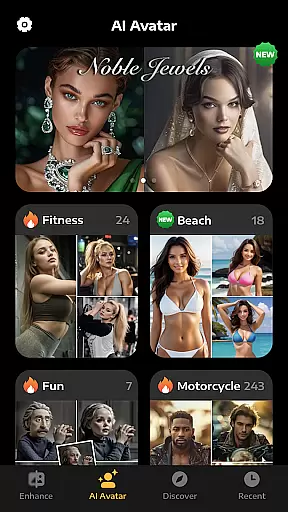
Beyond basic restoration, Evoke offers creative tools including AI Portraits that let users explore alternate versions of themselves. From gender swaps to career transformations, the possibilities are endless. Additionally, the colorization feature brings new dimensions to historical photos, while the descratch tool effectively removes imperfections from damaged images.
Real-time capture and preview functionality is essential for photography applications as it allows users to see exactly what the camera is capturing before taking a shot. This ensures that the framing, lighting, and composition are perfect before committing to a photo.
AI Photo Enhancer leverages advanced AI technology to provide an enhanced real-time preview experience. The app processes images instantly, offering users a glimpse of how their photos will look after enhancement. This feature is particularly useful when working with old or damaged photos that need restoration.
Users benefit from this feature by being able to make informed decisions about their photo edits. They can experiment with different settings and see immediate results, which streamlines the editing process and saves time. Additionally, the ability to preview changes in real-time enhances user satisfaction and confidence in the final output.
The real-time capture and preview feature in AI Photo Enhancer sets it apart from other photo editing apps. By integrating cutting-edge AI models like Gemini 2.5 Flash Image, the app delivers consistent details and reliable character preservation, ensuring that every enhanced photo meets professional standards.
AI beauty and enhancement features focus on improving the aesthetic quality of photos while maintaining a natural look. This balance between enhancement and authenticity is crucial for delivering satisfying results that do not appear overly processed or artificial.
AI Photo Enhancer employs sophisticated algorithms to enhance various aspects of images, such as color correction, skin smoothing, and detail sharpening. These enhancements are applied intelligently, targeting specific areas without compromising the overall natural appearance of the photo. For instance, facial recognition technology ensures that human faces are enhanced delicately and accurately.
Users gain significant advantages from these features, as they can achieve professional-grade photo improvements effortlessly. Whether restoring faded colors in old photographs or refining modern portraits, the app's AI-driven enhancements deliver impressive yet believable outcomes. This capability empowers users to create visually stunning images that retain their original charm and authenticity.
By focusing on natural enhancement, AI Photo Enhancer stands out in the photography category. Its commitment to preserving the integrity of original photos while applying intelligent enhancements makes it a preferred choice for users seeking both quality and realism in their edited images.
Advanced AI restoration
Fast processing speed
Multiple creative features
User-friendly interface
Professional quality results
Limited free features
Subscription required
Internet connection needed
Privacy concerns
Occasional processing errors

Photo editor: face & body editor, beauty cam, filters and quality enhancer.
 4.00
4.00
Safe & smart flight with Go Fly drone controller for 40+ drone camera, zone map
4.50
Easily stitch panoramas from multiple photos or video.
4.40
Find time and duration of different sunlight phases at any location
4.90
Superimpose one photo on top of another using the original Superimpose app!
3.20
Photo Exif Editor allows to view, add and modify EXIF data of multiple photos
4.50
A must-have app for landscape photographers
4.60
Add a dreamy vibe to your selfies and videos with soft style filters
4.5
Use AI Video Generator to turn your words to ai generated videos.
4.50
A collection of tools and reference tables for DPs, ACs, DITs and Operators.
4.70
Viewfinder, Light meter, Reciprocity failure time, DOF & Bellows Extension
4.60
Automatically backup your photos and videos to computer, NAS and Cloud services
4.60
PhotoSync Bundle Add-On License. Enables all features and services in PhotoSync.
4.60
Effortlessly organize, view and share your photos & videos with Gallery app!
4.40
Turn your phone into a professional camera - full DSLR manual photography
4.30
All-in-One Editor & AI Photo Enhancer, Beautify & Retouch, Collage, Cartoonify
4.20
What celebrity do you look like? Celebs will find your celebrity match!
4.10
Gallery Slideshow is slideshow maker app for slideshow from your gallery photos.
3.90
Raw Image Viewer. Gallery with support of raw images (.cr3, .cr2, .nef, .raf).
2.00


User Reviews