
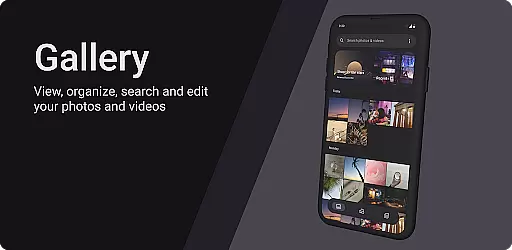
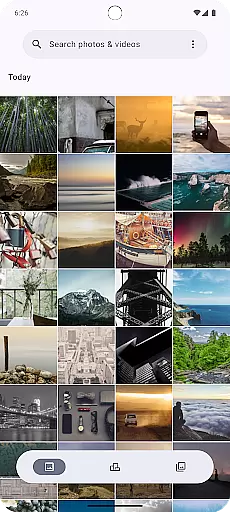
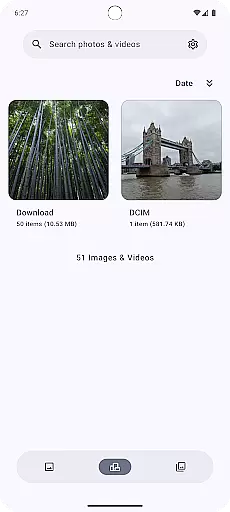

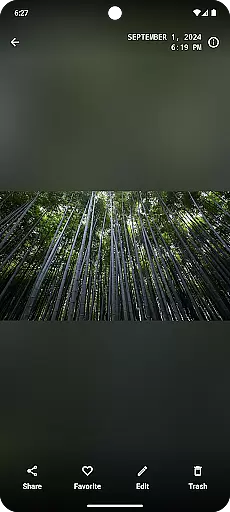
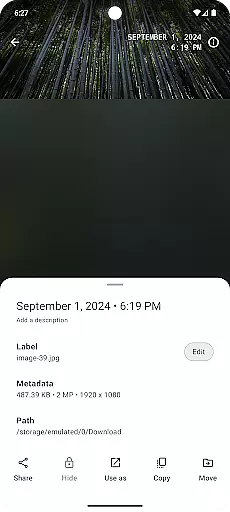
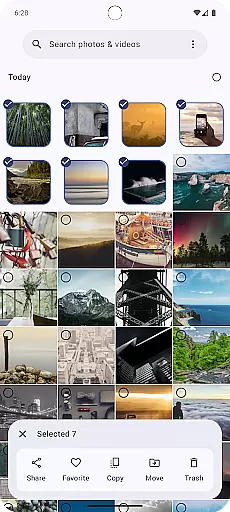
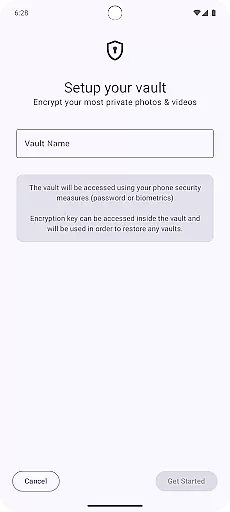
Gallery is a modern photography app designed for Android users who appreciate an intuitive and visually appealing interface. Built with Jetpack Compose, this app offers a seamless experience for managing and viewing your photo collections. The application supports various image formats and provides smooth navigation through albums and individual photos.
One of the standout features is its customizable gallery views, allowing users to adjust the layout and appearance according to their preferences. Whether you're looking to quickly browse through images or organize them into specific albums, Gallery ensures that your photos are always accessible and beautifully presented. This makes it an ideal choice for photography enthusiasts who want a sophisticated yet user-friendly way to manage their digital memories.
Gallery stands out with its advanced features tailored for photography enthusiasts. The app leverages Jetpack Compose to deliver a fluid and responsive user interface, ensuring quick access to your photo library. Users can enjoy high-quality image rendering and support for multiple file formats, making it versatile for different types of media.
Customization is at the heart of Gallery's feature set. You can personalize the appearance of your gallery, from grid sizes to themes, enhancing your viewing experience. Additionally, the app includes smart organization tools that automatically sort images based on dates or tags, helping you keep everything in order without manual effort. These capabilities make Gallery not just a tool for viewing photos but also a comprehensive solution for managing your entire collection efficiently.
Real-time capture and preview functionality is essential for any photography application as it allows users to frame their shots accurately. The Gallery app built with Jetpack Compose ensures that photographers can see exactly what the camera sensor is capturing without delays or lag.
This feature is implemented using advanced rendering techniques that minimize processing time between the camera hardware and the display. Users will experience a seamless transition from framing their shot to capturing the final image, ensuring they never miss an important moment due to technical limitations.
The benefit of real-time capture and preview extends beyond just speed; it also provides accuracy in composition and exposure adjustments. Photographers can fine-tune settings such as brightness, contrast, and focus directly within the live viewfinder, making sure every photo meets their creative vision before pressing the shutter button.
AI beauty and enhancement features have become increasingly popular among mobile photography enthusiasts who seek natural-looking improvements without compromising authenticity. In this aspect, Gallery leverages machine learning algorithms designed specifically for subtle yet effective photo enhancements.
These AI-driven tools analyze various elements within each photograph, including skin tones, lighting conditions, and facial features, applying enhancements that preserve original details while smoothing out imperfections. This approach avoids the artificial appearance often associated with heavy-handed filters or manual editing processes.
Users benefit from these intelligent enhancements by achieving professional-grade results effortlessly. Whether taking selfies or portraits, individuals can trust that their photos will look polished but genuine, enhancing personal memories rather than distorting them through excessive digital manipulation.
User-friendly interface
High-quality image rendering
Customizable gallery views
Smart organization tools
Supports multiple formats
Limited editing features
No cloud backup option
Occasional performance lags
Fewer filters compared to competitors
Requires significant storage space

Search, tag and rate your way to an organized image gallery
 4.40
4.40
A reflected light meter with spot metering and incident light metering.
4.40
Future baby face generator: AI kids generator, kid face! What my baby look like?
4.40
Easily view, share, delete photos with Gallery.
4.70
Transform Photos: Edit, Beautify and Craft Memories & Make Collages!
4.10
Enhance, upscale, and transform your images — on your device, without limits
4.70
Unlock the full potential of your DJI drone with Litchi
4.50
Welcome to ProShot, the most powerful camera app on Android.
4.20
Discover How to Plan any Sun, Moon and Milky Way Photo You Imagine in Seconds
4.70
Photo editor: AI filters, photo enhancer, pic collage maker, AI art generator.
4.80
Create collages easily! Nice pic collage maker & background eraser for Instagram
4.50
AI photo editor with hair editor, retouch tools, hair color changer & filters!
4.50
Transform photos into videos! Create realistic or anime-style images easily!
4.50
HD Camera Pro with HD Video shooting, Panorama, Photo editor , Beauty Camera.
4.50
Shooting photos and records video easily and efficient with professional Camera
4.30
Luminar: Photo Editor - easy picture editing with AI
4.20
AI-powered video creator by MiniMax - Where ideas meet cinema
4.20
How would you look like with a differently shaped nose, chin or lips?
3.90
Remote control the phone camera shutter from your smartwatch and take a picture
1.60


User Reviews