



PhotoPills is a comprehensive photography planning tool designed to unlock creative potential and turn imaginative scenes into reality. This app specializes in celestial photography, offering precise planning for Sun, Moon, and Milky Way shots. With features like 2D map-centric planning, augmented reality views, and detailed calculators, it caters to landscape and night sky photographers.
The app provides essential tools such as alignment finders, photo plan management, location scouting, and key astronomical information. These capabilities ensure users can effectively plan and execute their photographic ideas, making PhotoPills an indispensable assistant for capturing legendary images.
Whether you're shooting landscapes, weddings, or exploring the night sky, PhotoPills enhances your creative possibilities. The app's intuitive interface and powerful tools help photographers of all levels plan their shoots down to the last detail, ensuring every outing results in stunning, well-composed photographs.
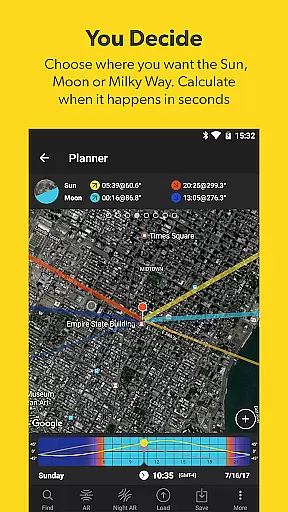
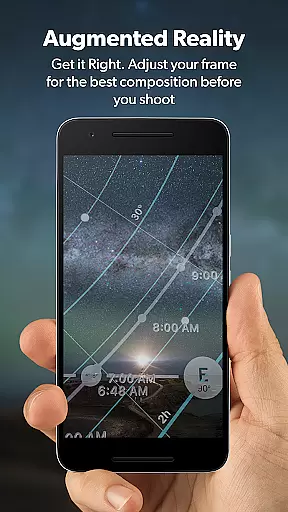
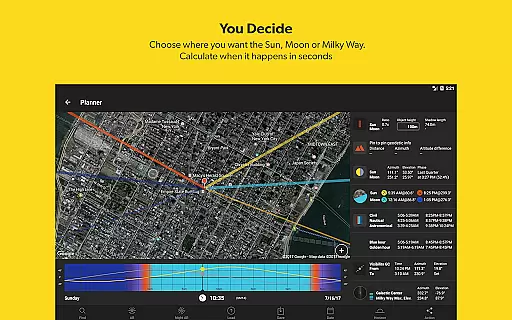
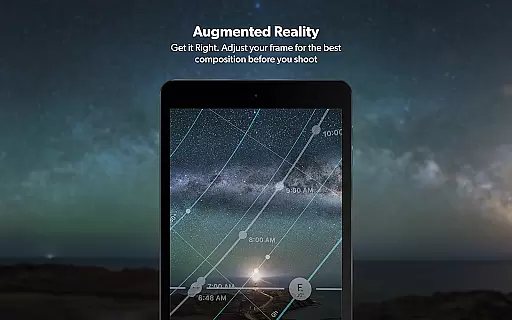
PhotoPills stands out with its robust set of features tailored for photographers. The app includes a unique 2D Map-Centric Planner for Sun, Moon, and Milky Way, allowing users to visualize and plan their shots with precision. Its Augmented Reality feature offers 3D views of celestial bodies, enhancing the planning process by simulating real-world conditions.
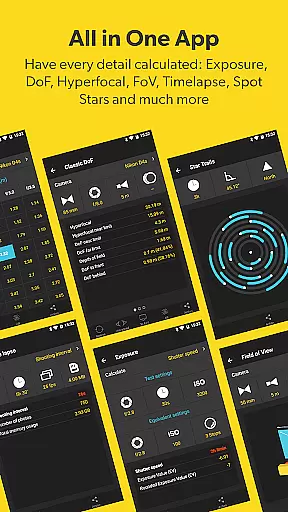
In addition to celestial planning, PhotoPills offers practical tools like Long Exposure and Timelapse Calculators, Depth of Field (DoF) and Field of View (FoV) calculators, and a comprehensive Moon Calendar. These instruments empower photographers to fine-tune their settings and capture perfect shots consistently.
Users benefit from the app's Widgets that provide quick access to daily Sun, Moon, and Milky Way information. The intuitive design ensures that both amateur and professional photographers can easily navigate and utilize these advanced features, making PhotoPills an essential tool for anyone serious about photography.
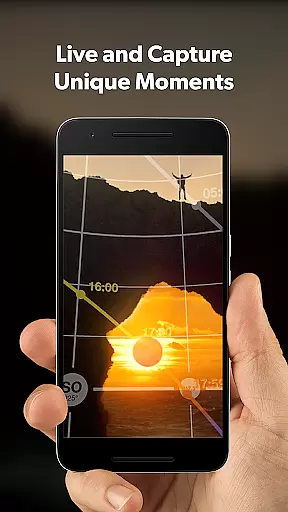
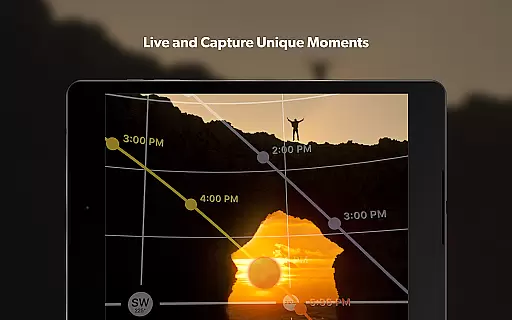
Real-time capture and preview functionality is essential for photographers who need precision in their work. PhotoPills offers this feature to ensure that every shot can be meticulously planned and executed.
This app provides augmented reality views, allowing users to visualize the exact position of celestial bodies like the Sun, Moon, and Milky Way within their frame before capturing the image. This ensures that the composition meets the photographer's expectations and allows for adjustments on the fly.
With real-time feedback, photographers can see how different lighting conditions and times of day affect their shots. This helps them choose the best moments to shoot, ensuring they never miss an unmissable scene again.
The ability to preview scenes with such accuracy not only saves time but also enhances creativity. Photographers can experiment with various scenarios and compositions, leading to more innovative and visually compelling photographs.
While PhotoPills does not focus on AI beauty enhancements typical in portrait photography apps, it excels in enhancing the natural beauty of landscapes and celestial events through precise planning and execution tools.
The appu2019s augmented reality features allow users to preview how natural elements such as the Sun, Moon, and Milky Way will appear in their photos. This ensures that the final images capture the true essence and natural beauty of these scenes without artificial enhancements.
PhotoPills provides detailed information on sunrise, sunset, moonrise, and moonset times, along with twilight periods and other celestial events. This data enables photographers to plan their shoots during optimal lighting conditions, naturally enhancing the visual appeal of their photos.
By focusing on natural beauty and offering tools that help photographers make the most of environmental conditions, PhotoPills ensures that each photograph tells a unique and authentic visual story.
User-friendly interface
Comprehensive planning tools
Augmented reality views
Detailed astronomical data
Endorsed by photography masters
High learning curve
Premium pricing
Device compatibility issues
Occasional bugs
Limited offline functionality

Photo Album Watch Face shows your favorite pictures as a Watchface.
 1.90
1.90
Long exposure camera with computational photography
2.60
How would you look like with a differently shaped nose, chin or lips?
3.90
Application for remote controlling DSLR
3.00
Gallery Slideshow is slideshow maker app for slideshow from your gallery photos.
3.90
Future baby face generator: AI kids generator, kid face! What my baby look like?
4.40
Your personal guide to the sun and moon. Plan ahead, visualize and predict!
4.70
Professional camera app that brings DSLR manual photography controls to Android.
4.20
Effortlessly make high-quality GIFs from images & videos without any watermarks.
4.70
See your baby AI baby face generator AI baby maker Face generator babymaker fun!
4.70
Automatically backup your photos and videos to computer, NAS and Cloud services
4.60
PhotoSync Bundle Add-On License. Enables all features and services in PhotoSync.
4.60
Create collages easily! Nice pic collage maker & background eraser for Instagram
4.50
Transform Photos: Edit, Beautify and Craft Memories & Make Collages!
4.10
USB Storage Access for Photos, Videos, Music and Documents
3.80
Perfect photos with body shaping, BG changer and object remover.
3.70
Pet Camera
3.70
Professional video recording application with manual controls for filmmakers!
2.80
Raw Image Viewer. Gallery with support of raw images (.cr3, .cr2, .nef, .raf).
2.00


User Reviews