
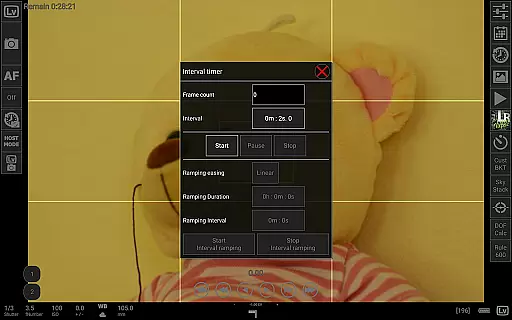
qDslrDashboard is a powerful photography application designed for DSLR camera enthusiasts who want to control their Nikon, Canon, or Sony cameras remotely. The app offers comprehensive features that allow users to manage multiple cameras simultaneously, making it ideal for professional photographers and hobbyists alike. With support for USB OTG adapters and wireless connections, the app provides flexibility in how you connect and interact with your devices.
The application's standout feature is its ability to facilitate synchronized capture across multiple cameras, which is particularly useful for creating 3D images or capturing action shots from different angles. Additionally, qDslrDashboard supports advanced functionalities such as live view with histogram display, manual focus adjustment, and time-lapse photography with customizable settings. These capabilities ensure that users can achieve precise control over their photography sessions while enjoying the convenience of remote operation.
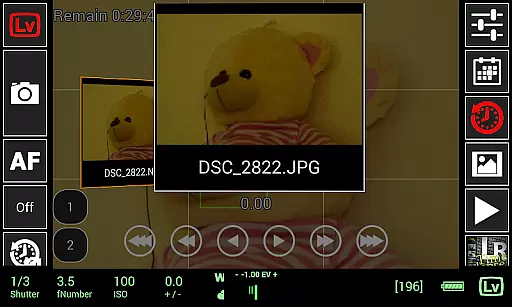
Whether you're shooting in a studio or outdoors, qDslrDashboard enhances your workflow by enabling seamless image transfer and preview directly on your Android device. This functionality not only saves time but also allows for immediate review and adjustment of shots, ultimately improving the quality of your work.
qDslrDashboard stands out in the photography category due to its extensive range of features tailored for DSLR camera control. One of its primary advantages is the support for multiple camera brands, including Nikon, Canon, and Sony, allowing users to standardize their workflow regardless of the equipment they own. The app facilitates both USB and wireless connections, providing versatility in setup options depending on the user's preference and environment.
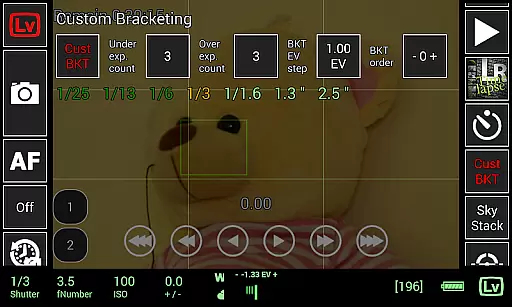
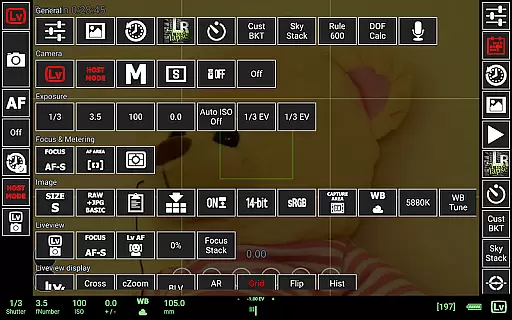
A key feature of qDslrDashboard is its ability to perform synchronized captures across several cameras. This is invaluable for projects requiring multi-angle shots or 3D imaging. Moreover, the app includes advanced tools like live view with histogram analysis, manual focus adjustments during live view, and custom bracketing options. These features empower photographers to fine-tune their shots with precision and ease.
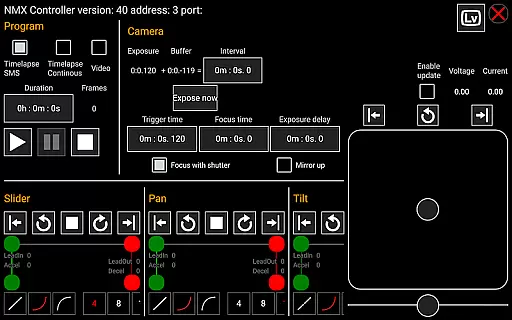
In addition to its core functionalities, qDslrDashboard offers specialized tools such as time-lapse photography with detailed control files, sound-initiated capture with spectral display, and integration with motion controllers like Dynamic Perception NMX. Such innovations not only expand creative possibilities but also streamline complex photographic techniques, making them accessible to a broader audience.
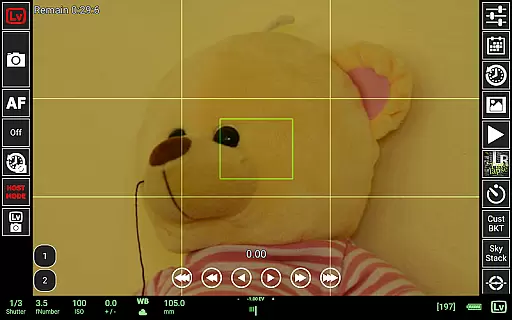
Real-time capture and preview functionality is essential for photographers who need precise control over their shots. qDslrDashboard offers a comprehensive solution that allows users to connect their Nikon, Canon DSLR, or Sony mirrorless camera via USB OTG adapter or wireless network.
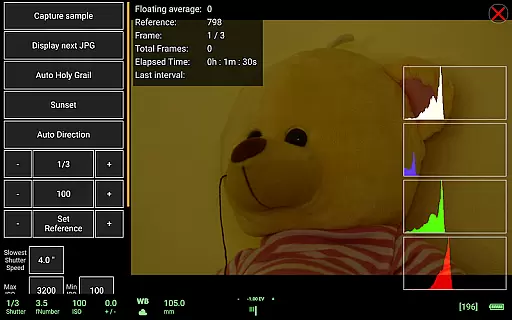
The application enables live view with histogram display, providing real-time feedback on exposure and composition. This feature ensures that photographers can make informed decisions before capturing each shot, thus improving overall image quality.
Additionally, qDslrDashboard supports synchronized capture across multiple cameras, which is particularly useful for creating 3D images or capturing fast-moving subjects from different angles simultaneously. The ability to transfer images directly to an Android device enhances workflow efficiency.
With manual focus movement available during live view, users have greater flexibility in achieving sharp focus. These capabilities collectively enhance the photography experience by offering professional-grade tools accessible through a mobile interface.
While primarily focused on professional photography features, qDslrDashboard also incorporates elements of AI beauty and enhancement naturalness. Although not its main selling point, the app's advanced processing capabilities allow for subtle improvements in image quality without compromising authenticity.
The application provides RAW and JPG preview options, enabling photographers to assess images with minimal processing. This approach maintains the natural look of photographs while still benefiting from enhancements such as noise reduction and color correction.
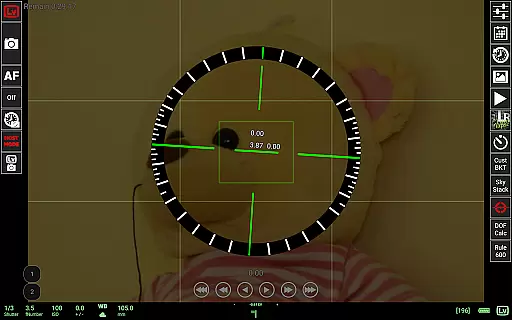
qDslrDashboard's DoF calculator and Rule600 calculator contribute to more accurate image capture, ensuring that enhancements are based on solid technical foundations rather than artificial modifications. These tools help maintain the balance between enhancement and natural appearance.
Furthermore, the app's support for custom profiles allows users to define their preferred level of enhancement, ensuring that post-processing remains true to the original scene. This customization capability empowers photographers to achieve results that align with their artistic vision while preserving the authenticity of their work.
User-friendly interface
Wide camera compatibility
Advanced synchronization options
Comprehensive live view tools
Flexible connectivity choices
Requires additional hardware
Steep learning curve
Limited smartphone compatibility
High battery consumption
Occasional connection issues

Photo editor: face & body editor, beauty cam, filters and quality enhancer.
 4.00
4.00
Add Watermark - Sign your pictures with a text or logo. Effective, quick, easy!
4.50
[3DSteroid Pro] is a stereoscopic application for Android.
4.30
AI photo editor with hair editor, retouch tools, hair color changer & filters!
4.50
Over 800 film simulation recipes for Fujifilm. Black Friday Offer!
4.3
Turn your phone into a professional camera - full DSLR manual photography
4.30
Enhance, retouch & create your story - Share the moment with Photoshop Express.
4.60
The original Rarevision VHS look seen everywhere!
4.70
Enhance, upscale, and transform your images — on your device, without limits
4.70
Photo editor: AI filters, photo enhancer, pic collage maker, AI art generator.
4.80
Movie camera, supports pro recording settings for filming. Try it and be amazed!
4.50
Future baby face generator: AI kids generator, kid face! What my baby look like?
4.40
Virtual makeup, hair filters & body tuner—edit from face to full body!
4.20
Professional camera app that brings DSLR manual photography controls to Android.
4.20
Professional quality photo edits with the new Snapseed.
4.00
Perfect photos with body shaping, BG changer and object remover.
3.70
Superimpose one photo on top of another using the original Superimpose app!
3.20
Remote control the phone camera shutter from your smartwatch and take a picture
1.60
Add a dreamy vibe to your selfies and videos with soft style filters
4.0


User Reviews