


Camera Remote Watch is a smart photography tool that allows users to remotely control their phone's camera shutter directly from a smartwatch. This innovative app enables hands-free picture taking, making it perfect for group photos, selfies, or capturing moments discreetly. The app works seamlessly with Wear OS smartwatches and stores the captured images in the phone's gallery while also providing a preview on the watch itself.
The app offers an intuitive setup process where users can adjust the camera view on their phone before triggering the shutter from the watch. With its ability to work across different devices and store images automatically, Camera Remote Watch provides a convenient solution for photographers who want more control over their photo-taking experience without needing to physically interact with their phones.
One of the standout features of Camera Remote Watch is its ability to trigger the camera shutter on your phone directly from your smartwatch. This functionality eliminates the need to touch your phone, reducing the risk of shaky photos. Additionally, the app provides a preview of the captured image on the smartwatch screen, allowing users to quickly assess if another shot is needed.
The app supports both Android devices and Wear OS smartwatches, ensuring broad compatibility. It also includes helpful resources such as instructional videos and FAQs available on the official website. These resources guide users through setup and troubleshooting, enhancing the overall user experience. Furthermore, the app ensures that all photos are automatically saved to the phone's gallery, providing easy access for future editing or sharing.
Real-time capture and preview functionality is essential for ensuring that users can take photos with precision and confidence. Camera Remote Watch offers this by enabling users to remotely control their phone's camera from a smartwatch, allowing them to frame the perfect shot without needing to touch their phone.
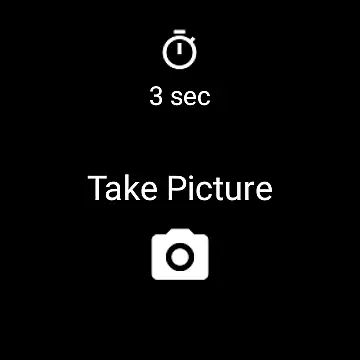
This app provides an intuitive interface on the smartwatch, where users simply tap the Camera button to trigger the camera shutter on their phone. The photo is then immediately stored in the phone's gallery, while a copy is displayed on the watch for instant review. This immediate feedback loop allows users to quickly assess if another picture is needed.
The ability to see the captured image right after taking it ensures that users can make real-time adjustments to their setup or framing. This feature is particularly useful in scenarios where the phone is placed in hard-to-reach locations or when using tripods and other stabilizing equipment.
By offering real-time capture and preview, Camera Remote Watch enhances the photography experience, making it more convenient and efficient. Users can enjoy seamless interaction between their devices, ensuring they never miss a moment due to fumbling with their phone.
AI beauty and enhancement features are becoming increasingly popular among photography apps, aiming to provide users with natural-looking enhancements. While Camera Remote Watch does not explicitly market itself as an AI-powered beautification tool, its functionality inherently supports achieving natural results through careful composition and instant feedback.
Users benefit from the app's capability to show a copy of the photo on the smartwatch immediately after capture. This allows them to evaluate the naturalness of the shot, including lighting, angles, and overall composition, before applying any additional edits or enhancements. Such instant previews help maintain authenticity in photographs.
Although the app doesn't directly apply AI-based filters or effects, the process of reviewing images on the watch encourages users to focus on genuine moments rather than over-processed shots. This approach aligns with the growing preference for natural aesthetics in photography.
Camera Remote Watch thus empowers users to capture authentic, high-quality images without relying heavily on post-processing. By facilitating thoughtful composition and providing instant feedback, it ensures that each photograph reflects the true essence of the moment captured.
User-friendly interface
Hands-free operation
Wide device compatibility
Instant photo preview
Convenient remote control
Requires stable connection
Slow photo download
Limited unsupported devices
Watch display issues
Dependent on phone gallery

Easily stitch panoramas from multiple photos or video.
 4.40
4.40
1M influencer's special filter
4.60
Viewfinder, Light meter, Reciprocity failure time, DOF & Bellows Extension
4.60
The #1 app for B&W film developing featuring an advanced darkroom timer.
4.10
USB Storage Access for Photos, Videos, Music and Documents
3.80
Professional photography on your mobile phone
4.20
Collage your moments in one tap: 1000+ layouts, filters, stickers, and texts.
4.90
Pro version: AR sun/moon tracker for any date. Tool for photographers & planners
4.90
Effortlessly make high-quality GIFs from images & videos without any watermarks.
4.70
Find time and duration of different sunlight phases at any location
4.90
Photo editor: AI filters, photo enhancer, pic collage maker, AI art generator.
4.80
Easily view, share, delete photos with Gallery.
4.70
Automatically backup your photos and videos to computer, NAS and Cloud services
4.60
Enhance, retouch & create your story - Share the moment with Photoshop Express.
4.60
Safe & smart flight with Go Fly drone controller for 40+ drone camera, zone map
4.50
What celebrity do you look like? Celebs will find your celebrity match!
4.10
Create amazing frames with up to five photos. Rounded corners, effects and more!
3.60
Professional video recording application with manual controls for filmmakers!
2.80
Photo Album Watch Face shows your favorite pictures as a Watchface.
1.90


User Reviews