
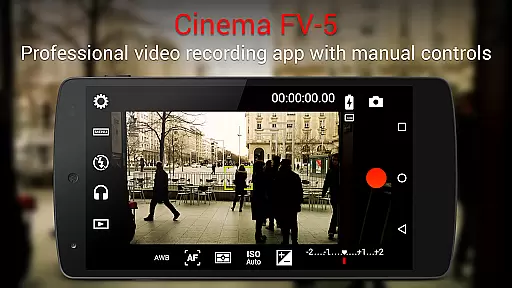
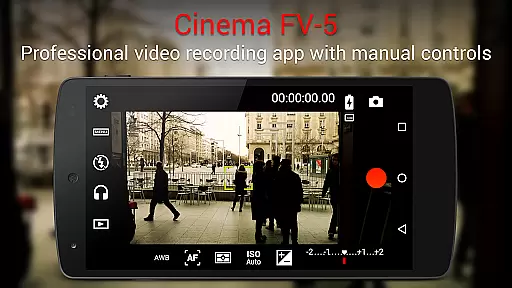
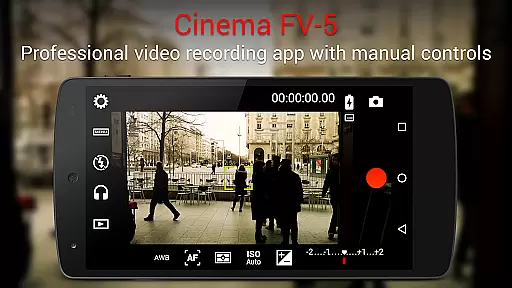
Cinema FV-5 stands as a professional-grade video camera application tailored for mobile devices, offering users extensive manual controls right at their fingertips. Designed with both enthusiast and professional videographers in mind, this app enables the capture of high-quality footage through top-tier controls, ideal for postproduction perfection. Whether you're shooting a short film or capturing footage for a documentary, Cinema FV-5 empowers creators to push the boundaries of their creativity.
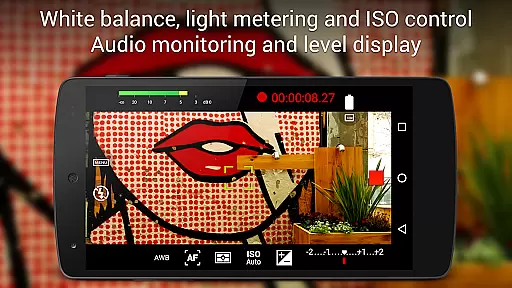
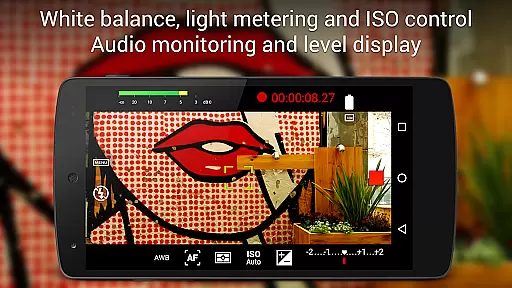
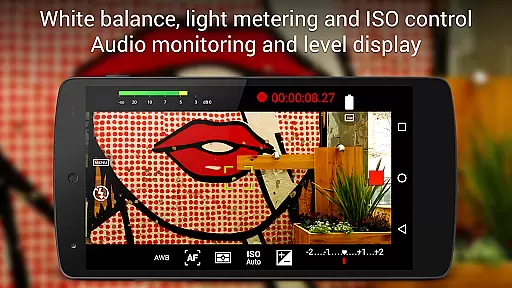
Among its standout features is the ability to adjust critical image sensor parameters such as exposure compensation, ISO, light metering modes, focus settings, and white balance. This flexibility extends into the recording process, allowing videographers to modify these settings on-the-fly, ensuring optimal footage quality under varying conditions. Additionally, the app supports advanced functionalities like 4K UHD video recording and professional sound metering, making it an indispensable tool for filmmakers seeking precision and control.
The app's professional viewfinder and electronic RGB/luminance histogram provide real-time feedback, enhancing the filming experience. With support for various audio input sources and customizable video/audio codec options, Cinema FV-5 caters to a wide range of production needs. Its compatibility with Android-based compact cameras further expands its utility, enabling users to leverage high-quality optics. Ideal for short to medium-sized productions, this app ensures that your creative vision is realized with every shoot.
Cinema FV-5 distinguishes itself through a comprehensive suite of features designed to meet the demands of professional videography. At its core, the app provides unparalleled control over camera settings, including exposure compensation, ISO sensitivity, and white balance adjustments. These controls are not only accessible before recording but can be fine-tuned during the recording process, granting videographers the flexibility to adapt to changing lighting conditions without interrupting their shoot.
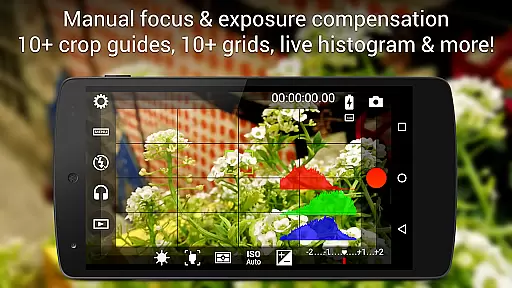
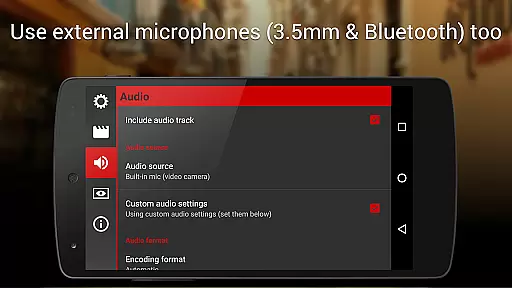
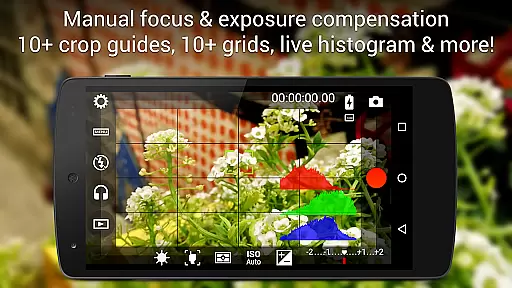
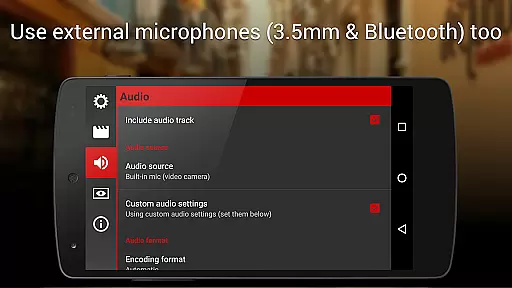
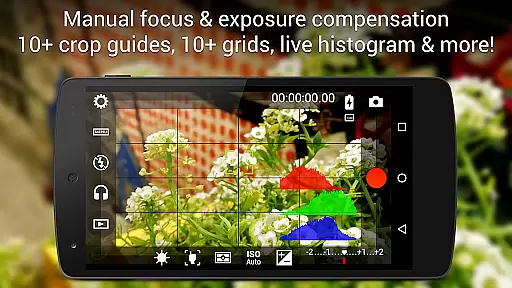
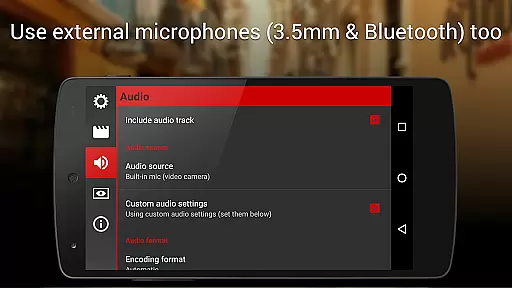
Beyond basic camera controls, Cinema FV-5 offers advanced functionalities such as focus adjustments during recording, professional viewfinder tools, and live RGB/luminance histograms. The inclusion of 10+ compositing grids and crop guides, alongside safe area displays, ensures precise composition and framing. Furthermore, the app supports professional sound metering, displaying audio peaks and clipping warnings, which is crucial for maintaining audio quality. Users can choose from various audio input sources, including built-in microphones, external wired microphones, or wireless Bluetooth headsets, catering to diverse audio capture scenarios.
Additional features include assignable camera functions to volume keys, video geotagging, and multiple focus modes. The app's support for 4K UHD video recording on compatible devices elevates the quality of footage captured, while powerful video clip organization options allow for efficient media management. By supporting Android-based compact cameras, Cinema FV-5 extends its capabilities to include optically stabilized zooms, enhancing the versatility of mobile filmmaking. These robust features collectively position Cinema FV-5 as a premier choice for videographers aiming to achieve cinematic excellence on mobile platforms.
Cinema FV-5 excels in real-time capture and preview capabilities, offering videographers precise control over their footage. The application provides professional manual controls that allow users to adjust image sensor parameters such as ISO, exposure compensation, and white balance even during recording. This ensures that the captured video accurately reflects the creator's vision without any post-production adjustments.
The app features an advanced electronic viewfinder with live RGB and luminance histograms available during recording. This functionality enables users to monitor exposure levels and make necessary adjustments on-the-fly, ensuring optimal image quality. Additionally, professional sound metering options display audio peaks and sound clipping warnings, allowing for perfect audio synchronization with the visual content.
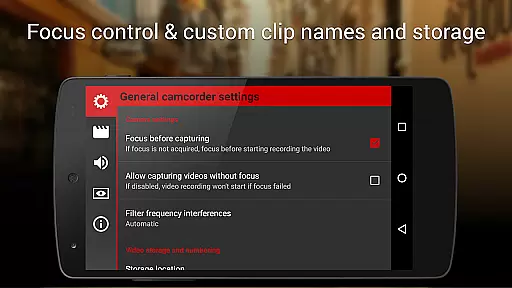
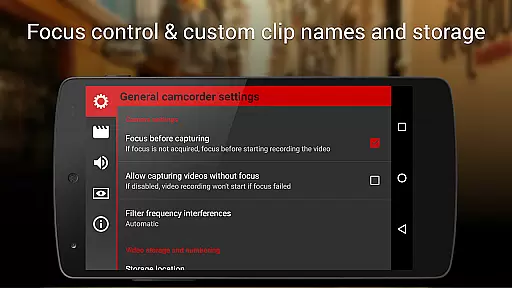
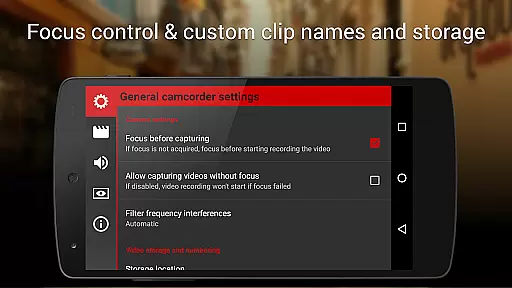
With support for various focus modes including autofocus, macro, touch focus, and infinity focus, Cinema FV-5 ensures that subjects remain sharp and clear throughout the recording process. The ability to lock focus before recording and change focus planes while recording adds another layer of creative control for filmmakers seeking cinematic effects.
While primarily focused on professional-grade video capture, Cinema FV-5 also incorporates features that enhance the natural beauty of the footage without relying on artificial enhancements. The application's sophisticated manual controls enable videographers to achieve stunning results by fine-tuning camera settings rather than applying automated filters or effects. This approach preserves the authenticity of the scene while still delivering visually striking images.
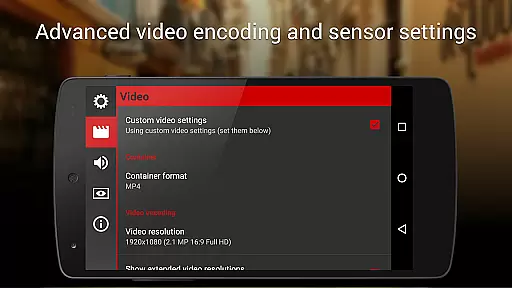
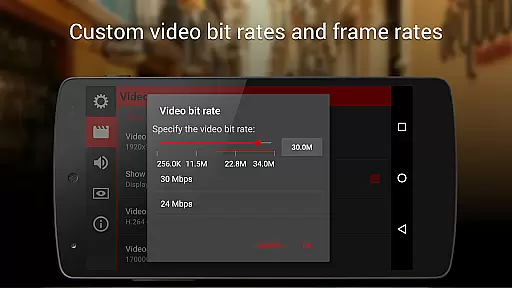
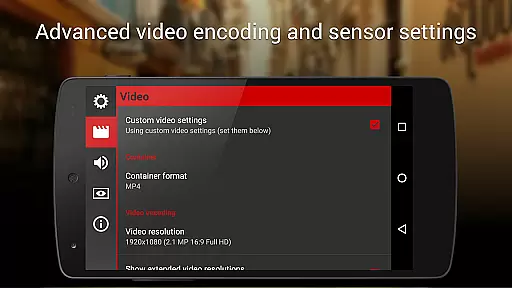
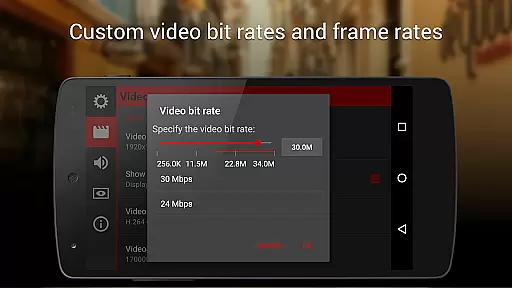
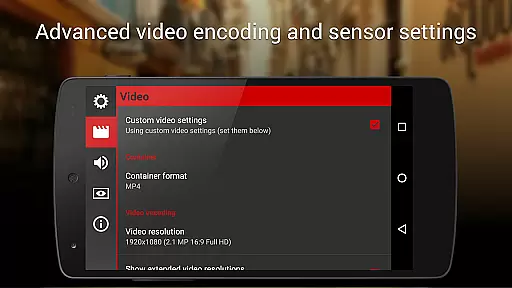
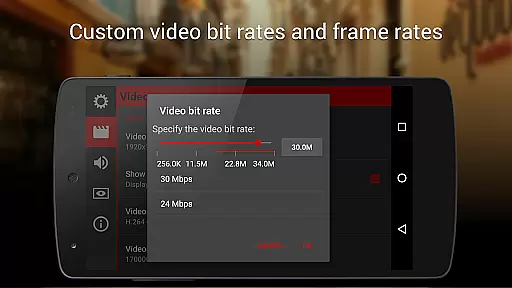
The app supports recording in 4K UHD resolution on compatible devices, capturing every detail with remarkable clarity. By utilizing high-quality sensors and providing extensive customization options for video and audio codecs, bitrates, and sampling rates, Cinema FV-5 ensures that the final product maintains its natural integrity without compromising on technical excellence.
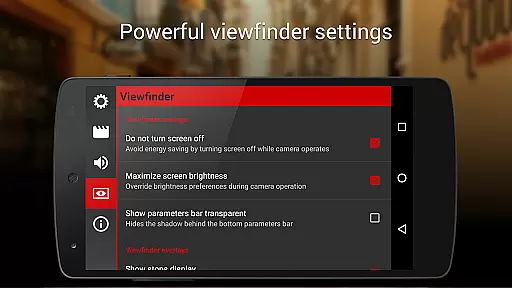
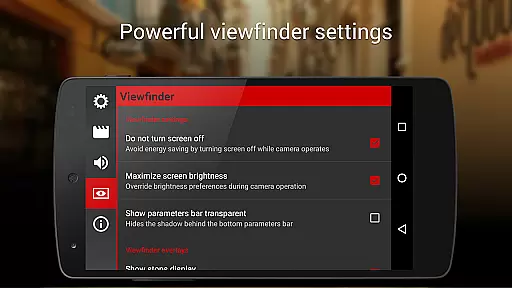
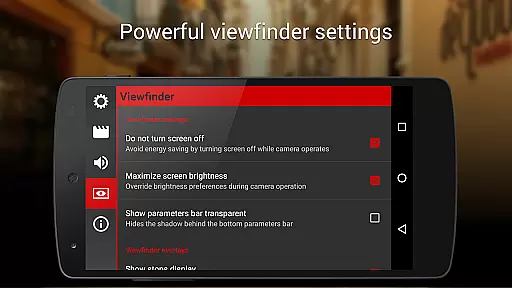
Furthermore, the inclusion of professional viewfinder tools such as compositing grids, crop guides, and safe area displays empowers users to compose shots that naturally enhance the subject matter. These features work together to create visually appealing footage that remains true to the original scene, demonstrating how technological sophistication can coexist with artistic authenticity.
Professional manual controls
Real-time parameter adjustments
Advanced viewfinder tools
4K UHD video support
Customizable file naming
Complex for beginners
High battery consumption
Limited device compatibility
No built-in editor
Premium price point

Photo Album Watch Face shows your favorite pictures as a Watchface.
 1.90
1.90
Android Native system HD camera app. Never been so simple and faster.
4.70
Photo prints, cards, & gifts at Walgreens. Easy ordering & fast local pickup !
4.80
Turn your phone into a professional camera - full DSLR manual photography
4.30
Photo Exif Editor allows to view, add and modify EXIF data of multiple photos
4.50
AI photo enhancer with Sora 2! Enhance, descratch, and colorize your old photos.
4.50
Professional quality photo edits with the new Snapseed.
4.00
PhotoSync Bundle Add-On License. Enables all features and services in PhotoSync.
4.60
Your Family Calendar + Photos. Manage your Skylight Calendar and Skylight Frame.
4.40
AI Photo Editor with 100+ Filters, Effects! Remove BG, Retouch & Photo Enhancer.
4.80
Viewfinder, Light meter, Reciprocity failure time, DOF & Bellows Extension
4.60
Take videos and pictures with the popular TikTok TIME WARP SCAN filter.
4.60
Unblur, enhance & restore photos with powerful AI photo enhancer tools.
4.60
Photo editor & gallery. Crop pictures & edit photos offline, no wifi!
4.50
Easily stitch panoramas from multiple photos or video.
4.40
Future baby face generator: AI kids generator, kid face! What my baby look like?
4.40
Natural Beauty, Selfie Retouch
4.30
How old age camera Gender Swap App Face Shape Hairstyle App Hair Styler App fun!
4.00
GCamera allows all GCam features on all phone models! Better photos with GCamera
3.30


User Reviews