
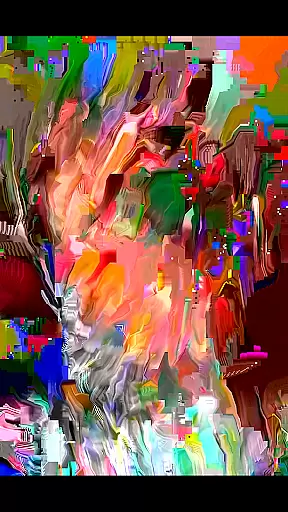
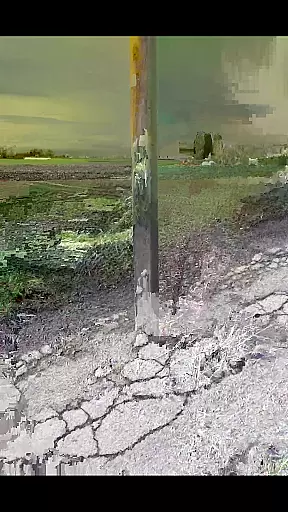
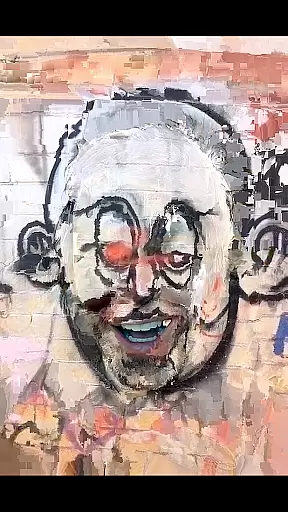
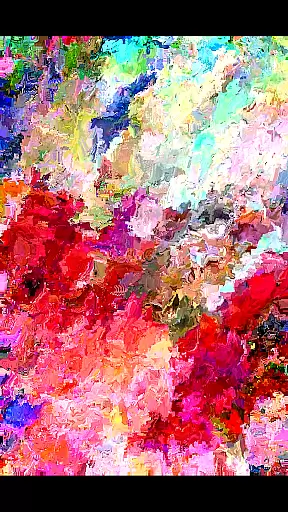
MoshUp is an innovative photography app that allows users to perform live datamoshing directly on their mobile devices. The core functionality lies in its ability to transform the first video recording using the motion data from a second recording, creating unique mapping effects. This creative tool is particularly well-suited for artists and videographers looking to experiment with visual effects.
The app's standout feature is its frame-holding capability, which enables users to repeat the last frame of their recording simply by holding the screen. Additionally, MoshUp now supports importing videos from the device gallery, expanding its creative possibilities. While still in development, this app offers a glimpse into the future of mobile video manipulation tools.
For content creators seeking to push the boundaries of traditional video editing, MoshUp provides an accessible platform to explore experimental visual techniques right from their phone. The app's potential applications range from music video production to artistic experimentation in digital media projects.
MoshUp distinguishes itself through several remarkable features that cater to creative professionals. The primary capability is its real-time datamoshing engine, which analyzes motion patterns from subsequent recordings to transform existing footage. This feature opens up new possibilities for creating dynamic visual effects without requiring complex desktop software.
Another notable aspect is the touch-based frame repetition system. By simply holding the screen, users can create dramatic still frames within their moving images, adding another layer of creative control. The recently added video import function expands the app's versatility, allowing users to work with pre-existing footage from their device's gallery.
The app's value proposition lies in its accessibility - bringing advanced video manipulation techniques to mobile devices. While performance may vary across different phone models due to its developmental stage, the app demonstrates significant potential for professional and amateur videographers seeking to incorporate glitch art aesthetics into their work.
Real-time capture and preview functionality is essential for photography apps like MoshUp. This feature allows users to see the effects of their actions immediately as they film or edit.
MoshUp enables live datamoshing on your phone, transforming your first recording based on the motion detected in the second one. The app provides instant feedback by altering visuals according to movement, which is displayed in real time on your screen.
The benefit for users is the ability to create unique mapping effects with immediate visual confirmation. This interactive process enhances creativity and control, ensuring that the desired artistic outcome is achieved without delay.
By offering a seamless experience between capturing and viewing changes, MoshUp empowers users to experiment freely with confidence, knowing exactly how each motion will alter their video content.
While MoshUp does not focus on traditional AI beauty enhancements, it offers creative tools that allow for innovative video effects. These tools are designed to add an artistic touch rather than conventional beautification.
The app's latest version supports importing videos from your gallery, expanding its enhancement capabilities beyond live recordings. Although it doesn't use AI for beautification, the transformation effects are sophisticated enough to produce visually striking results.
Users gain the advantage of producing professional-looking, abstract visuals without needing advanced editing skills. The natural integration of motion-based effects ensures that even though the outcomes might be unconventional, they maintain a certain aesthetic appeal.
This approach to enhancement emphasizes originality and expression over standard beauty filters, setting MoshUp apart in the realm of photography applications.
User-friendly interface
Real-time effects processing
Creative frame hold feature
Gallery import functionality
Unique visual style options
Limited device compatibility
Developmental stability issues
Restricted effect customization
Performance inconsistencies
Basic editing tools

Find time and duration of different sunlight phases at any location
 4.90
4.90
AI photo editor with hair editor, retouch tools, hair color changer & filters!
4.50
Create AI photos & videos with Enhancer; restore, fix, beautify, enhance photos
4.50
Future baby face generator: AI kids generator, kid face! What my baby look like?
4.40
Enhance, retouch & create your story - Share the moment with Photoshop Express.
4.60
Fit multiple photos on one post. Create carousels & scroll layouts for Instagram
4.50
The original Rarevision VHS look seen everywhere!
4.70
Discover & download millions of art for The Frame TV or Hisense CanvasTV
4.60
Welcome to ProShot, the most powerful camera app on Android.
4.20
Photo prints, cards, & gifts at Walgreens. Easy ordering & fast local pickup !
4.80
Cartoon and artistic effects for your photos and videos
4.70
Take videos and pictures with the popular TikTok TIME WARP SCAN filter.
4.60
Movie camera, supports pro recording settings for filming. Try it and be amazed!
4.50
Create AI Photos, Improve and restore quality of blurry, old or damaged pics.
4.20
Professional camera app that brings DSLR manual photography controls to Android.
4.20
Create & Edit with AI: AI Remove, Enhance, Retouch, Filter
4.10
Turn photos into cartoons & avatars! - Photo Editor, Cartoon Face!
3.90
Application for remote controlling DSLR
3.00
Snap photos remotely using your Garmin watch as the camera trigger
4.2


User Reviews