
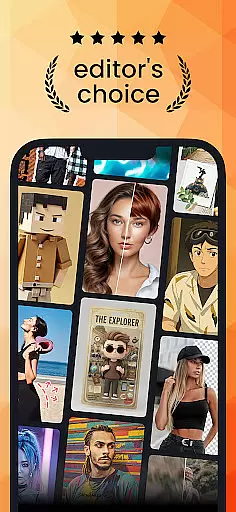
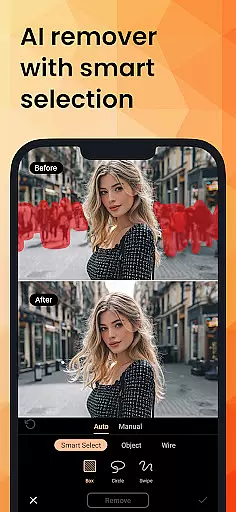
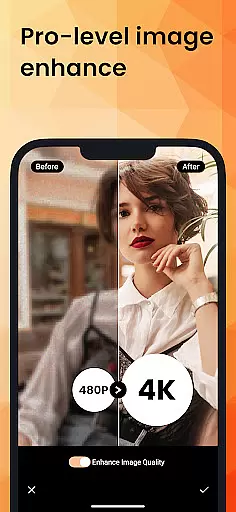
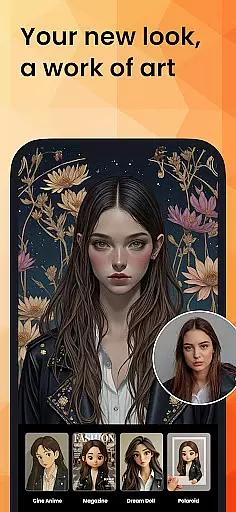
PhotoDirector is an intuitive AI-powered photo editor that empowers users to create and enhance stunning images effortlessly. With hundreds of styles, effects, templates, and tools at your disposal, this app transforms your photography experience. Whether you're a beginner or a professional, PhotoDirector offers groundbreaking features like AI Removal, AI Expand, and AI Hairstyle, enabling limitless creativity.
The app's standout capabilities include Image to Video, which brings portraits to life, and AI Art, allowing users to turn images into well-known characters or artistic styles. Additionally, the app provides powerful editing tools such as AI Replace, AI Background, and AI Enhance, ensuring every photo reaches its full potential. With PhotoDirector, users can explore advanced features while enjoying a seamless editing process.
For those seeking premium content, PhotoDirector offers unlimited access to high-quality stickers, filters, and effects, along with Ultra HD 4K resolution saving options. This app is perfect for photographers who want to elevate their work with innovative AI technology and professional-grade tools.
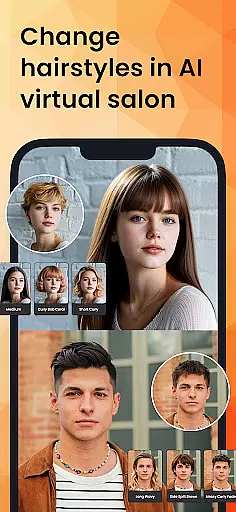
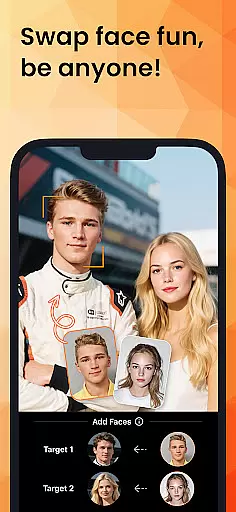
PhotoDirector stands out with its diverse range of AI-powered features designed to simplify complex editing tasks. The app includes AI Art, which transforms photos into various artistic styles such as sketches, cartoons, or Japanese animations. Users can also experiment with AI Face Swap and AI Hairstyle, offering endless customization possibilities in a virtual salon setting.
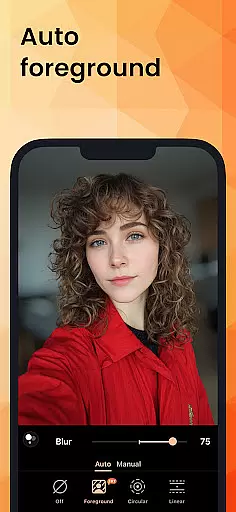
Editing precision is enhanced through tools like AI Removal, which detects and erases unwanted objects automatically, and AI Expand, allowing users to change aspect ratios seamlessly. The AI Background feature enables smart cutouts, replacing plain backgrounds with visually appealing alternatives. Additionally, AI Enhance repairs low-resolution images, eliminating blur and restoring clarity.
For quick edits, the Quick Action tool provides one-tap enhancements, while the Collage feature helps organize holiday memories creatively. With thousands of stickers, text styles, frames, and effects, PhotoDirector ensures every project is unique. Premium users enjoy uninterrupted access to all features, delivering a distraction-free editing experience.
Real-time capture and preview functionality is essential for any photography app as it allows users to see exactly what their photo will look like before taking the shot. PhotoDirector offers an intuitive AI-powered interface that enhances this experience by providing live previews of effects, styles, and enhancements.
The application leverages advanced AI features such as AI Art, AI Hairstyle, and AI Outfit, which can be previewed in real time, allowing users to transform their images into artwork or try out different looks without committing to any changes. This instant feedback empowers users to make creative decisions swiftly and effectively.
With real-time filters and effects, users can visualize hundreds of styles and templates on their photos instantly. This feature not only saves time but also significantly boosts the creative process by enabling photographers to experiment with various aesthetics and choose the best one that suits their vision.
Ultimately, the real-time capture and preview capabilities of PhotoDirector ensure that users can fully express their creativity without any guesswork, resulting in stunning and well-thought-out images every time they use the app.
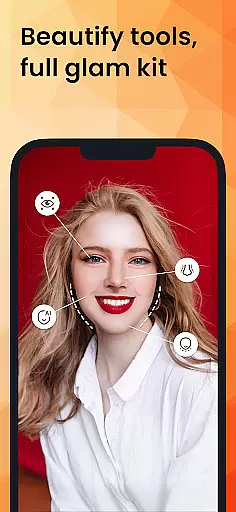
AI Beauty and Enhancement features are crucial for elevating the quality of photos, ensuring that images look polished yet natural. PhotoDirector stands out by offering a suite of AI tools designed to enhance portraits while maintaining authenticity.
One of the standout features is AI Face Swap and AI Hairstyle, which allow users to experiment with different looks seamlessly. These tools are engineered to provide realistic results, avoiding the uncanny valley effect often associated with digital alterations. Users can explore new hairstyles or even swap faces with celebrities, all while retaining a lifelike appearance.
In addition to facial and hairstyle transformations, PhotoDirector includes AI Enhance, which automatically repairs low-resolution pictures and removes blur. This ensures that every photo, regardless of its original quality, can be elevated to professional standards without losing its natural essence.
By focusing on natural enhancement, PhotoDirector enables users to produce high-quality, aesthetically pleasing images that still reflect genuine human characteristics, thus preserving the authenticity and emotional impact of their photographs.
User-friendly interface
Advanced AI tools
Versatile editing options
Premium content available
High-resolution output
Some features require subscription
Occasional performance lags
Learning curve for beginners
Limited free content
Heavy app size

All-in-One Editor & AI Photo Enhancer, Collage, Cartoonify, Funny Stickers & BGS
 4.10
4.10
Over 800 film simulation recipes for Fujifilm. Black Friday Offer!
4.3
Cartoon and artistic effects for your photos and videos
4.70
Light-weight Media Gallery app for Android made with Jetpack Compose
4.60
Photo Exif Editor allows to view, add and modify EXIF data of multiple photos
4.50
Create AI photos & videos with Enhancer; restore, fix, beautify, enhance photos
4.50
Easily view, share, delete photos with Gallery.
4.70
Turn photos into cartoons & avatars! - Photo Editor, Cartoon Face!
3.90
live datamoshing
4.00
Create funny photos and videos with the popular Time Warp Scan filter.
4.90
Perfect body tune & face app - photo retouch, makeup, slim body & beautify face.
4.80
Automatically backup your photos and videos to computer, NAS and Cloud services
4.60
PhotoSync Bundle Add-On License. Enables all features and services in PhotoSync.
4.60
Safe & smart flight with Go Fly drone controller for 40+ drone camera, zone map
4.50
HD Camera Pro with HD Video shooting, Panorama, Photo editor , Beauty Camera.
4.50
A reflected light meter with spot metering and incident light metering.
4.40
Luminar: Photo Editor - easy picture editing with AI
4.20
Professional video recording application with manual controls for filmmakers!
2.80
Add a dreamy vibe to your selfies and videos with soft style filters
4.2


User Reviews