
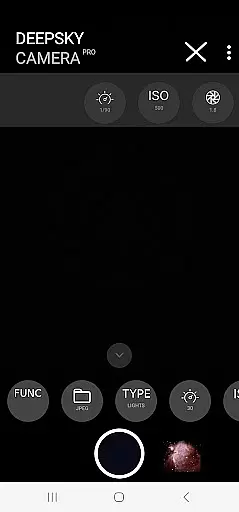
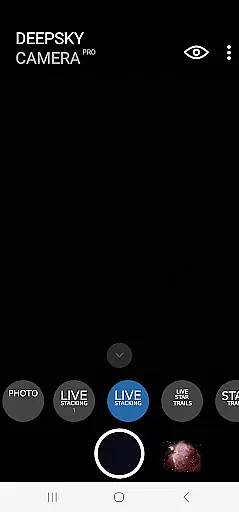
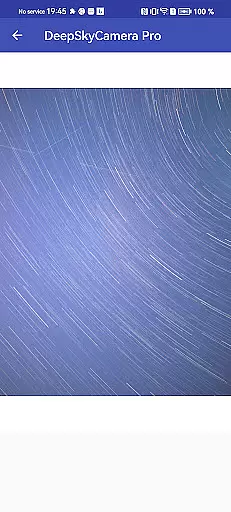
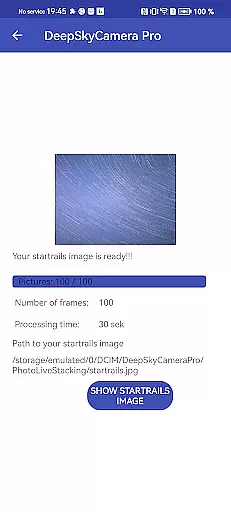
DeepSkyCamera Pro is an advanced astrophotography app designed for smartphone users who want to capture stunning images of the night sky. The app offers a range of powerful features including photo live stacking in both RAW and JPEG formats, viewfinder live stacking with extended shutter speeds, and the ability to create animated star trails and timelapse videos in MP4 format.
This app is particularly suited for experienced astronomers and astrophotographers who are familiar with concepts like RAW files and image stacking. It provides essential tools for capturing long-exposure images, similar to those taken with DSLR or CCD/CMOS cameras, while also offering specialized functionalities such as tracked and untracked image stacking. These features make it possible to produce high-quality images of celestial objects when used with proper equipment like telescopes.
DeepSkyCamera Pro requires Android 6 or higher but performs best on devices with Android 8 or newer, at least 8GB of RAM, and 128GB of storage. While it can operate on devices with lower specifications, having more resources ensures smoother performance during memory-intensive operations like RAW photo stacking. Users should also be prepared to do post-processing work to fully realize the potential of their captured images.
DeepSkyCamera Pro stands out due to its comprehensive set of features tailored specifically for astrophotography enthusiasts. One of its key capabilities is photo live stacking, which works with both tracked and untracked images. This means you can use it with a telescope mount or simply on a tripod, allowing flexibility depending on your setup. During live stacking, the app analyzes and aligns images before stacking them, saving results in TIFF for RAW photos and JPEG for standard ones.
The app also addresses common limitations in smartphone astrophotography by providing a viewfinder live stacking function that supports shutter speeds up to 10 seconds—far beyond the typical 1-second limit. This feature helps capture faint celestial objects more effectively when attached to a telescope. Additionally, DeepSkyCamera Pro allows users to create visually striking animated star trails and timelapse videos using codecs like AVC and HEVC.
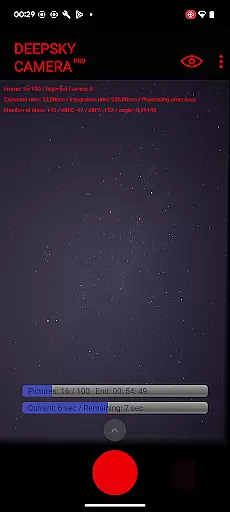
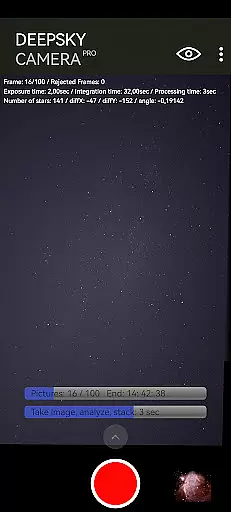
For those interested in technical details, the app displays crucial information during photo live stacking sessions, such as frame count, exposure time, integration time, processing duration, and alignment shifts. These insights help optimize shooting conditions and improve final image quality. However, it's important to note that successful use of these features requires some background knowledge in astronomy and post-processing techniques.
Real-time capture and preview functionality is essential for astrophotography, allowing users to see the night sky as it is being captured. DeepSkyCamera Pro offers advanced live stacking features that enable photographers to stack images directly on their smartphones. This includes both tracked and untracked images, providing flexibility whether using a telescope mount or a simple tripod setup.
The app supports long exposure times, breaking the typical one-second shutter speed limitation found in most smartphone cameras. With capabilities extending up to ten seconds for the viewfinder, users can capture faint celestial objects more effectively. During live stacking, critical information such as frame count, exposure time, integration duration, and alignment shifts are displayed, ensuring precise control over the imaging process.
This feature benefits astronomers by offering immediate feedback on their shots, which is crucial when photographing distant galaxies or nebulae. By analyzing and aligning each image, the app creates a stacked result that enhances detail and clarity. The final output is saved in high-quality TIFF or JPEG formats, ready for further post-processing to bring out the best in astrophotography.
While primarily designed for astrophotography, DeepSkyCamera Pro also incorporates AI beauty and enhancement features that ensure natural-looking results. These enhancements focus on optimizing image quality without compromising authenticity, making them suitable for various photography needs beyond just the night sky.
The application leverages sophisticated algorithms to analyze and improve images taken under challenging conditions. Whether capturing star trails or creating timelapse videos in MP4 format with codecs like AVC or HEVC, the AI ensures smooth transitions and vibrant colors. This technology helps maintain the integrity of the original scene while enhancing visual appeal through balanced contrast and sharpness adjustments.
For users interested in producing animated star trail videos or detailed timelapses, these AI-driven enhancements provide an edge. They allow even those new to astrophotography to achieve professional-grade outcomes. By automating certain aspects of image optimization, DeepSkyCamera Pro reduces the need for extensive manual post-processing, thus democratizing access to high-quality astrophotography tools.
User-friendly interface
Advanced photo stacking
Extended shutter speeds
High-quality video output
Flexible device compatibility
Steep learning curve
Memory-intensive operations
Limited beginner support
Requires additional equipment
Potential stability issues

Trendy TikTok time warp scan funny filter app brings you unique photos & videos.
 4.40
4.40
1M influencer's special filter
4.60
Create funny photos and videos with the popular Time Warp Scan filter.
4.90
Natural Beauty, Selfie Retouch
4.30
Raw Image Viewer. Gallery with support of raw images (.cr3, .cr2, .nef, .raf).
2.00
Enhance, retouch & create your story - Share the moment with Photoshop Express.
4.60
Easily create custom gifts, cards, photo books & more on the Shutterfly app!
4.60
Discover & download millions of art for The Frame TV or Hisense CanvasTV
4.60
Welcome to ProShot, the most powerful camera app on Android.
4.20
A collection of tools and reference tables for DPs, ACs, DITs and Operators.
4.70
Android Native system HD camera app. Never been so simple and faster.
4.70
Amazing Photo Effects - The most fun you can have with your photos!
4.70
Enhance, upscale, and transform your images — on your device, without limits
4.70
Automatically backup your photos and videos to computer, NAS and Cloud services
4.60
Photo editor & gallery. Crop pictures & edit photos offline, no wifi!
4.50
Professional photography on your mobile phone
4.20
Professional camera app that brings DSLR manual photography controls to Android.
4.20
Photobooth mini FULL app will allow you to add more fun to your parties
4.00
USB Storage Access for Photos, Videos, Music and Documents
3.80


User Reviews