
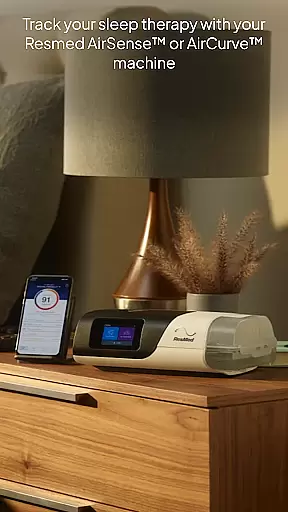
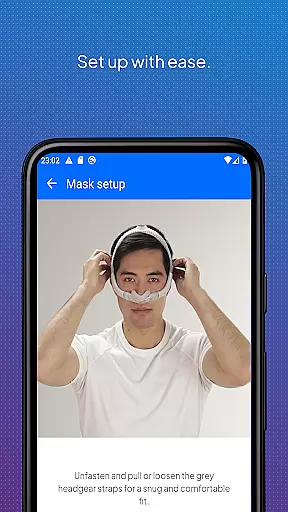
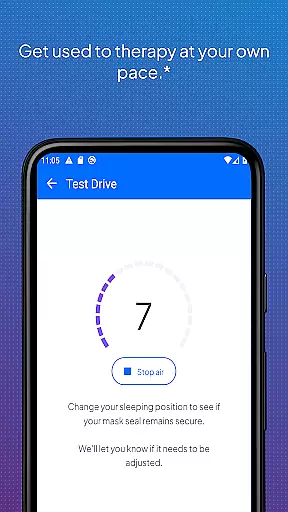
myAir by Resmed is an innovative app designed exclusively for users of Resmed AirSense and AirCurve devices, offering comprehensive support for sleep therapy. The app provides guided setup assistance through its Personal Therapy Assistant feature, which includes interactive voice-guided instructions to help users set up their equipment and fit their mask with confidence. Additionally, the Test Drive feature allows users to acclimate to therapy by adjusting air pressure levels, ensuring a smooth start to their therapy journey.
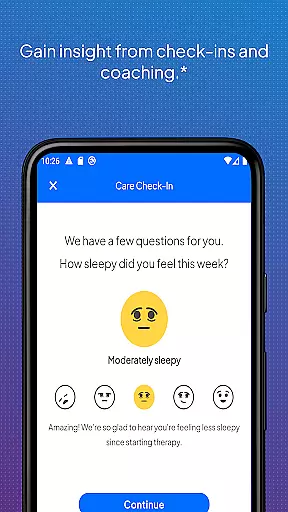
Beyond setup, myAir delivers personalized support by acting as a virtual sleep coach. It offers tailored coaching, tips, and educational videos to enhance user comfort and therapy success. Users receive proactive email and push notifications that encourage adherence and address potential issues. With user consent, therapy insights can be shared with healthcare providers, fostering better-connected care. Furthermore, the app integrates with Apple Health and Health Connect, allowing users to view health metrics alongside their therapy data.
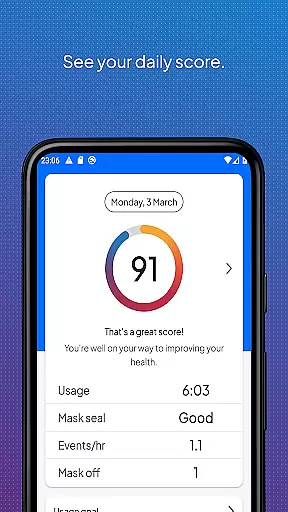
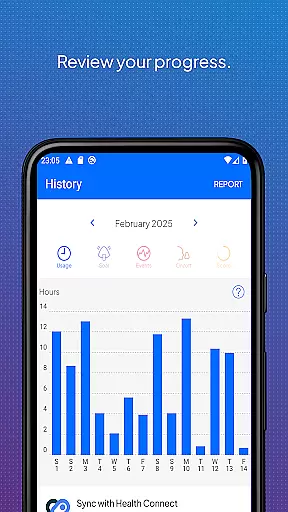
One of the standout features of myAir is its ability to provide detailed sleep therapy tracking. Users can access their daily therapy data, including a nightly myAir score that offers a quick overview of therapy performance. Comprehensive metrics allow users to monitor progress over time, while the option to download therapy summary reports ensures valuable records for personal use or sharing with healthcare providers.
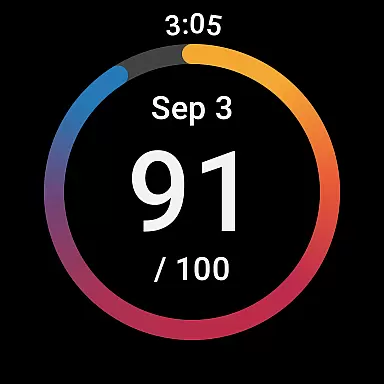
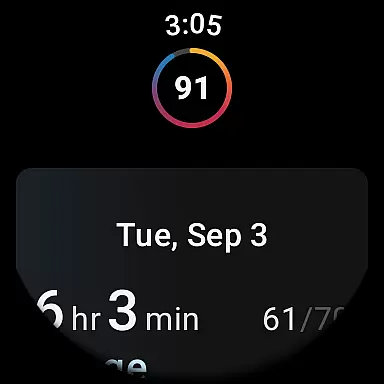
The app also boasts seamless integration with wearable technology, supporting the myAir Wear OS smartwatch app for compatible Samsung Galaxy Watches. This functionality enables users to conveniently access their therapy data directly from their smartwatch. However, it's important to note that certain advanced features, such as the Personal Therapy Assistant and Test Drive, are only available with AirSense 11 machines, distinguishing them from earlier models like the AirSense 10 or AirCurve 10.
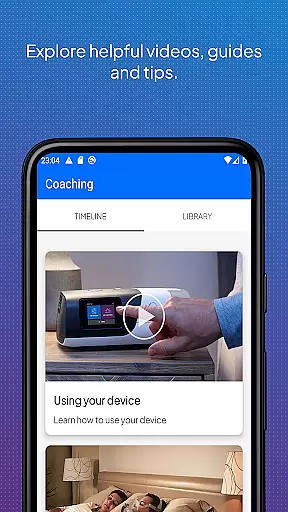
myAir's dedication to user education is evident in its extensive library of instructional videos and guides. These resources cover common questions and challenges, empowering users to troubleshoot issues independently. The combination of personalized support, detailed tracking capabilities, and educational content makes myAir an essential tool for managing sleep therapy effectively.
Companion app integration is essential for users who want a seamless experience between their Resmed AirSense or AirCurve machines and the myAir app. This connection allows for real-time data syncing, ensuring that therapy progress and sleep data are always up-to-date within the app.
myAir by Resmed offers an integrated solution where users can access their sleep therapy data directly on their smartphones. The app syncs wirelessly with compatible Resmed devices, providing a convenient way to monitor therapy adherence and success without manual input.
The benefits of this integration include personalized support and coaching based on accurate, real-time data. Users receive tailored advice and notifications that help them adjust their therapy as needed, enhancing overall treatment effectiveness.
This companion app functionality not only simplifies daily interactions but also empowers users to take charge of their sleep therapy journey with confidence, knowing they have the latest insights at their fingertips.
Wear OS and device compatibility ensures that users can access their crucial sleep therapy data on the go, directly from their smartwatches. For myAir by Resmed, this means offering a dedicated Wear OS app that extends its functionality beyond smartphones.
With the myAir Wear OS smartwatch app, users with compatible Samsung Galaxy Watches can conveniently view their sleep therapy data. This compatibility provides quick access to nightly scores and metrics without needing to carry a phone, making it ideal for those who lead active lifestyles.
The advantage of having Wear OS compatibility lies in its ability to deliver timely reminders and updates right on your wrist. Whether it's checking progress or receiving motivational prompts, users benefit from continuous support throughout their day.
By expanding its ecosystem to include wearable technology, myAir enhances user engagement and accessibility, ensuring that vital health information is always within reach, thus supporting better management of sleep therapy.
User-friendly interface
Personalized coaching
Detailed progress tracking
Integrated health metrics
Proactive notifications
Limited device compatibility
Advanced features restricted
Requires wireless connectivity
Premium device required
Dependent on user consent

A heartwarming Christmas scene featuring a cute image of Santa and Rudolf
 4.1
4.1
Beautiful artistic animated digital watch face, with a customizable layout!
4.40
Watch face for Wear OS.
4.20
Monitor health with the stress test and pulse checker in the heart rate app.
4.60
Reliable phone calls with spam protection, caller ID and more helpful features
4.40
The most customizable hybrid watch face. For Wear OS 5.0, API 34+ and later
4.70
A white realistic classic analog watch face with many customization options.
4.40
Back up your contacts & access them anywhere
4.30
From periods to pregnancy & perimenopause, Flo helps you track it all. Try now.
4.70
Digital, flexibly customizable watch face. For Wear OS 5.0, API 34+ and later.
5.00
sleep, alarm, snoring, stress, healing, focus, sound therapy, circadian rhythm
4.10
A digital watch face that celebrates Christmas.
4.00
Animated Watch Face and Customizable with 24 Backgrounds. Perfect for Christmas!
3.90
Professional weather radar and more
3.90
A Wintery Snow Globe on Your Wrist; now celebrating Christmas!
4.2
Stunning modern digital watch face with 7 complications and strong contrast
4.3
Artistic Digital Watchface
4.3
Simple Analog-Digital Watchface For Wear OS 3.0 and Up Smartwatches
4.5
Stylish digital watch face for Wear OS devices with customizable features
4.4


User Reviews