
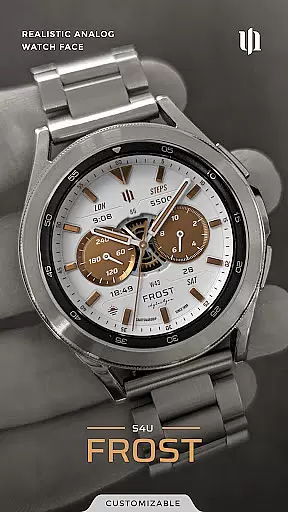
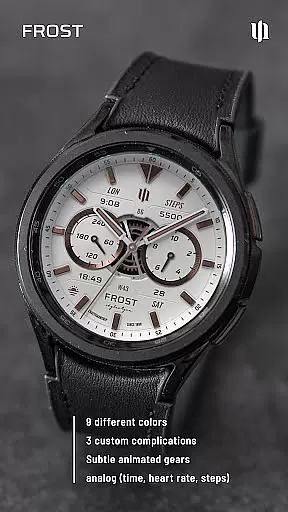
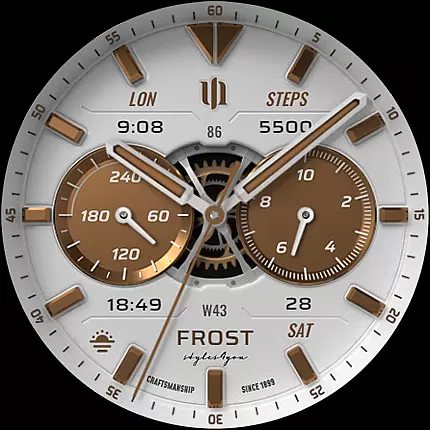
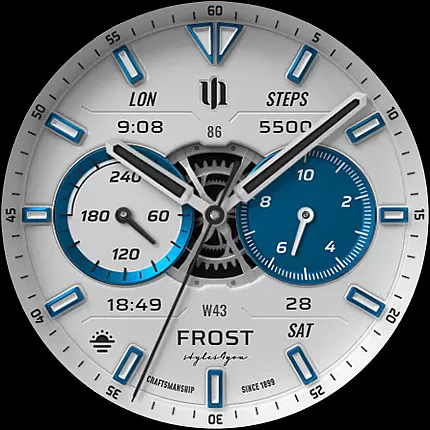
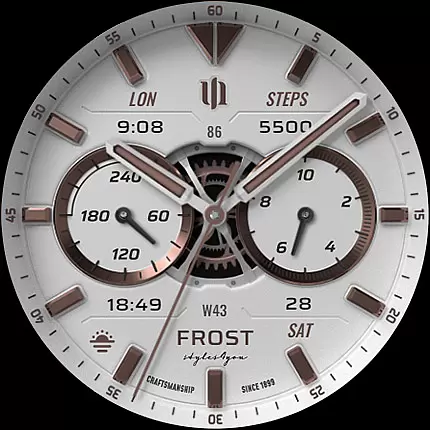
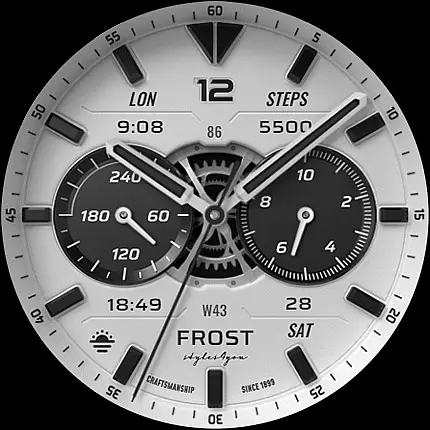
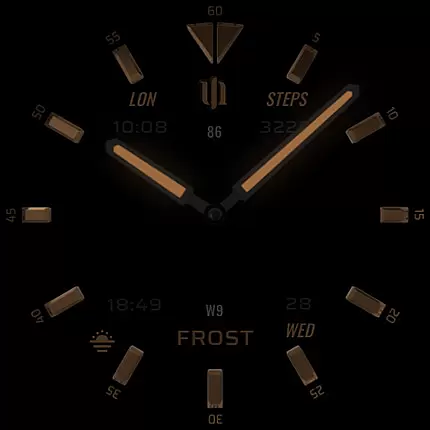
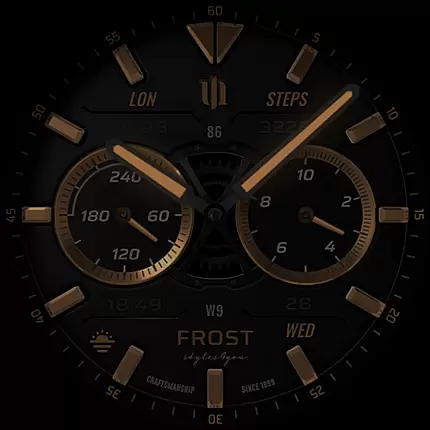
S4U Frost is a premium Wear OS watch face designed for users seeking both style and functionality. This analog watch face combines a realistic design with advanced customization options, including three custom complications and multiple color schemes.
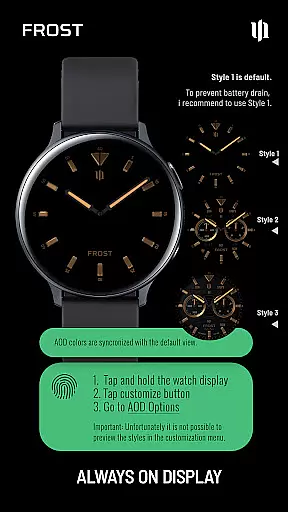
With compatibility across major Wear OS devices like Samsung Galaxy Watches and Google Pixel Watches, it offers versatile utility. The always-on display (AOD) feature provides three unique layouts while maintaining optimal battery performance. Users can personalize their experience with various color options, inner dial layouts, and index marks.
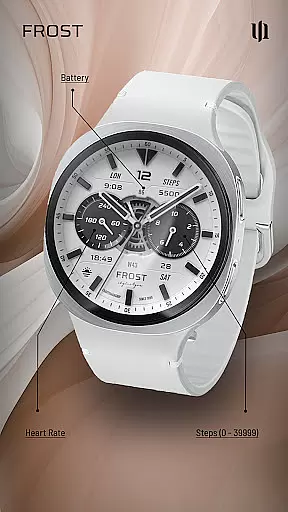
Perfect for tech-savvy individuals who value aesthetics and practicality, S4U Frost enhances daily interactions with smartwatches by displaying essential information such as time, steps, heart rate, and battery status.
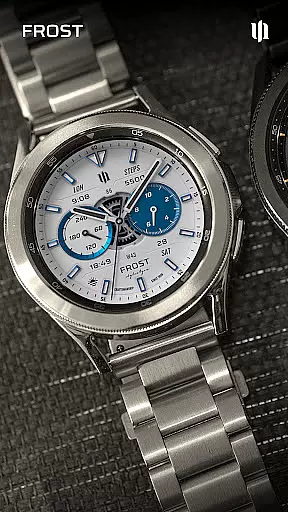
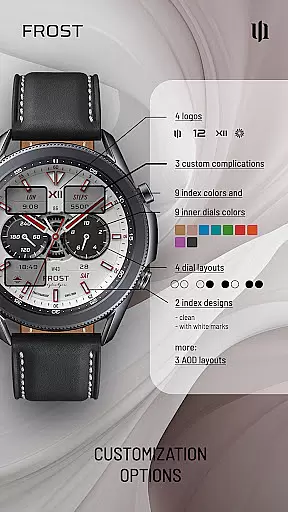
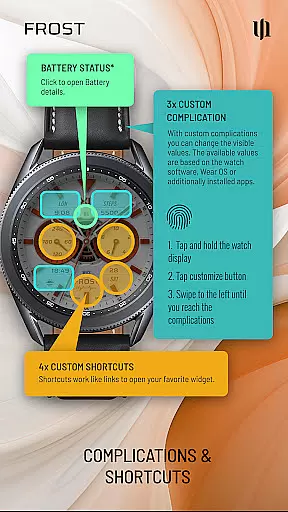
S4U Frost stands out with its extensive customization capabilities. Users can choose from ten different colors for main hands and backgrounds, select among four inner dial layouts, and pick from three AOD display modes. The watch face also supports up to three custom complications and four app shortcuts, allowing quick access to frequently used widgets.
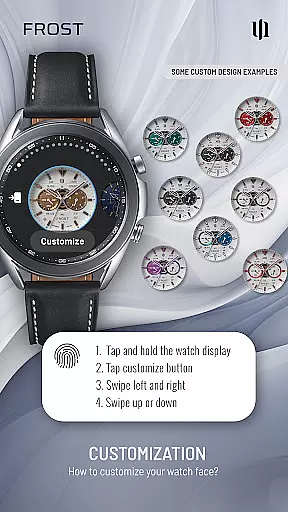
Additional features include adjustable index marks, logo styles, and gear animations. These elements ensure that each user's watch face is uniquely theirs. By pressing and holding the display, users can easily navigate through these options and tailor their watch face to suit personal preferences.
Moreover, S4U Frost integrates seamlessly with the latest Wear OS versions, ensuring smooth performance and regular updates. Its intuitive interface makes customization straightforward, enhancing the overall user experience without compromising on style or functionality.
Companion app integration is crucial for a seamless Wear OS experience. S4U Frost ensures that users can easily manage their watch face settings through its dedicated companion app.
The companion app provides clear installation guidance and troubleshooting steps in its Install/Issues section. This feature allows users to resolve any compatibility or setup challenges efficiently.
By offering direct access to customization options, the companion app enhances user control. Users can adjust color schemes, complications, and shortcuts effortlessly, ensuring a personalized experience.
This integration demonstrates the developer's commitment to user support, as evidenced by the availability of direct email assistance for further inquiries.
Device compatibility is a fundamental aspect of S4U Frost's design. The watch face supports smartwatches running Wear OS 4 or higher (Wear OS API 33+), ensuring optimal performance on compatible devices.
Major compatible devices include Samsung Galaxy Watch series (4, 5, 6, 7, 7 Ultra, 8) and Google Pixel Watch models (1-3). This wide compatibility range makes S4U Frost accessible to a broad user base.
The application takes full advantage of Wear OS capabilities, including advanced features like Always-On Display (AOD) with multiple layout options. However, users should note that AOD functionality may impact battery life depending on individual device settings.
By maintaining strict compatibility standards, S4U Frost guarantees a consistent and reliable user experience across supported devices while preserving the integrity of its sophisticated design elements.
Highly customizable
Realistic analog design
Multiple AOD layouts
Wide color options
User-friendly interface
Limited to Wear OS
Battery usage concern
No white AOD background
Premium cost
Complex setup

Christmas Theme Watch Face for Wear Os
 5.00
5.00
A Wintery Snow Globe on Your Wrist; now celebrating Christmas!
4.1
Current temperature, weather hourly, weather radar by the weather forecast app
4.40
Beautiful artistic animated digital watch face, with a customizable layout!
4.40
Wear Os Watch Face - Animated Snow Effect & Magic Spark - 6 Scenes
4.10
Your second brain for organizing your life: to-do, calendar, reminder.
4.70
Reliable phone calls with spam protection, caller ID and more helpful features
4.40
Real-time results, stats, schedules and player profiles for all leagues
4.60
Animated video-game inspired “secret agent” simulation, right on your wrist!
4.20
Beautiful, colorful and practical watch face. For Wear OS devices.
5.00
Digital, flexibly customizable watch face. For Wear OS 5.0, API 34+ and later.
5.00
Kia Access makes getting your vehicle information easier than ever
4.60
Animated Watch Face and Customizable with 24 Backgrounds. Perfect for Christmas!
3.90
Get helpful reminders, take progress photos and find answers to your questions.
3.90
Professional weather radar and more
3.90
Your local weather forecast, storm tracker, radar maps & live weather news
3.40
Watch face designed for Thanksgiving Day. 7 Background Styles included.
3.20
Wear Os Watch Face - Animated Snow Effect & Christmas Lights
4.1
Precision analog watch face with 7 complications and style options
4.4


User Reviews