
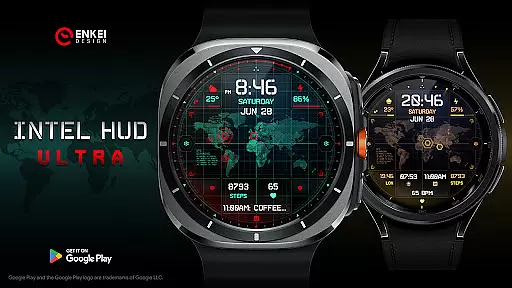
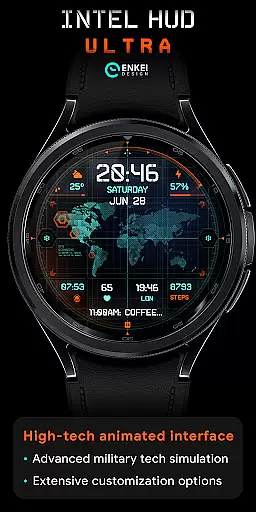
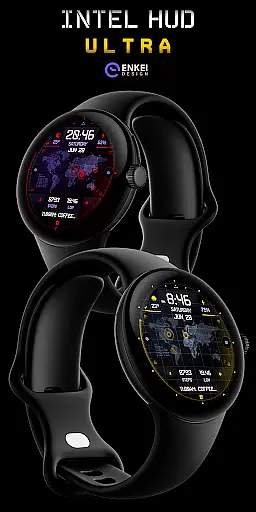
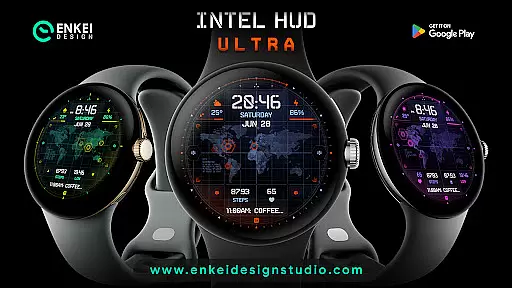
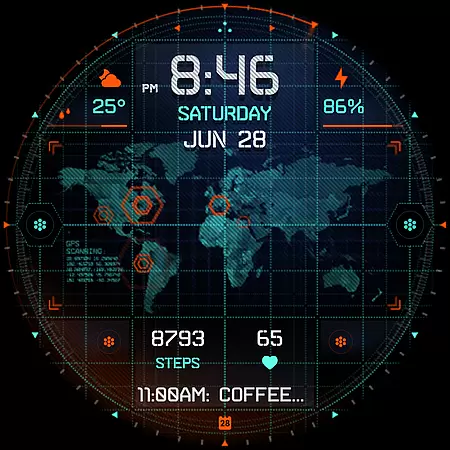
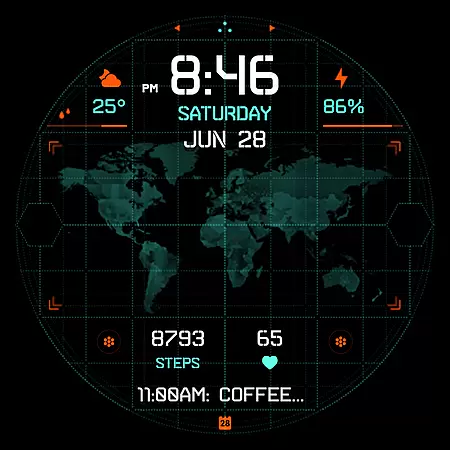
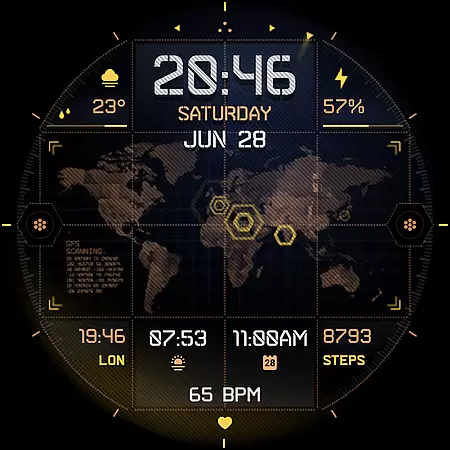
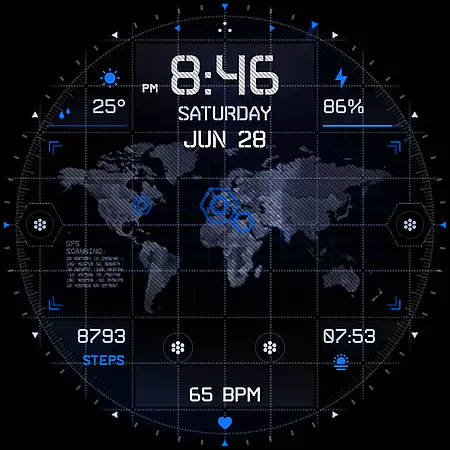
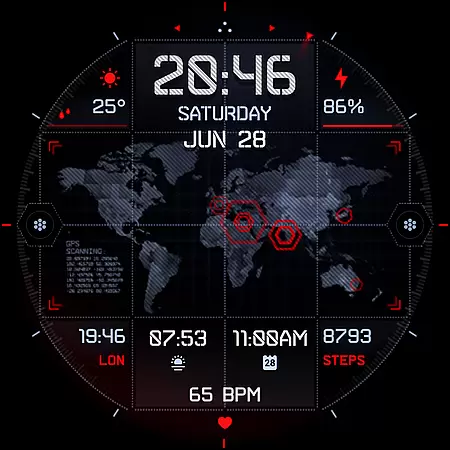
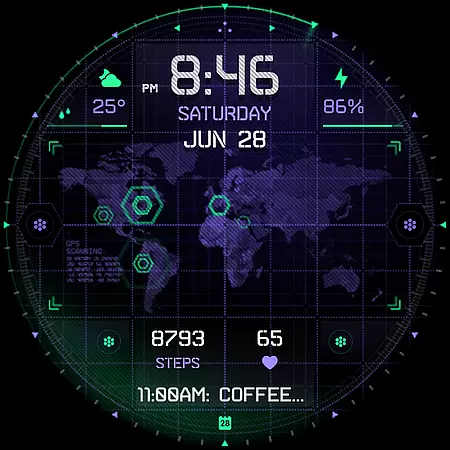
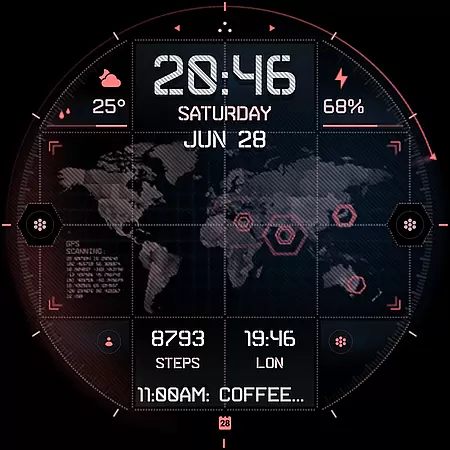
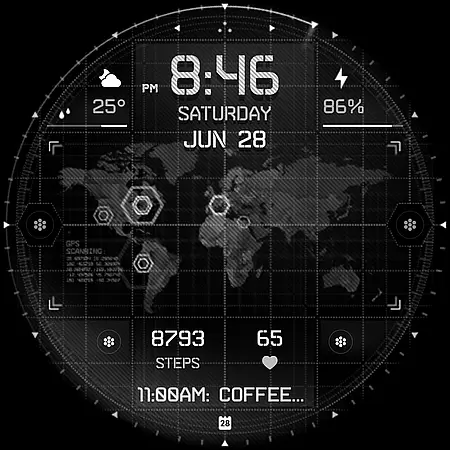
INTEL HUD Ultra represents the pinnacle of digital watch face technology, offering users an animated, high-tech interface optimized for maximum performance while minimizing battery consumption. The design draws inspiration from cutting-edge military equipment often featured in popular spy-themed video games and films.
This sophisticated watch face provides extensive customization possibilities, allowing users to personalize their display with various indicators, shortcuts, colors, and other visual elements. Compatible exclusively with devices running Wear OS 5.0 and newer versions (API 34+), it ensures optimal functionality on supported platforms.
Whether you're tracking daily steps, monitoring heart rate, or checking the weather, INTEL HUD Ultra delivers a seamless and visually stunning experience that enhances your smartwatch's utility and style.
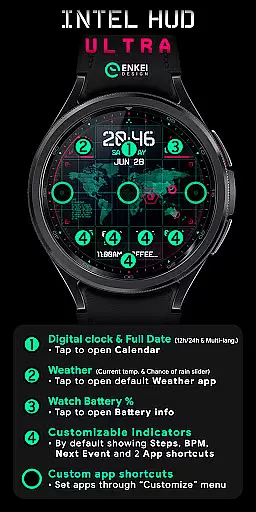
INTEL HUD Ultra stands out with its array of innovative features designed to elevate your smartwatch experience. The digital clock supports both 12-hour and 24-hour formats and includes interactive elements like tapping to open the Calendar app. It also displays the weekday, month, and date in multiple languages, providing global accessibility.
Users can enjoy real-time weather updates, including current temperature and chance of rain, with a simple tap to access the default Weather app. Four customizable short-text indicators and one long-text indicator allow personalized data tracking, such as steps, heart rate, and upcoming events. Additionally, three customizable app shortcuts offer quick access to frequently used applications.
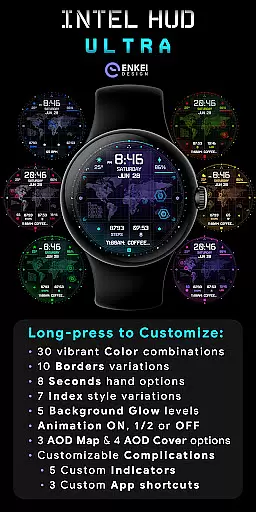
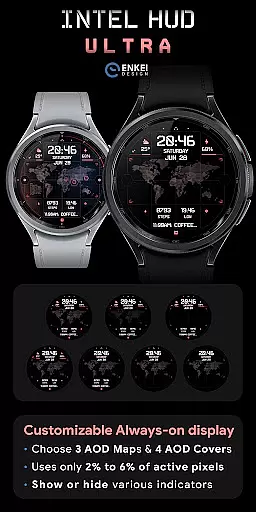
The watch face boasts a battery-efficient always-on display (AOD) mode, using only 2% to 6% active pixels. Long-pressing opens a comprehensive Customize menu, enabling adjustments to colors, borders, seconds, index styles, background glow, animations, AOD maps, and more. These features collectively ensure a tailored and dynamic user experience.
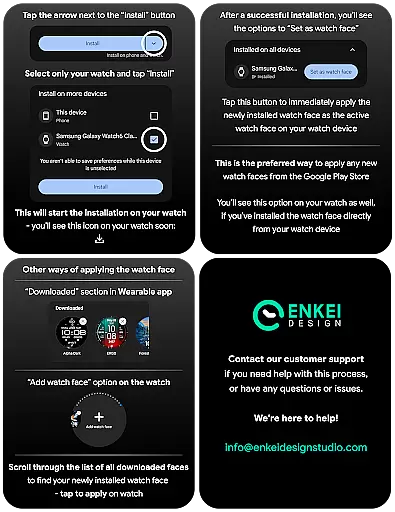
Companion app integration is crucial for smartwatch applications as it ensures seamless synchronization between the wearable and its paired mobile device. INTEL HUD Ultra demonstrates excellent companion app integration by providing a dedicated phone application that facilitates direct installation to the watch device.
The companion app serves as more than just an installation medium; it acts as a bridge that enhances user experience. Through this integration, users can easily access and manage their watch face settings, receive updates, and ensure that their wearable remains fully optimized without hassle.
This streamlined connection allows users to maintain focus on their daily activities while ensuring their smartwatch performs optimally. The ability to directly install from phone to watch simplifies the setup process significantly, making it accessible even for non-tech-savvy individuals.
By prioritizing robust companion app integration, INTEL HUD Ultra ensures that users enjoy a cohesive ecosystem where both devices complement each other perfectly, enhancing overall usability and satisfaction.
Device compatibility is a fundamental aspect of any Wear OS application, determining its ability to function across various devices seamlessly. INTEL HUD Ultra is specifically designed for devices running Wear OS 5.0 and newer versions (API 34+), ensuring optimal performance on supported devices.
This strict compatibility requirement guarantees that users will experience the full range of features without encountering performance issues. By focusing on newer operating systems, the application leverages advanced functionalities and improved security protocols inherent in these updates.
Moreover, targeting recent OS versions allows developers to implement cutting-edge technologies like enhanced customization options and efficient animations. Users benefit from having access to a high-tech animated interface explicitly optimized for maximum performance with minimal battery consumption.
Overall, INTEL HUD Ultra's commitment to Wear OS/device compatibility ensures a smooth, feature-rich experience tailored for modern smartwatches, allowing users to take full advantage of their deviceu2019s capabilities.
Highly Customizable
Battery Efficient
Interactive Elements
Modern Design
Multi-language Support
Wear OS 5.0 Required
Limited Device Compatibility
Premium Price Point
Complex Setup Process
Advanced Features May Overwhelm

Diet tracker for weight loss - track calories, food and macros. Simple and easy!
 4.70
4.70
Wear Os Watch Face - Animated Snow - Sesonal for Christmas & Winter
4.1
Deck out your Wear OS Watch face with a beautifully decorated pine wreath!
4.50
Stunning modern digital watch face with 7 complications and strong contrast
4.2
Easy Voice Recorder is your everyday companion to record important moments.
4.70
Locate your family members by GPS phone location tracker everywhere and anytime
4.30
The ultimate destination for kids ages 3-8 to explore the Marvel Universe!
4.30
Bold weather Digital watchface with forecast & optional animated background
4.40
Hyper-Realistic Airplane Dashboard Watch Face With 10 Skins and Custom AOD
4.00
Gym Log & Workout Tracker | Fitness Journal, Training & Weight Lifting Planner
4.90
The Chevron App allows you to pay for fuel from the comfort of your car!
4.80
Retro digital watch face with customizable colors and a unique lighting effect
4.60
Ideal for surviving in the wasteland left after nuclear fallout
4.50
Current temperature, weather hourly, weather radar by the weather forecast app
4.40
Reliable phone calls with spam protection, caller ID and more helpful features
4.40
Let's celebrate Thanksgiving - Wear Os watch face
4.20
Professional weather radar and more
3.90
an Analog Watch Face for winter season with freeze winter background for Wear OS
4.1
Analog watch face with 8 complications and expedition styling
4.1


User Reviews