
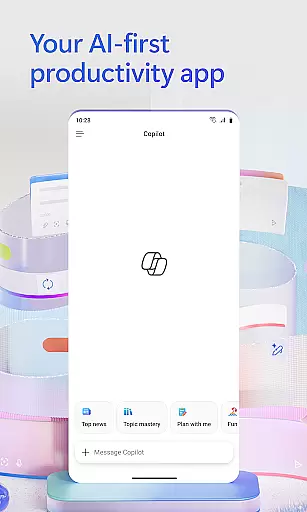
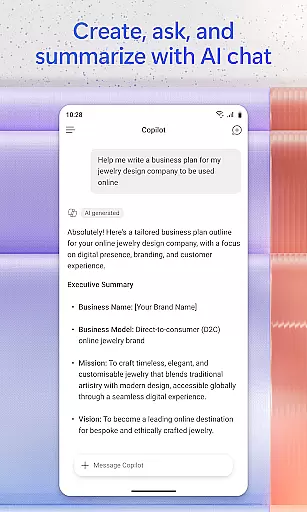

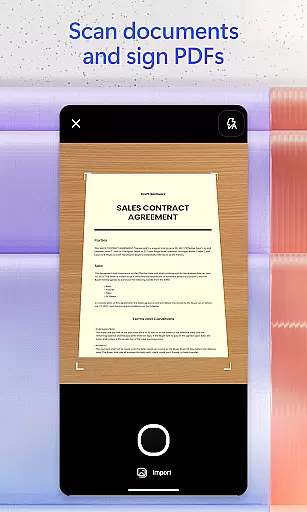
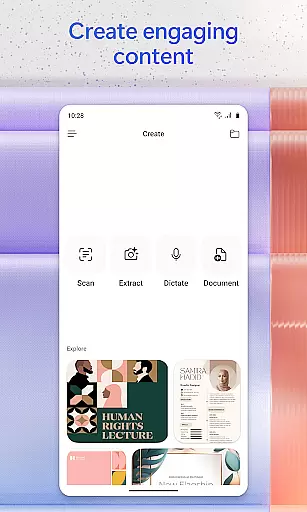
Microsoft 365 Copilot is an AI-powered productivity application designed to streamline work and personal tasks. The app serves as a centralized platform for interacting with an AI assistant, creating and editing content, scanning documents, managing projects, and quickly locating files on the go. With seamless integration across Microsoft 365 services such as Word, Excel, PowerPoint, and cloud storage solutions like OneDrive and SharePoint, users can efficiently accomplish more without added complexity.
The app's standout feature is its conversational AI assistant, which allows users to perform tasks using natural language commands. Whether summarizing documents, drafting emails, or analyzing spreadsheets, the assistant adapts to various workflows. Additionally, voice interaction capabilities enable hands-free operation, making it ideal for multitasking professionals. From accelerating learning to generating expert insights through specialized AI agents, Microsoft 365 Copilot caters to both productivity enthusiasts and casual users seeking smarter digital tools.
Microsoft 365 Copilot offers a robust set of features tailored to enhance productivity. At its core, the app provides an advanced AI assistant capable of understanding natural language queries. Users can ask the assistant to summarize documents stored in the cloud, draft professional emails, or analyze complex datasets within spreadsheets. This functionality extends to voice interactions, allowing users to prepare for meetings, brainstorm ideas, or retrieve information without typing.
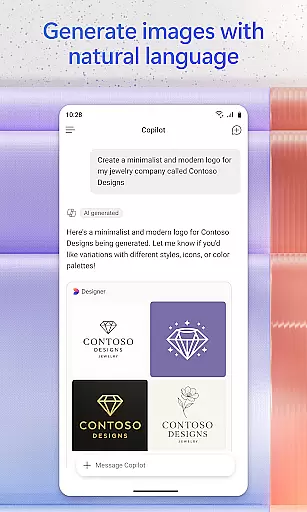
Beyond its AI capabilities, the app supports creative content generation. It includes easy-to-use templates for designing images, posters, banners, videos, and surveys. Document management is simplified with scanning functionalities for photos, notes, and files, while project management tools help consolidate ideas and links into cohesive summaries. Furthermore, the app ensures cross-platform compatibility by enabling access to Word, Excel, PowerPoint, and PDFs directly from mobile devices, empowering users to stay productive regardless of location.
Task management is a cornerstone of productivity, and Microsoft 365 Copilot excels in this area by integrating various tools into one cohesive platform. This app allows users to manage projects easily through Copilot Notebooks, which brings together ideas, documents, and links.
The application's ability to summarize and connect the dots between different pieces of information streamlines project workflows. Whether you're organizing a team project or keeping track of personal tasks, the AI assistant helps prioritize and manage your workload efficiently.
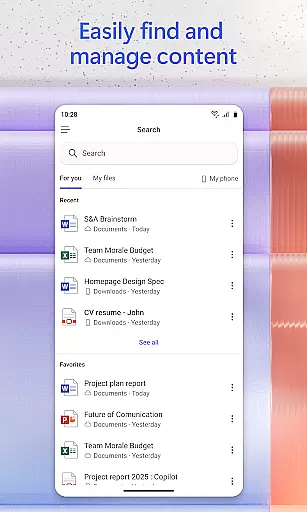
Users benefit from having all their necessary documents, spreadsheets, presentations, and PDFs accessible within the app. With features like document scanning and quick file search, staying organized has never been easier. These capabilities ensure that whether you're at work or home, your projects are always up-to-date and at your fingertips.
Cross-device synchronization is vital for maintaining workflow continuity across different environments. Microsoft 365 Copilot ensures reliable syncing of files and data, allowing seamless transitions between desktop and mobile platforms.
With real-time updates, any changes made on one device are instantly reflected on others. This means you can start editing a document on your phone during a commute and continue right where you left off once you reach the office. The app supports Word, Excel, PowerPoint, and PDF formats, making it versatile for various tasks.
Moreover, signing in with a Microsoft account enables cloud storage integration with OneDrive or SharePoint. This not only provides secure backup but also facilitates easy sharing and collaboration with colleagues. By ensuring consistent access to your files, Microsoft 365 Copilot empowers users to be productive anytime, anywhere.
AI-powered efficiency
Voice command support
Creative templates
Document scanning
Cloud integration
Limited free features
Subscription required
Complex setup
Occasional bugs
High system requirements

Client for Nextcloud Deck
 4.60
4.60
Automates browsing any website and notifies you of important changes or events
4.30
Easiest event planning, volunteer signups & parent teacher conference scheduling
2.20
ID.me Authenticator is a simple and free Two Factor Authentication solution
3.50
All document reader, all in one file viewer read PDF, DOCX, XLS, PPT, TXT files.
4.60
Docker, Kubernetes management over Portainer Mobile
4.40
Scan paperwork into PDF/JPG, generate your own e-signature and send fax or email
4.70
Set up, print, and get support—in one place
4.20
Put a lock on your cloud: Take the security of your data into your own hands
3.70
Seamlessly integrate data and reports to build your presentation to impress
4.80
Quickly and easily keep track of your work shifts
4.70
Absolutely the best CNC machinist speed and feed calculator around. fswizard.com
4.60
CalenGoo is a very flexible and feature-rich calendar app
4.40
This small app MUST BE INSTALLED after purchase, else license won't work
4.40
Easily read and manage all your PDF files
4.10
Make apps & sites with natural language prompts
4.10
Cloud storage, automatic phone backup, and more.
4.10
AI Video AI Image Private LLM AI Browser Llama Gemma Ollama Connect LLM Studio
4.0
A simple, portable logger for POTA, SOTA, Field Day, and more
4.5


User Reviews