

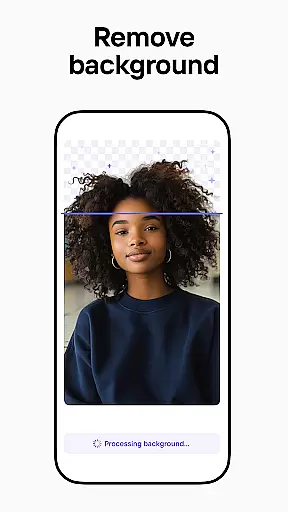

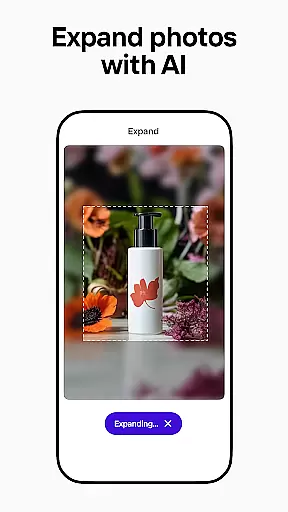
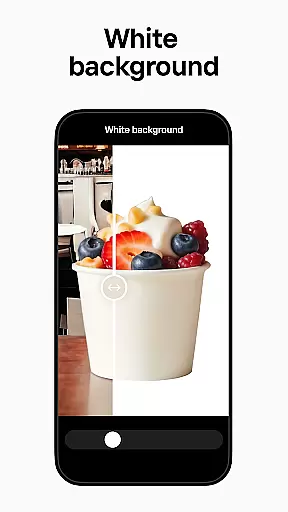
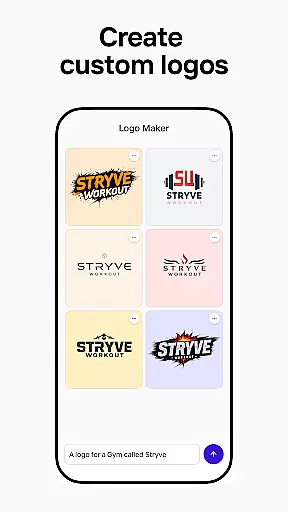
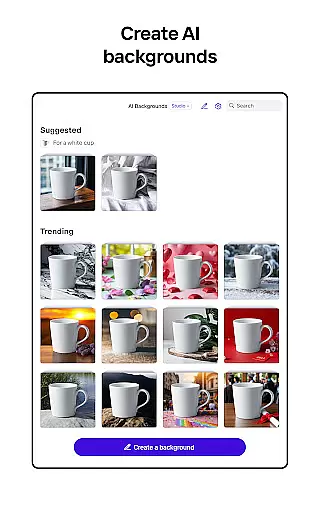
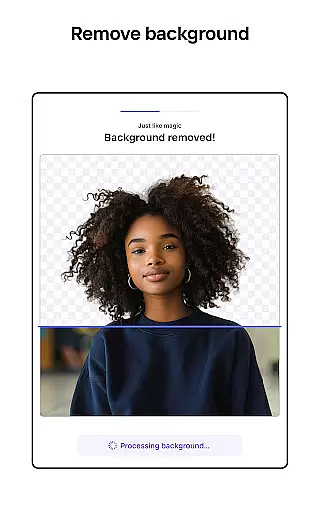
Photoroom AI Photo Editor is a powerful mobile application designed for creating professional-quality images with ease. The app utilizes advanced AI technology to help users design, edit, and enhance photos by removing or replacing backgrounds, erasing unwanted objects, and adjusting lighting and shadows. It is particularly beneficial for e-commerce sellers, content creators, and social media managers who need to produce engaging visuals for various platforms like Instagram, Facebook, and Amazon.
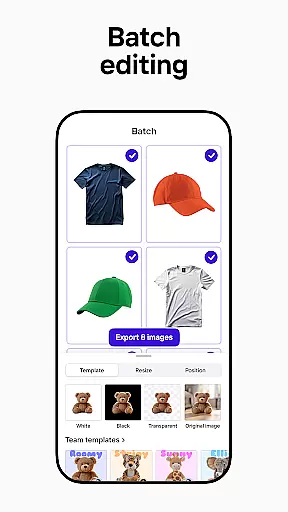
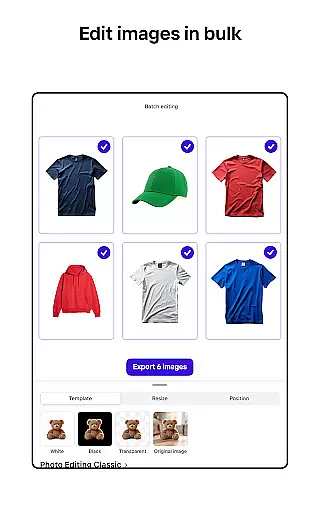
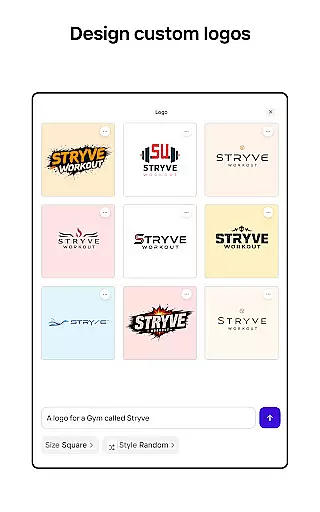
One of the standout features of Photoroom is its AI-powered design capabilities, which allow users to generate backgrounds, logos, and other design elements simply by describing their ideas. This saves significant time and effort, making it accessible even to those without prior design experience. Additionally, the app offers batch editing functionalities, enabling users to apply consistent styles across multiple images efficiently. Whether you're looking to create polished product shots or eye-catching social media posts, Photoroom provides the tools necessary to elevate your brand and drive engagement.
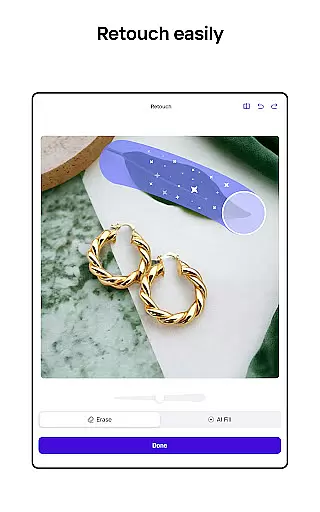
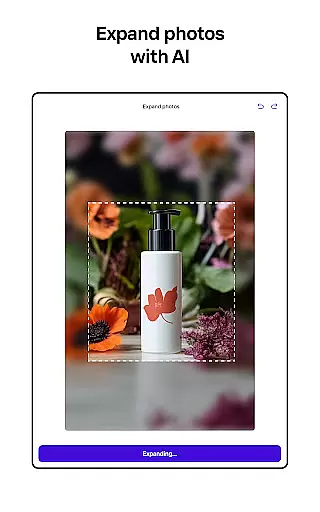
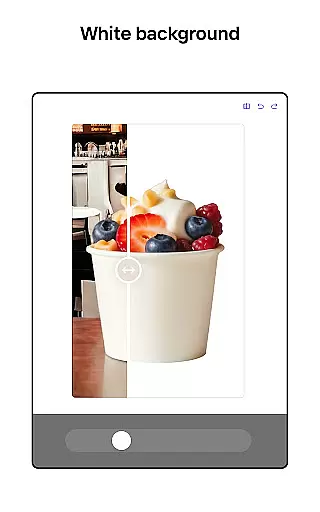
Photoroom AI Photo Editor boasts an array of sophisticated features tailored to meet the needs of various users. One of its core functionalities is the AI-powered background removal and replacement tool, which allows users to effortlessly erase and replace backgrounds in their photos. This feature is particularly useful for e-commerce sellers who need to create clean, professional product images. The smart eraser tool further enhances this capability by enabling users to remove distractions and imperfections from their photos seamlessly.
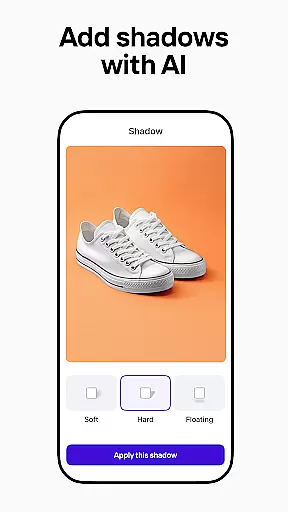
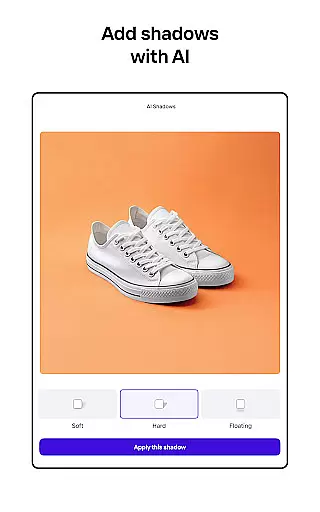
In addition to background editing, Photoroom offers enhanced photo editing tools that help users adjust lighting, shadows, and sharpness to achieve professional results. The app also includes a Product Beautifier feature, which can instantly enhance visuals by showcasing clothing on virtual models or placing items in beautifully staged scenes. Furthermore, Photoroom supports batch editing, allowing users to edit multiple images simultaneously—a boon for those managing large volumes of content. With customizable templates and real-time collaboration features, Photoroom ensures that teams can work together efficiently to produce consistent and high-quality designs.
Real-time capture and preview functionality is essential for ensuring that every photo taken meets professional standards. With Photoroom AI Photo Editor, users can instantly see the results of their edits as they make them, providing immediate feedback on changes to backgrounds or object removals.
This application leverages advanced AI technology to allow users to modify images in real time, whether it's adjusting lighting, erasing unwanted objects, or replacing backgrounds. The responsiveness of the app ensures that even complex edits are reflected instantly, allowing creators to fine-tune their work without delays.
The value of real-time previews extends beyond convenience; it empowers users to experiment with different design elements confidently. Knowing exactly how an image will look before finalizing it saves time and enhances creativity, making the editing process more intuitive and efficient.
AI beauty and enhancement features focus on improving image quality while maintaining a natural appearance. Photoroomu2019s AI technology specializes in refining photos by adjusting elements like lighting, shadows, and sharpness without over-processing, ensuring that edited images retain their authenticity.
One of the standout capabilities of this app is its Product Beautifier tool, which enhances product visuals seamlessly. By placing items in beautifully staged scenes or showcasing clothing on lifelike virtual models, Photoroom helps businesses create polished, professional images that resonate with customers.
For users, this means achieving high-quality results without sacrificing the genuine essence of their original photos. Whether you're an e-commerce seller looking to enhance product listings or a content creator aiming for visually appealing posts, Photoroomu2019s AI-powered enhancements ensure your images stand out naturally and professionally.
User-friendly interface
Advanced AI tools
Batch editing support
Real-time collaboration
Versatile template options
Premium features locked
Subscription required
Limited free exports
Occasional bugs
Learning curve for new users

[3DSteroid Pro] is a stereoscopic application for Android.
 4.30
4.30
Android Native system HD camera app. Never been so simple and faster.
4.70
AI photo editor with hair editor, retouch tools, hair color changer & filters!
4.50
Take videos and pictures with the popular TikTok TIME WARP SCAN filter.
4.60
Create amazing frames with up to five photos. Rounded corners, effects and more!
3.60
AI photo enhancer with Sora 2! Enhance, descratch, and colorize your old photos.
4.50
Use AI Video Generator to turn your words to ai generated videos.
4.50
A light meter for true photographers.
4.20
Catch sunlight, sunrise sunset times and sun phases with the AR sun tracker.
4.10
Light-weight Media Gallery app for Android made with Jetpack Compose
4.60
Safe & smart flight with Go Fly drone controller for 40+ drone camera, zone map
4.50
Fit multiple photos on one post. Create carousels & scroll layouts for Instagram
4.50
AI portrait generator and polaroid AI selfie, fun AI generated AI photo creator!
4.30
Virtual makeup, hair filters & body tuner—edit from face to full body!
4.20
Create AI Photos, Improve and restore quality of blurry, old or damaged pics.
4.20
Transform Photos: Edit, Beautify and Craft Memories & Make Collages!
4.10
Photo editor: face & body editor, beauty cam, filters and quality enhancer.
4.00
How would you look like with a differently shaped nose, chin or lips?
3.90
Astrophotography with your smartphone, photo live stacking and much more!
3.90


User Reviews