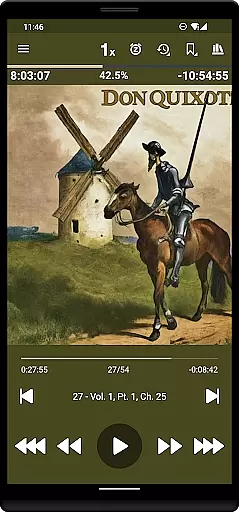
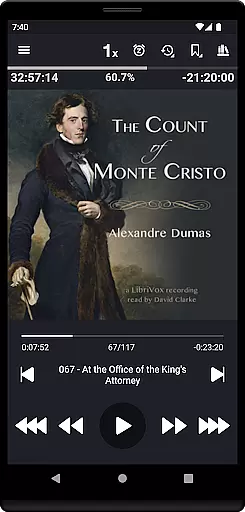
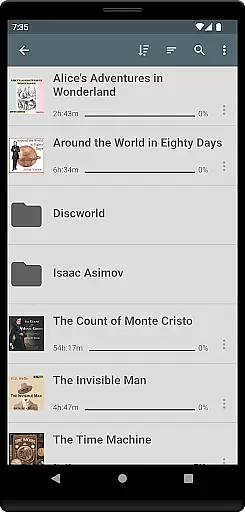
Listen Audiobook Player is a feature-rich audio player designed for audiobook enthusiasts who value flexibility and control. This application allows users to play DRM-free audiobooks from various sources, including personal libraries or curated selections available directly within the app. With support for multiple audio formats like MP3, M4B, FLAC, and more, it ensures compatibility with a wide range of files. The app's folder-based library system automatically syncs with your audiobook folders, making organization seamless while supporting subfolders for better management.
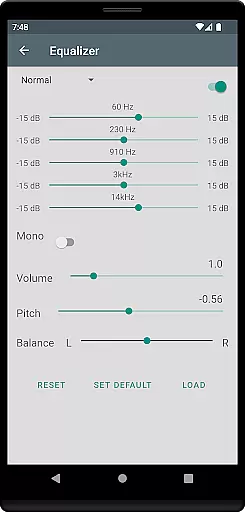
Beyond its core playback capabilities, Listen Audiobook Player offers advanced features such as variable playback speed (0.5x to 4x), pitch control, and an equalizer for tailored listening experiences. It also integrates with services like Plex and Audiobookshelf, enabling users to download books from hosted servers directly into their local libraries. Whether you're using Android Auto during commutes or enjoying Bluetooth controls at home, this app provides a versatile solution for all your audiobook needs.
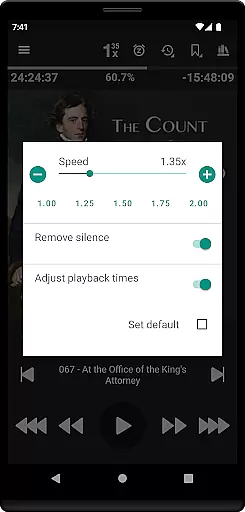
One of the standout aspects of Listen Audiobook Player is its comprehensive feature set that enhances user experience. The app supports embedded chapters in most audio codecs, allowing listeners to navigate through audiobooks effortlessly. Advanced playback options include variable speed playback, silence trimming, pitch correction, and volume boosting—all customizable on both global and per-book levels. These tools ensure users can fine-tune their listening sessions according to personal preferences.
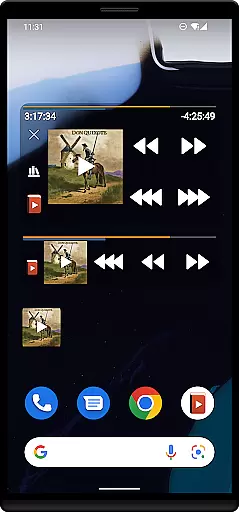
Another key feature is the built-in synchronization support, which allows users to sync current positions and bookmarks across multiple devices. This ensures continuity whether switching between phone and tablet or sharing progress with family members. Additionally, the app offers innovative functionalities like bookmark creation with audio clips that can be saved or shared, position history tracking, and widgets for quick access. Integration with automation apps like Tasker further extends its utility by enabling customized control schemes.
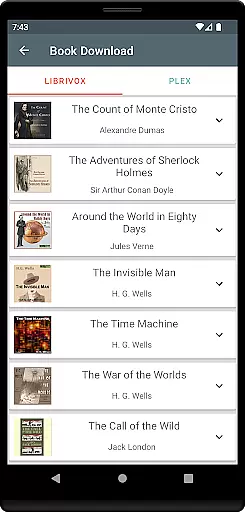
Listen Audiobook Player offers an extensive music library that includes a variety of curated books from Librivox, which users can download directly within the app. This feature ensures that listeners have access to a wide range of audiobooks, from classic literature like 'Pride and Prejudice' to philosophical works such as 'Meditations' by Marcus Aurelius.
The application supports DRM-free audio content, allowing users to enjoy their personal collections without restrictions. By sourcing content from reputable sites like Librivox, Downpour, and Loyal Books, the app guarantees copyright authenticity, providing peace of mind for users who want to ensure they are accessing legal and properly licensed materials.
Moreover, integration with services like Plex and Audiobookshelf enables seamless downloading of books from personal servers, expanding the library options while maintaining copyright compliance. This dedication to authentic content curation enriches the user experience, making it a reliable choice for avid audiobook listeners.
One of the standout features of Listen Audiobook Player is its support for various high-quality audio formats including MP3, M4B, M4A, Opus, Ogg, AAC, FLAC, and more. This versatility in format compatibility ensures that users can enjoy their audiobooks in the best possible quality, preserving the nuances of narration and sound.
The player also offers advanced playback controls such as variable playback speed (0.5x to 4x), pitch control, trim silence, and volume boost. These options allow users to customize their listening experience according to their preferences, whether they want to speed through a book or savor every word at a slower pace.
Additionally, the equalizer and balance settings enable further refinement of audio output, catering to audiophiles who demand precise sound customization. With these comprehensive audio quality options, Listen Audiobook Player delivers an unparalleled listening experience that meets the needs of discerning users.
User-friendly interface
Wide format compatibility
Advanced playback controls
Sync across devices
No ads or in-app purchases
Limited DRM support
Complex for beginners
Occasional bugs reported
Large app size
Requires manual setup

The Skullcandy App Experience
 3.20
3.20
DJ Music Mixer Pro is a real DJ controllers and DJ Music Studio to remix DJ.
4.40
Simple & Intuitive Metronome
4.70
Bass Booster Pro takes auto-equalizing to the next level!
4.30
Offline Music Player&MP3 Player with themes, equalizer, lyrics, music play mode
4.60
Let your Android device with the sound effects you want
4.50
Play KORG’s revolutionary touch-based instrument on a variety of devices.
4.40
Manage your Sonos system directly from your home-screen!
4.40
Versatile MP3 recorder with auto-backup to Dropbox and Google Drive
4.10
The best music and audio player, with beautiful UI, music search and equalizer.
4.60
A synth that really lets you shape your sounds!
4.50
DJ Music Mixer - DJ Remix: remix songs, make beat music & record mix of DJ.
4.40
Full featured mp3 and audio player with Chromecast and Android Auto support.
4.40
Equalizer, Bass Booster and Volume Booster (Eq & Bass) improve sound quality
4.30
Advanced 10-Band Audio Graphic Equalizer Sound Booster Pro
4.30
A sleek, no-frills player designed for true music lovers.
4.20
Offline and always ad-free - stream in the highest quality available.
4.10
Make music anywhere. Turn your device into an instrument.
4.0
Music Streaming suite for Ampache, Nextcloud Music and compatible backends.
4.3


User Reviews